Skip to:
Content
Pages
Categories
Search
Top
Bottom

Search Results for 'updated'

Viewing 25 results - 751 through 775 (of 2,090 total)
  • Author
    Search Results
  • tylertervooren
    Participant

    Okay, another data point here.

    After receiving an auto-update to WP 4.0, bbPress was a mess. The forum index was visible, but each forum was empty of topics (except for a super sticky topic; for some reason, that was still visible). All topics/replies still visible in wp-admin, and freshness on the front-end reported properly. Basically, everything was still there, but not visible for some reason.

    Through process of elimination, I found that the Relevanssi plugin was preventing topics/replies from showing on the front end of the site.

    Disabling that plugin fixed that problem. I believe they updated their plugin last night, but the current version still conflicts with bbPress.

    After this, I realized that the FIRST/ORIGINAL post in every topic was still missing. Again, through process of elimination, I found that the Search Exclude plugin was creating this problem.

    Disabling Search Exclude solved the missing first post problem.

    I have no idea what the conflicts are, but I will be adding this reply and a link to this discussion in the support forums for these two plugins.

    StargateCarterPack
    Participant

    I’ve got the same problem all my topics are just gone but they are still there in the back end they’re just aren’t showing up in the front-end.

    I only updated to 4.0 and other than BBpress I don’t have much other plugins installed here’s a list:

    adminimize
    adsense-click-fraud-monitoring
    amr-shortcode-any-widget
    baw-login-logout-menu
    bbpress
    bbpress-admin-bar-addition
    bbpress-custom-css-file
    bulletproof-security
    google-adsense-dashboard-for-wp
    google-analytics-dashboard-for-wp
    inactive-user-deleter
    limit-login-attempts
    theme-my-login
    wp-user-avatar

    I do think it is a conflict with the code and the newer version of WordPress as I only updated wordpress to 4.0 and the errors started to appear.

    Yolle
    Participant

    Hi!

    I have an urgent problem. After I updated WordPress to 4.0 I noticed, that all the first posts in topic disappeared, so the first “comment” that is seen after opening a topic is actually the first reply..
    Did anyone notice this? Does anyone have an idea how to solve this?

    Thanks!

    Moderator Edit:

    Primarily this topic is about an issue with S2Member, S2Member have created an issue to track this here:
    https://github.com/websharks/s2member/issues/321

    If you use the “Search Exclude” plugin, go and subscribe to this topic on their support forum:
    http://wordpress.org/support/topic/wp-40-search-exclude-bbpress-conflict

    If you use the “Relevanssi” plugin, go and subscribe to this topic on their support forum:
    http://wordpress.org/support/topic/wp-40-relevanssi-bbpress

    If you don’t use any of these plugins please create a new topic:

    Create New Topic

    #151824
    Stephen Edgar
    Keymaster

    All function names need to be unique:

    See the WordPress Plugin Handbook for more details:

    Sanity Practices

    You can achieve this simple by prefixing the function names with your name: 🙂

    
    function donalyza_remove_counts() {
    $args['show_topic_count'] = false;
    $args['show_reply_count'] = false;
    $args['count_sep'] = '';
    return $args;
    }
    add_filter('bbp_before_list_forums_parse_args', 'donalyza_remove_counts' );
    

    Our codex articles will need to be updated to include prefixes so there are none of these conflict, suggestion might be bbp_codex_ so that way a hint is also given where the custom function may have originated from 😉

    #151571
    Robin W
    Moderator

    Can I export the entire site from inside the backend as a superadmin? Or do I need phpMyAdmin to do it?

    I’d use phpmyadmin, rather than wp import/export, as the you know you’ve got everything

    This is my first time with a forum, and I have been warned that nothing has been updated in a REALLY long time.

    what version of bbpress is it running?

    My biggest concern is the privacy – I am assuming that the forum settings are set to private?

    once you got it in, you cam make it private quite easily if it isn’t already. Private forums are hidden from you unless you are logged in.

    #151566
    coskel22
    Participant

    Hey Robin, thanks!
    Then that will be a piece if cake, since I have been using WP since vers 1. (fingers crossed)

    Can I export the entire site from inside the backend as a superadmin? Or do I need phpMyAdmin to do it?

    This is my first time with a forum, and I have been warned that nothing has been updated in a REALLY long time.

    My biggest concern is the privacy – I am assuming that the forum settings are st to private?

    How do you have a private forum on what was a very public website?

    #151215
    Robin W
    Moderator

    Thanks for not just abandoning.

    I’d be happy to take that plugin over and keep it updated as I use it on one of my forums.

    so yes add me as commit access – name is Robin W

    and I’ll happily take it over !

    #151121
    Stephen Edgar
    Keymaster

    Try creating a new user, assign the participant role and test this yourself.

    Does it work for you?

    What about when you repeat those same steps with a moderator or keymaster role?

    Have any of your other plugins or themes recently updated?

    Have you tried to disabling all your plugins to see if the issue is resolved?

    Have you tried switching the Twenty Fourteen theme to see if the issue persists?

    Tom
    Participant

    The search function on the forum does not work, it just redirects to my homepage with no results.
    It would be nice to have all search integrated into the main search function of wordpress, but the only plugin I can find hasn’t been updated since 2011.

    #151007

    In reply to: Inconsistent font

    Stephen Edgar
    Keymaster

    Yes, whatever plugin is handling your signatures either needs it’s settings updated for font name and size updated to match the rest of your forums or if there is no setting to then contact the author of that plugin to either get that feature added to the plugin or the feature fixed so it matches the rest of your forum.

    #150908
    Robin W
    Moderator

    just updated this to do a particular forum as well !

    bbp additional shortcodes

    #150896

    Topic: Importing SMF

    in forum Installation
    Theresap
    Participant

    Hello,
    Thank you for the work on the importer!
    I’m using the latest of wp and bp – this is a fresh install.
    I’m still getting this error screenshot
    I’ve updated the file in the /converter file to the 5191 revision.

    I know I have the db info correct.

    Any ideas would be very appreciated. Thank you!

    #150698

    In reply to: Text Color and Font

    Robkk
    Moderator

    only thing i can do now is i guess suggest something else ,

    https://wordpress.org/plugins/bbpress-post-toolbar/

    it has font style, and font color .

    but it hasnt been updated in years and adds 2-4 seconds extra loading time to your site.

    it would be a great plugin still if it was updated or forked on github.

    #150633

    In reply to: Topics Page template

    Stephen Edgar
    Keymaster

    You would want to remove the topic form from content-single-forum.php

    See this to get going on how to edit bbPress templates so you don’t lose your changes when bbPress is updated https://codex.bbpress.org/theme-compatibility/

    #150283
    tonydes
    Participant

    I wouldn’t mind getting rid of the ‘last updated by’. I’d like to keep the other two if that’s possible.

    #150147
    Stephen Edgar
    Keymaster

    @farsite281 Thanks for this though you should submit your translations in the GlotPress project you linked above:

    https://translate.wordpress.org/projects/bbpress/2.5.x/ca/default
    https://translate.wordpress.org/projects/bbpress/dev/ca/default

    Catalan Language

    • /dev 43% translated, 466 strings translated, 602 Strings untranslated and 401 strings waiting approval
    • /2.5 44% translated, 467 strings translated, 572 Strings untranslated and 160 strings waiting approval

    The best resources to help get you started are:

    The main transators handbook: https://make.wordpress.org/polyglots/handbook/

    The WordPress translator community blog: https://make.wordpress.org/polyglots/

    bbPress translations reference: https://codex.bbpress.org/bbpress-in-your-language/

    WordPress Catalan project site: https://ca.wordpress.org/

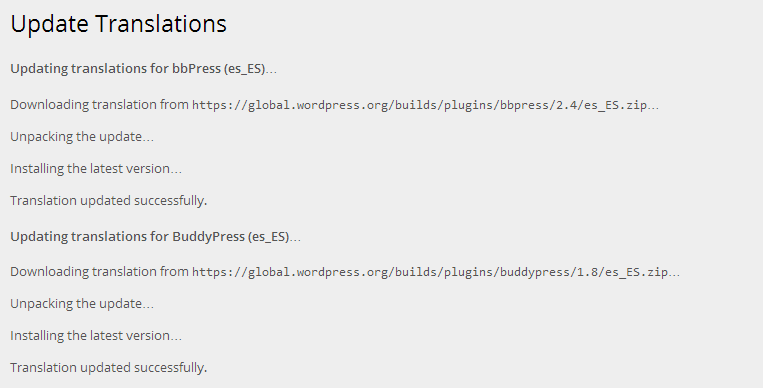
    The reason I state that it is best to provide (and update) the bbPress (including WordPress, BuddyPress and Akismet) translations at https://translate.wordpress.org/projects is because each of these projects can have the translations updated as part of WordPress’ “Automatic Updates”, just like you see updates for your plugins and themes, if any of these projects are 100% translated you will be offered to update all of your translations from the WordPress dashboard updates page.

    #150057

    In reply to: Mobile display

    Robkk
    Moderator

    are you using a child theme ?? with bbpress.css in your child theme??

    cause what i might think is that you have put bbpress.css into your child theme a long time ago

    but the bbpress plugin updated their css with a repsonsive layout and you just dont have that code in your child themes bbpress.css

    if im right , you can just check out the bbpress plugin and copy styles to your child themes bbpress.css

    #150039
    tonydes
    Participant

    Hi guys,

    I apologize in advance, my skills are pretty minimal and I couldn’t find a solution to my problem. I just installed the forum on my site, but the pictures (avatars) for ‘last updated by’, started by’ are huge! Where do I find the.css file to edit them, and what code do I use?

    Thanks in advance for the help!

    #149895

    In reply to: bbPress Codex

    Stephen Edgar
    Keymaster

    Breadcrumbs are now implemented in the docs, both breadcrumbs and in page navigation, this will be added to all the docs as each is updated 😉

    e.g. https://codex.bbpress.org/participate-and-contribute/

    From a technical perspective bbPress is highly admired and often receives kudo’s for the actual code documentation so we are part way there. 🙂

    I haven’t used many systems but Trac did indeed take a while to wrap my head around.

    One of the benefits of being a ‘sister project’ of WordPress is we follow and adhere to many of the same principles as WordPress in both code and the tools we use so much of what is listed in the WordPress Core handbook is identical to bbPress so resources such as there handbook are also relevant to bbPress, we just need to link and/or copy/paste this content for our own purposes.
    https://make.wordpress.org/core/handbook/

    #149593
    SplitRock
    Participant

    Like @rastarr two years ago and @acornale last week, I’m looking for a way to perform a unified search of both my website and the bbpress forum. (Forum results show up in WordPress search, not just in separate forum search.)

    In both cases, Search bbPress was a recommended solution. Unfortunately, the plugin hasn’t been updated since 2011, and Support threads indicate it does not work well with the latest version of bbPress. The forum on my site is also behind a paywall, and the search function in this plugin would circumvent the login page.

    bbPress Search Widget was the other recommendation, and the author is still active in the Support threads. However, “unified search”, or anything similar, is not one of the features listed in the description.

    Does anyone know if bbPress Search Widget includes a unified search of the site and the forum? (I’ve reached out to the author and am waiting on an answer, but it seems unlikely that a feature such as unified search wouldn’t be listed under bbPress Search Widget features.)

    If not, are there any current alternatives for making a unified site search? Is bbPress likely to add this function as an option in the future?

    Thanks for your time.

    #149319
    vegas778
    Participant

    Hi All,

    Why when I have updated bbpress to the version 2.5.4 I have lost the language files ? The po and mo files are not any more in the languages folder….

    Is it a bug or how to solve that for the next update ?

    Thanks

    Regards,

    ubicray
    Participant

    Hi all, I think name of the topic can explain the situation I am in. Everything is updated to its latest.
    For those who want to see the an example topic that’s affected(Also comments have this):
    http://forum.gamesap.az/forums/topic/csgo-yeni-baslayanlar-ucun-qisa-m%C9%99lumat/

    I am not a magician with CSS, but when I view the source of page, I see that in that area, I can’t seem to see the beginning og </p> paragraph (closing tag is there)
    So I guess the problem is, bbpress is not giving the paragraph a proper starting point.
    Have no idea how to fix this, Would be grateful for any help

    #149145
    Robkk
    Moderator

    Amazing work man, thanks so much.

    your welcome 😀

    I need to figure out where to post each code in my theme,etc.

    Should I also put codes in bbPress plugin, or not? Since it might get deleted once updated, right?

    you copy bbpress templates into your child theme so its okay when bbpress updates, i explain exactly what template to copy and also i show you a snippet of where to put the code by the original code.

    you put custom css into anything that can handle custom css

    in bbpress.css in your child theme(you copy the original in your child theme)
    in your child themes css stylesheet
    the jetpack plugin module custom css
    a standalone custom css plugin

    #149132
    Pavle123
    Participant

    Wow @Robkk

    Amazing work man, thanks so much. I will need few days to set everything up.

    I need to figure out where to post each code in my theme,etc.

    Should I also put codes in bbPress plugin, or not? Since it might get deleted once updated, right?

    Jerry
    Participant

    I have updated the code again, and I have a question to improve it a little. First the update; I had more trouble with formatting when I wanted to bring in topics from different sites. What I finally learned was to create a new id class and use it in my child theme style.css. Here is the updated code:

    add_shortcode( 'recent-bbpress-topics', 'recent_bbpress_topics' );
    
    // Add Recent Topics to BBPress from separate site within WP Multisite
    function recent_bbpress_topics($attr) {
    	//Switch to the blog where the bbpress topics are located
      switch_to_blog($attr['id']);
    
      //this, along with $response variable below, allows for display within content - without these, shortcode will display topics at top of content
      ob_start();
      if ( bbp_has_topics( array( 'author' => 0, 'show_stickies' => false, 'order' => 'DESC', 'post_parent' => 'any', 'posts_per_page' => 8 ) ) ) {
        //id class to be named "#recent-titles li.bbp-topic-title" and placed in style.css in the child theme ?>  
        <ul id="recent-titles">
          <?php while ( bbp_topics() ) : bbp_the_topic(); ?>
    			<?php bbp_get_template_part( 'loop', 'single-topic' ); ?>
    		  <?php endwhile; ?>
          <?php //bbp_get_template_part( 'loop', 'topics' ); ?>
        </ul>
        <?php //restore the current blog to maintain formatting 
        restore_current_blog();
        }
        //this, along with ob_start(); above, allows for display within content, instead of at the top of the content/page
        $response = ob_get_contents();
          ob_end_clean();
          return $response;
      }

    And here is what I added to style.css:

    /*Changes made to accommodate formatting for plugin recent-bbpress-changes*/
    #recent-titles li.bbp-topic-title {
    	float: left;
    	text-align: left;
    	width: 12%;
      overflow: hidden;
    }

    Notice how I declared the class id in the php code. One additional note; I have made several changes to my bbpress topics before I ever implemented this plugin. Perhaps other users will not require the css changes that I had to implement, post plugin activation.

    Now for my question: Is it possible to have two input parameters to a shortcode? For this plugin, I would like to be able to change the input to “post_parent” as well as “switch_to_blog($attr[‘id’]);”. I’ve already tried to do this, but have failed. Here is what I tried:

    function recent_bbpress_topics($attr,$attr2) {
    	//Switch to the blog where the bbpress topics are located
      switch_to_blog($attr['id']);
    
      //this, along with $response variable below, allows for display within content - without these, shortcode will display topics at top of content
      ob_start();
      if ( bbp_has_topics( array( 'author' => 0, 'show_stickies' => false, 'order' => 'DESC', 'post_parent' => $attr2['id2'], 'posts_per_page' => 8 ) ) )

    I end up getting an illegal string swap error. Anyone got any ideas here?

Viewing 25 results - 751 through 775 (of 2,090 total)
Skip to toolbar