Trying to run a conversion to fix the Anonymous posts. Ran it all day and came home and it was stuck again. I did the same thing I did before where I looked at the last row created in bbpress and found the same post in phpbb by comparing content, then deleted the next one. When I do this the import continues. I would think that since I did this and complete the import this second run of the conversion would run error free but that is not the case. It is near the end and appears to be hung again. I suspect it is no coincidence that it hung twice, just like before. Guess I am not deleting the corrupt posts. Not sure why it keeps going after I delete them. If I delete another random post it still hangs until I delete the right one.
If I wanted to have it print more debug information where would I need to edit? The only information I need is the bbpress post ID and wordpress post id about to be queried and a confirmation right after the query completes. This should let me find the corrupt post.
In the instructions on https://codex.bbpress.org/import-forums/import-troubleshooting/ I am not sure how to take the information printed on the screen now and map it to the database.
Now drop all the rows in the database that are not in the range of rows that failed during import
I am not sure how the “Range of rows” maps to the database tables.
I will include a request to include a debug option for conversions.
Thanks again for your help.
I just wanted to take this opportunity to thank you ROBIN W for suggesting the plugin “widget logic”. I too am having the same sidebar problem as described above, and the Tweaks Plugin simply didn’t work for me. I even tried creating a forum.php in my theme-child, and was able to remove the sidebar by removing the call to the sidebar, but when I made a call to a specific sidebar, it simply wouldn’t work: it always reverted back to the main theme sidebar no matter what I tried.
“widget logic” solved this issue. In the Main Sidebar, I can now add a LOGIC code, such as the ones you posted, and now the widgets either display or don’t dislay on the bbpress forum pages. Case closed!
So, thanks again!
Hi,
When I view my website Test1 on a mobile device my primary and secondary asides appear below the content on a page- the standard way websites are viewed on mobile devices. On the bbPress forum pages on my website, the secondary aside intermittently drops down and is no longer lined up next to the primary aside. This only happens on the bbpress forum pages on my website. I does not happen on the other pages on my website.
I say intermittently because I can view a bbPress forum page on a mobile device and the secondary aside is lined up next to the primary aside- it has not dropped down, and then another time view the same bbPress forum page (on the same mobile device) and it is not lined up next to the primary aside- it has dropped down.
Any help with this would be appreciated.
Thank you for your time
Jerry
Assistance required please.
I installed bbpress and created a forum and a sample topic.
I made sure that this was set: “Allow users to subscribe to forums and topics”
The “Subscribe” link was visible next to the forum & topic.
I did a test and turned off “Allow users ….” and the link disappears (which is good).
I clicked on the “Subscribe” link and it became an “Unsubscribe” link (which is good), but when new topics/replies were made no email notifications came through.
I verified that WordPress is sending emails – so it’s not that.
What else do I need to do?
Do I need to provide any further information about my setup?
I would appreciate a step by step tutorial of how to go about setting up what I describe above. I want users to be able to select which forums and topics they subscribe to.
@pooledge Oh! That is not good and would most likely be the cause 🙁
I just created a user Вук Стефановић Караџић (WikiPedia: Vuk Stefanović Karadžić) and indeed the user was not imported.
A quick look around and all we need to do is sanitize the username, I’ll look to add this to bbPress Core in a future release, probably quite a few bits of testing for other language scripts.
For now though install and activate @SergeyBiryukov‘s Allow Cyrillic Usernames WordPress plugin and these will import perfectly. 🙂
Also added this to our codex https://codex.bbpress.org/import-forums/import-troubleshooting/#cyrillic-usernames
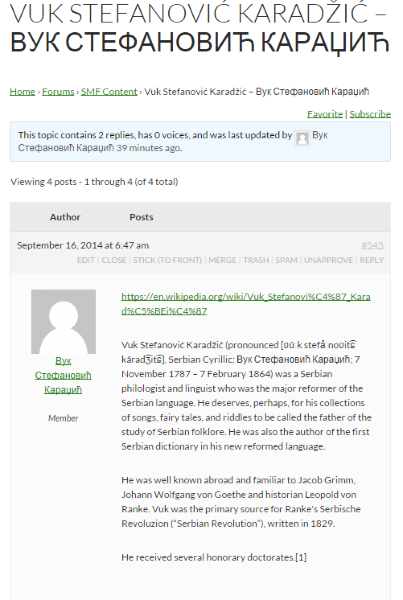
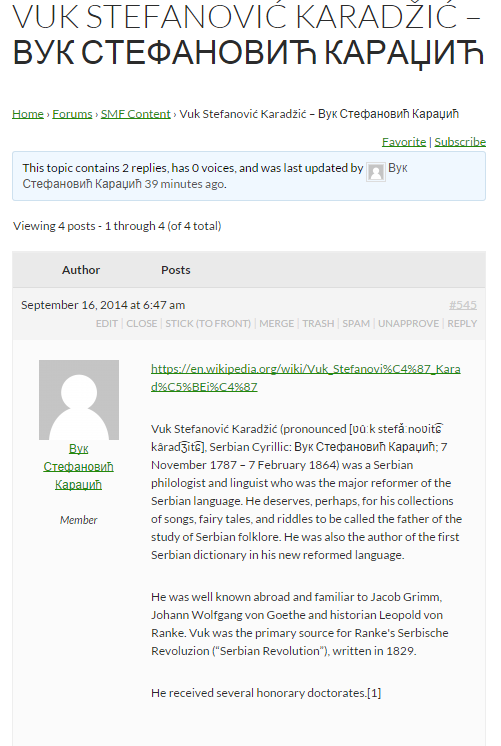
хаве а нице даи 🙂
Edit: This plugin is a slightly improved version allowing with better support for Cyrillic and Arabic usernames in WordPress.
I personally have no experience of multisite, but most times when this doesn’t work on single site, it is a plugin conflict.
Plugins
Deactivate all but bbpress and see if this fixes. if it does, re-enable one at a time to see which is causing the error.
Themes
If plugins don’t pinpoint the problem, as a test switch to a default theme such as twentytwelve, and see if this fixes.
Suspect that won’t help, but in case, and since no-one else has responded 🙂
I need some help with one of my sites becouse I can not find a solution and don’t know where start looking for. The problem is that the posts appears also as a CPT I’ve created and as forums in bbPress.
WordPress SEO Yoast get confused when I try to check them and I don´t know why. I am using the last version of WP, bbPress, theme Hueman and PODs Framework for CPT. In this image you will understand better what I mean: http://postimg.org/image/bz0hyoa69/
Hi Stephen,
You are all over this forum!
I am running into this issue. I tried the repair but posts from the hidden forums still show under recent posts.
I am using the Community Junction bbpress theme. I will contact the creator to try to hack it but I believe that even the post titles should not be accessible if set to hidden and user is not logged in.
Let me know if you want me to run any tests. Thanks!
I installed bbpress on my localhost for testing purposes
But each time i want to post on the forum i get
ERROR: Are you sure you wanted to do that?
some should pls help out
I just installed BBpress on my local server for testing purposes
I created a user so that i can test it out, but each time i want to submit the post i get response like this “ERROR: Are you sure you wanted to do that?”
i dont how to fix this cos i need to show the sample to someone tomorrow
Thanks
Hi,
I’m new to BBPress and have installed it on various themes across the board. The platform is simple enough for me to grasp after playing around with some settings. However, I dislike the URL arrangement that comes when it’s installed.
Right now it’s: http://www.letsvapesafe.com/forums/forum/lvs-forum-2/
I want it http://www.letsvapesafe.com/forums//lvs-forum-2/
Is there anyway I can change it to my liking?
Thanks guys
Thanks a lot..
The plugin fix for issue 2 did the trick..
bbpress wp4 fix
Hi Robkk,
Thanks for your reply. Maybe I posted this question in the wrong section of the forum – I am a front-end developer wondering if this is something that *can* be done with bbpress. Maybe this question is more suitable to the theming section of the forum.
Thanks anyways!
Sasha
Thanks. Waiting for the answer, I have stop and start it 🙁
Here’s what my old phpbb3 forum says ;
18,504 sujets • 52,637 messages • 1,272 membres
Here’s what my new bbpress import says ;
5,075 Topics / 30,100 Replies / 1,347 User
Also, when I visit my new forum on my site, no replies are shown. When I am in dashboard (admin, all replies are there. Tough, the import didnt get everything. This took me maybe 2 days. What I do from here ? Retry importing from scratch ?
When I upgraded a WordPress installation to use 4.0 from 3.9 the topics would not show on the loop-topic template neither would the topic content show when on single-topic.
I deactivated all plugins (bar ACF and bbPress) and used the default WP theme but the issue still prevailed.
I then reactivated all themes and plugins, bbPress was still broken.
I then overwrote the /wp-admin/ and /wp-includes/ folders of the installation with the WordPress 3.9 version(s) of the files and bam! bbPress was back to life.
There were no error logs on the website either.
Any ideas?
WordPress 4.0 isn’t critical to the site but it’s always important to keep on top of updates.
I’m using bbpress as a support forum. I know we can get all unanswered topics with [bbp-single-view id="no-replies"] shortcode.
But I need to get list of all topics those answered by customer (subscriber) in the end.
We want to be have all topics closed or replied by moderator then access quickly to the topics which answered by customers finally. Any help and suggestion would be appreciated.
I found it by comparing content of the last post in bbpress against the PHPBB posts and found the next one. Deleted it and restarted the migration and it continued. I should find out what was in post ID 67939 that stalled the migration.
@mlduclos See https://codex.bbpress.org/import-forums/import-troubleshooting/ for troubleshooting rows not imported, I haven’t ever tested a ‘Non English” import but I expect it should work just fine 🙂
@pooledge Thanks and that is weird, do any of the imported user names have a prefix imported_ e.g. imported_pooledge? If so you’ll need to make sure you also delete any existing imported users before you try reimporting again otherwise the user ID’s will not match the imported posts.
If they don’t have the imported_ prefix is there any common reason as to why some usernames are not imported? Do the users that are not imported have special characters, hyphens, whitespace in their username or anything else in common with each other, maybe they were all moderators or a different role on your SMF forum.
Presuming your doing this on a copy of your phpBB database, delete that row and continue on until your import completes, typically I haven’t had an import need more than 10 of these and depending on if it is a topic or reply and the context of the post I have either not worried about it or I have manually recreated in bbPress and assigned it to that user after the import has finished.
Sounds good, thanks! I will post what I can once I get my site moved.
So I have followed the steps on https://codex.bbpress.org/import-forums/import-troubleshooting/ and have isolated the first failure when moving reply 102607. I have no idea how to map 102607 to the phpbb post. Any ideas?
Dear Edgar, soon after Kolya fixed the issue with permalinks I tried the SMF to bbPress converter feeding him an >5K replies forum with 381 user accounts. Loaded 10 rows/sec, ran fine with no errors and here is a miss: clearly imported 380-389 users, there are only 281 of them actually imported, and a bunch of messages’ authors replaced by a key master now. Moreover, many messages are cut inconsequently, word-wide. Topics/forums qty pass confirmed. Now reset the forums and starting over, for now 380-389 imported, still 281 in /users
Any suggestions on it?
Thank you!
Oleg
Hi,
Thank you for responding. I am just seeing it now.
I was not asking a question. I was updating that it now appears to me the issue I am having with the Forum Page’s page title being a link and the additional link in breadcrumbs is not an issue related to bbPress but an issue related to my theme.
I do appreciate your time
Thank You
Jerry
well i havent tested the plugin at all yet
but it might take a little time, for the related topics to show up .
you might need a certain number of topics before it will show up.
configuration on your side is wrong.
or you might not even need that yarpp for bbpress plugin maybe yarrp just does it by itself now.
but i can bring up a recent example to show that for sure
Halo 2 anniversary edition & Halo 5 beta
at the bottom of this topic there is related topics and they are for sure powered by yarpp related posts widget
if you have a child theme just copy the templates form-reply.php and form-topic.php into a folder called bbpress
then find where the code is and just edit the templates replace a word like login with a link like this
<a href="http://mysitename.com/login" title="login"></a>


