Thanks very much for your reply Robkk. I’m glad someone has seen my post and can relate to it a little.
I have tried all the steps through the guide without success. The error still occurs with all other plug-ins disabled, in Twenty-Twelve theme, changing the permalinks to default and in all other browsers etc etc. After clearing the cache and restarting the browser i get the error. However . . .
– If i log in to the site via ‘site.com/wp-admin’, i can access the forum fine.
– Then i log out and log in to the forum, no problem.
– If i close and re-open the browser, i am blocked!
The forum is live so i am desperate to resolve this issue. URL http://www.thingstodoinbergen.com/bergen-forum/
Any help or advice much appreciated.
The center should be a tinymce button either by default or by installing tinymce advanced.
THe double space thing
read this
http://www.wpbeginner.com/beginners-guide/how-to-add-single-double-line-spacing-in-wordpress/
All of bbPress’s default plugin files are in the bbPress plugin folder.
Hello, I just had a need to make certain Subforums full width while I do want to keep the default set for some others. Is there a way to do that? Example.
Forums (right widget column)
-Other Category forum (all right widget columns)
–forum 1
–forum 2
–forum 3
-Another Category forum (right widget)
–forum 1a (full width)
–forum 2a (right widget)
-Android Forums (Category – Full width everything under full width
–forum 1b
–forum 2b
–forum 3b
@gui-n
Hello Guillaume, no i don’t find a solution to solve my issue. BBpress default port is 80, so normally bbpress work in local.
@kenneston
Here maybe I got confused or something but here it is.
Default Forum Description I was talking about that should work unless you have some custom theme that removed it.

Topic Description I was talking about that would have to be manually added.
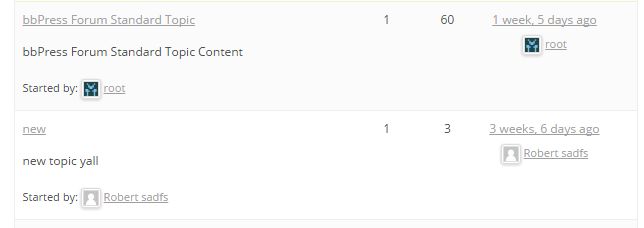
I see you are using something different from the default bbPress registration shortcode.
Did your own issue??
It should do this by default , if you haven’t already try these troubleshooting steps especially the plugin issue steps.
Troubleshooting
If nothing works contact your theme author
Hi Everyone,
I am just newbie on this forum bbPress and i guess something is not right with this part:
Step 6: Copy the Default bbPress Theme to Your Child Theme Folder
The default files are no longer stored in wp-content > plugins > bbpress > bbp-themes. There is a folder called default at bbpress > templates > default, but which files need copying I do not know.
While still in FTP and looking at the root folder of your WordPress installation, go to bbPress’ theme folder. That is, go to wp-content > plugins > bbpress > bbp-themes > bbp-twentyten. Download all the files from this folder except style.css. These are the files that will style your bbPress theme.
Now return to your child theme folder (wp-content > themes > yourthemefolder-child). Upload the default bbPress theme files to the child theme folder. You can change the image you see for your child theme in the admin area by uploading a new screenshot.png image to this folder.
I did not saw wp-content > plugins > bbpress > bbp-themes > bbp-twentyten the plugin directory so maybe it was mess i guess. What i saw is this wp-content > plugins > bbpress > templates > default.
Any helps should highly appreciated.
Thanks.
Do the default bbPress notifications work when you subscribe to a topic or forum??
Test this without the wp-smtp plugin to test just bbPress.
You may need to use this https://wordpress.org/plugins/asyncronous-bbpress-subscriptions/ , but test the default bbPress subscriptions without wp-smtp and this plugin first.
trying to get the feature image funtionality on front end so user can have the option to upload image about the Topic
This sounds like custom development , you might need a developer to do this type of thing.
get the feature image on Widget “Forum list” Default widget of BbPress plugin
You would need to create a new “Forums list” widget mostly based off the original bbPress default widget.
Then use get_the_post_thumbnail to render your featured images
https://codex.wordpress.org/Function_Reference/get_the_post_thumbnail
https://codex.wordpress.org/Post_Thumbnails
The forum page in my website is not displaying the links and is not coming in the proper format. It is working on the default wordpress theme.
Wordpress Version 4.2.2
bbpress version 2.5.7
Website Link: http://www.imagilize.com/forums
i m trying to get the thumbnail of topic to show on Widget “Forum list”
what i m trying to achieve are
- trying to get the feature image funtionality on front end so user can have the option to upload image about the Topic
- get the feature image on Widget “Forum list” Default widget of BbPress plugin
i m not developer, as i have feature image in admin using some code found here.
Please provide some suggestions
looking for quick reply, as i have to use this feature in website.
thanks
I realize the bbpress sidebar only displays properly when I add widgets to the default wordpress sidebar; however, I only want sidebar displays in the forum page.
Hi,
I am using the bbPress WP Tweaks plugin to create a siderbar for my forum. However, the sidebar displays underneath the forum, which supposed to be on the right side of it. I am trying to solve it by changing the default forum wrapper, but it does not solve the problem.
The error page: http://kayden.sg/forums/
Hope you can help!Thank you so much!
Simply, all you need to do is commenting a line in ‘content-archive-topic.php’ as shown below:
The file path is ‘..\wp-content\plugins\bbpress\templates\default\bbpress\content-archive-topic.php’ at around line number 30.
<?php bbp_get_template_part( ‘pagination’, ‘topics’); ?>
<?php bbp_get_template_part( ‘loop’, ‘topics’); ?>
<?php bbp_get_template_part( ‘pagination’, ‘topics’); ?>
Just comment the first line to avoid displaying top pagination link as:
<!—- ?php bbp_get_template_part( ‘pagination’, ‘topics’); ? —–>
<?php bbp_get_template_part( ‘loop’, ‘topics’); ?>
<?php bbp_get_template_part( ‘pagination’, ‘topics’); ?>
I replied here since you and another user seem to have the same problem.
No topics shown to forum participants
Here is what I posted anyway.
Alright make sure both of you have gone through these troubleshooting steps.
- Deactivate all plugins except bbPress.
- Switch to a default theme
- Flush permalinks by switching to default , save , next switch to your preferred structure then save again
- Clear any cache
- Go to Tools > Forums > Repair Forums then run each repair job one at a time.
Does it Work??
If it does work now, activate your plugins one at a time and make sure to spot the one that might have caused the issue.
Not a plugin issue??
You can try these plugins one at a time to see which one helps.
bbpress wp4 fix2
http://www.rewweb.co.uk/bbpress-wp4-fix/
And hopefully it works after all that.
@ecorey @basemaly
Alright make sure both of you have gone through these troubleshooting steps.
- Deactivate all plugins except bbPress.
- Switch to a default theme
- Flush permalinks by switching to default , save , next switch to your preferred structure then save again
- Clear any cache
- Go to Tools > Forums > Repair Forums then run each repair job one at a time.
Does it Work??
If it does work now, activate your plugins one at a time and make sure to spot the one that might have caused the issue.
Not a plugin issue??
You can try these plugins one at a time to see which one helps.
bbpress wp4 fix2
bbpress wp4 fix
And hopefully it works after all that.
just now i manually created that page so the default forums will be replaced, and it does. and i assigned “bbpress sidebar” but it shows different sidebar compared to subforums i used. here’ http://www.virtual assistant philippines. org/forum/faq/ even though i used the same widgets for both forums and subforums. ( i separated my website url because im thinking that is the reason why my post is not appering here)
have you check it? they are different content in the sidebar eventhough i used the same “bbpress sidebar” widget
please advice.
Thanks
Hello Rob,
I swear to god that the virtual assistant philippines. org /forums/ is not showing to my pages> all pages. it appears default after i installed bbpress plugin, i never touch it because i cant find that page to edit.
@kenneston
do you have a custom bbPress theme??
because the forum description should show on the frontend
the topic description does not show below the topic title like the forum description should do by default.
All titles should show though.
for the forum description make sure you have
<div class="bbp-forum-content"><?php bbp_forum_content(); ?></div>
in loop-single-forum.php
Try some troubleshooting steps listed here.
If they say the issue persists in a default theme , then it either is a plugin issue or just how you are trying to set up your forums.
Troubleshooting
Hi Robkk,
Thanks for your reply.
I have contacted the theme developers (it’s a premium theme) and they have gone in to my website, and the issue still occurs with the default 2015 theme, so I and they don’t think it’s a theme issue.
@manni1970
I just translated my test site into German, I don’t see an issue??
As long as you have the latest active versions files it should work.
Did you get your .po and .mo files from here??
https://translate.wordpress.org/projects/bbpress/2.5.x/de/default
Your site is not available so I can’t have a look.
If you’re using a custom theme with ‘theme options’ you need to look at the settings there to see if the default setting is with a sidebar, your forum will use this default page unless you create templates specially for it.
Here’s some info on the templates that bbpress looks for in your theme:
https://codex.bbpress.org/theme-compatibility/getting-started-in-modifying-the-main-bbpress-template/
Usually using page.php in most themes, so you could try opening up your page.php, remove the code that includes a sidebar, then save it as bbpress.php


