Search Results for 'code'
-
Search Results
-
Topic: Conversion MyBB to bbPress
Hi there,
First of all I am not a hardcore coder. Used to code 20 years ago, so I can read a lot of the syntax, but am quite new to the javascript, php etc. Can handle myself a bit in sql though.I am trying to migrate a very big MyBB forum to bbPres (1,7 mlj posts and 63k discussions). Tried to do it directly on my VPS, but it took way too long. Ages…
After some trial and error I was able to make a complete dump of the MyBB as SQL and imported it on my Mac’s MAMP. I was one happy muppet and kicked of the conversion.
Whatever I do I keep getting the same messages. No error messages, just that there is nothing to convert. I have tried every scenario I could think of that could go wrong. Localhost port, userid/pass on database, prefix etc etc. Whatever I do, even leave blank fields to get some kind of error message, I still get the same result. Absolutely nothing to convert.
I’ve checked the code but could not find any error handling. Could be there, but I am not too familiar on linking php code files.
I get the feeling this is some kind of MAMP issue because I got it to run on my VPN.
Any help / suggestions are more than welcome.
Thanks in advance!
Topic: Hide author/admin
On this page, and every other sub-forum page,
http://www.astronomertalk.com/forums/forum/welcome-to-astronomertalk-com/
in the top left, it says “admin,” then a timestamp next to it. How can I delete this, because the link goes to a page that does not exist.
Maybe just add some code to my custom CSS.
Best,
JBHi Guys,
“what you want to do is as easy as making a bbpress.php template in the root of your theme. It will act as the wrapper for all bbPress content.”
Can you please help me understand exactly how to do this?
I’ve been trying to figure out how to display all my forums the same as the forum-index
Index: http://kwetufilminstitute.com/rmp/classes/
forum1: http://kwetufilminstitute.com/rmp/classes/module/design-of-video-and-audio-products/and just cant seem to get it to work 🙁
Do I copy bbpress.php from ? to the root folder and edit it or must i creat a new bbpress.php?
What code do I need to edit?Many Thanks in advance!
Max
If a participant copies and pastes text from lets say a post and inserts it into a forum topic, while editing it all looks good, but once the topic is posted, then the formatting text is displayed as text.
Is this normal behaviour or is it a sign of another conflict?
Topic: Documentation and navigation
Ok, I’ll make a brief post regarding the documentation section and navigation in general so we can start discussing those areas.
The documentations section have a few issues and I think the main issue is that it does not have a uniform navigation. By that I mean that depending on where I end up in the codex, I get different sidebars with different content. This confuses the hell out of me, especially since the very anonymous breadcrumb always refer back to the codex home and do not show me where I am in the hierarchy of things.
To make this easier there should be one sidebar for all areas of the codex along with a search function.
The related links is confusing as well as they do not seem to have any connection to the topic or page I am at. Instead they seem to be a bunch of topics in the codex in general or perhaps from a specific section/category? Either way if I want to learn more about bbp_forum_post_count I don’t think it’s very likely that a topic about bbp_breadcrumb will improve my experience. These should be removed from the sidebar and added in context with the content and as part of the sidebar navigation hierarchy.
One other thing I find strange is that neither of these pages have discussions, either in the form of comments or to a dedicated thread on the forum. By not having that it’s more difficult for the users to express if the information is confusing and lacking in some way. Essentially the content becomes dead and will most likely see very little in the form of improvement.
When it comes to navigation in general I still find it strange that there are no breadcrumbs below the main navigation. A lot of people will end up on different pages when they enter the website and regardless of where you end up you should always know the context the page you are visiting in relation to the overall navigation, especially on a website with so much content that is spread out in different sections.
I also think that the main navigation look vague and while I appreciate the little bee image it does not help with the visibility of the navigation. I first thought something was wrong with my screen since I noticed the figures that looks superimposed until i realized it’s just a background image. I would say keep the bee, but remove the white traces and the background image, then make the fonts larger for the navigation.
The navigation itself seem to not be in order with what I would suspect people are looking for. I might be wrong, but I doubt people come here looking for the blog before support or that downloads are the least sought feature? It would make more sense to have support right after “about” and depending on how you want downloads to be handled it would either be the most important item so it would be added last with the CTA or as the second navigation after about.
..and i’ll just end with a question regarding the about page: do you really feel that the categories in the sidebar is a good representation on what you have written in this section? It looks a bit strange that you have items such as “i18n” in the category of the about us and then you have added an inline content box with the actual content of the about section. I would love to hear the meeting where that was decided and the discussions on how that would make it easier for the visitor to find relevant information about BBPress 😉
I recently installed bbPress 2.5.4, and imported a load of data from a Mingle Forum install.
All seemed to be going well…
Unfortunately, sometimes when forum pages (pages under the /forums/ hierarchy) are loaded, there is the content; sometimes they are blank.
It’s not a PHP fatal error, or out-of-memory: no PHP errors are logged, and the HTML delivered is complete right down to the closing /html; it’s just that the section where there should be bbPress content is empty.
I’ve tried setting up pages that use shortcodes to display the forums instead – and these pages *always* work. It’s the pages that are going through the permalink structure which sometimes work, sometimes don’t.
There’s no apparent pattern I can discern in when it works and does not. I just hit “reload” lots of times – and sometimes it works, and sometimes doesn’t. The only pattern is that when it flips from not working to working, or vice-versa, then it tends to stay that way for a few reloads – across browsers too.
I’ve tried re-saving my permalink structure, several times – this makes no difference. I put an mu-plugin which always called flush_rewrite_rules() on every page load; no difference.
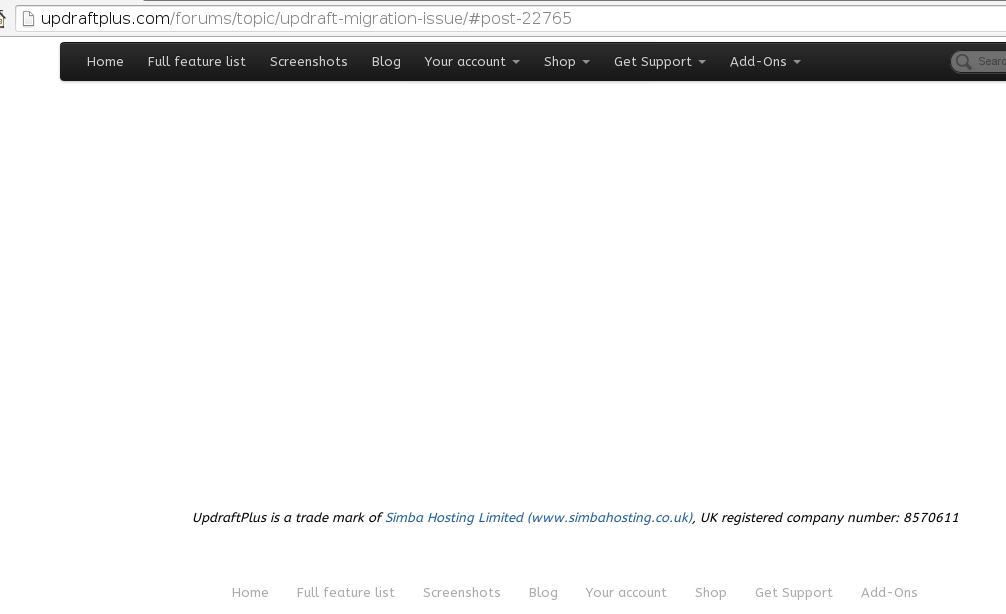
Example URL: http://updraftplus.com/forums/topic/updraft-migration-issue/ – try reloading a few times, and/or waiting a few minutes, and see the result change.
Example of things not working: http://snag.gy/Sr9eX.jpg … so, I hit reload a few times, and then it works: http://snag.gy/BzTAA.jpg
Also: my /forums/ page has other text at the top (i.e. text entered in the textarea when editing the page in the WP dashboard). When not working, none of that text is displayed either – i.e. not just the forum index is missing, but everything.
Currently, the HTTP server is set up to redirect requests to /forums/ and to the forum index so that they go to pages which use shortcodes. But, the topic links are always linked by the resulting output into the sometimes-works, sometimes-doesn’t permalink structure.
Anyone got any ideas? Theme: Pagelines. WP Super Cache is installed, but there is no cacheing of /forums/ or anything beneath (confirmed that this is working by searching in wp-content/cache/).
Many thanks,
DavidGood evening!
There is a desire to put a “button” plugin LikeBtn (http://likebtn.com/en/) within the forum bbpress (see. Wallpapers)
What will advise?
How to find the place where to insert the code <? Php likebtn_comment (); ?>Here’s a link to the material: http://bludagu.ru/forums/topic/%D0%B…7%D0%B0%D1%8E/
Denis