Skip to:
Content
Pages
Categories
Search
Top
Bottom

Search Results for 'bbpress'

Viewing 25 results - 13,251 through 13,275 (of 64,722 total)
  • Author
    Search Results
  • #168915
    Pascal Casier
    Moderator

    I must admit I’m not an expert in RTL…

    I would propose you start from here: https://codex.bbpress.org/getting-started/bbpress-in-your-language/persian-%D9%BE%D8%A7%D8%B1%D8%B3%DB%8C-fa_ir/

    Pascal.

    #168912
    Mahdi Nouri
    Participant

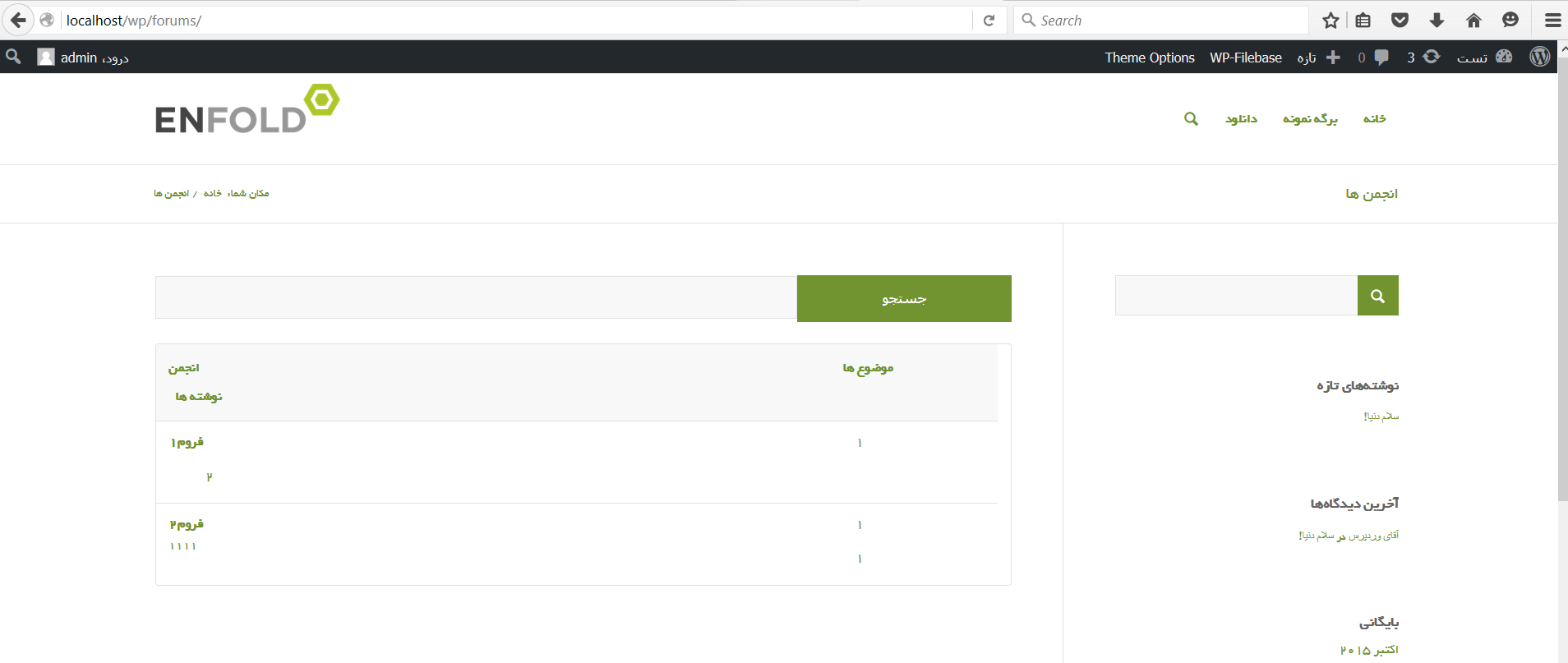
    my language is persian in general. and my theme is right to left and i dont have any problem with right to left in my theme.
    this is my problem image.
    http://s6.picofile.com/file/8222371450/bbpress_broblem.png

    please help me

    thanQ

    #168909
    Pascal Casier
    Moderator

    Hi,

    This is unfortunately a known bug : https://bbpress.trac.wordpress.org/ticket/2876
    We hope that in the upcoming version 2.6 it is included.

    Pascal.

    #168904
    Jaeha
    Participant

    Hello,

    I recently added a bbpress forum to my wordpress site and I encounter a weird bug with the freshness column. If I delete a post in a topic the freshness column on the forum page display the date and author of the topic, not the last reply.

    Here are some screens :

    In the topic section (Which display the right information) : http://imgur.com/fHeSVrD
    in the forum section (Which display the wrong information) : http://imgur.com/Xlg7UQX

    I tried to do a repair through the forums tools in wp-admin but the bug is still here.

    If someone have an idea.

    Thank you,

    Jaeha

    #168902
    natinho68
    Participant

    What can I do ?
    I tried to delete bbPress and reinstall it, with no change.
    I can try to delete it and clear the database ?
    Ideas ?

    #168900
    LikeBtn
    Participant

    Here is the hack we are using to make our custom filter work:

    <?php
    
    function likebtn_notifications_get_notifications_for_user($action, $item_id, $secondary_item_id, $total_items, $format = 'string')
    {
        global $wp_filter;
    
    	$return = '';
    
        if (count($m) == 3) {
    		// Do something here
    
            // We modify global wp_filter to call our bbPress wrapper function
            if (isset($wp_filter['bp_notifications_get_notifications_for_user'][10]['bbp_format_buddypress_notifications'])) {
                $wp_filter['bp_notifications_get_notifications_for_user'][10]['bbp_format_buddypress_notifications']['function'] = 'likebtn_bbp_format_buddypress_notifications';
            }
    
        	return $return;
        }
    
        return $action;
    }
    // bbPres has a bug: 
    // https://bbpress.org/forums/topic/return-value-in-bbp_format_buddypress_notifications/
    // https://buddypress.trac.wordpress.org/ticket/6669
    // Filter must be called before corresponding bbPress filter
    add_filter('bp_notifications_get_notifications_for_user', 'likebtn_notifications_get_notifications_for_user', 5, 5);
    
    // Wrapper for bbp_format_buddypress_notifications function as it is not returning $action
    function likebtn_bbp_format_buddypress_notifications($action, $item_id, $secondary_item_id, $total_items, $format = 'string')
    {
        $result = bbp_format_buddypress_notifications($action, $item_id, $secondary_item_id, $total_items, $format);
        if (!$result) {
            $result = $action;
        }
        return $result;
    }
    #168898

    In reply to: Avatar Size

    lissyhunnybee
    Participant

    I have found that this is a plugin issue. Not a BBPress issue. So now I have to see if I can fix that LOL

    #168896
    BewitchingFiction
    Participant

    I look after a site that is purely used as a forum and news posts and have two small groups that have an exclusive membership, the groups are hidden and until recently they appeared on the groups list. They are now invisible to the members of said groups though the list shows that there are some, you just can’t see them.

    I am using the following:

    Theme: Quest (1.3.0)
    Plugins: Anti-Spam by CleanTalk (5.31), Buddypress (2.4.0), BBpress (2.5.8), FEEDZY RSS Feeds by b*web (2.6.1), Jetpack by WordPress.com (3.8.0), MailChimp Forms by MailMunch (2.1.3), Meta Slider (3.3.5), Sitewide newsletters (0.4)

    I have tested this with Twenty Fifteen (I do not have the others installed). It works with Twenty Fifteen (but looks pretty awful).

    I know that I can give people links to the forums, but it looks incredibly odd and is rather difficult for those who aren’t so savvy (or are looking for something quickly).

    Does anyone have any idea why this isn’t working?

    #168894
    iexperience
    Participant

    Hello community,

    My requirement is that I need just a single forum. So ive created a forum and now I have to create topics and assign it to that forum. The name of the forum comes in the slug.

    Is there anyway I dont have to create this forum. How about siteurl/bbpressslug/ simply lists all the topics and these topics dont have any assigned forum. What is the shortest way to accomplish this.

    Also in that case, how do I use shortcodes like the following
    [bbp-topic-form forum_id='$forum_id']

    Thanks

    #168893
    TallSam
    Participant

    I don’t like the sounds of that… I think I would rather try the plugin you mentioned.

    But first, is there going to be an update to bbpress that will remove the extra revision statements? If so, any thoughts on when this will be ready?

    Thanks,
    Sam

    #168892
    Pascal Casier
    Moderator

    Hi,
    A trac ticket was already registered for that. The full fix should be included in the upcoming 2.6. If not the wordaround is also mentioned in the ticket.

    https://bbpress.trac.wordpress.org/ticket/2779

    Pascal.

    LikeBtn
    Participant

    Hi,

    bbp_format_buddypress_notifications() function in /wp-content/plugins/bbpress/includes/extend/buddypress/notifications.php must always return something at least empty string.

    We need to use “bp_notifications_get_notifications_for_user” filter to make our own custom notification for BuddyPress but bbp_format_buddypress_notifications() function returning nothing makes it impossible.

    Check this out: https://webdevstudios.com/2015/10/06/buddypress-adding-custom-notifications/#comment-84455

    #168873
    Momshof
    Participant

    Hi. I am hoping someone can assist me with this request.

    I have installed BBPress and have created forums for my site.

    http://dtcdancecentral.com/DTCTest/forums/

    My background is dark on every page of the site, but I want to make the forums (once you drill down into a specific forum page & topics index page & replies page) white.

    The problem I am having is that these pages are not actual pages – I have no idea where they are. I thought I would find them in my pages but the only thing there is the Forum page I created and inserted the BBPress forum shortcode.

    I tried using the following code in the Divi Theme options & it worked; however, it changed all my backgrounds in all my other pages that I do not want touched :

    For these types of pages :
    1.http://dtcdancecentral.com/DTCTest/foru … community/
    2.http://dtcdancecentral.com/DTCTest/foru … ic-2-test/

    /*BBPress each indiv forum background – drill down 1*/
    #main-content .container {
    background: #ffffff !important
    }

    /*BBPress each topic/reply background – drill down 2*/
    #main-content {
    background: #ffffff !important
    }

    Thanks so much for any assistance you can provide.

    Momshof
    Participant

    Hi – Does anyone have knowledge of a plugin for BBPress or what I can do to add:

    A. image upload option to tool bar
    B. video upload option to tool bar
    C. more options (font size, family, remove formatting, et etc) to the tool bar

    for my users?

    I have an enhanced editor plugin installed on my site – those options are not showing up in BBPress for creating a topic or replies. It may have too many options for my users though. More than I want.

    Thanks for your insight.

    #168876
    Momshof
    Participant

    Hi – Hoping someone knows where I can change the titles “Posts” & Freshness” to “Replies” & “Last Post” on all pages & widgets? (The ones that always come after “Voices” &”Topics”.)

    Wordpress: 4.3.1
    Divi Theme: 2.5.5
    BBPress: 2.5.8
    bbp style pack: 2.8.3

    Thanks for your help.

    Momshof
    Participant

    Hi – I am hoping someone can assist with configuring the “Create New Topic” text box to not automatically show up on ANY page. Is there a way to make it where it only appears if the user clicks on “Create New Topic”?

    The same with the “Reply” button. Not have the reply text box automatically show up on any page until a user clicks on “Reply”?

    Thanks for your help.

    Wordpress: 4.3.1
    Divi Theme: 2.5.5
    BBPress: 2.5.8
    bbp style pack: 2.8.3

    #168874
    Momshof
    Participant

    Tried to edit, but could not:

    WP 4.3.1
    BBpress 2.5.8
    Divi by Elegant Themes

    #168872
    rbfkak
    Participant

    Hi Robin W,

    Is there a way to include make these fields available to the get_available_tags function in bbpress-notify-nospam/bbpress-notify-nospam.php. Basically I’m trying to display these fields in the email notification area. Listed is the code for the get_available_tags function… Any input would be greatly appreciated. Many thanks.

    public function get_available_tags( $tags='' )
    	{
    		$tags 		= '[blogname], [topic-title], [topic-content], [topic-excerpt], [topic-url], [topic-replyurl], [topic-author]';
    		$extra_tags = apply_filters( 'bbpnns_extra_topic_tags',  null );
    		
    		if ( $extra_tags )
    			$tags .= ', '. $extra_tags;
    		
    		return $tags;		
    	}
    #168868
    Robkk
    Moderator

    After debugging everything, set WP_Debug to false.

    Here is a post explaining the bbp_setup_current_user was called incorrectly error.

    bbp_setup_current_user was called incorrectly

    #168856
    Mark Burgess
    Participant

    I have found two plugins that purport to change authors, but neither one works. Admin Columns Pro provides inline editing for Topics and Replies, but you walk through the steps to find the correct author and set it, but it doesn’t save. Orbisius bbPress Enhancer adds the author field to the Bulk Edit and to the post edit for both Topics and Replies, but – again – a change is not saved. I had gconverter.com import into bbpress a Drupal forum where a user had to be registered to post and gconverter.com left 1500 entries as “Anonymous”. I can’t do a simple replace using SQL because not all of the Anonymous postings go to the same user. I’m on 4.3.1 WordPress and bbpress 2.5.8 Does anyone have any ideas?

    Momshof
    Participant

    Thanks so much! I appreciate your assistance.

    I added the code to my Divi Theme customizer & it took care of the lines – 🙂

    I wish I knew today how to use the page builder with BBPress. If it is not Divi – I have not learned how. Another item to research & learn.

    Is there a file or code I could add that would “hide” the reply text box & create a new topic text box all together from the forum pages until a user actually clicks on “reply” or “Create a Topic”?

    Do I need to create a new topic for this as it is still dealing with the “look”? If so – please let me know.

    #168852
    Robkk
    Moderator

    @tallsam Its not really an issue since it should show a list of items in the latest version of bbPress and since Stephen’s ticket he linked to has not been committed yet.

    IF @pinkishhue’s Custom CSS code does not work after you placed it in your child themes style.css file and have also tried adding !important on the end, you can try my custom php code snippet.

    Make sure to place this into your child themes functions.php file in your child theme.

    // Only return one entry for revision log otherwise it gets cluttered
    function bbp_trim_revision_log( $r='' ) {
     $arr = array( end( $r ));
     reset( $r );
     
     return( $arr );
    }
     
    add_filter( 'bbp_get_reply_revisions', 'bbp_trim_revision_log', 20, 1 );
    add_filter( 'bbp_get_topic_revisions', 'bbp_trim_revision_log', 20, 1 );
    #168851
    natinho68
    Participant

    I’ve already doing this, disable all the plugins except bbPress, and it still have the redirection on the homepage.
    I tried to deactivate cache plugin, clear CDN etc…
    I have activate the theme Twenty Firteen, and still have the redirection…

    Robkk
    Moderator

    This is how you remove the line.

    #main-content .container:before {
        display: none !important;
    }

    Also I updated this bbpress.php a little more, as I do not think you will be using page builder with bbPress pages.

    https://gist.github.com/robkk/f51753f1c7a5641796d8

    #168848
    Robkk
    Moderator

    @natinho68

    Ok I see now. When you click the author link on your production site, you can see it is trying to lead to the bbPress forum profile then it just redirects to the homepage for some reason. What we need to do is try to find what is causing the redirect.

    Can you do some troubleshooting to first see if you deactivate ultimate member and the bbPress addon, that the author links go to the regular bbPress forum profiles fine.

    Can you also try in a default WordPress theme too to see if the same issue is present.

    Troubleshooting

Viewing 25 results - 13,251 through 13,275 (of 64,722 total)
Skip to toolbar