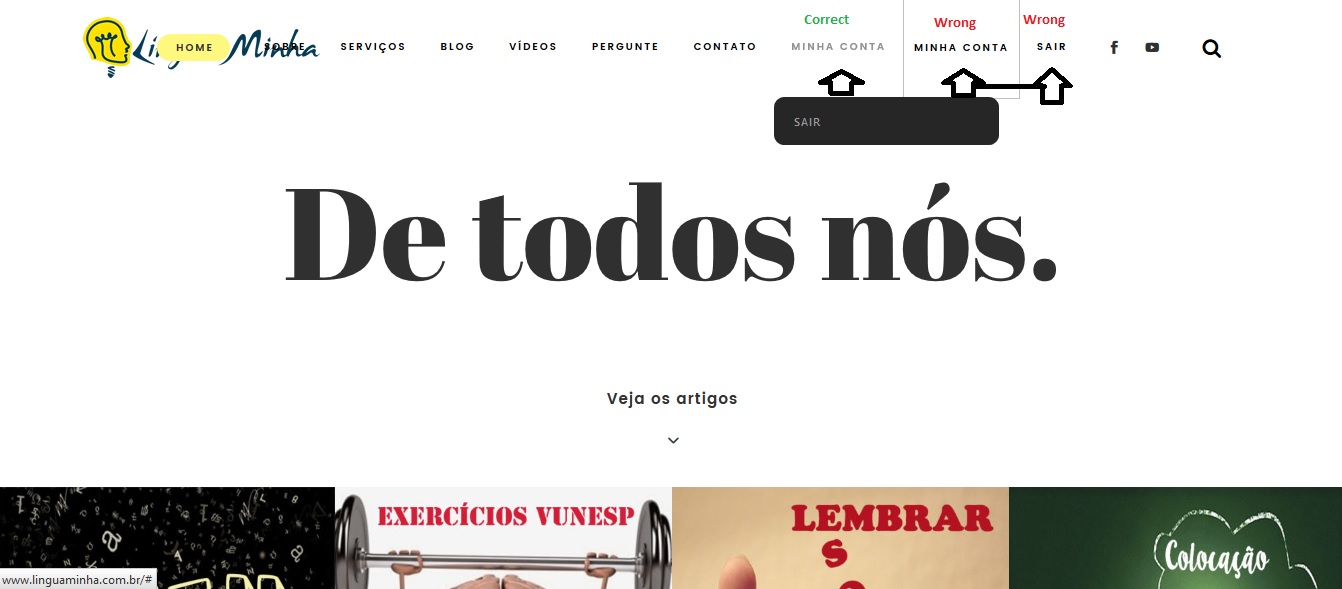
ok, that is a bit like asking me how to open your car’s hood – it’s fine to tell me that you have a Nissan Navara, but since I don’t have one I don’t know how your car does that !!
Since your theme is paid, I can’t look, so the following is a guess
I would suggest you theme has a setting in css like :
blockquote::before {
  color: #ccc;
  content: open-quote;
  font-size: 4em;
  line-height: 0;
  margin-right: 15px;
  vertical-align: -0.5em;
}
so you could reduce the font-size to say 2em.
@sallyruchman, using your code in your original post with the change suggested by @robin-w allows my test user to delete their own topics and replies.
I’ve saved the code used as a plugin here: https://gist.github.com/ntwb/56ab5a4eab8bbcdc90fc2bdfc2c57838
Could you please test this again @sallyruchman and confirm te results please
@casiepa
I can set a single moderator per forum, but can’t seem to set several
tried
user1
that worked
but
user1, user2
doesn’t
nor does
user 1 user2
any ideas?
ok, just taken a look.
Your theme has
#commentform #submit, .reply, #reply-title small {
    background-color: #025a7e;
    color: #ffffff;
}

in your theme's css.

try putting this in either the css custom area of your theme if it has one, or in the custom css part of my style pack plugin

.reply {
    color: #000000 !important;
}
if you are happy with css codes then
bbPress Styling Crib
Otherwise the bbp style pack will let you change it, and much else besides
https://wordpress.org/support/plugin/bbp-style-pack
Hi Joe,
I started using WP just recently and also am using twenty seventeen. I run into the same dilemma on how to make the pages a bit wider, especially the bbPress forums.
I am completely new to CSS coding but after scouring the forums for some solutions I found this:
1. In your dashboard click Appearance>Edit CSS
2. At the end of what’s there, on a new, line insert this code:
/* wider wrapper in large screens */
@media screen and (min-width: 48em) {
.wrap {
max-width: 1200px;
}
}
You can play with the number in front of “px” to see what fits your needs.
One caveat though is that it will widen all the pages in the theme and I don’t know how to apply this code to specific pages, and I’m sure there is a way.
The beauty of this theme is that you can put this code (or any) in the CSS editor and you see the result immediately, you don’t like it, delete the code no harm done.
Hopefully this helps.
cheers
Roman
OK I did manage to solve this and wrote a simple plugin using code I found here. I will be sure to post it later.
I am running a site with WP 4.6.3 and bbpress, as well as TinyMCEadvanced.
If I disabled tinyMCE advanced I can post with bold, italic etc.
If I enable tinyMCE advanced, all I get is HTML code like:
<span style=”color: #0000ff;”>Testing styling of forums posts.</span>
If I login in as admin this does not happen, as there is a small box which says You have the ability to post unrestricted HTML content.
How can I make it so that all users can use this? My main concern is adding different colour text.
Thank you for the response, but this is my problem:
– I want to hide the archive category from the forum index, not from the entire website. My archive page contains the shortcode: [bbp-single-forum id=488], which is the id of the category.
Participants should be able to go to the archive. I want an archive category to save old discussions, but I don’t want the archive category and its subforums to show up in the forum index, as this is too messy.
 Anonymous User 7823331
Inactive
hello. Sorry, I will not make you happy.
I use the BBpress 2 years ago one and any more, so now I do not any any experiances in bbpress. My problem was just bad name of files with slovak language. WRONG: bbpress-sk-SK.mo . CORRECT: bbpress-sk_SK.mo.
I just did everything according https://codex.bbpress.org/bbpress-in-your-language/ and repair those files and than was everything OK.
50x type errors can cover a multitude of sins.
Do you have access to the PHP or web server error logs, at all, and if so are you able to match up any notable entries that coincide with these errors?
Hey Ludovic,
Quoting a bbPress Codex entry on forum visibility and accessibility:
Private – Only logged in registered users with a forum role can see these forums
With that in mind, so long as the user is logged in and has been assigned to a forum role (ie, participant) – which can be set directly if required via the edit-user admin screen (ie /wp-admin/user-edit.php?user_id=xyz) – then they ought to be able to access the private forum.
Does that help at all/am I misunderstanding?
Almost 2 years. This code still work good. Thanks
I’d like to excuse myself in advance for any childish behaviour.
I’ve been trying to remove this outline in the login widget for a while now and I can’t seem to find the correct CSS code for it or where I edit. It also shows up on my registration page where I used the shortcode.
Pictures.
As you can see, when I am logged in it’s perfectly fine. Also, this is the RKK login in the pictures but it’s the same for the original bbPress, like, exactly the same.
I’m sorry I forgot to add my site: http://cooldown.cf
I use polylang plugin to create a two language site: English and Arabic. I installed bbPress and created two index pages using short codes: one that is linked to the Arabic home page and the other is linked to the English home page (in the main menu). But I used the same short code. Now all new forums appear on each of the pages regardless of the language. I do not have a language selector for new forums (or any forums for that matter). I am not sure how to get the new forum to appear in its specific page. Please note that this is my first site, I am practically a novice… So feel free to guide me to the right approach. May
Hello, Robkk @robkk
I would like to use this code. But changed href="/new-topic/" to subscrible and favorite topic. Can you help please to change correct ID subscrible and favorited? I used id="subscription-toggle" but given me only text, whitout function
function rk_new_topicaaa_button() {
	echo '<span id="subscription-toggle" >
		<span class="bbp-new-topic-subscription-toggle-button" > subscription-toggle</span>
	</span>';
}
add_action('bbp_template_before_single_topic','rk_new_topicaaa_button');
This code help appear button on Top of single Topic.
Please help with <a ID to pull the subscrible and favorite button function
// Subscrible button
function move_subcrible_button() {
	if ( is_user_logged_in() ) { ?>
	<a ID="subscription-toggle">
		<span class="fa fa-pencil"></span> my custom subscribe topic
	</a>
<?php }
	else {}
}

add_action( 'bbp_template_before_single_topic' , 'move_subcrible_button' );

// Favorite button
function move_favorite_button() {
	if ( is_user_logged_in() ) { ?>
	<a ID="favorite-toggle">
		<span class="fa fa-pencil"></span> my custom favorite topic
	</a>
<?php }
	else {}
}

add_action( 'bbp_template_before_single_topic' , 'move_favorite_button' );
I find out that this class is disappear on mobile screen
#bbpress-forums li.bbp-header .bbp-reply-content, #bbpress-forums li.bbp-footer .bbp-reply-content
SO
i would like to display none for this class.
================================================
FIRST i need to move subscrible and favorite under breakcrumb (top of topic) for sure don’t disappear on mobile by these code:
function move_subscrible_button() {
echo ‘Subscrible‘;
}
add_action(‘bbp_template_before_single_topic’,’move_subscrible_button’);
============================================================================
OR CODE
add_filter(‘bbp_template_before_single_topic’,’bbp_get_user_topic_subscriptions’);
============================================================================
Can anyone please what is CORRET change for subscrible and favorite at:
href=”#new-topic-0″ class=”bbp-new-topic-button button btn input[type=”button”]”
———–
OR
———
‘bbp_get_user_topic_subscriptions’
Thanks
***My code worked. BUT appear under title forums.
….
add_action( ‘bbp_template_before_single_forum’ , ‘bbp_post_reply_link’ );
***I want to move AFTER favorite buttons. I used bellow code, but NO WORK (don’t appear).
*********Can you help correct this code?
…..
add_action( ‘bbp_theme_after_topic_favorites_action’ , ‘bbp_post_reply_link’ );
Thanks
an rename it to bbPress.php
php is case sensitive, so if you name it
bbpress.php
it should work
The code you wrote didn’t work, but your plugin does. Almost exzellent 😀
I have a different question, and I know many post becouse of this issue exist.
But none of them got me to a resolution.
How can I use the full width for my forums? At the homepage of my forumsite it works nice, but as soon as I click on a Forum the disgusting sidebar comes from the right. I tried copying the page.php an rename it to bbPress.php and remove all things that have to do with sidebars. That didn’t work.
Here is the code:
<?php
/**
 * The template for displaying all pages.
 *
 * This is the template that displays all pages by default.
 * Please note that this is the WordPress construct of pages
 * and that other 'pages' on your WordPress site will use a
 * different template.
 *
 * @package Sydney
 */

get_header(); ?>

			<?php while ( have_posts() ) : the_post(); ?>

				<?php get_template_part( 'content', 'page' ); ?>

				<?php
					// If comments are open or we have at least one comment, load up the comment template
					if ( comments_open() || get_comments_number() ) :
						comments_template();
					endif;
				?>

			<?php endwhile; // end of the loop. ?>

		</main><!-- #main -->
	</div><!-- #primary -->

<?php get_footer(); ?>
My guess is the cookie hashes probably changed.
Make sure that all of your cookie settings in wp-config.php actually match what you want/need for them to be. If you need to share cookies across many subdomains, you’ll need a . at the beginning of them.
// Domain & Hash
define( 'COOKIE_DOMAIN', '.domain.com'        );
define( 'COOKIEHASH',    md5( COOKIE_DOMAIN ) );
I used both of theme.
I used this code work. I think you help correct this code will be perfect.
Issue 1:
First load edit page complete, after that 2 second, reload direct to example.com
add_action( ‘bbp_user_edit_before’, ‘pb_custom_bbpress_edit_profile’ );
function pb_custom_bbpress_edit_profile(){
echo ‘<meta http-equiv=”Refresh” content=”0;url=http://example.com” />’;
}
I added code to function.php child-theme. But no work. When click on edit profile still linked correct edit page