Search Results for 'code'
-
Search Results
-
Customize your Forums root. Partner with a WordPress Page and use Shortcodes for more flexibility.
What does this mean??
I’ve set the forums root to “forums”. Then I’ve created a WP-page with slug “forums” and included some shortcodes.
The WP-page is ignored, so content displayed on /forums is the bbpress default index page.
What does this mean: “Partner with a WordPress Page and use Shortcodes for more flexibility.”??
How do I replace the default index with a WP-page?
I am using WordPress 4.7.2 and bbpress Version 2.5.12. I have tried the code as mentioned in previous post. However, it doesn’t work. Could any generous guys can help me?
My main objective is to set spectator to have ability to post/edit a post. That’s it.
1. Is there any other easiest way to do it?
2. If no, any change besides the false/true value I suppose to amend?
3. Where should I put the code, only capabilites.php?I wish someone can show me step by step solution. Thank you so much.
Hi,
we needed to use the visual editor for our forum, since a lot of the normal users are not familiar with html, especially when it comes to URLs/Links
Sadly, there are a lot of copy&paste related texts that are showing visible code.
Mostly METADATA from word, when someone copied text from a doc or docx file.Now, the strange thing is, that I couldn´t reproduce this with my version (Office 2016, Win 8).
The visual editor looks fine (the text editor is full of meta data, a mess, but it “looks OK”)Has anyone an idea why this happens to some users and some not?
I found a plugin for this kind of problem, but maybe there are recommendations, experiences or other solutions. Thank you in advance!
Topic: Custom topic form
Hello bbPress Profis,
i hope, that i can find a solution or you can help me…
i’m searching for a plugin to make different forms for different topics.
for example: topic name web designers:
form to post:
– Name:
– City:
– Experience:
– etc…other topic name: Job
topic form:
Company name:
Job title:
Job description:
Salary:
Start date:
etc…And i would like to get a pre-formatted post…
is there a plugin what can help me?
I’m not a coder, so i can make only smaller changes, i use plugins to build my own sites, but in this case i would need a lot of different user made content and this would be a cool solution, to don’t need 20 different plugins to make my site slow.
Hi,
Is it possible to use WordPress shortcodes in bbPress posts? (I mean either native WordPress shortcodes such as[caption][/caption],[gallery ...], or shortcodes defined by third-party plugins).
To be more precise, I’m the author of a WordPress plugin that allows to insert chess diagrams and/or chess games in WordPress posts/pages (see https://wordpress.org/plugins/rpb-chessboard/). I would like to extend to have chess games/diagrams in bbPress posts.
Thank you beforehand.I am looking to change the buttons in the default text editor to those that appear in the fancy visual editor. My audience is overseas and are familiar with the “microsoft word” style of buttons. I have tried Enabling the visual editor however am experiencing issues with inline replies. I actually prefer the default text editor as it strips out copied html, so really I just need so fancy buttons. Can I do so with css or create a filter to call the other toolbar instead of qt_bbp_topic_content_toolbar ?
All the answers I can find to this question seem old and the solutions don’t work.
I’ve tried copying my theme’s full width template to my child theme and naming it bbpress.php
I’ve tried copying bbpress.css to my child theme and adding the CSS for article width to it and adjusting it to 100% (which works fine in the theme if I want to change ALL my content to 100%)How can i get JUST my bbPress generated pages to be full width ? Currently i’m linking straight to the forums, should I be putting them in full width pages and generating them with short code instead as a workaround ?
Note: the bbpress.php override works fine but I can’t figure out how to override the .css that’s keeping the forum box small.
/* Arrange posts into grid structure on archive pages */
.archive article,
.blog article,
.search article {
-moz-box-sizing: border-box;
-webkit-box-sizing: border-box;
box-sizing: border-box;
float: left;
margin-bottom: 3.33333%;
padding-left: 1.11111%;
padding-right: 1.11111%;
width: 33.33333%;
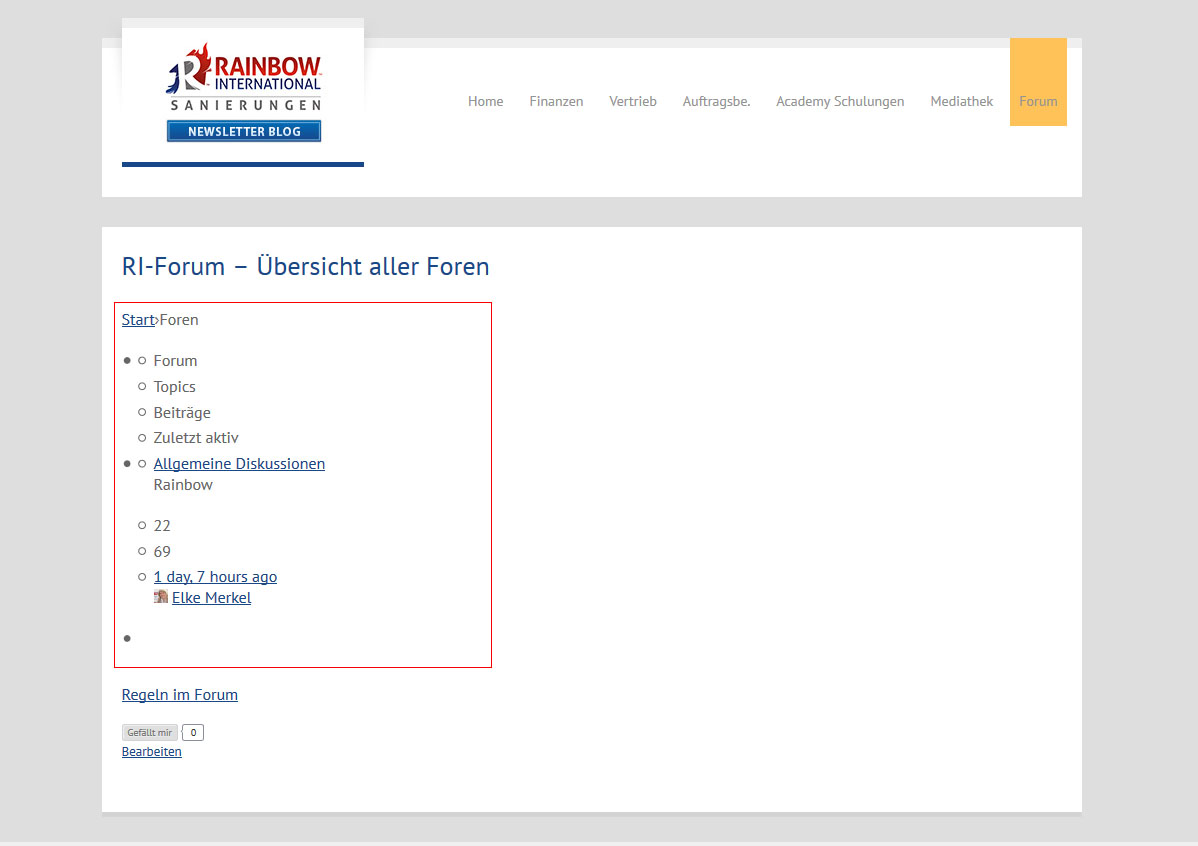
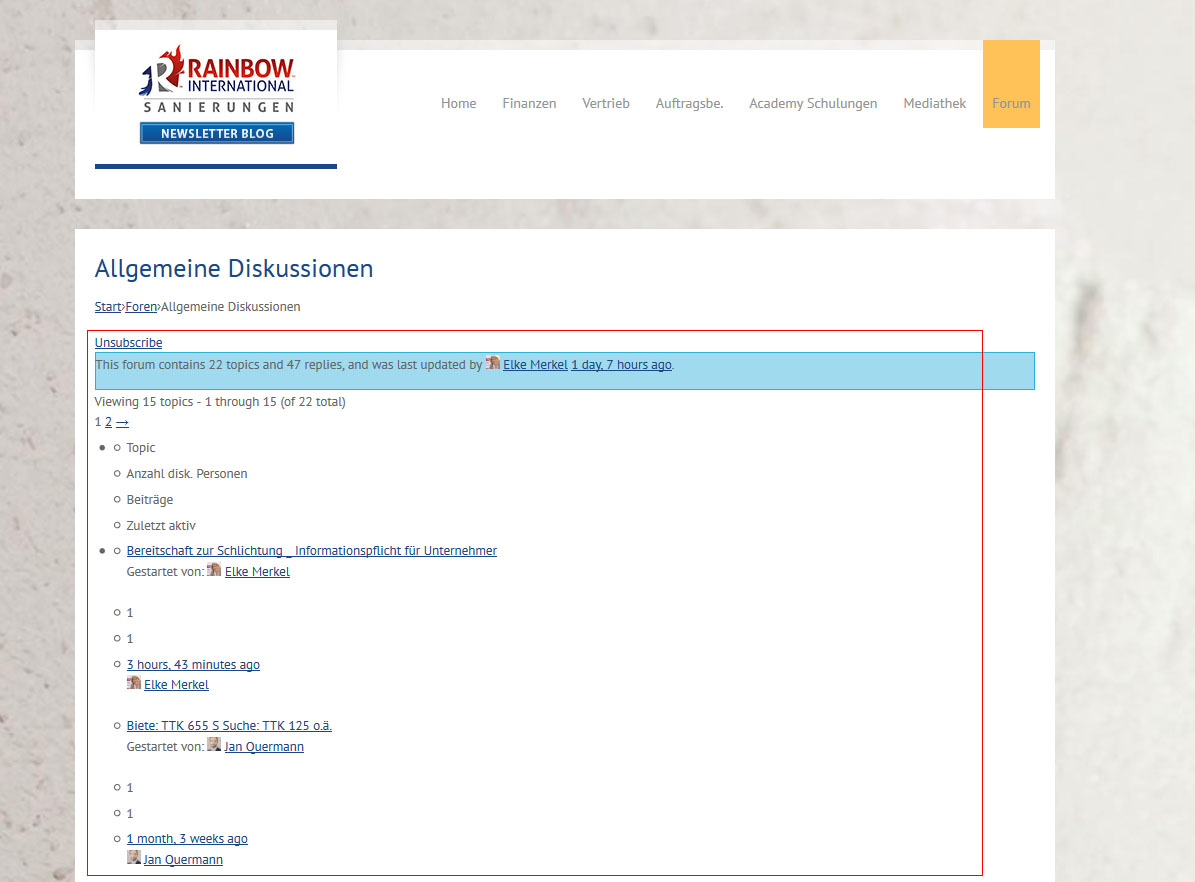
}I am on WordPress 4.7.2 and bbPress 2.5.12 and suddenly this combination stopped working layoutwise. bbPress is just outputting content (text), but without any tables or any other formatting.
The glitch happens with all WordPress themes not just a particular theme.
I am using “bbPress Tweaks” to render the output in my theme. Deactivating bbPress Tweaks did not solve it.Unfortunately we use this website for internal communications, so can’t just put a link here, you have to have an active user to login.
Therefore I uploaded some pictures of what is happening:
https://www.rainbow-international.de/screen.jpg
https://www.rainbow-international.de/screen2.jpgI tried everything disabling plugins, downgrading WordPress, downgrading bbPress itself. But I can’t get the older versions of bbPress to run. Something in the code is crashing -> white page. So I am stuck with 2.5.12.
Thank you in advance!
Hello,
I try to import my phpBB 3.2.0 (latest stable version) to bbPress (latest version 2.5.12) using the default import tool in the WordPress 4.7.2 backend. The phpBB is clean, no mods / plugins or custom styles. I get this error:
Repair any missing information: Continue
WordPress database error: [Specified key was too long; max key length is 1000 bytes]
CREATE TABLE MNmAD_bbp_converter_translator ( meta_id mediumint(8) unsigned not null auto_increment, value_type varchar(25) null, value_id bigint(20) unsigned not null default ‘0’, meta_key varchar(255) null, meta_value varchar(255) null, PRIMARY KEY (meta_id), KEY value_id (value_id), KEY meta_join (meta_key(191), meta_value(191)) ) DEFAULT CHARACTER SET utf8mb4 COLLATE utf8mb4_unicode_520_ci;No data to clean
Starting Conversion
I don’t know any MySQL so I don’t understand what to do. If relevant here the collations used: utf8_bin (phpBB) and utf8mb4_general_ci (WordPress).
Any suggestions?
TiiuTopic: Lost password captcha
I deployed the bbpress plugin.
on the Lost Password page, using the Lost password shortcode, I cannot finalise the action to do a lost password. get an error message that says that captcha has not been entered.
Problem: captcha is not even on the screen.
Note: it is however on the WordPress Lost Password screen.Any help on how to get the captcha feature on the Lost password bbpress functionality?