Hello bbPress Profis,
i hope, that i can find a solution or you can help me…
i’m searching for a plugin to make different forms for different topics.
for example: topic name web designers:
form to post:
– Name:
– City:
– Experience:
– etc…
other topic name: Job
topic form:
Company name:
Job title:
Job description:
Salary:
Start date:
etc…
And i would like to get a pre-formatted post…
is there a plugin what can help me?
I’m not a coder, so i can make only smaller changes, i use plugins to build my own sites, but in this case i would need a lot of different user made content and this would be a cool solution, to don’t need 20 different plugins to make my site slow.
Hi,
Is it possible to use WordPress shortcodes in bbPress posts? (I mean either native WordPress shortcodes such as [caption][/caption], [gallery ...], or shortcodes defined by third-party plugins).
To be more precise, I’m the author of a WordPress plugin that allows to insert chess diagrams and/or chess games in WordPress posts/pages (see https://wordpress.org/plugins/rpb-chessboard/). I would like to extend to have chess games/diagrams in bbPress posts.
Thank you beforehand.
I am looking to change the buttons in the default text editor to those that appear in the fancy visual editor. My audience is overseas and are familiar with the “microsoft word” style of buttons. I have tried Enabling the visual editor however am experiencing issues with inline replies. I actually prefer the default text editor as it strips out copied html, so really I just need so fancy buttons. Can I do so with css or create a filter to call the other toolbar instead of qt_bbp_topic_content_toolbar ?
Hi @fhasst1,
(Let me start by noting it could very well be that you already know this—but something in your post made me want to call it out just in case you weren’t aware.)
bbPress runs on top of WordPress. That’s important because it means if a user has logged into your (WordPress-driven) site/app then, by extension, they will have logged into the forum (insofar as bbPress will realize they are an authenticated user and will be able to identify them) … no need for a separate login.
Also, I think it’s worth calling out the fact that when it comes to adjusting the way bbPress behaves, or building some new forum feature, there is a really quite extensive set of functions, hooks and methods available to you that make it a really awesome platform to build on.
codex.bbpress.org
All the answers I can find to this question seem old and the solutions don’t work.
I’ve tried copying my theme’s full width template to my child theme and naming it bbpress.php
I’ve tried copying bbpress.css to my child theme and adding the CSS for article width to it and adjusting it to 100% (which works fine in the theme if I want to change ALL my content to 100%)
How can i get JUST my bbPress generated pages to be full width ? Currently i’m linking straight to the forums, should I be putting them in full width pages and generating them with short code instead as a workaround ?
Note: the bbpress.php override works fine but I can’t figure out how to override the .css that’s keeping the forum box small.
/* Arrange posts into grid structure on archive pages */
.archive article,
.blog article,
.search article {
-moz-box-sizing: border-box;
-webkit-box-sizing: border-box;
box-sizing: border-box;
float: left;
margin-bottom: 3.33333%;
padding-left: 1.11111%;
padding-right: 1.11111%;
width: 33.33333%;
}
your theme is setting the css blockquote to 171.4%
if your theme has a custom css area put this into it
blockquote {
font-size: 100% !important;
}
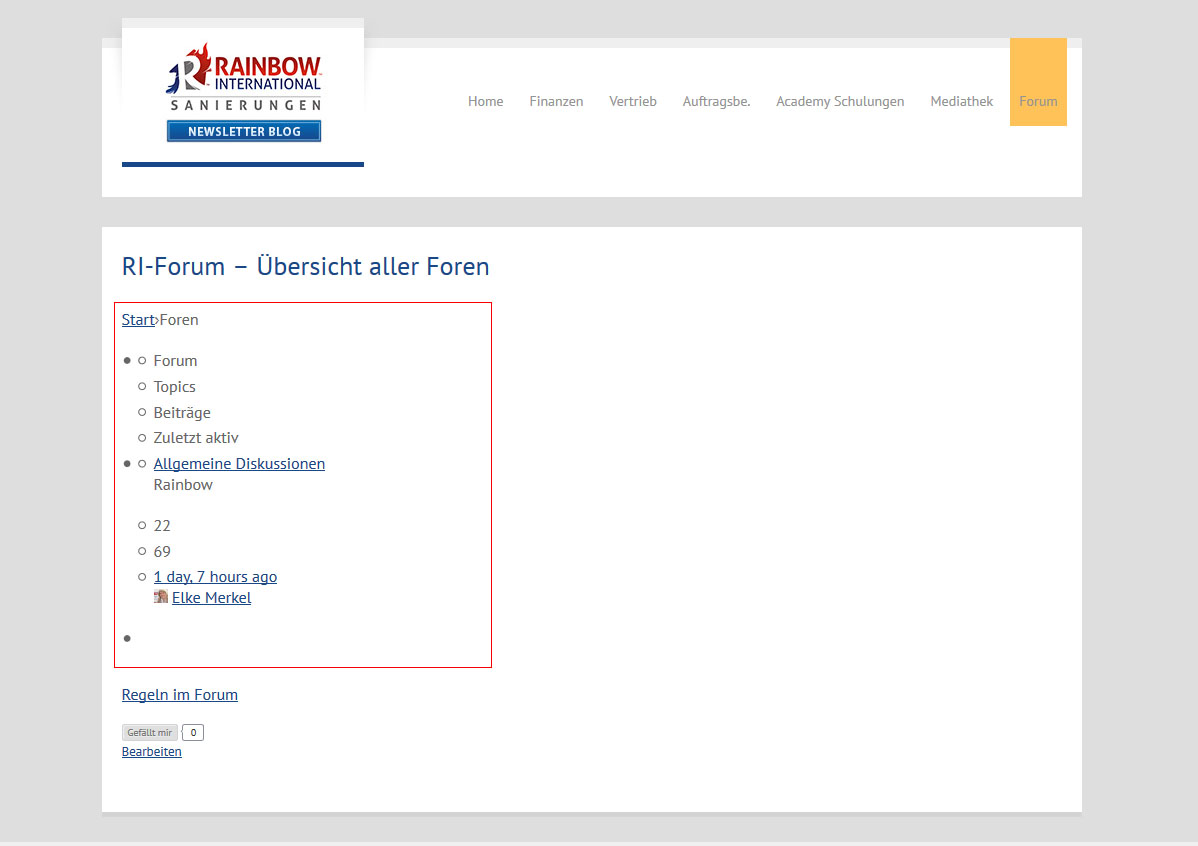
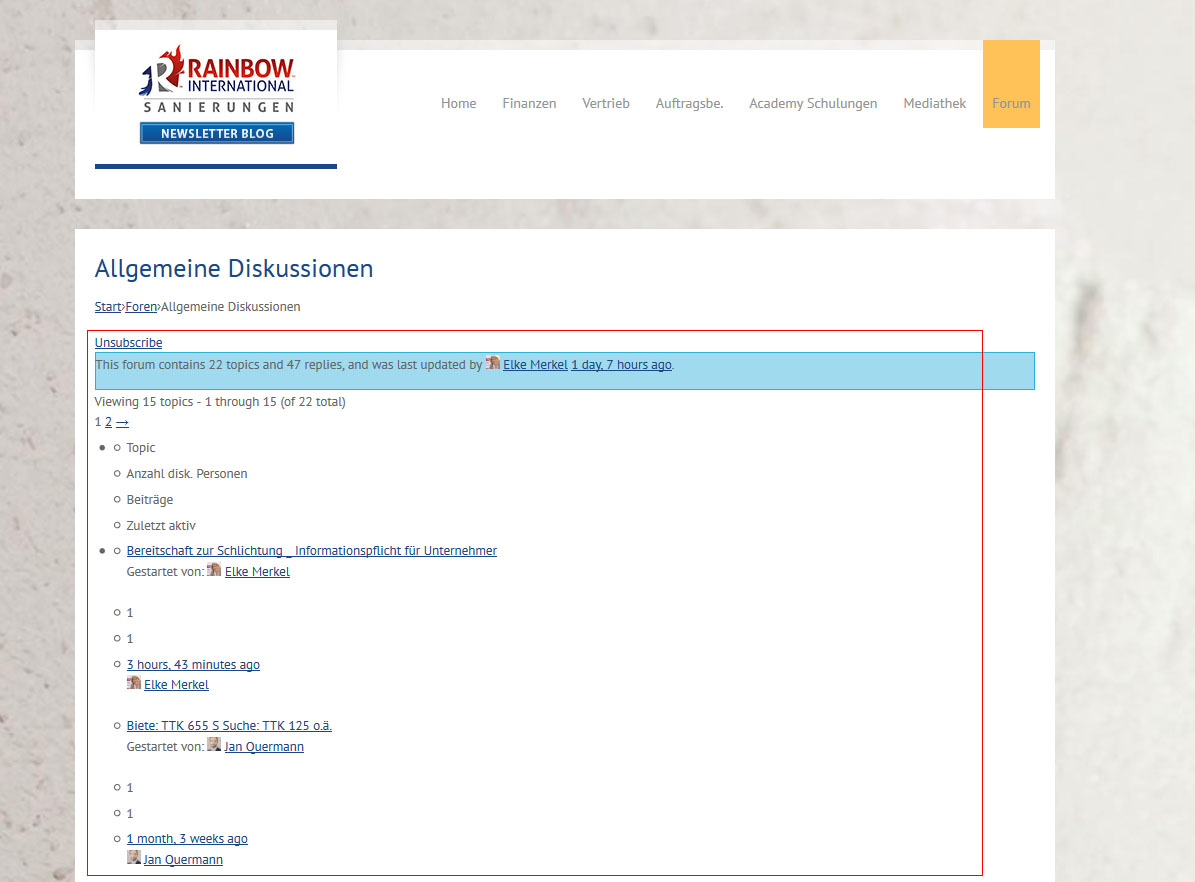
I am on WordPress 4.7.2 and bbPress 2.5.12 and suddenly this combination stopped working layoutwise. bbPress is just outputting content (text), but without any tables or any other formatting.
The glitch happens with all WordPress themes not just a particular theme.
I am using “bbPress Tweaks” to render the output in my theme. Deactivating bbPress Tweaks did not solve it.
Unfortunately we use this website for internal communications, so can’t just put a link here, you have to have an active user to login.
Therefore I uploaded some pictures of what is happening:
https://www.rainbow-international.de/screen.jpg
https://www.rainbow-international.de/screen2.jpg
I tried everything disabling plugins, downgrading WordPress, downgrading bbPress itself. But I can’t get the older versions of bbPress to run. Something in the code is crashing -> white page. So I am stuck with 2.5.12.
Thank you in advance!
Oh, that is strange, can you check the contents of the following file for me on your beta 2:
bbpress/includes/admin/converter.php#L653
That line should read $max_index_length = 191;
One other thing, you might need to run the “reset forums” tool first from:
/wp-admin/tools.php?page=bbp-reset
That will delete that old table (and *all* your forum data) and make it available to be created in the updated format.
If you create a page with the same slug as your forum index, you can use either the [bbp-forum-index] or [bbp-topic-index] shortcode in your page content to output the list you desire.
bbPress won’t complain, and you’ll be able to customize the page title and content if you desire.
It’s not exactly a hidden trick, but it’s what we use here on bbPress.org and seems to work OK. If that approach is creating a broken breadcrumb, that’s definitely a bug.
Hi, i have the same exact problem.
I don’t really know why everybody isn’t tagging this as an issue. As far as i can see, it’s just nog a logical way to do it.
– on the one hand, a forum index is created by default, but cyou can’t use it on it’s own if you want to start customizing things.
– So you need to make a page and put the index in there.
– On the other hand, you can’t easily specify what your page for the root is, so there is no way to let the breadcrumbs be redirected to the index page.
– Are there other options? because the enormous bit of code to fix it is a bit too complex for me.
Hello,
I try to import my phpBB 3.2.0 (latest stable version) to bbPress (latest version 2.5.12) using the default import tool in the WordPress 4.7.2 backend. The phpBB is clean, no mods / plugins or custom styles. I get this error:
Repair any missing information: Continue
WordPress database error: [Specified key was too long; max key length is 1000 bytes]
CREATE TABLE MNmAD_bbp_converter_translator ( meta_id mediumint(8) unsigned not null auto_increment, value_type varchar(25) null, value_id bigint(20) unsigned not null default ‘0’, meta_key varchar(255) null, meta_value varchar(255) null, PRIMARY KEY (meta_id), KEY value_id (value_id), KEY meta_join (meta_key(191), meta_value(191)) ) DEFAULT CHARACTER SET utf8mb4 COLLATE utf8mb4_unicode_520_ci;
No data to clean
Starting Conversion
I don’t know any MySQL so I don’t understand what to do. If relevant here the collations used: utf8_bin (phpBB) and utf8mb4_general_ci (WordPress).
Any suggestions?
Tiiu
I deployed the bbpress plugin.
on the Lost Password page, using the Lost password shortcode, I cannot finalise the action to do a lost password. get an error message that says that captcha has not been entered.
Problem: captcha is not even on the screen.
Note: it is however on the WordPress Lost Password screen.
Any help on how to get the captcha feature on the Lost password bbpress functionality?
Great, so the root issue of this topic is now resolved, awesome +1
I suspect the redirects are caused by the juggling in the ST_tweak_trash_meta_caps() function, I’d look there, most of that code shouldn’t be required.
p.s. Note, I only cut and pasted your code to test, I didn’t look closely or test beyond what I needed to test 🙂
I may look into that, although I must admit I have very basic knowledge of code.
Thank you for all of your consideration.
untested as I’m short of time this evening but…
create a directory in your theme called ‘bbpress’
ie wp-content/themes/%your-theme-name%/bbpress
where %your-theme-name% is the name of your theme
find
wp-content/plugins/bbpress/templates/default/bbpress/loop-single-forum.php
Make a copy of this file, and put in in the directory called bbpress that you created above, so you end up with
wp-content/themes/%your-theme-name%/bbpress/loop-single-forum.php
bbPress will now use this template instead of the original
and you can amend this
if you take out line 44 which says
<?php bbp_list_forums(); ?>
Then sub forums will not be listed
hmm, just been thinking about this.
Displaying topics and replies would require some filters, but stopping widgets/searches etc. from picking up these topics would require much more.
In effect it would be my private groups plugin re-written to topic level.
Lots of code I think, and beyond time I currently have available.
ok, that is a bit like asking me how to open your car’s hood – it’s fine to tell me that you have a Nissan Navara, but since I don’t have one I don’t know how your car does that !!
Since your theme is paid, I can’t look, so the following is a guess
I would suggest you theme has a setting in css like :
blockquote::before {
  color: #ccc;
  content: open-quote;
  font-size: 4em;
  line-height: 0;
  margin-right: 15px;
  vertical-align: -0.5em;
}
so you could reduce the font-size to say 2em.
@sallyruchman, using your code in your original post with the change suggested by @robin-w allows my test user to delete their own topics and replies.
I’ve saved the code used as a plugin here: https://gist.github.com/ntwb/56ab5a4eab8bbcdc90fc2bdfc2c57838
Could you please test this again @sallyruchman and confirm te results please
@casiepa
I can set a single moderator per forum, but can’t seem to set several
tried
user1
that worked
but
user1, user2
doesn’t
nor does
user 1 user2
any ideas?
ok, just taken a look.
Your theme has
#commentform #submit, .reply, #reply-title small {
    background-color: #025a7e;
    color: #ffffff;
}

in your theme's css.

try putting this in either the css custom area of your theme if it has one, or in the custom css part of my style pack plugin

.reply {
    color: #000000 !important;
}
if you are happy with css codes then
bbPress Styling Crib
Otherwise the bbp style pack will let you change it, and much else besides
https://wordpress.org/support/plugin/bbp-style-pack
Hi Joe,
I started using WP just recently and also am using twenty seventeen. I run into the same dilemma on how to make the pages a bit wider, especially the bbPress forums.
I am completely new to CSS coding but after scouring the forums for some solutions I found this:
1. In your dashboard click Appearance>Edit CSS
2. At the end of what’s there, on a new, line insert this code:
/* wider wrapper in large screens */
@media screen and (min-width: 48em) {
.wrap {
max-width: 1200px;
}
}
You can play with the number in front of “px” to see what fits your needs.
One caveat though is that it will widen all the pages in the theme and I don’t know how to apply this code to specific pages, and I’m sure there is a way.
The beauty of this theme is that you can put this code (or any) in the CSS editor and you see the result immediately, you don’t like it, delete the code no harm done.
Hopefully this helps.
cheers
Roman
OK I did manage to solve this and wrote a simple plugin using code I found here. I will be sure to post it later.
I am running a site with WP 4.6.3 and bbpress, as well as TinyMCEadvanced.
If I disabled tinyMCE advanced I can post with bold, italic etc.
If I enable tinyMCE advanced, all I get is HTML code like:
<span style=”color: #0000ff;”>Testing styling of forums posts.</span>
If I login in as admin this does not happen, as there is a small box which says You have the ability to post unrestricted HTML content.
How can I make it so that all users can use this? My main concern is adding different colour text.
Thank you for the response, but this is my problem:
– I want to hide the archive category from the forum index, not from the entire website. My archive page contains the shortcode: [bbp-single-forum id=488], which is the id of the category.
Participants should be able to go to the archive. I want an archive category to save old discussions, but I don’t want the archive category and its subforums to show up in the forum index, as this is too messy.