Skip to:
Content
Pages
Categories
Search
Top
Bottom

Search Results for 'bbpress'

Viewing 25 results - 20,751 through 20,775 (of 64,518 total)
  • Author
    Search Results
  • #145770
    drashrafsabry
    Participant

    How to install bbpress on a multisite where one is in arabic RTL and the other is english ??

    #145768
    Charles Mabe
    Participant

    @ronthai: CSS is NOT always the answer. I need to add a class to the bbPress login widget’s avatar.

    siobhan61
    Participant

    Hello,

    I’m using bbpress 2.5.3 with a WordPress twenty-twelve child theme. I’m also using bbpress WP tweaks (1.3.1). I’m trying to incorporate the bbpress forums into our theme, and it works fine on the first level with a custom sidebar (I haven’t really styled anything yet — trying to get the basic functionality first):
    http://innovativeapprenticeship.org/community/

    but at the forum level I’m not getting the right content — no breadcrumb trail; no topic list:
    http://innovativeapprenticeship.org/community/forum/test-1/

    I put a few echo (‘here’) statements into single-forum.php template I adapted for the child theme and can see that it’s being called. But content-single-forum.php, which is called from single-forum.php if there is content, and which would have the breadcrumb trail and the topic list among other things, is not being called. I tried some echo statements in there and nada. It’s not being called from my child theme or from the bbpress template folder.

    Actually, I can see that bbpress has created another navigation level, forum, that doesn’t really exist. Forum is really the first level (our “Community” page). Does this have something to do with the problem?

    Has anyone encountered something like this, and do you have any idea why this is happening?

    cheers, Cheryl

    #145763
    Robin W
    Moderator

    ok, so then to answer your orig question – “Can I easily change the dates and authors of messages on bbpress?” for 40, yes IF you have access to phpmyadmin and are comfortable in doing a few simple (and safe) edits within it.

    If that sounds ok, come back and I’ll tell you what you need to change

    #145762

    In reply to: Private

    Robin W
    Moderator

    ‘Would you happen to know if i can assign/connect such a “private” Group to a Membership Level of my S2 Members WordPress Plugin?’

    Offhand no, I haven’t played with the s2 plugin to know what it does or how it works !

    I suspect that total automation would be hard given that you’d presumably need to link a course or courses to a forum or forums, and then link memebers to a group within bbpress representing that.

    Load the plugin and have a look, it’ll take you probably about 10 minutes to configure and 1/2 hour to work out how you might want to use it. Then come back and let me know what you are trying to do.

    Don’t promise to link, but if it’s easy!

    #145761
    #145757

    In reply to: Freshness for Category

    Robin W
    Moderator

    Chill, we’ll hopefully work it out.

    you might (should) want to create a test site. Whilst that may seem daunting, it is quite easy to do, and once done a great way to test stuff without risking the live site.

    see

    https://codex.bbpress.org/creating-a-test-site/

    Couple of questons when you are ready

    1. The page you are linking to – this is just a members page, not a link to the forum pages?
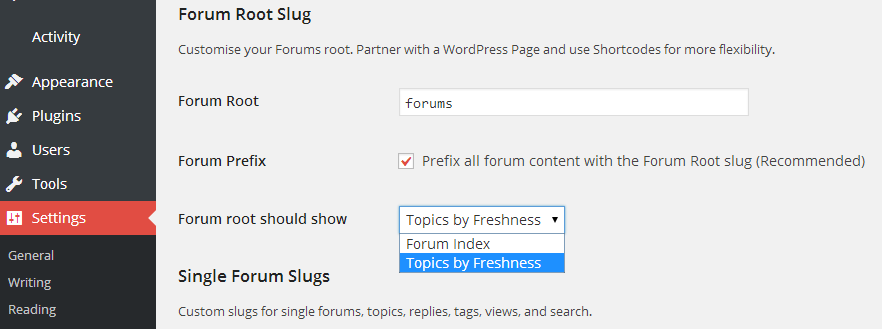
    2. What is your forum slug called (go into dashboard>settings>forums and look for forum slug.

    ace2five
    Participant

    Hi, I’ve tried this but while it sets the page correctly here: http://ace2five.tv/forums/ and on most other pages, if you click through into a forum: http://ace2five.tv/forums/forum/bbpress-theme/ or here: http://ace2five.tv/forums/topic/topic-bbpress/ it fails to display correctly. This appears to be a header issue. I have asked on the theme thread but had no advice as yet.

    Theme is True Mag installed this week, bbPress installed latest version yesterday. Any help much appreciated.

    #145752

    In reply to: Freshness for Category

    mcleandesign
    Participant

    Boy do I feel like a fish out of water here…sheesh. I’ve been designing for 30+ years and just now moving into this new medium, it’s challenging me for sure. I’m pretty insecure about messing with the code on my own, but have some folks I can draw in to help me with this. But before I do any of that I’ll just throw a few more thoughts into the ring just to clarify. First, yes, this is a paid theme from themeforest as well as the pro version of S2, which is what my suspect is causing the conflict (due to other things I’ve read online. I’ve sent a query to S2 to see what their thoughts are as well).

    I guess what I’m unsure about in your reply above is about the page templates. The only thing I’ve done is install bbPress, click the activate button, and then the sidebar widget disappears. To test this isn’t template related I created a new page, not based on any theme, just added a full width panel and my set the page to show my left sidebar with custom widget.

    I previewed the page, which looked accurate, then activated the bbPress plug in and as suspected, the left sidebar widget disappeared. The theme still show the left sidebar space, but no widget is present.

    So, here I am scratching my head… feeling like a dummy. My first thought is, get another cup of coffee. Second thought is hire you to fix it for me <grin>. #2 sounds like it has much better success. Although, it doesn’t teach me how to overcome my challenge, so, I guess in the long run that is self defeating.

    Ideally, I’d like the forum to function within the space to the right of our sidebar, but haven’t even begun to think about how to even set up the forum yet, still trying to figure out why it’s messing up what I’ve already created.

    While you’re reading this (and probably laughing at my inexperience…which is OK, I laugh at myself all the time) I’ll see if I can decipher the step-by-step instructions. And, truly, if you want to jump in and do some private consultation I’d be happy to give you my phone number and we can talk personally. Don’t know if that breaks rules or what..but just thought I’d throw it on the table.

    Thanks for your help Robin.. I appreciate it more than you know…truly. Also, I’m going to be out of the office most of the day, so we may have to continue this conversation on Monday.

    d

    #145751
    KipFisher
    Participant

    I got an error message after doing that. I apologize for my incompetency, but I know absolutely nothing about correcting it. Here’s what I got when changing:

    Parse error: syntax error, unexpected T_STRING, expecting T_FUNCTION in /home4/tymorf/public_html/wp-content/themes/weaver-ii-pro-child/bbpress-functions.php on line 185

    #145750

    Topic: Private

    corradoizzo
    Participant

    Hi

    I am creating a Courses Site at this moment and for each Course i would like to create a Forum which is accessible to the Students of that particular Course only.

    Is that possible to do with BBpress and how do i do that?

    can i decide which user has access to which parts of the Forum?

    FYI: I am using S2 Members to create the Membership site.

    All the best and Thank You
    Corrado Izzo

    Mike
    Participant

    Thanks, but I finished and moved on. I tried and failed with several different approaches like this, but copying and altering 2 functions took less than 2 minutes as the //comments were clear about how to disable the AJAX.

    I took me almost 2 weeks part-time to customise the bbpress forum. I spent a lot of time messing with IDs and classes to target CSS changes and trying to figure out the proper code to modify defaults.

    For example finding the code to return just an “edit” for replies was a matter of great googling and some luck.

    #145741
    Robin W
    Moderator

    I did a flat file, details below that might help you

    Documented import from snitz access database

    #145740

    In reply to: Freshness for Category

    Robin W
    Moderator

    ok, I presume that bbpress is deactivated on the live site at the moment.

    I suspect that bbpress is using the wrong page template probably the one that the page “what the hinge” is using.

    Given that this is a paid theme from themeforest, so may have very complicated page templates, can you look and see what page templates are available that bbpress might be using

    see

    Step by step guide to setting up a bbPress forum – Part 1

    and come back

    #145737
    Stephen Edgar
    Keymaster

    Confirmed, thanks for the detailed steps, makes it so much easier to replicate 🙂

    Patched and fixed for bbPress 2.6 via https://bbpress.trac.wordpress.org/ticket/2593

    #145734
    tharsheblows
    Participant

    I am totally guessing with this – but I think you’ll be using this on a single topic right? So maybe try bbp_is_single_topic() . Here is the list of conditional tags I looked at: https://codex.bbpress.org/bbpress-conditional-tags/

    tharsheblows
    Participant

    Ah – I think it’s because you have the Google form (and its submit button) in your topic form and bbPress doesn’t check to see that the submit being clicked is its submit. I’m not completely sure on that, so it’s just a guess.

    Unfortunately, the hook bbp_theme_before_topic_form doesn’t actually go before the topic form, it’s just after the opening form tag so you shouldn’t use that. But I think you’re editing the template? If that’s the case, just add the Google book search before the opening form tag eg :
    <form id=”new-post” name=”new-post” method=”post” action=”<?php the_permalink(); ?>”>

    You might need to re-style but I think that might work.

    #145732
    RChadwick
    Participant

    I have an OLD Yabb board, that uses a flat file storage. I have given up importing it into bbpress, or anything else for that matter, in any automated way. Fortunately, the BB only has about 40 messages, so I was thinking of just importing them manually. Can I easily change the dates and authors of messages on bbpress?

    Also, it’s important to me to keep these messages. Long story, but starting over isn’t an option.

    Thanks!

    #145728

    In reply to: Freshness for Category

    mcleandesign
    Participant

    Here’s the image…I think.

    [URL=http://s796.photobucket.com/user/mcleandesign/media/combo.jpg.html][IMG]http://i796.photobucket.com/albums/yy247/mcleandesign/combo.jpg[/IMG][/URL]” alt=”theHinge.org bbPress conflict” />

    #145726

    In reply to: Freshness for Category

    Robin W
    Moderator

    ‘Here’s a combined screen shot showing that page without (left) and with (right) bbPress activated’

    The screenshot wasn’t in your last post. Can you post it again ?

    #145725

    In reply to: Freshness for Category

    mcleandesign
    Participant

    Thanks Robin…I assumed that was the case, but sometimes one never knows. I’ll be patiently awaiting. I’m pretty sure it’s just my lack of wp knowledge that is the problem…. and not bbPress. I can’t imagine someone hasn’t run across this yet. Anyway…thanks.

    #145720
    koendb
    Participant

    Short question: How do I check if I’m on a page (or blog) from within ‘loop-single-reply.php’?

    WP 3.8.3
    bbpress 2.5.3
    URL: 24baby.nl

    Long question: I use bbpress for all my comments on articles and blogs: ‘Use a bbPress forum topic for comments on this post.’

    On my website this generates a first post along the lines of (my website is in Dutch): ‘This topic belongs to article <LINK>. Share your thoughts!’

    This text is visible both under the actual article and on the forums. While it’s a good way to explain the purpose of the thread on the forums, it’s confusing as the first reply on the actual article page. Because of that I don’t want to show this first reply on all my blog / page ‘pages’, but do want to show them on the forums.

    It’s fairly easy to remove the first reply within ‘loop-replies.php’, but I don’t know how to test whether I’m on the forums or not? Is_page doesn’t work, is_bbpress always returns true.

    #145717

    Topic: Theme/Page Template

    in forum Themes
    ace2five
    Participant

    Hi, I have tried everything I can find on the forum and elsewhere to fix this with no luck. Probably an easy fix but I’m new to this.

    This is great: http://ace2five.tv/forums/ and most other pages display ok but,
    click through into a forum: http://ace2five.tv/forums/forum/bbpress-theme/ or here: http://ace2five.tv/forums/topic/topic-bbpress/ and it fails to display correctly.

    Theme is True Mag installed this week, bbPress installed latest version yesterday. Any help much appreciated.

    #145716
    KipFisher
    Participant

    Weaver ii Pro

    w/child theme. I’ve been using this to style bbpress:

    https://github.com/EpicWebs/bbPress-starter-theme-epicwebs

Viewing 25 results - 20,751 through 20,775 (of 64,518 total)
Skip to toolbar