Ha! Yes, I was messing about with that yesterday thinking it would solve the issue here but it does not 😉 If you add the bbPress views widget to a sidebar you will see all those views in the gist you linked above, you can also add the shortcode [bbp-single-view id="single-random-topic"] to a page it it will display the ‘topic’ list template with a single random topic.
So it can do all that ^^^, but it will not work as a ‘button’ so you can’t have a button with ‘Click this for a random topic’ 🙁
Something like this should work though:
https://gist.github.com/ntwb/ca87b9b75a42215b2889
function ntwb_bbpress_random_single_topic() {
    if ( bbp_has_topics( array( 'orderby' => 'rand', 'posts_per_page' => 1 ) ) ) {

        while ( bbp_topics() ) : bbp_the_topic();

            ?>
            <a class="bbp-topic-permalink" href="<?php bbp_topic_permalink(); ?>"><?php bbp_topic_title(); ?></a>
            <?php

        endwhile;
    }
}
// Hook into action
add_action('bbp_template_before_lead_topic','ntwb_bbpress_random_single_topic');
// Add it as a shortcode [ntwb-bbpress-random-single-topic]
add_shortcode('ntwb-bbpress-random-single-topic', 'ntwb_bbpress_random_single_topic');
I’m hooking it into just before the ‘lead topic’ (bbp_template_before_lead_topic) in the example above but you could hook that anywhere you would like.
I also add it as a shortcode [ntwb-bbpress-random-single-topic] for use that way.
Make any changes you want to the HTML, I am just doing it as a HTML a anchor link with the permalink bbp_topic_permalink() and the link title as the topic title bbp_topic_title(). Change all that HTML code to a button, remove <?php bbp_topic_title(); ?> and replace with Random Topic or whatever takes your fancy.
bbPress includes two vBulletin importers, one is vBulletin3 for vBulettin 3.x and the other vBulletin is for the 4.x versions.
Did you try the both or only the 3.x version?
Typically if you want to reverse the order of replies then also adding bbPress “Show lead topic” is handy:
bbp_show_lead_topic
Cool, the timezone thing makes sense if you are going to use explicit times and dates eg. 11th January 2011, though just take a look at this page we are discussing this on here, everything is relative, 12 hours ago, 1 day 7 hours ago etc.
So this is partially the way bbPress works around this issue, if WordPress Core fully supported users locales then we would for sure update bbPress to also include this.’
I found the Trac ticket for WordPress to add this functionality, details are here:
https://core.trac.wordpress.org/ticket/18146
I posted here about this, I haven’t taken a look at this feature specificly yet but I do plan on doing just that quite soon.
Profanity filter or notification with Comment Moderation
This has nothing to do with bbPress, I’d suggest you try posting on WordPress’ support forums:
Support Forums
@farsite281 Thanks for this though you should submit your translations in the GlotPress project you linked above:
https://translate.wordpress.org/projects/bbpress/2.5.x/ca/default
https://translate.wordpress.org/projects/bbpress/dev/ca/default
Catalan Language
- /dev 43% translated, 466 strings translated, 602 Strings untranslated and 401 strings waiting approval
- /2.5 44% translated, 467 strings translated, 572 Strings untranslated and 160 strings waiting approval
The best resources to help get you started are:
The main transators handbook: https://make.wordpress.org/polyglots/handbook/
The WordPress translator community blog: https://make.wordpress.org/polyglots/
bbPress translations reference: https://codex.bbpress.org/bbpress-in-your-language/
WordPress Catalan project site: https://ca.wordpress.org/
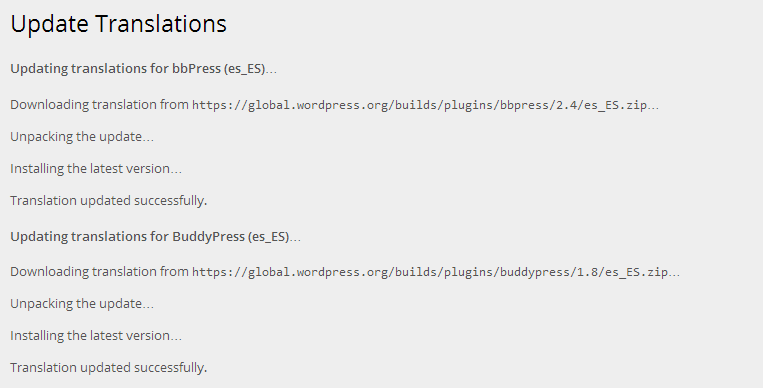
The reason I state that it is best to provide (and update) the bbPress (including WordPress, BuddyPress and Akismet) translations at https://translate.wordpress.org/projects is because each of these projects can have the translations updated as part of WordPress’ “Automatic Updates”, just like you see updates for your plugins and themes, if any of these projects are 100% translated you will be offered to update all of your translations from the WordPress dashboard updates page.
Hello,
I’m trying to modify aspect of bbPress installed in my wordpress. I’ve read diferents posts but I can’t find the solution.
Layout and functionality – Examples you can use
I need to change aspect buttons in bbPress because of font color and layout are similar and you can’t distinguish them.
http://i.imgur.com/71FmGz2.jpg
Could anyone help me or give me a clue to resolve this issue?
I use Rush theme and wordpress 3.9.1
Inici
Thank you
hi every one
i am new to bbpress, i want to display forums individual category top five recent topics. i dont know how can i archive this.
my forum structure like.
option1
option1.1 option1.2
option1.3 option1.4
when user click on option1.1 list all topics and user can post new topic. i want top 5 recent topics from option1.1,option1.2,option1.3,option1.4.
thnks..
which one would you suggest?
i have no idea , i have no opinions on any of them since i havent tried any of them.
You can try each one on a local site if you want and make your decision off that.
But what i can say is that this rating plugin https://wordpress.org/plugins/rating-widget/
is on https://codex.bbpress.org/feature-plugins-tracking/
and it also has some integration with bbpress.
Basically I want it to show up in only a few of my subforms next to the bb codes on top ^^^
I have no idea how your going to show the ratings on a few subforums , your probably going to need help on that too, (i have no idea how to help you on this)
Hello, I’ve made some modifications in bbPress plugin language in catalan
I reviewed version that is in
https://translate.wordpress.org/projects/bbpress
and I think it’s quite outdated but don’t know how to replace it.
Attach files if anyone might be interested.
Greetings
https://www.dropbox.com/s/68umvnnrlgjdm3i/bbpress-ca.mo
https://www.dropbox.com/s/gjisg023uirwx0b/bbpress-ca.po
@robin-w
ok this works great when i tryed it on a default theme.
but on my custom bbpress theme , i seperated each item in the bbp_get_reply_author_link code and wrapped them in a class so i could better position each item.
so im using
<div class=bbp-reply-author-av><?php bbp_reply_author_link( array( 'show_role' => false, 'type' => 'avatar' ) ); ?></div>
<div class=bbp-reply-author-name><?php bbp_reply_author_link( array( 'show_role' => false, 'type' => 'name' ) ); ?></div>
<div class=reply-author-role><?php bbp_reply_author_link( array( 'show_role' => true, 'type' => 'role' ) ); ?></div>
now i have 3 avatars, 3 author links, 3 author roles displaying on 1 reply now.
how should the code be if i dont want to mess with the args and i just want to display this..
<div class=reply-author-role><?php bbp_reply_author_link( array( 'show_role' => true, 'type' => 'role' ) ); ?></div>
if the display user in the reply is only a keymaster and a moderator.
something kind of like this but where it actually works for my bbpress custom theme.
<?php
$displayed_user = bbp_get_reply_author_id() ;
$role = bbp_get_user_role( $displayed_user);
if ( bbp_is_user_keymaster($displayed_user) ||$role == 'bbp_moderator');

 echo " <div class=\"reply-author-role\">";

	echo bbp_reply_author_link( array( 'show_role' => true, 'type' => 'role' ) );

	echo "</div>";

        else {

}
?>
I am trying to import a rather large VB4 Database into bbpress and out of curiosity I attempted to import using the built in tool that gave me the option to import a VB3 database. It looks like a lot of stuff actually did import correctly but none of the threads have any replies. Their all single posts.
I understand that the tool wasn’t meant to work for that version in the first place but I can’t seem to find any help with importing VB4 other than a plugin a company has and they quoted me $2,000 because of the size of my community. (Yikes!)
Anyone have experience with this or can point me in the right direction to getting everything to import correctly and make this migration happen?
bbpress sets the post_type =
array( bbp_get_forum_post_type(), bbp_get_topic_post_type(), bbp_get_reply_post_type() );
so if post type = that, then you know you are in a forum search, so you could add a line in your filter to check if $query->post_type equals array( bbp_get_forum_post_type(), bbp_get_topic_post_type(), bbp_get_reply_post_type() ) then just return query?
Things look correct now, did you fix this?
If not please give specific links to show what your issue is, you have too many topics and forums for me to guess which one you are talking about.
Have you run any of the repair tools to see if they fix the issue?
https://codex.bbpress.org/repair-forums/
Also, WordPress doesn’t support multiple timzezones for users so this is not included with bbPress for that reason, they appears to be a few plugins that might be able to do this though I haven’t seen any that are compatible with bbPress, but you could have a look yourself.
https://wordpress.org/plugins/
Thanks for the explanation and it’s all good, I’m with you now, the Firmasite theme uses modified templates and thats where the ‘details’ link comes from.
Kind of a weird issue though, I’d double check that it is not an issue with the Firmasite theme, try switching your theme to Twenty Fourteen with bbPress and NextGEN Gallery enabled and see if the issue persists.
hello i got error when i install bbpress i can’t Over to Forum ! after install !
Stephen,
Sorry for the poor explanation. On each topic post or reply, next to the author’s name is Details. Clicking that opens a menu of items, more for the moderators, less for non-registered users. This gives me options like the IP number, the post number, the date, Edit, Close, Split, Stick, Merge, Trash, Spam, Reply. I use this, and so do my moderators, to spam posts simply. I also use it to split topics off from the parent. Details would not open yesterday, I wanted to split a topic, but couldn’t.
Interestingly enough, I also simultaneously had a new problem with a NextGEN HTML5 slideshow playback on the forum pages not loading which I have also been trying to fix (following a NextGEN upgrade.) Today I changed the settings on the slideshow to Flash playback to see if that worked, it did, the slideshow plays.
And now, the Details are working again in the replies. So this is not a bbPress problem, at least I don’t think so. Something is funky with HTML5, whether it is just NextGEN or something on the server (PHP version?), well I can’t figure that out yet. But trying to load the HTML5 slideshow did mess with the Details display.
Bingo's latest blood test
Sorry to bother you,
my best, Matoca
On individual topics and replies, this is not possible without additional coding, and I’m not aware of any.
The ‘normal’ way would be
For participants (we are talking bbpress roles here eg participant, moderator, keymaster etc. rather than wordpress roles editor, author etc., as bbpress restricts to bbpress roles )
then create a forum, set it’s status to private, and put all topics in there
For author, editor set these people to be moderators under bbpress, and again set a forum up, but this time set it to hidden, and put topics (and replies) in there
unfortunately that is not the answer I wanted to hear. =P
its the right answer though.
check out these other threads
Regular support topics
Pagination issue when threaded replies are enabled
New feature Enable threaded (nested) replies in bbpress 2.4
Trac topics
https://bbpress.trac.wordpress.org/ticket/2523
Here are some quotes from developers of bbpress
This is the way this feature is currently designed. Hierarchical pagination is quite challenging to tackle; WordPress provides some help with this, but it wasn’t built into our first pass, and no work has gone into improving it since.
This is actually by design, when reply threading is activated pagination is disabled.
its possible though , i see this site is running bbpress, has threaded replies and pagination.
But it all might be custom development.
The Damn Good Music List #2
I have entered 10 under the Topics and Replies Per Page in Forum Settings. Yet, my most popular topic is showing a total of 143 replies on one page. Any ideas?
http://www.20sb.net/forum/topic/your-latest-post-part-1-new/
Wordpress: 3.9.1
bbPress: 2.5.4
BuddyPress: 2.0.1
BuddyBoss Theme: 3.2.1
@louisedade Thanks, we have a ticket somewhere in our bug tracker Trac that relates extremely close to what you are looking for, it is slated to be looked at for the next release of bbPress 2.6. Basically bbPress and BuddyPress each do their own hidden and private things differently and as a result of that there are a handful of permutations and combinations we need to tweak and fix so they work as expected.
Is this what you are referring to?
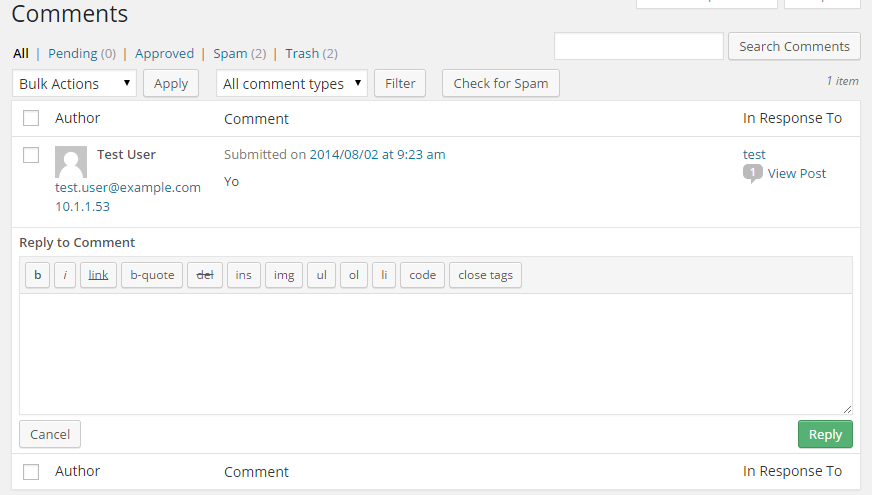
Edit: There is another option that works, quite a different approach though, but it does make for quick replies to topics and that is to use the bbPress-Reply-by-Email plugin, setup topic notifications for yourself and reply pretty quickly using your favorite own email client.
Make sure you do not have any plugin conflicts by disabling them all except bbPress, also make sure the settings is enabled in bbPress settings.
Check the URL’s you have in the bbPress login widget, I suspect they are incorrect.


