Search Results for 'bbpress'
-
Search Results
-
Hello,
I’ve got a simple forum set up using the shortcode. I used the same shortcode on the translated page (French). When bbPress is activated, I have noticed the following issues:
– The top right language switcher re-directs me to the french homepage instead of the community forums page. If bbpress is de-activated, the language switcher works as advertised. All other pages are fine.
– The shortcoded forum on the French page does not carry over custom css styles I input with the Simple Custom CSS plugin. Seems like it has to do with the page template I am using. For some reason, the English side automatically uses my theme’s ‘Upcoming Events’ template. I have the option to choose on the French side, but if I pick that same ‘Upcoming Events’ one, the custom css colours do not carry over.
And lastly, and I believe this is a concern of many. A moderator to the site can not create or modify forums – which I find ridiculous. Any work around to this?
Any help would be appreciated
I’m trying to get bbpress up and running with Buddypress, and it’s all working fine except that the topics are not showing up in the forums.
The forums themselves are showing up, but when I click on a category it takes me to the page where the topics should be, and it has the message, “This forum contains 2 topics and was last updated…”
Then under that there’s the message, “Oh bother! No topics were found here!”
But if there are 2 topics, they should be found there, no?
I’ve tried looking at it with the twenty fourteen theme, and the topics to in fact show up. So why wouldn’t they show up in the other theme?
Any help would be appreciated, thanks!
Topic: Title font styling
I recently changed theme and seems that this impacts bbpress also. If I have a long title, it splits on two lines and the one bellow has not enough space:
Thankx for the help!
Hello,
at the moment I have:
website.ext: html pages
website.ext/blog/: wordpress 4.0
website.ext/forum/: bbpress 1.0.2I managed to import my jurassic bbpress installation into wordpress via plugin, I just dont find a way to keep my forum on the current url.
It’s true i can change the slug in the settings, but it would just be a different name under the /blog/ directory like, for example, website.ext/blog/myforum/
My question is: is it possible to import my old forum via plugin from website.ext/blog/ and have the forum where it is now (website.ext/forum/)?
Thank you very much.
I hope it’s OK to post something like this…
I’m brand new to bbpress and not a professional developer. I’m using it with Buddypress on my new site – I’m moving a community from Facebook to the site. A lot of my members are not very net-savvy and are unfamiliar with how forums works. So, I’m trying to offer familiar functions that they’ve seen on Facebook. The forum is going to be the main hub of the site, so I need to get it look good and easy to use.
Set up has gone well, but the forum is just looking a bit dull.
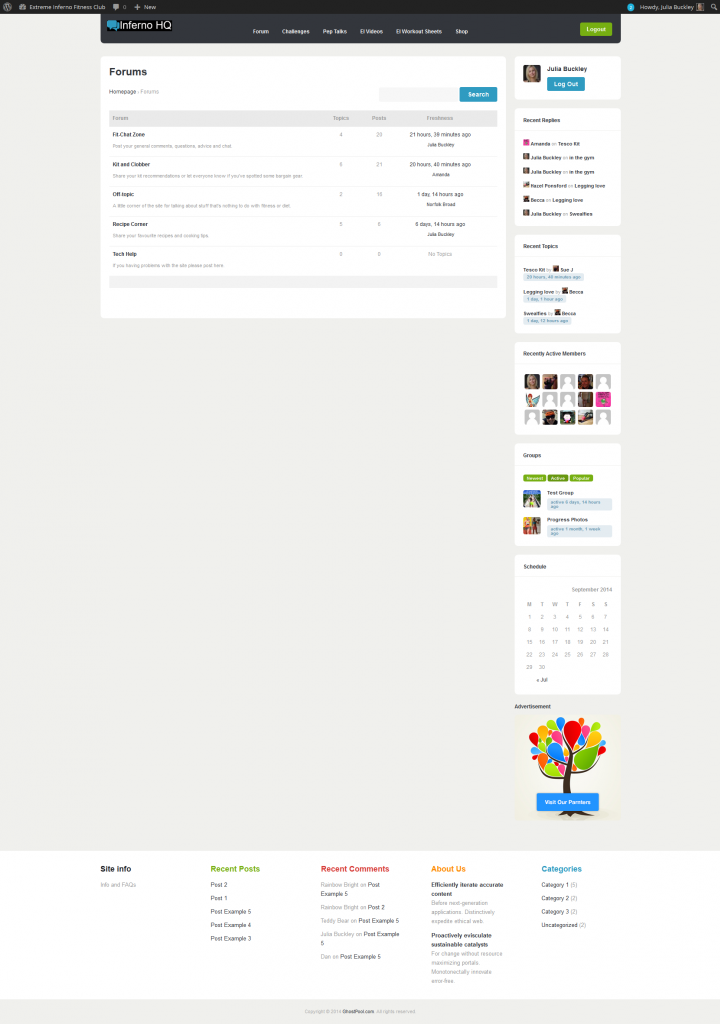
Is there a better way I can display the forum to show the activity?
Are there any other plugins people would recommend to make the forums as similar as possible to what my members have been used to in the Facebook group?
I have a Latest Activity feed on the site homepage which shows all forum activity:
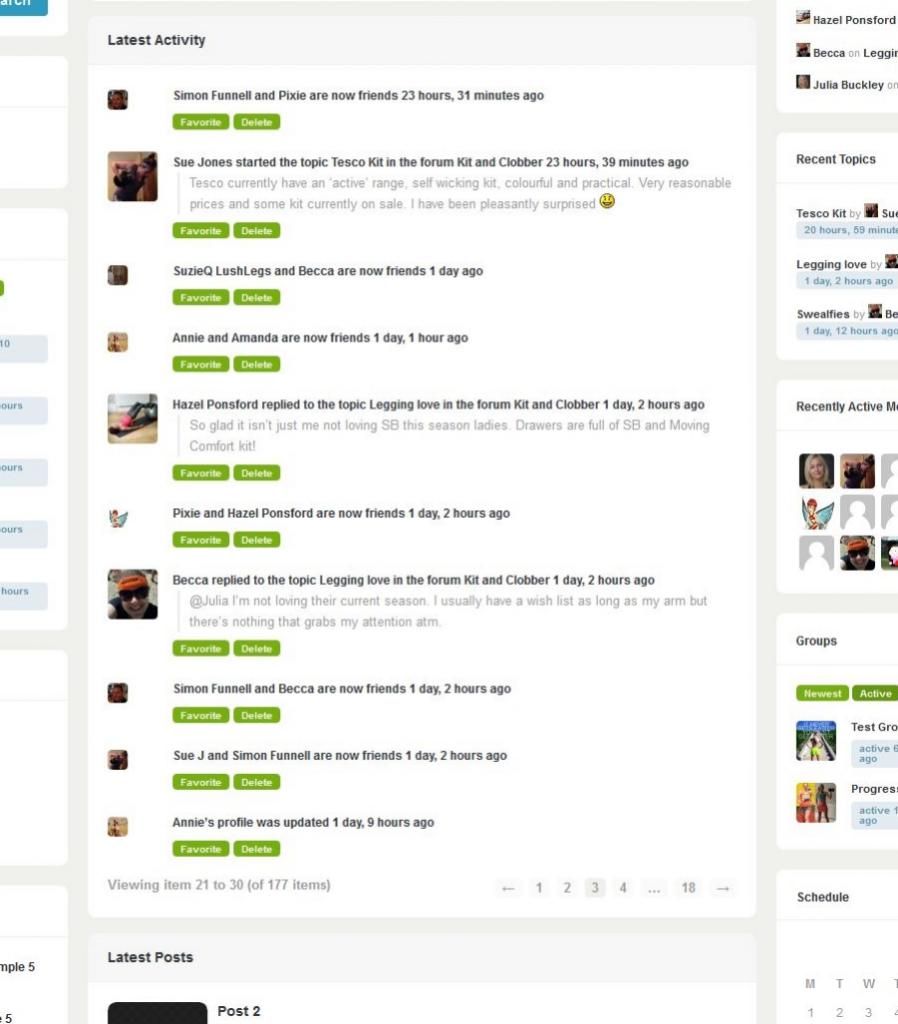
This looks a bit more compelling than the forum page, but it would be nice if it could have things like reply buttons or ‘Go to forum’ to make it more obvious how people can get in the conversations.Just looking for suggestions really. Thanks. 🙂
Topic: Weird Configuration Message
When I bring up the forum page on my site, I get:
bbPress was detected.
Looks like your running a supported plugin but your not using our integrations whatsit.
Get it from the store now! → This link doesn’t work!What do I do now?
Hello,
I run a multisite installation and one of my users is having problems using bbPress. They’ve activated it but can’t see the Forums/Topics/Replies menu items nor the “Forums” options under Settings and Tools. I’ve been able to recreate this by creating a new site and enabling bbPress. Regular site-admins do not have access to bbPress but I (superadmin) can see it all.Wordpress: v3.9.1
bbPress: v2.5.4Topic: Topics Exist But Won't Show
Using WordPress 4.0, bbPress 2.5.4, buddypress 2.0.2.
Does someone know why the forum shows there are topics and replies but also shows there are no topics? Please see image:

Hi
I try to convert a phpbb3 (3.0.11) to BBpress 2.5.4 but when i start the converter i got this error:
Repair any missing information: Continue
Error:The username is already takenThe email address does not appear to exist (No MX record)Please go back and try again, or contact an administrator if you keep seeing this error.N
Any ideas?
Hi,
I still have not been able to resolve the issue of the Forum Page’s page title being a link to itself and the additional link in breadcrumbs that is also a link to the page it is on.
I have followed the ‘Step by step guide to setting up bbPress’. The documentation shows a screenshot of a forum working within a twentyten theme that is set up the way I am trying to set up my forum. The Forum Page title is not a link and there is not an additional link in breadcrumbs. Breadcrumbs shows a ‘Home’ link and then the current page ‘forums’. I am using the Thematic theme. I am now including a home page in breadcrumbs.
Any help would be appreciated.
Thank you for your time.
Jerry
Hi guys,
My bbpress forum was working fine until I had to restore my website and I just realized that none of the topics/replies are visible. When you open the forum it does say there are topics in there and mention the user, but when you click on the specific forum it tells me no topics were found.
Thanks in advance for the help!


