#bbpress-forums {
	width: xx%;
}
Hi @desberdin,
Is this the same issue?
https://bbpress.trac.wordpress.org/ticket/3454
Or, am I confusing two different things? If it’s the same issue you might take a look at that ticket and see if you have any comments to add to it.
Mike
Until now I had a problem every time a participant wanted to unsubscribe from forum or topic notifications using buddypress profile (forums/subscriptions).
Since the unsusbscribe buttons on his buddypress profile did not work.
And he had to go to the forum/topic in question to perform the operation.
I modified the plugin code to fix the problem and it works. You can review my code and include it in your plugin for future updates.
Thanks:
/wp-content/plugins/bbpress/includes/users/engagements.php
line 840~ (depends version)
// Bail if actions aren’t meant for this function
if ( ! in_array( $_GET[‘action’], $possible_actions, true ) ) {
line 870~ (depends version)
/** No errors *************************************************************/
if ( ‘bbp_unsubscribe’ === $_GET[‘action’] ) {
/wp-content/plugins/bbpress/includes/users/template.php
line 1375~
$html = sprintf( ‘%s<span id=”subscribe-%d” %s>%s</span>%s’, $r[‘before’], $object_id, $sub, $url, $object_id, $object_type, wp_create_nonce( ‘toggle-subscription_’ . $object_id ), $text, $r[‘after’] );
I want to use bbpress in sub-site network.
I was able to install it, create a forum and display it on [bbp-forum-index], but when I click on the permalink to display it, I get an error that not even wordpress itself is loaded. Please let me know if you know a solution.(I cheked it run correctly in main site)
this is the code what I can show the forum page
<html>
<head></head>
<body></body>
</html>
Hello Robin, Thank you for your quick reply.
Yes, I’ve installed “bbPress style pack” and checked the button tab.
It seems only four buttons can be added, “a create topic button”, “a subscribe button”, “a profile button”, and “a button for unread topics”.
Can I create and add “Jumping-to-a-comment-box-button” by bbPress style pack?
Regarding bbPress, I’d like to move the comment box from the bottom to the top. That makes it users easier to comment on a topic. I appreciate any help!
ok, it is a theme issue.
2 further things to suggest
you could look at this
https://codex.bbpress.org/step-by-step-guide-to-setting-up-a-bbpress-forum/ item 8
and/or you could add this to your custom css
#bbpress-forums {
	width: 90% !important;
}
Otherwise you need to reach out to the theme authors
thanks – ok I’m not seeing this, so either it is a setting, or a combination of theme/plugins
maybe try
Themes
As a test switch to a default theme such as twentytwenty, and see if this fixes.
Plugins
If that doesn’t work, also deactivate all plugins apart from bbpress and events calendar and see if this fixes. if it does, re-enable one at a time to see which is causing the error.
If you cannot do this to your site (say because it is live) then use the ‘troubleshooting’ features of this plugin to let you test without affecting other users
Health Check & Troubleshooting
Then come back
any idea what plugin you are using to do the image pop-up? is this part of the bbPress Multi Image Uploader?
I work for an organization that’s looking to add bbPress to our multisite network. We have to guarantee all plugins we add are WCAG 2.0 compliant–is that the case for bbPress forums? Thanks!
In bbPress, when a poster posts a comment on a topic, the poster’s name is hyperlinked in the post. And when the hyperlinked name is clicked, it jumps to a user-detail page. But, I don’t want one user to see other user-detail page. In the community I’m building, no user-detail pages are needed. So, I want to unlink it. I appreciate your help!
I more suspect that it is related to upgraded versions of wordpress or php and that bbPress Multi Image Uploader has not been updated for several years.
you can use the shortcodes
Shortcodes
Have another question. Is there any reason why the site (bbpress forum only) will break if i upgrade the php from 7.4 to 8.1?
I have run my test site with 8.1 and it works with only warnings.
If it is breaking your site, then you will need to enable debug to find out where the issue is, or try 8.0.x which is also in support.
just released 5.1.3 which has the subscription management from bbpress toolkit in it.
@robin-w
Hello Robin
Have another question. Is there any reason why the site (bbpress forum only) will break if i upgrade the php from 7.4 to 8.1? Evrything else in the site seems fine so far except the forums break. Any suggestions on what can be done so that the upgrade is successful? Perhaps some of the options in the php have to be selected or un-selected? Thanks
Thanks Robin. I kind of assumed the situation was like what you’re saying. But I just ran into some problems with another plugin (with PHP 8.1) and the authors of that one simply said they’re not supporting 8.1 yet – so no point in reporting issues. This caused me to question the situation with some of my other “main” plugins 🙂
FYI, though our real sites are still on PHP 7.4, my test site is currently running 8.1.10 and I have not *seen* any problems with bbPress (though it doesn’t get much of a workout there).
Mike
I’ve created a page with bbpress shortcode for login, users will need to give their name and email information, but when they are directed to the registration page I set for them, they need to give the password, as a matter of fact, there is a no process when they have required a password, and no emails will be sent to their mailbox, I am confused.
The page needs support is https://eventmelt.com/
Hi
Is there a way to use the first name only on the forum as standard? I use the ‘Force First Last’ plugin which changes all names on my site to first only when running it manually but with each new registration BBPress displays the name as FirstLast (where as the profile and other areas of my site automatically change to First only)
Hello @vvmdov and hello to BBpress support.
I’m also using BBpress(2.6.9) on my website(WordPress 6.0.3) with Divi theme(4.19.0 — it’s a child theme — ) and it seems I’m facing the same problem, especially when I use the search field.
As soon as I launch the search, my global header and global footer don’t appear correctly, all the css seems to be broken…
See here :
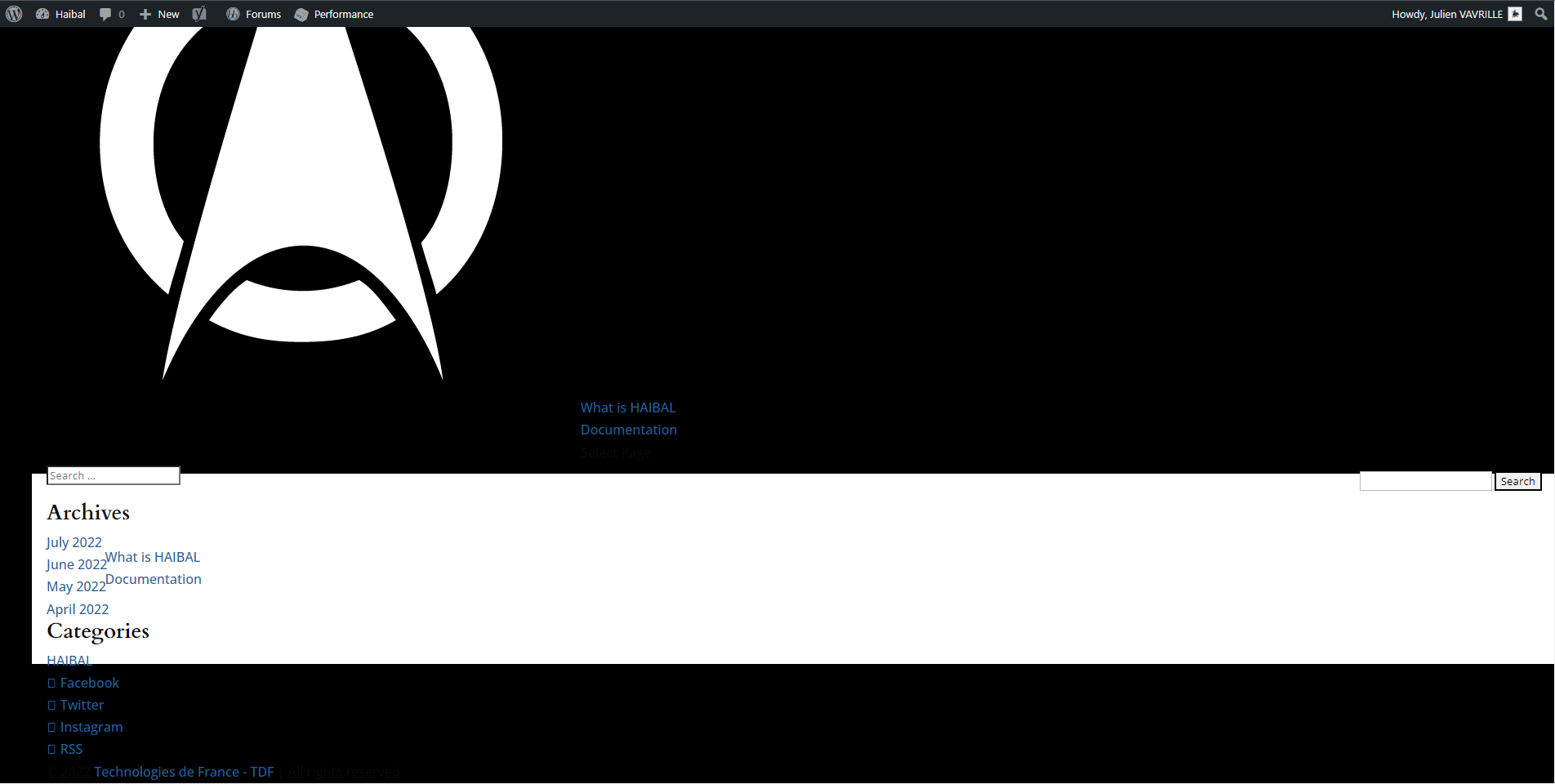
The only thing I could notice is that when I disable Dynamic Css in Divi options (General>Performance), the search comes back more or less to normal but I still don’t have my global header and global footer.
See here:
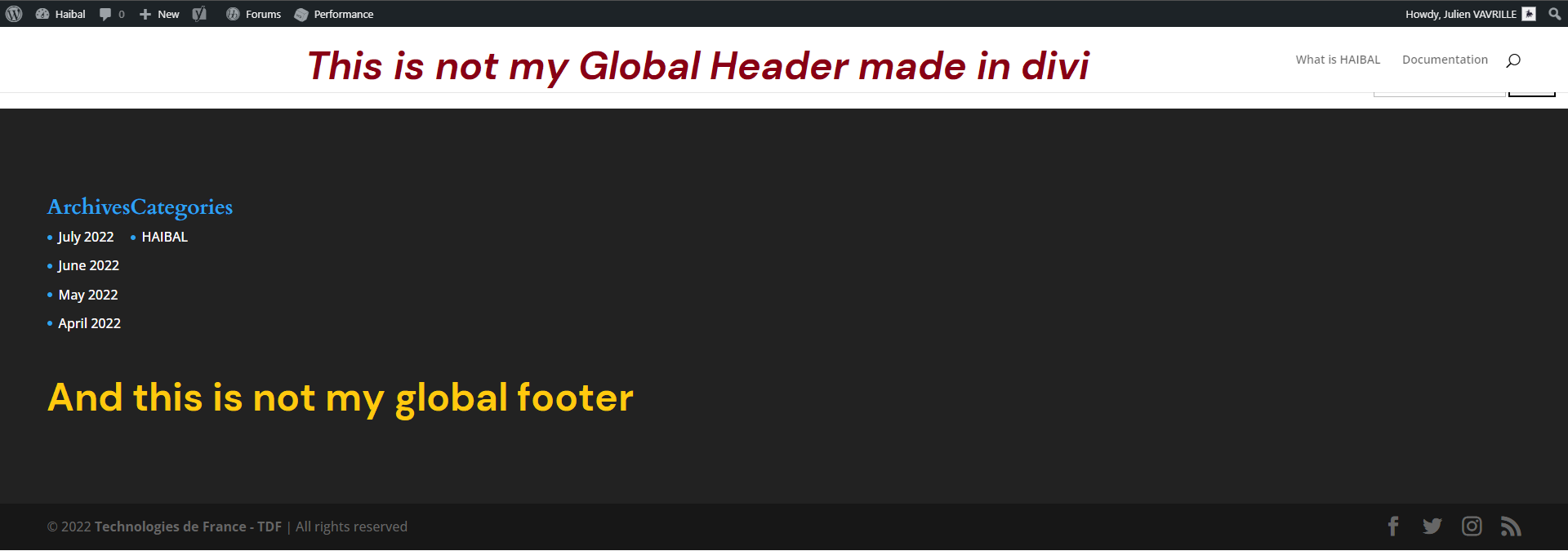
Do you have any idea where this could come from and how to fix it?
Thanks
In my forum, participants are often posting pictures. I have been using “bbPress Multi Image Uploader” to allow them to upload images in a simple manner.
Members are required to resize their images to 600×600 pixels and when it is uploaded with the plugin, the image is smaller in the post, but by clicking on it, it displays “full size”. However, in the last weeks or so, I notice that the popped up images are not as big as they used to be. However, if you right-click and open in a new tab, it does show the expected size.
I know that “bbPress Multi Image Uploader” has not been updated in a while, but otherwise, it still works fine. Any idea what might have changed for the display to be different now?
I have bbpress 2.6.9.
Here is an example where you can click on any image in the thread and compare with “open in a new tab”: https://scrapbookcampus.com/Community/topic/january-theme-challenge-celebrations/
Thank you
you can change the WordPress profile to bbpress using the
bbp style pack
once activated go to
dashboard>settings>bbp style pack>login>option 6
This really should be added to bbpress. In the meantime, you can use
https://YourDomain.com/wp-admin/profile.php
as a permanent link to a user’s profile. HOWEVER: This sends people to their WordPress profile page, not to the more friendly looking bbpress profile. It does still allow them to do all the changes to their settings though.


