Yes, I did.
I created a fresh install of wordpress here: test.webshrimp.uk
The only plugin activated is bbpress and the logout doesn’t work. As soon as it is deactivated the logout link works. It is 100% bbpress causing the issue. I don’t know why it is appending redirect links to the logout button either.
Thanks
Thanks you for sharing your fork.
Have you read this for that freezing issue??
Import Troubleshooting
I had a feeling that would be the response I would get but I don’t understand how this could be a problem all of a sudden after the new update. I will look into this more and worse case scenario just remove bbPress from the site all together and use something different for my forums.
Yeah this issue is not because of the bbPress plugin but your site does not have enough memory.
https://codex.wordpress.org/Common_WordPress_Errors#Allowed_memory_size_exhausted
Oh this is long ago.
I just searched through my harddrive and could find a copy of the wbb3.php, my old import file, but I don’t think that’s the most recent version – I could not find anything with wbb in it. Unfortunately, the wbb3.php in the bbpress plugin folder was overwritten with the bbpress updates.
With bbPress activated and logging out from the backend using the WordPress toolbar.
http://localhost/mysite/wp-login.php?loggedout=true
Without bbPress activated and logging out from the backend using the WordPress toolbar.
http://localhost/mysite/wp-login.php?loggedout=true
With bbPress activated and logging out from the bbPress login widget on my front page.
localhost/mysite/?loggedout=true
Did you already go through some troubleshooting to see if it was an issue in your plugins or theme??
You have to copy the main template bbPress is inheriting from your theme for its layout and create a bbpress.php file from it. This would usually require you to remove the sidebar code, then use CSS to make the layout fullwidth.
Getting Started in Modifying the Main bbPress Template
What is the error??
I have my localhost server running the latest WordPress and bbPress and I do not see an issue.
I also tested one of my live test sites, and still do not see an issue.
My server auto updated my website to the new WordPress 4.2.3 and now when bbPress is active my site breaks. I’ve since change the setting on my server so that it does not auto update but I still have the problem of my bbPress plugin wont work. When activated a Fatal Error occurs. Has anyone else had this problem?
Hello
We have two different membership groups using our website. The first group should only see certain forum topics and replies. The other group can see all. When the members use the actual forums, this works great, but if any of the members use their activity feed, they see content from forums they should not see.
As a short-term solution, I want to hide ALL topics and replies from the activity feed, but not hide the “mentions.”
I put this in my CSS editor:
.bbpress.activity-item {
display: none;
}
and while it it does remove the forum topics and replies from all activity feeds, it also removes the list of mentions.
I’ve looked throughout the BuddyPress and bbPress forums and can’t find an answer. I’d much appreciate any assistance.
Is there anyway to do this or do I need to have bbpress installed on a theme without a side bar?
My website is here: http://www.therelationshippsychic.com/
Thank you.
I created a fresh install of WordPress and bbpress here:
test.webshrimp.uk
BBpress is currently activated, note how the logout links are not working. As soon as I deactivate Bbpress it works fine
Basically when I activate bbPress on my blog the log out links no longer work. It seems to append a redirect to the end of log out links which prevents it from working. I’m not sure why but it’s definitely to do with bbPress.
Here is the logout anchor tag when bbPress is deactivated (works)
<a href="http://test.webshrimp.uk/wp-login.php?action=logout&_wpnonce=1ef350795a">Log out</a>
Here is the anchor tag when bbPress is activated – doesn’t do anything
<a href="http://test.webshrimp.uk/wp-login.php?action=logout&_wpnonce=1ef350795a&redirect_to=http%3A%2F%2Ftest.webshrimp.uk%2F%3Floggedout%3Dtrue">Log out</a>
Any help would be greatly appreciated.
Thank you.
I’m assuming by category you mean the forum that the topic is in?
You can remove the forum dropdown menu and use a hidden field here instead.
In your theme you need to have this file:
wp-content/your-theme/bbpress/form-topic.php
If you don’t have it, copy it over from the bbpress default templates at:
wp-content/plugins/bbpress/templates/default/bbpress
Then open your new form-topic.php in a text editor and find this part of the code:
<p>
	<label for="bbp_forum_id"><?php _e( 'Forum:', 'bbpress' ); ?></label><br />
	<?php
		bbp_dropdown( array(
		'show_none' => __( '(No Forum)', 'bbpress' ),
		'selected'  => bbp_get_form_topic_forum()
		) );
	?>
</p>
and replace it with this:
<input id="bbp_forum_id" type="hidden" name="bbp_forum_id" value="20">
Where 20 is the ID no. of the forum you want all topics to be created in.
Hope that helps 🙂
Found this snippet earlier this week, this should help not allow guest users to see BuddyPress Profiles.
/**
* Redirect buddypress and bbpress pages to registration page
*/
function kleo_page_template_redirect()
{
    //if not logged in and on a bp page except registration or activation
    if( ! is_user_logged_in() && ! bp_is_blog_page() && ! bp_is_activation_page() && ! bp_is_register_page() ) {
        wp_redirect( home_url( '/register/' ) );
        exit();
    }
}
add_action( 'template_redirect', 'kleo_page_template_redirect' );
Sorry for the late reply, I am going through some old topics to see if I missed something.
Have you tried disabling all other plugins AND using the default theme at same time? (difficult if the site is live of course)
If it’s not on a live site maybe try a fresh bbpress install? Also there are some repair tools in the settings you can try (I haven’t had experience using these but it’s worth a try)
Do this to see, and report back.
If it doesn’t work I might have to report a bug.
I’ve looked inside the loop-forums.php template, then found this <?php do_action( ‘bbp_template_before_forums_loop’ ); ?> being executed. Which template file is bbp_template_before_forums_loop pulling from ?
Sorry for the late reply, but that is a hook. If you want the login form only above the forum index just echo the shortcode like so above or below that hook.
<?php echo do_shortcode("[shortcode]"); ?>
or if you are pretty good with PHP just use the hook.
If you want the login form above all bbPress pages, you might have to consider echoing the shortcode in a bbpress.php file.
Getting Started in Modifying the Main bbPress Template
Try some troubleshooting especially the Theme and Plugin steps.
Troubleshooting
You have to copy the main template bbPress is inheriting from your theme for its layout and create a bbpress.php file from it. This would usually require you to remove the sidebar code, then use CSS to make the layout fullwidth.
Getting Started in Modifying the Main bbPress Template
Add all this CSS, it fixes the issue you have created this topic for and whatever else I could find on your site.
#bbpress-forums .reply a {
    padding: 0;
    display: inline-block !important;
    text-align: inherit!important;
}

#bbpress-forums .reply a:hover {
    background-color: transparent !important;
}

#bbpress-forums li.bbp-topic-voice-count,
#bbpress-forums li.bbp-topic-reply-count {
    color: inherit;
}

#bbpress-forums #content p{
    text-align: inherit;
}
I’m completely new to wp and bbPress and also a php novice and am currently doing an assignment in both. I have created a child-theme and have spent many hours trying to find the right template_part to amend to suit my theme. I have managed to do so for loop-forums and loop-single-forum for Forum page but now have moved to Topic page and thought the two templates I needed were loop-topics and loop-single-topic but they don’t have the section I want to remove ie. bbp-template-notice info.
Is there somewhere I can find the hierarchy of pages and template hierarchy or can anyone point me in the right direction please?
@Robkk
Thank you for the Information but I am just replacing all the HTML Tags with bbcode tags, nothing special because I am very bad at php and javascript, I know very little js and just started with php. Btw I have finished it, just couldn’t get 1 thing right, Close HTML Tags.
Here’s the Link to the Topic: https://bbpress.org/?post_type=topic&p=164557
the first kuena link the forums look too busy.
Second link is what I was talking about but for bbPress, make it look cleaner. I have made something kind of similar, not exact but some parts are similar. (I know the icons are off a bit, idk what I did to mess them up, but they were fine before.)
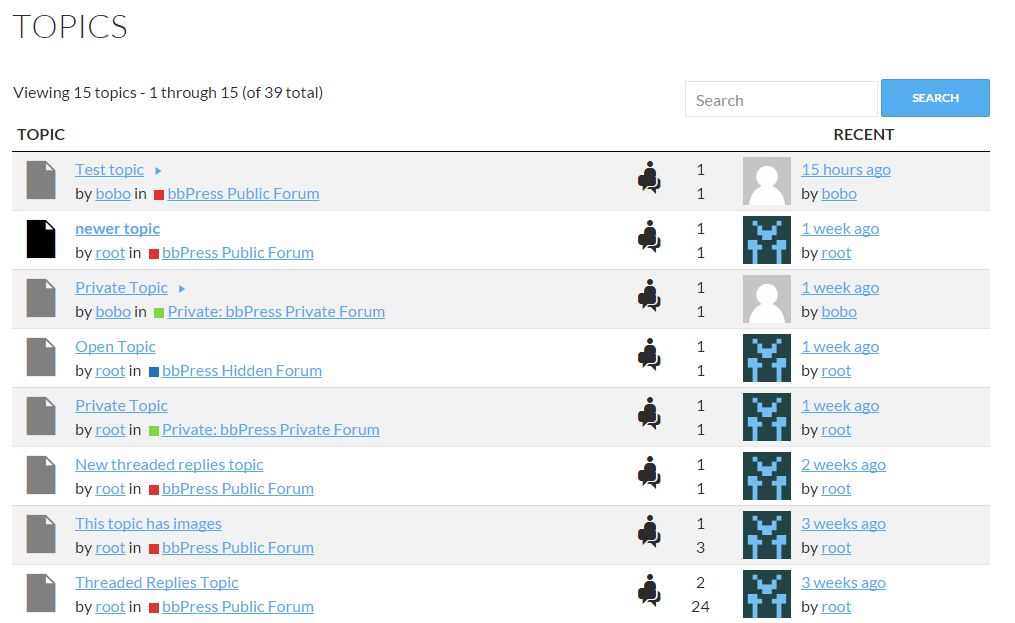
the third and fourth link remind me of old bb boards, some phpbb inspiration I can see though.
Almost all of those Github plugins have almost non discussions, issues, requests. It doesnt mean they are perfect, it means they will be abandoned very soon. As much you here would abandon bbPress if nobody used it and nobody come to this forum. As much Drupal core and other Drupal developers abandoned Drupal forum because nobody used it. So simple.
I get what you are saying but what about plugin forks or just plugins with similarities.
Here are the other github plugins and their alternatives and why I might and might not fork them.
- VIP support -> bbpress-VIP-Support-Plugin-for-Latest-WordPress (will think about pushing to WP.org)
- Simple Support -> bbResolutions
- EDD bbPress Support Dashboard (this is a fork of VIP support too and was specific to the EDD site)
- bbPress Spam Cleaner -> This is the plugin that was made for a job for a specific user
- bbPress Report Abuse (needs paid plugin gravity forms) -> bbPress Report Content
- bbPress Avatar -> Basic User Avatars
- bbP Quote -> bbPress Direct Quotes(I said I might add this into a different plugin, and users can also install GD bbPress tools)
- bbPress Ajax Replies (not touching, do not know much about ajax)
- djb bbPress last read plugin -> closest I think to this exact plugin is the one I said I might add to WP.org
- bbPress Live Preview -> Just enable TinyMCE(but I will think about forking it more)
Tell me one thing sincerely. if you so much trust all those plugins why you dont install them here and use it as showcase for newcommers ?
I told you some of the plugins in there could be some ideas for functionality and that is why it is there, which leads to me sprucing up the page again.


