Search Results for '"wordpress"'
-
Search Results
-
Customize your Forums root. Partner with a WordPress Page and use Shortcodes for more flexibility.
What does this mean??
I’ve set the forums root to “forums”. Then I’ve created a WP-page with slug “forums” and included some shortcodes.
The WP-page is ignored, so content displayed on /forums is the bbpress default index page.
What does this mean: “Partner with a WordPress Page and use Shortcodes for more flexibility.”??
How do I replace the default index with a WP-page?
I just installed bbPress 2.5.12 on WordPress 4.7.2. I created a test forum with one topic. I haven’t changed any of the default settings. When I load the forum page, I get this:
Forums
by (Edit)
Search for: Home › Forums Forum Topics Posts Freshness Cardstock 1 1 1 hour, 55 minutes ago CherylIt looks just like a bunch of text with no formatting. Here’s the link: http://livelovecards.com/forums/
I haven’t tried disabling plugins because I have a lot of them and my site is subscription, so I don’t want to disrupt service. I’m hoping this is an obvious problem to someone out there.
Thanks so much for your help!
DarleneI am using WordPress 4.7.2 and bbpress Version 2.5.12. I have tried the code as mentioned in previous post. However, it doesn’t work. Could any generous guys can help me?
My main objective is to set spectator to have ability to post/edit a post. That’s it.
1. Is there any other easiest way to do it?
2. If no, any change besides the false/true value I suppose to amend?
3. Where should I put the code, only capabilites.php?I wish someone can show me step by step solution. Thank you so much.
Topic: how to Nest Forums
Hi,
Is it possible to use WordPress shortcodes in bbPress posts? (I mean either native WordPress shortcodes such as[caption][/caption],[gallery ...], or shortcodes defined by third-party plugins).
To be more precise, I’m the author of a WordPress plugin that allows to insert chess diagrams and/or chess games in WordPress posts/pages (see https://wordpress.org/plugins/rpb-chessboard/). I would like to extend to have chess games/diagrams in bbPress posts.
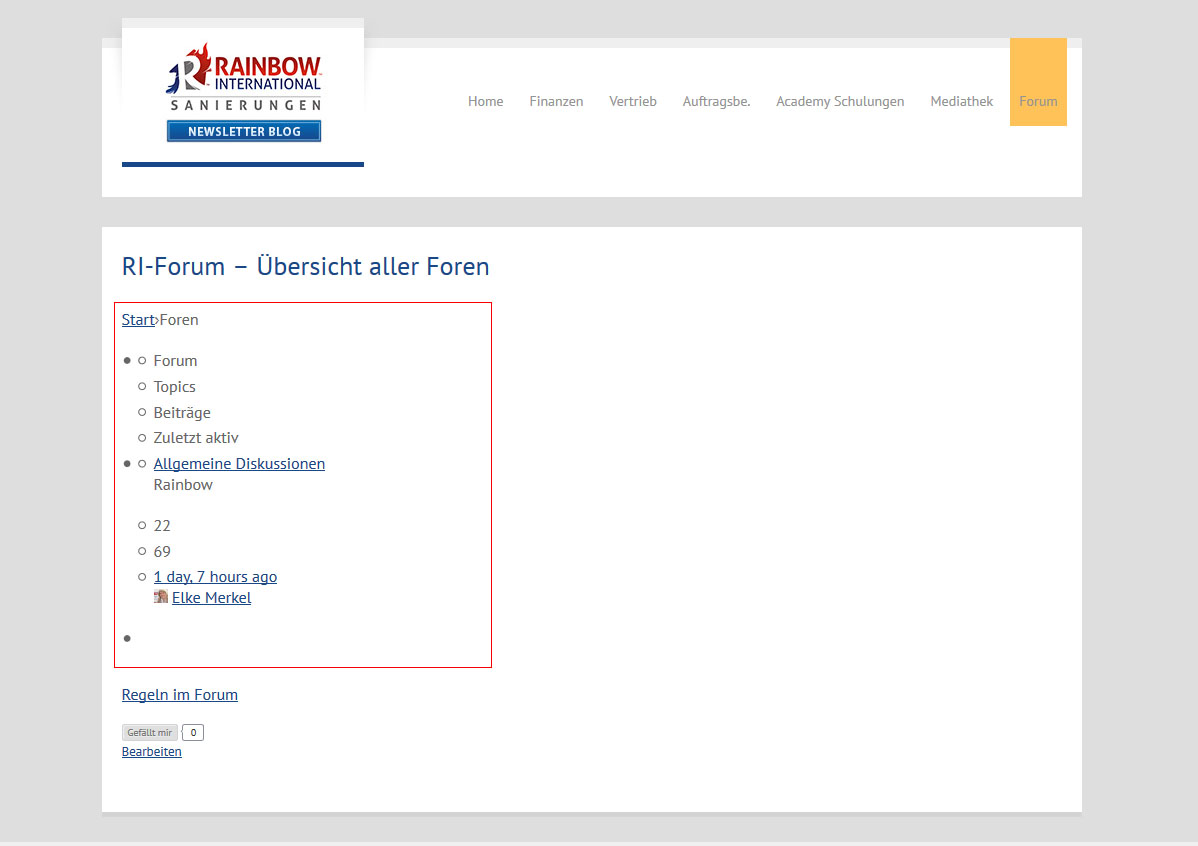
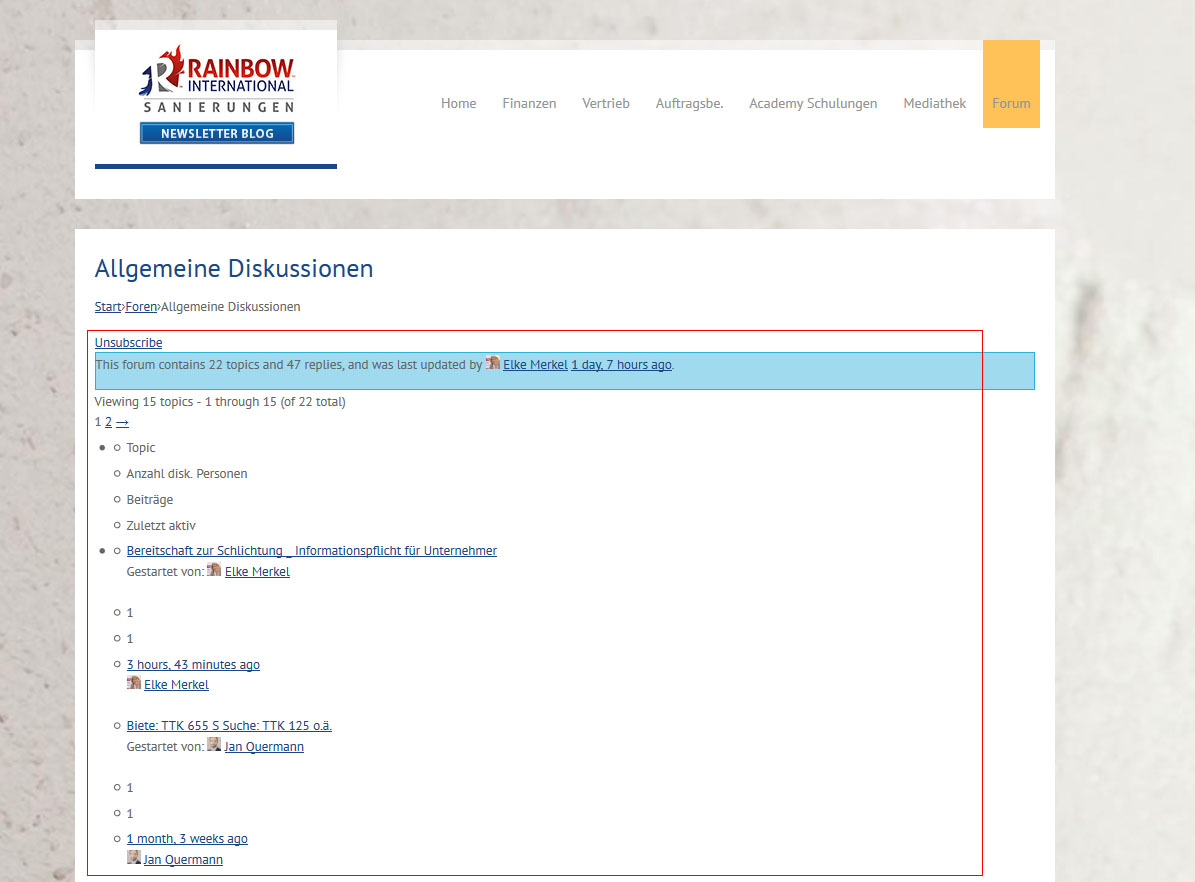
Thank you beforehand.I am on WordPress 4.7.2 and bbPress 2.5.12 and suddenly this combination stopped working layoutwise. bbPress is just outputting content (text), but without any tables or any other formatting.
The glitch happens with all WordPress themes not just a particular theme.
I am using “bbPress Tweaks” to render the output in my theme. Deactivating bbPress Tweaks did not solve it.Unfortunately we use this website for internal communications, so can’t just put a link here, you have to have an active user to login.
Therefore I uploaded some pictures of what is happening:
https://www.rainbow-international.de/screen.jpg
https://www.rainbow-international.de/screen2.jpgI tried everything disabling plugins, downgrading WordPress, downgrading bbPress itself. But I can’t get the older versions of bbPress to run. Something in the code is crashing -> white page. So I am stuck with 2.5.12.
Thank you in advance!
Topic: tool bar for editing text
Hello i m working with WordPress 4.6.1 with Bigbang theme
my bbPress version is 2.5.10The problem is in the tool bar: I see simultaneously both the visual bar that the textual, and the keys of the text toolbar are visible only if I get over them with the mouse

Hello,
I try to import my phpBB 3.2.0 (latest stable version) to bbPress (latest version 2.5.12) using the default import tool in the WordPress 4.7.2 backend. The phpBB is clean, no mods / plugins or custom styles. I get this error:
Repair any missing information: Continue
WordPress database error: [Specified key was too long; max key length is 1000 bytes]
CREATE TABLE MNmAD_bbp_converter_translator ( meta_id mediumint(8) unsigned not null auto_increment, value_type varchar(25) null, value_id bigint(20) unsigned not null default ‘0’, meta_key varchar(255) null, meta_value varchar(255) null, PRIMARY KEY (meta_id), KEY value_id (value_id), KEY meta_join (meta_key(191), meta_value(191)) ) DEFAULT CHARACTER SET utf8mb4 COLLATE utf8mb4_unicode_520_ci;No data to clean
Starting Conversion
I don’t know any MySQL so I don’t understand what to do. If relevant here the collations used: utf8_bin (phpBB) and utf8mb4_general_ci (WordPress).
Any suggestions?
TiiuTopic: Lost password captcha
I deployed the bbpress plugin.
on the Lost Password page, using the Lost password shortcode, I cannot finalise the action to do a lost password. get an error message that says that captcha has not been entered.
Problem: captcha is not even on the screen.
Note: it is however on the WordPress Lost Password screen.Any help on how to get the captcha feature on the Lost password bbpress functionality?
Topic: Forums: 500 Error
Hi, can’t provide link to page because it’s a private / paid site: fapsa.org.uk
When I try to go to Forums I get ‘HTTP ERROR 500’ and this in my error log:
[30-Jan-2017 18:21:55 UTC] PHP Fatal error: Cannot redeclare class WP_Taxonomy in /home/fapsa******/public_html/wp-content/plugins/buddypress/bp-forums/bbpress/bb-includes/backpress/class.wp-taxonomy.php on line 17
Any suggestions?
BuddyPress: 2.7.4
WordPress: 4.7.2I think the problem is that I’ve been using legacy Forums in BuddyPress. Is there any way to transfer them across to bbPress?
I’m running a website with two private groups, and I’ve run into a snag. It turns out that all logged in users can also see topics posted into private forums in the “recent topics” widget, even if they are not member of a private group. Naturally if they click on these topics, they cannot see the contents of the thread, but the topic titles occasionally do leak information that they shouldn’t be able to see.
Is this a known bug with the bbpress “recent topics” widget? Is there a way of fixing this?
I’m running wordpress 4.7.2, buddypress 2.7.4, and bbpress 2.5.12 (also jetpack, askimet, and wordfence, at their latest versions). Happy to provide more information if need be.
Thanks in advance for any help!