Search Results for 'code'
-
AuthorSearch Results
-
August 15, 2014 at 3:40 am #150908
Robin W
Moderatorjust updated this to do a particular forum as well !
August 15, 2014 at 3:35 am #150907In reply to: New Users Auto Subscribe to One Forum
ModeratorI doubt that would be possible.
This script reverses the logic
so normally the database would have a list of forums you have manually subscribed to.
This changes it to have a list of forums you have manually unsubscribed to, thus you are subscribed by default.
So the code would not work to just have one forum.
August 15, 2014 at 2:07 am #150905In reply to: Default template confusion?
Stephen Edgar
KeymasterOoops, for the topic form, take a look in
content-single-forum.phpand you’ll find:
<?php bbp_get_template_part( 'form', 'topic' ); ?>August 15, 2014 at 2:05 am #150904In reply to: Default template confusion?
KeymasterIf you want paste your templates (or code snippets) in a Gist and I’ll take a look and see if anything stands out… https://gist.github.com/
Unless you have named the files incorrectly, this is what they should be:
content-archive-topic.php–loop-topics.php–loop-single-topic.phpYou have an extra
son two of the three 😉August 15, 2014 at 1:46 am #150903In reply to: Default template confusion?
hitkid
ParticipantThanks again @netweb
Okay, I’m glad too see I wasn’t editing the wrong templates. I was paranoid that I was doing that. Unfortunately, this means something is going on with my archive-topics.php and content-archive-topics.php templates. The other two work great.
What I’m trying to do is add things like: elements, classes, ids, functions I’ve built move around the functions already in the archive-topics.php and content-archive-topics.php templates and so on. When I do this and save changes they don’t appear.
It doesn’t even look like my topic index is using the proper templates because in the content-archive-topics.php template file there is a search function that isn’t appearing in the topic index when I click on a topic off the forum index. eg home>forums>this-is-a-topic.
Also you can create a topic on the topic index page in the website, but I can’t find a call to the form-topics template in any of the topic templates stated in the topic heiarchy. Unless it’s called in another way that’s not something like this:
<?php bbp_get_template_part( 'form', 'topic' ); ?>What could be going on and why could this be ?
Again I thank you for your help!
August 15, 2014 at 1:25 am #150902In reply to: Include sub-forum topics in parent forum loop
KeymasterI am sorry, I am not writing custom plugins for people for free, let alone your assumption that that is what you expect, not going to happen.
If you need some custom code written post an advert on http://jobs.wordpress.net
August 14, 2014 at 11:28 pm #150898In reply to: Importing SMF
KeymasterAlso if you are going to use versions of the importer from the source repo you will need to ensure you also are using the matching the revision of
converter.php.Also not quite sure how you landed on the r5191 revision, there are quite a few since then and a few before!
August 14, 2014 at 11:23 pm #150897In reply to: Importing SMF
KeymasterIt looks like you left out the table prefix, SMF typically uses
smf_Double check by opening your SMF
Settings.phpfile in the root folder of your SMF install:########## Database Info ########## $db_type = 'mysql'; $db_server = 'localhost'; $db_name = 'db_name '; $db_user = 'db_user '; $db_passwd = 'db_passwd '; $ssi_db_user = ''; $ssi_db_passwd = ''; $db_prefix = 'smf_'; $db_persist = 0; $db_error_send = 1;August 14, 2014 at 10:57 pm #150894In reply to: phpbb import Stalled / Hangs
KeymasterArgh! Both 😉
Wherever you are testing all of this, the phpBB database must be on the same MySQL database server, not the same actual database, just the same server.
I’m not entirely sure what the ‘wp-united’ does to the phpBB members table but there are a couple of topics here on bbpress.org about it.
Lets skip trying to import phpBB members for a minute and just go with forums, topics and replies for starters. So try your import again without selecting to import “Users”, this should be a good test to make sure that you have a connection to the database and you are indeed using the correct prefix, I expect as you note it most likely should be
phpbb3_as per your phpBB config file.August 14, 2014 at 10:07 pm #150893In reply to: Default template confusion?
Participant@netweb Thank you very much! I will try this.
The only thing I’m kind of left confused about is how the index for topics works? In the Amending bbpress templates codex entry it states the templates for forums work like this:
The index for the forums starts by using
content-archive-forum.php
If you open this up you will see that it them calls a further template by using the function bbp_get_template_part
<?php bbp_get_template_part( ‘loop’, ‘forums’ ); ?>
(this translates to loop-forums.php)
this in turn calls
<?php bbp_get_template_part( ‘loop’, ‘single-forum’ ); ?>
(this translates to loop-single-forum)
and so on.
So the template hierarchy for the the forums index would look like this:
archive-forums.php>content-archive-forums.php>loop-forums.php>loop-single-forums.phpWould the template hierarchy for the topics index look like this:
archive-topics.php>content-archive-topics.php>loop-topics.php>loop-single-topics.phpThanks again for taking the time to help me!
August 14, 2014 at 9:05 pm #150890KeymasterHave you played with
bbp_parse_args()yet? This is used ~100 times in bbPress to allow you to change array arguments ‘before’ or ‘after’.BuddyPress introduced
bp_parse_argsin BuddyPress 2.0, and as they have some good docs and we don’t yet here for bbPress check this out:https://codex.buddypress.org/plugindev/using-bp_parse_args-to-filter-buddypress-template-loops/
So for the bbPress function
bbp_list_replies()you’d usebbp_before_list_replies_parse_argshttps://bbpress.trac.wordpress.org/browser/tags/2.5.4/includes/replies/functions.php#L2192
Does this get you on the right track? I hope so as I’ve never played with custom walkers 😉
August 14, 2014 at 8:34 pm #150888In reply to: Default template confusion?
KeymasterWhat you should do is tweak the arguments passed to the breadcrumb so you can add/change the CSS classes (and or HTML elements) for the breadcrumbs, the plugin extends what is already listed in the codex docs and shows you all of the options available and you should be able to tweak it for what you are after.
https://gist.github.com/ntwb/7781901
August 14, 2014 at 8:10 pm #150886In reply to: disable front end editing
KeymasterSee the link Robin posted in the other topic or here it is.
August 14, 2014 at 7:49 pm #150885In reply to: niewbie : simple questions
KeymasterAt a guess, it’s hard to guess without a link or screenshots I’d say your themes including some template content you don’t actually want.
Depending on your theme you need to make a copy of your
page.phpfile and rename itbbpress.php.To add new fields to a users profile you can add new fields, see this plugin for an example and the relevant WordPress Codex docs:
https://gist.github.com/ntwb/c70caf5a0aa9d3062a6d
https://codex.wordpress.org/Plugin_API/Filter_Reference/user_contactmethodsAugust 14, 2014 at 7:35 pm #150882In reply to: Update my original comments page
KeymasterA quick look the following tweaks your background colors to match (colors are not exact though) and they should be tweaked to match your themes color scheme etc.
#bbpress-forums div.odd, #bbpress-forums ul.odd, #bbpress-forums div.even, #bbpress-forums ul.even, #bbpress-forums li.bbp-header { background-color: #113450; } #bbpress-forums div.bbp-forum-header, #bbpress-forums div.bbp-topic-header, #bbpress-forums div.bbp-reply-header { background-color: #112350; }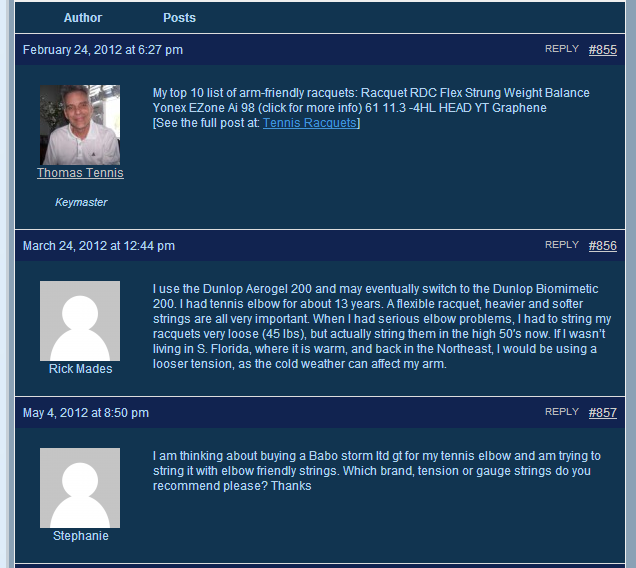 August 14, 2014 at 6:05 pm #150877
In reply to: Default template confusion?
ParticipantThank you @robin-w for the great and speedy reply.
I was just trying to remove the breadcrumb in the content-archive-topics.php template to test if that’s the file I’m suppose to edit. Really I want to rearrange and do a whole lot of different things. Like what it says in the Amending bbpress templates codex entry.
Note* All the forum templates work great! Unlike the topic templates, any change I make to these files appears in the forum index as they should:
archive-forums.php>content-archive-forums.php>loop-forums.php>loop-single-forums.phpThat’s a great entry in the codex.
7. How can I remove all the breadcrumbs from the templates and set them at the top of the page?
Moving around the breadcrum is more of what I want to do, but I can’t find the template file for the topics to add the <div class=”truebreadcrumbs”> to the bbp_breadcrumb(); to be able to use css to move it around. If that makes sense.
Sorry if I’m being confusing and I thank you very much for your help 🙂
August 14, 2014 at 4:17 pm #150868In reply to: Default template confusion?
Moderatorif you want to get rid of the breadcrumb use
what else do you want to achieve?
August 14, 2014 at 3:23 pm #150866Topic: Default template confusion?
in forum ThemesParticipantI’m trying to get rid of and change the layout of the: bbp-template-notice info and bbp-breadcrumb, in the topics index. So Home>Forums>Test Topic. I’m having trouble figuring out if there is a bug, or I’m missing something, or I just have the template hierarchy wrong.
How I believe the template hierarchy works: archive-topics.php>content-archive-topics.php>loop-topics.php>loop-single-topics.php
I figure the changes I would need to make would be in archive-topics.php or content-archive-topics.php, but when I delete the <?php bbp_breadcrumb(); ?> as a test it’s still there.
When I make changes to loop-topics.php and loop-single-topics.php, it works fine. It’s just those two page templates.
I’ve tried editing the bbpress.php file from:
<?php /* Start loop */ ?>
	<?php while (have_posts()) : the_post(); ?>
		<article <?php post_class() ?> id="post-<?php the_ID(); ?>">
			<header>
				<h1 class="entry-title"><?php the_title(); ?></h1>
			</header>
			<div class="entry-content">
				<?php the_content(); ?>
			</div>
		</article>
	<?php endwhile; // End the loop ?>
and swapping the content for <?php bbp_get_template_part( ‘content’, ‘archive-topic’ ); ?>. That worked but it messed with my forums index.
I’ve taken a look in the codex to try and figure out what I’m doing wrong and feel lost.
tep-by-Step Guide to Creating a Custom bbPress ThemeGetting Started in Modifying the Main bbPress Template
Sorry if this is a bother, but I’m completely stumped as to what’s going on
August 14, 2014 at 2:19 pm #150862In reply to: disable front end editing
ModeratorNot sure why you only want editing in the backend. Indeed I’m not sure why you want anyone to have access to the backend at all, apart from admins !
However presuming that you actually just want no-one to change their profiles
You will need to modify
wp-content/plugins/bbpress/templates/default/bbpress/user-details.phpmake a copy of this file, and put in in a directory called bbpress within your theme, so you end up with
wp-content/%your-theme-name%/bbpress/user-details.phpThe take out lines 63-69
<li class="<?php if ( bbp_is_single_user_edit() ) :?>current<?php endif; ?>">
						<span class="bbp-user-edit-link">
							<a href="<?php bbp_user_profile_edit_url(); ?>" title="<?php printf( esc_attr__( "Edit %s's Profile", 'bbpress' ), bbp_get_displayed_user_field( 'display_name' ) ); ?>"><?php _e( 'Edit', 'bbpress' ); ?></a>
						</span>
					</li>

				<?php endif; ?>
This will stop any front end editing
August 14, 2014 at 2:10 pm #150861Moderatorthis is interesting…
Your link
only shows that the coder has changed the lines
‘You must be logged in to reply to this topic’
in
form-reply.phpform-reply.php is called by
content.single.topic.php
on line 44.
Now you could change line 44, BUT and here’s the issue, we are talking php, which is a pre-processor, so by the time it creates the page, you can’t have a conditional and it has processed, so a ‘click to do reply form’ from this .php is not simple.
There’s loads on the net about this eg
http://stackoverflow.com/questions/20738329/how-to-call-a-php-function-on-the-click-of-a-button
google something like php click link to do function
All of it talks about using ajax – soemting that is entirely alien to me, and I can’t find an example to use, they all lose me in jargon I don’t know.
It’s definitely do-able, but I don’t know how !!
August 14, 2014 at 1:25 pm #150860In reply to: How to display X last topics from a specific forum ?
ModeratorI’ve just recut my topics shortcode to allow you to do just that
August 14, 2014 at 11:05 am #150850In reply to: Hide author/admin
August 14, 2014 at 10:57 am #150847In reply to: Now it's there, now it's gone…
David Anderson / Team Updraft
ParticipantHi,
I would love to get some advice on where to dive into the code to look at this. Everything must be set up correctly – because otherwise, it would never work. What functions should I start looking at to see what isn’t getting called that should be?
David
August 14, 2014 at 10:50 am #150846In reply to: Include sub-forum topics in parent forum loop
lemolee88
Participant@netweb sorry i am not good at php and english, can you give me The complete code?
Very sorry to have wasted your time. But it is really important to me.In addition to you, I do not know who can help me!
 August 14, 2014 at 7:06 am #150833
In reply to: Help with BBpress characteristics
KeymasterYour first question you can easily do with a WordPress page and link to it and any other FAQ’s you may want to have on your site.
To extend your profiles you will need a plugin, search the plugin repo’s for either a plugin compatible with bbPress or check out BuddyPress our sister project that includes this functionality out of the box.
Twitter/Facebook sharing is also plugin territory
Your 3 sections, just make 3 forums or 3 categories each with a forum.
https://bbpress.org/plugins/ https://wordpress.org/plugins/
Other than that take a look at some of the sites people are linking to here or check out some of the example sites https://bbpress.org/about/examples/ and some of bbPress’ docs https://codex.bbpress.org/getting-started-with-bbpress/ https://codex.bbpress.org/
-
AuthorSearch Results

