On a single site, can I have a different forum for each of my main menu topics? Let me give an exaggerated example. If I were to have a site called “Cars,” I might have a menu for GM with separate pages for Chevrolet, Buick, Cadillac, etc. And I might have a Ford menu with Ford models, etc. Can I have a different bbPress formum for each of these models, as opposed to one large forum categorized by Topic Title and tags? In other words, a user might go to page about Chevrolets and post a relevant node there. Someone else might open a menu about Lincolns and add a post to this page, and so on?
Please excuse me for being elementary.
I really need some help, i am using a plugin that allows me to make custom wordpress roles and give them permissions to make topics and stuff in the forums… I want to make it so the text that is displayed on the forums like “Participant” or “Keymaster” are changed to the text of the users wordpress role ie. “Participant” becomes “New Member” so that i can make a rank identification system.
I could have;
New Member {Same as Participant permisstions}
Full Member {Same as Participant permisstions}
Senor Member {Same as Participant permisstions}
Moderator {Same as moderators permisstions}
Administrator {Same as keymasters permisstions}
Ect…
The plugin i am using is Capability Manager Enhanced
hi, sorry,i am new to bbpress, we just set up a wordpress for our support center with bbpress installed for Q&A purpose(not as a forum). that’s why we wondering how to show topics in bbpress home page instead of forums(to make it more like a Q&A and save the hassle) or even create topics without forums.
your help is really appreciated!thx
Hi,
I have protected wp-admin area with .htpasswd and .htaccess. That’s what I did with all my websites.
Some plugins are using admin-ajax.php. So, in .htaccess I added a line for this file.
It looks like bbpress uses other files of the wp-admin area (on the user point of view – front office). This shouldn’be, should it ? Can anyone tell me which files of wp-admin are neccessary ?
Thanks a lot,
Hervé
unfortunately bbshowcase was for the standalone version 1 of bbpress and doesn’t work with the wordpress plugin version.
As suggested, I copied all the template files inside bbPress plugin directory to my active theme
Not sure where you got that from. Only if you want to alter templates do you need to copy templates to a bbpress directory, and then only those you wish to change.
Also, how do I remove Topic: and Forum: slug at the title of the page?
Can you specify exactly what you want to remove – a screenshot would be good
It could be a theme or plugin issue
Plugins
Deactivate all but bbpress and see if this fixes. if it does, re-enable one at a time to see which is causing the error.
Themes
If plugins don’t pinpoint the problem, as a test switch to a default theme such as twentytwelve, and see if this fixes.
@richkraetsch I expect this to be more of an issue with the GD BBPress Tools plugin rather than bbPress, they should have support in that plugin for the custom HTML tags it is using.
You can also try this plugin (and remove that custom code you added), I just added div and sub element class to this and it should work for you, you will need to double check and modify it to remove any HTML tags you do not need, also the next release of bbPress includes some more changes to the allowed KSES HTML tags so you’ll need to update and possibly make some more changes once bbPress 2.6 is released.
https://gist.github.com/ntwb/7797990
Hello all,
So I finally managed to get bbPress up and running. As suggested, I copied all the template files inside bbPress plugin directory to my active theme. However, I want something better.
I came across this website http://bbshowcase.org/forums/view/available-themes and I really like the first template. I downloaded and extracted it. There are many .php files and one style css. Can I do the same thing and copy these files to bbPress folder of my theme?
Does anyone know why this error happens?
Warning: substr() expects parameter 1 to be string, array given in /home/homewo31/public_html/wp-content/plugins/buddypress/bp-forums/bbpress/bb-includes/class.bb-query.php
I deleted groups and forums and recreated and this is showing for my 2nd group.
sorry wp4.0 changed the way default permalinks worked, and this has broken bbpress child forums, which is I suspect your problem.
There is a trac ticket for this with WordPress.
The interim fix is to go to pretty permalinks (which you say you don’t want to) or only have forums at the top level. In theory this will be fixed in 4.0.1 whenever that comes out.
I’m trying to set up bbPress, but I’m not using the postname permalinks (for SEO reasons), which is causing problems. So I tried setting it up using Method 2 in the setup guide, which is basically just setting up a page with [bbp-forum-index] on it. That works, but now none of the non-index forum pages work. Just 404 pages.
What should the Forum Root Slug and Single Forum Slugs be? I’m thinking that may be the problem. I’ve been messing around with them but haven’t been able to fix them yet. Thanks for any help!
Is there anyone else who hasn’t gotten this code to work for them? I have tried everything and am still getting the issue of HTML showing up in quotes with quotes in them. I’ve copied this code to my includes/common/formatting.php and have seen zero change.
(I’m using GD BBPress Tools for my quote functionality)


@mnhfile
also try to test out on a local development area like WAMP or MAMP
install divi , bbpress, and then add the file to your bbpress folder in your divi child theme.
MAC
http://www.wpbeginner.com/wp-tutorials/how-to-install-wordpress-locally-on-mac-using-mamp/
PC
http://www.wpbeginner.com/wp-tutorials/how-to-install-wordpress-on-your-windows-computer-using-wamp/
if you cant even get it on localhost , contact elegant themes support they also run bbpress on there support forums maybe they can help too.
How to make tabs? I make categories and place different forums in each category. After I upload loop-forums.php to child theme folder and placed in bbpress folder…
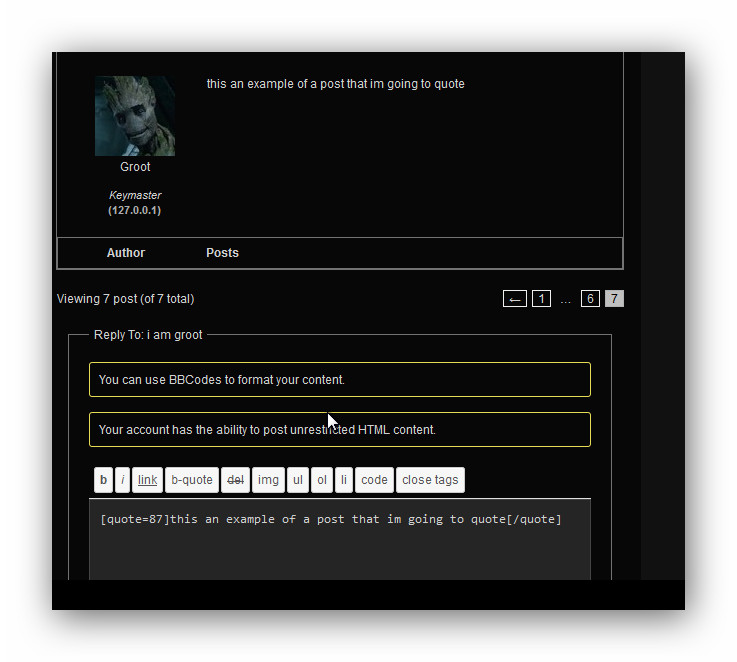
this is what i have using raindrops and gd bbpress tools and also the quote function
Fixed I commented the bbpress css code in the theme out. it was included in the theme.
but did you have bbcode under the bbpress menu? its not there. notice the picture I will include another picture with another theme:

hello. i have bbpress i have 65 forums only 50 are shown in the forum page, there isnt a #2 page button… so there is no way to see the remainning forums…
can anyone help me?
The bbPress project along with BuddyPress and WordPress is testing out Slack as our main real-time communication platform, replacing IRC chats for developer related discussions.
If you are a current contributor to bbPress or would like to start contributing and help with the development of bbPress then this is the place to come and have a chat.
A brief summary is here: https://codex.bbpress.org/participate-and-contribute/
Full setup details and how to request an invite to link your WordPress.org account with a Slack.com account are here:
https://chat.wordpress.org/ https://wordpress.slack.com/apps
Note: This is a not a new support channel or forum for bbPress support.
Thank you @Robbk for guiding me. Now I’m able to do changes in css.. after adding !important and doing changes in one place.
What to do Next to make tabs
I upload loop-forums.php to my child theme in bbpress folder. I don’t see any tabs appearing on my site studylocus.com/forums
Yes, I understand. But as you know, when you get truncated messages, there is a lot sensitive information. Ips and port etc.etc. But I have a lead right know of what it can be.. I’m using google apps so. I’ll be back with this if I found anything. The strange thing that is happens only with bbpress, not buddypress or wordpress.
you could start by giving us a fuller problem definition
They post a topic and YOU get a warning – when, what exactly does it say, where does it come up and when??
It could be a theme or plugin issue
Plugins
Deactivate all but bbpress and see if this fixes. if it does, re-enable one at a time to see which is causing the error.
Themes
If plugins don’t pinpoint the problem, as a test switch to a default theme such as twentytwelve, and see if this fixes.
is it possible the bbpresswp4 fix plugin affects it not being able to be cleared?
okay first try adding !important at the end of some css to make the css work if your still having issues with that.
alright so there is more info that i posted about setting up forums and having that categorized layout if you havent read the last post aimed at you , you should read it.
Help Css & Layout
ok what you are going to do , is create a category and a forum with the category as the parent.
you do this all in the forums section in bbpress
reply back when you do that.
i want to see it at http://studylocus.com/forums/
then we will go from there.


We are allowing Akismet to handle spam on our forum. But for the past few months we’ve noticed that very often (maybe always) when a new user submits a ticket and they put a url in it, they automatically get moved to spam. I don’t see any settings in bbPress settings, Akistmet, or the “Discussion” settings that would cause this.
Any insight would be greatly appreciated.