this plugin does this type of thing but you have to manually configure that part
https://wordpress.org/plugins/bbpress-go-to-first-unread-post/changelog/
you would have to copy the bbPress Recent Topics widget edit it/rename it and change where it renders the topic title to gtf_topic_title()
we´re finding bbpress so incredibly frustrating, no private messages, no way to tell users if x post has unread replies (I mean, really!? how is a user supposed to use it regularly!?)
sorry about your experience so far, there is alot of unread posts plugins that do unread posts quite differently in each one.
search google for these.
bbPress – Pencil Unread
bbPress Unread Posts
bbPress New Topics
bbPress Go To First Unread Post
bbPress – Mark as Read
bbPress – Thread Catch-Up
and as for private messages their are a bunch of WordPress plugins that do that also. 1 for sure is BuddyPress which is made by the same developer as bbPress.
check out this topic for other examples besides BuddyPress’ private messages feature. https://bbpress.org/forums/topic/private-messages-not-with-buddy-press/
if you have any other issues with bbPress please make a new topic and the support will try to handle it as soon as possible.
Hi Robk,
I understand but you know it´s supposed to be pretty much the official wordpress forum solution and it we made the leap from joomla to wordpress and the forum was a main pilar of our site and we´re finding bbpress so incrediby fustrating, no primate messages, no way to tell users if x post has unread replies (I mean, really!? how is a user supposed to use it regularily!?) and it´s just ridicolous, I´m sure bbpress has many good features but… so far it´s just useless to us and we have no special needs, just a conventional, everyday forum with conventional everyday features.
As for the converter, for whoever finds this post, I found no solution for Kunena 2 converter. Only solution was to update the joomla forum to Kunena 3 and then run the Kunena 3 converter/importer and that seemed to work.
In bbpress, Video player not showing.
I tried both Jwplayer & flowplayer and wordpress core player.
But none of this show the player, just the code.
but in other page, it works well.
Would you help me?
http://www.fcy.me/forums/topic/20-acoustic-rock-lick-01/
hello,
I believe that wordpress support forums use bbpress, how can I add this “Add New” button to my bbpress forum
http://screenshot.co/#!/25c3f78a68
suprisingly this button is not in here.
thank you,
siddardha.
ive found this https://wp-push.com/extension/pushover-notifications-for-bbpress/ its a good 16 bucks in US.
it says it sends notifications to your phone if you have the pushover app (also paid $5 maybe??)
if you want to create an app out of your WordPress/bbPress site i think this service would work apppresser.com/
there might be other ways too , maybe hooking into the official WordPress app but im not sure, this might need some custom development and you would need to hire a developer.
if you have WordPress all set up and also downloaded and activated bbPress.
then follow this article and see if it helps.
https://codex.bbpress.org/getting-started-with-bbpress/
if you want more explained articles on how to set up your forums
there is a step by step 5 part guide on how to setup bbPress
in codex.bbpress.org/
still have issues then please reply back
Spending whole day to figure out the solution of this issue, congrats to @korobochkin for solving this problem.
Since I’s with WordPress 4.1 and seems it’s have mature multiple sites support, when greping keywords , only these popup, none in the wp-signup.php files.
grep wp_signup_location * -r
wp-admin/includes/ms.php:				$sign_up_url = apply_filters( 'wp_signup_location', network_site_url( 'wp-signup.php' ) );
wp-includes/canonical.php:				$redirect_url = apply_filters( 'wp_signup_location', network_site_url( 'wp-signup.php' ) );
wp-login.php:		wp_redirect( apply_filters( 'wp_signup_location', network_site_url( 'wp-signup.php' ) ) );
Can you put your code for wp-signup.php page-activate.php at https://gist.github.com/ and give a link here?
Hello friendly webpeople,
So I’m fairly new to the website creating world (go me) and thanks to GoDaddy’s website builder, I actually have something pretty nice. One of the things I wanted to do was add a forum. Talking with the GD tech support people, they suggested getting wordpress (hosted through them) and then downloading the bbPress plugin, and easy-as-pie – NOW YOU HAVE A MESSAGE BOARD!
But that’s where they left me.
I’ve been trying for hours to figure out how you go from the dashboard, which is basically a blogger UI, to turning it into a message board. For years, I was an admin for a little board we all ran, but it was a YaBB board and everything I had to do, I did from the admin panel.
Is there a simple way to make this plugin look and behave like a message board?
Please help this poor little sheep.
Your pal,
Sam
erm, yes, pretty much everything web relate, but not the language itself ‘PHP’. Also not an expert with wordpress. Just asking to get step by step as I’ve seen answers here with just code, without explaining where to insert it.
ok, so how tech savvy are you do you know
1. how to create a notepad/notepad++ file and copy/paste code into it?
2. FTP this to your wordpress site?
Come back and let me know
bbpress uses custom post types of Forums, Topics, and Replies.
Just use one of the many export plugins.
I googled ‘wordpress export custom post types to excel’ and got lots of useful looking plugins
Hello, I’m new to wordpress and bbPress and I’m trying to find an option to close topics after a some time, for example, after 2 days the topic was created.
How may I do this? Do I have to edit the code? If so, can someone explain step by step, as I have never worked with PHP before.
Thanks.
Hey no problem, glad you’re fixed
I suspect that the plugin author would be better to sort you with tablepress eg
https://wordpress.org/support/plugin/tablepress
but you may hot the catch 22 that editing is in the backend and you need to disable this for the forums !
This isn’t showing as a wordpress site, and the post is not a bbpress one.
In any event, this will either be a server, email or wordress theme issue. Talk to your host provider who is most able to help you.
Hello, and happy new year
After almost 2 year from your proposal to switch to bbpress, and YES we changed to bbpress.
Greek translation is almost 100%, few more strings
WordPress Greece, now uses bbpress
ok fro for each menu item
1. create a wordpress page
2. put the shortcode for that subforum in it
3. publish
4. add to menu or sub menu
then no, bbpress only works with wordpress
Hi,
I am wondering why – when logged in – a participant is able to see the WP dashboard? Not the admin one but still the dashboard? Is there a setting I need to change?
Here is a screen shot of a participants page:
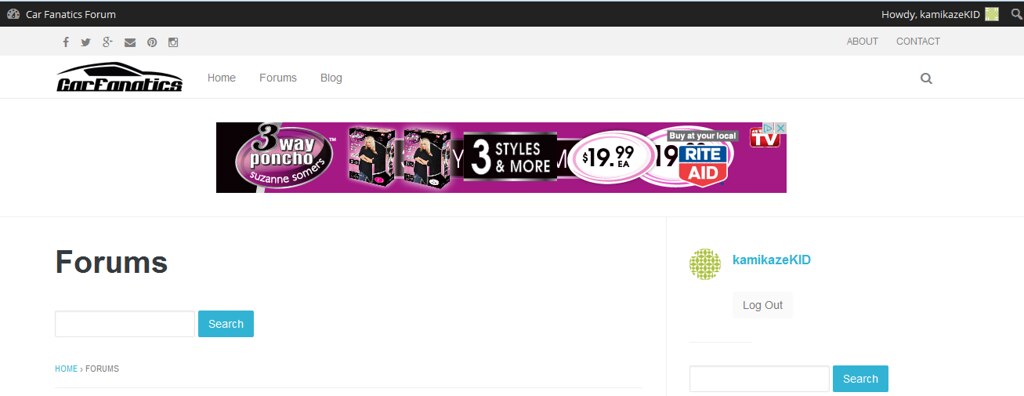
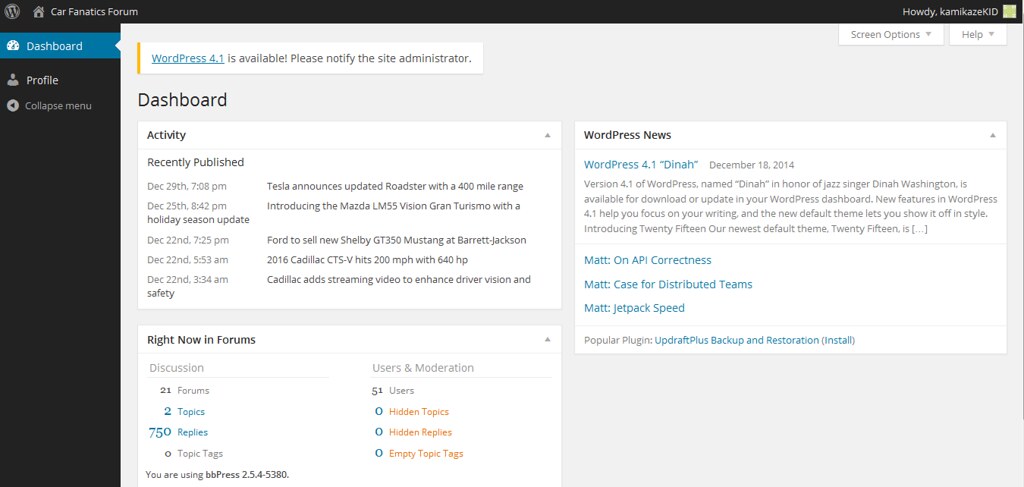
bPress 2.5.4-5380. WordPress 4.0.1. http://www.carfanaticsforum.com
How do I remove the Forums text and search bar?
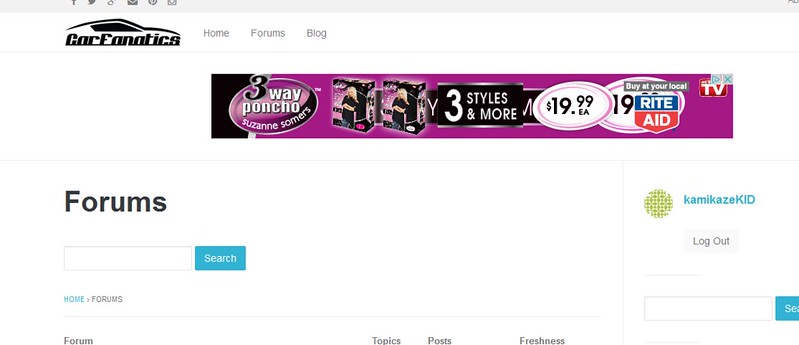
I’m having issues left justifying my forum as a whole. I use WordPress’s 2011 theme.
I want to have room for widgets on the right hand side–I’m using BBPress wordpress Tweaks for the widgets.
The main page of BBPress is left justified, like so (which is what I want). This allows room for the widgets on the right hand side.
View post on imgur.com
As soon as I click into a subforum, the interface is centered, leading to the widgets being pushed all the way down (and looking ugly). How can I left justify this as well?
View post on imgur.com
View post on imgur.com
One last thing, do I add the code via the editor or FTP?
Either is fine, I’d tend to do it via FTP and keep ols and new versions of the function file on your PC
And is there a tutorial on how to add a child theme?
This is a wordpress feature
Just google ‘wordpress creating a child theme’ or ‘wordpress creating a child theme video’ depending on whether you prefer seeing or reading
How to Create a WordPress Child Theme
looks a reasonable explanation
Hi Robin
I downloaded from the link you provided
https://wordpress.org/plugins/bbp-private-groups/
2.5
If I select all the activate buttons mentioned above the error message disappear
You just need some functions or methods from Mandrill API instead of my templates 🙂 wp_mail also can send rich text emails (html emails). So you just need pass your html email template to wp_mail for example.
Also wp_mail by default sends email via PHP Mailer (not SMTP server). I recommend send emails through SMTP server – for protect from spam folder and SMTP server can add dkim record to emails. I dont know anything about Mandrill – maybe your plugin already change wp_mail for SMTP, maybe not. I use https://wordpress.org/plugins/wp-mail-smtp/ plugin for sending emails via SMTP.


