Skip to:
Content
Pages
Categories
Search
Top
Bottom

Search Results for 'code'

Viewing 25 results - 12,726 through 12,750 (of 32,504 total)
  • Author
    Search Results
  • #142264
    crzyhrse
    Participant

    Because I have no idea how Robin might get it otherwise, I’ll put this here as well, though the subject may call for a new thread? (although in a sense the subject here has also been about communication…)

    In case you want to put this in the crib..?

    Went looking for a way to change the submit button in bbpress, bigger, colors… Finally was able to assemble searched out bits and pieces from a couple places and with some experimenting accomplished my goal with this, put into the theme’s child style.css:

    #bbpress-forums .submit {
    background-color: #a0668d;
    color: #FFFFFF;
    float: center;
    vertical-align: middle;
    border-radius: 10px;
    height: 35px;
    width: 80px;
    font-size: 18px;
    }

    I laud your efforts Robin, there really are not that I’ve ever found any organized simple ways or directions to make simple changes to simple and common things for us simple and common folks, neither for bbpress or wordpress… And a lot of what is there is old… The two links you’ve offered above are the best I’ve seen so far, and are apparently still works in progress…

    No complaints here at all, just a recognition of the difficulties that are present in volunteer community efforts, especially one as widespread as all this is… WordPress is amazing, sort of like the whole world reaching to itself for shared community, open source community, so to speak…

    #142260
    hitkid
    Participant

    Hello all,

    I am trying to add bbpress functions such as bbp_get_topic author and so on.

    <?php
    			$args = array( 'post_type' => 'topic', 'posts_per_page' => 10 );
    			$loop = new WP_Query( $args );
    			while ( $loop->have_posts() ) : $loop->the_post();
    				the_title();
    				bbp_get_topic_author_link ( array( 'size' => '60' )  );
    			endwhile;
    			?>

    I can get the_title(); and the_content(); but am having problems with getting this in:

    bbp_get_topic_author_link ( array( 'size' => '60' ) );

    and more so. Is there anything I’m doing wrong?

    Thank you for any help I might get 🙂

    #142259
    crzyhrse
    Participant

    Well, After a lot of doodling around I’ve accomplished my goal, increased all the forum’s various text font sizes… Here is the gist of it…

    I took a copy of the bbpress.css and put it into TextWrangler. Searched for all instances of font-size, made that all be listed at the top in a split window as a guide, then went through and searched and replaced for each different font-size, adding 2px to the px sizes and 0.2em to the em sizes.

    Then on a copy of that, with all font-size instances again listed at the top to guide me, I went through and eliminated everything BETWEEN the sections that had a font size in them. I ran all that was left through a code checker- http://jigsaw.w3.org/css-validator/validator -which said it was good.

    I then tried what Jared suggested at the beginning of this thread and that I’ve seen suggested elsewhere (often by Jared), I created a folder in the theme’s child folder called bbpress, and copied that modified and reduced bbpress.css file into that folder…

    No go, that did not work… So, I then copied and pasted that very same code directly into my child theme’s style.css, and yea, it was working, changed it all… Went back and got rid of thee above mentioned folder, and it still worked..

    It may be that there are things that didn’t need to change to accomplish my goal, but it works, nothing is too big and all of it is now easy to see without squinting… 🙂 I could imagine doing a similar process for other sorts of changes, if a change seems to be called for…

    Here is the modified code… I believe I could have also eliminate everything but the font sizes and the parts that do the targeting (properties?), but I think this makes it easier to place where things are at in the full file, and I might want to change some other font attributes at some point…

    Hoping this might be helpful… I’ve sured learned some things today…

    /**
     * bbPress specific CSS
     *
     * @package bbPress
     * @subpackage Theme
     */
    
    #bbpress-forums {
    	background: transparent;
    	clear: both;
    	margin-bottom: 20px;
    	overflow: hidden;
    	font-size: 15px;
    }
    
    #bbpress-forums ul.bbp-lead-topic,
    #bbpress-forums ul.bbp-topics,
    #bbpress-forums ul.bbp-forums,
    #bbpress-forums ul.bbp-replies,
    #bbpress-forums ul.bbp-search-results {
    	font-size: 15px;
    	overflow: hidden;
    	border: 1px solid #eee;
    	margin-bottom: 20px;
    	clear: both;
    }
    
    #bbpress-forums .bbp-forums-list li {
    	display: inline;
    	font-size: 13px;
    }
    
    #bbpress-forums div.bbp-forum-title h3,
    #bbpress-forums div.bbp-topic-title h3,
    #bbpress-forums div.bbp-reply-title h3 {
    	background: none;
    	border: none;
    	font-size: 18px;
     	line-height: 1em;
     	margin: 8px 0;
    	padding: 0;
    	text-transform: none;
    }
    
    #bbpress-forums div.bbp-forum-author .bbp-author-role,
    #bbpress-forums div.bbp-topic-author .bbp-author-role,
    #bbpress-forums div.bbp-reply-author .bbp-author-role {
    	font-size: 13px;
    	font-style: italic;
    }
    
    span.bbp-author-ip {
    	font-family: 'Helvetica Neue', Arial, Helvetica, 'Nimbus Sans L', sans-serif;
    	font-size: 13px;
    	font-weight: bold;
    	color: #aaa;
    }
    
    div.bbp-breadcrumb,
    div.bbp-topic-tags {
    	font-size: 15px;
    }
    
    span.bbp-admin-links a {
    	color: #bbb;
    	font-weight: normal;
    	font-size: 12px;
    	text-transform: uppercase;
    	text-decoration: none;
    }
    
    .bbp-row-actions #favorite-toggle a {
    	text-decoration: none;
    	padding: 0 3px 1px;
    	color: #7c7;
    	border: 1px solid #aca;
    	background-color: #dfd;
    	font-weight: bold;
    	font-size: 15px;
    }
    
    .bbp-row-actions #subscription-toggle a {
    	text-decoration: none;
    	padding: 0 3px 1px;
    	color: #7c7;
    	border: 1px solid #aca;
    	background-color: #dfd;
    	font-weight: bold;
    	font-size: 15px;
    }
    	
    #bbpress-forums .bbp-forum-info .bbp-forum-content,
    #bbpress-forums p.bbp-topic-meta {
    	font-size: 13px;
    	margin: 5px 0 5px;
    	padding: 0;
    	word-wrap: break-word;
    }
    
    	.bbp-topic-pagination a {
    		font-size: 12px;
    		line-height: 11px;
    		padding: 1px 3px;
    		border: 1px solid #ddd;
    		text-decoration: none;
    }
    
    body.page .bbp-reply-form code,
    body.page .bbp-topic-form code,
    body.single-topic .bbp-reply-form code,
    body.single-forum .bbp-topic-form code,
    body.topic-edit .bbp-topic-form code,
    body.reply-edit .bbp-reply-form code {
    	font-size: 12px;
    	background-color: #f0fff8;
    	border: 1px solid #CEEFE1;
    	display: block;
    	padding: 8px;
    	margin-top: 5px;
    	width: 369px;
    }
    
    #bbpress-forums div.bbp-the-content-wrapper textarea.bbp-the-content {
    	width: 100%;
    	margin: 0;
    	font-size: 15px;
    }
    
    #bbpress-forums div.bbp-the-content-wrapper input {
    	font-size: 15px;
    	padding: 5px;
    	margin: 0 2px 0 0;
    	line-height: 1em;
    }
    
    	#bbpress-forums #bbp-your-profile fieldset span.description {
    		margin: 5px 0 0 20%;
    		font-size: 15px;
    		font-style: italic;
    		float: left;
    		clear: left;
    		width: 60%;
    		padding: 5px 8px;
    		border: #cee1ef 1px solid;
    		background-color: #f0f8ff;
    }
    
    	div.bbp-template-notice p {
    		margin: 0.5em 0 6px 0 !important;
    		padding: 2px;
    		font-size: 15px;
    		line-height: 140%;
    }
    
    .bbp-topics-front ul.super-sticky,
    .bbp-topics ul.super-sticky,
    .bbp-topics ul.sticky,
    .bbp-forum-content ul.sticky {
    	background-color: #ffffe0 !important;
    	font-size: 1.2em;
    }
    
    #bbpress-forums .bbp-topic-content ul.bbp-topic-revision-log,
    #bbpress-forums .bbp-reply-content ul.bbp-topic-revision-log,
    #bbpress-forums .bbp-reply-content ul.bbp-reply-revision-log {
    	border-top: 1px dotted #ddd;
    	width: 100%;
    	margin: 0;
    	padding: 8px 0 0 0;
    	font-size: 13px;
    	color: #aaa;
    }
    
    .bbp-logged-in h4 {
    	font-weight: bold;
    	font-size: 1.6em;
    	clear: none;
    	margin-bottom: 10px;
    }
    
    #bbpress-forums h1 {
    	clear: none;
    	font-size: 2.1em;
    	line-height: 1em;
    	padding-bottom: 10px;
    }
    
    #bbpress-forums #bbp-user-wrapper h2.entry-title {
    	font-size: 1.6em;
    	margin: 0;
    	padding-bottom: 10px;
    	padding-top: 0;
    	clear: none;
    }
    
    #bbpress-forums div.row-actions {
    	font-size: 13px;
    	visibility: hidden;
    }
    
    	div.bbp-search-form input,
    	div.bbp-search-form button {
    		font-size: 13px;
    		padding: 2px;
    }
    
    	#bbpress-forums .bbp-forums-list li {
    		display: block;
    		font-size: 13px;
    }
    
    	#bbpress-forums div.bbp-reply-author .bbp-author-role {
    		font-size: 15px;
    		font-style: normal;
    }
    	#bbpress-forums .bbp-body div.bbp-reply-content {
    		clear: both;
    		margin: 10px;
    		padding: 0;
    }
    	#bbpress-forums li.bbp-header,
    	#bbpress-forums li.bbp-footer {
    		font-size: 12px;
    }
    #142255
    crzyhrse
    Participant

    Latest discovery- when I search the complete directory/folder of bbpres, for- bbp-topic-content or bbp-reply-content, absolutely nothing is found… Which I believe suggests that there is nothing to cascade into the above code…?

    #142248
    Robin W
    Moderator

    Think that’s pretty well how it was intended, and agree that some bits could be clearer.

    If a user clicks their avatar they will be taken to their profile and can amend it.

    I have downloaded the enhanced text widget

    https://wordpress.org/plugins/enhanced-text-widget/

    and then I have a text entry of

    <p><a href="<?php bbp_user_profile_url( bbp_get_current_user_id() ); ?>edit" >Amend Profile/Change password</a></p>
    

    in my widget sidebar to make it obvious for users.

    #142247
    Robin W
    Moderator

    John,

    Thanks for this – I have been playing with WordPress for less than a year now, so still consider myself to be a newbie at this, but one who is keen to share stuff I have learnt, and one who has spent many hours googling for solutions.

    I try to write for those with little knowledge, so if you think the wording can be better on any post/documentation entry, please come back. What is clear to an author is often not clear to everyone else, so please add to improving the codex and posts where people like me are not clear, and as you learn more, please visit the support forum and see if you can help one or two others with their problems.

    All the support people on here are volunteers, no-one is paid and we give back time as we got the code and support for free when we needed it. Join us in helping others !

    #142244
    crzyhrse
    Participant

    I’m back to the same quest, changing the forum’s font size(s), and in searching around rediscovered here… I’m pretty good about checking the “notify me of followup” boxes but didn’t get an email in this case, so this is a good bit later… I’m hoping your “followup” boxes are still checked and maybe you will see this… I’ll bookmark this thread and check back in…

    And thank you, this IS community and I deeply appreciate all the effort everyone makes to help each other, and also for both of you reminding me of that… Because it is looking like it could be helpful to Robin to know a little what it is like (for some folks anyway) looking for answers like this, I’ll make an offering here, beyond just looking for my own solutions…

    It could be that I am a bit typical of someone coming into this believing they can do it even though they haven’t done it before, and who is generally doing very well and truly enjoying the process, and all the new stuff I am learning… I have a very nice, unique website going now, with a lot in it. The forum is the only part left for me to tweak around with, refine it’s look and feel, so to speak, or in other words the stuff css does, as opposed to php for instance…

    To answer Lyng and also in response to Robin, I am comfortable changing css via the theme child, as well as php changes with snippets via the snippets plugin, and have altered parts of some wp files, theme files & plugin files via the cPanel when snippets or child css wasn’t going to do it, in which case making local documented backups…

    And, I am totally illiterate in terms of writing code and nearly illiterate reading, some bits of css being a slight exception. And my brain cells way too old for me to ever become fluent. Especially in that there are several different languages used for websites… I understand “cascading” though, and am getting some glimmers of the relationship between some of the languages, like it seems that css is telling php what to do once php gets some structure in there… I have a construction background so I tend to look at things that way, bits and pieces of this and that fitting together to make a whole…

    So how I have gone about it is to search and obtain code from all you amazing literate folks, as well as by learning a bit to identify in the case of css what can be altered in existing code to change size, color, padding, location, etc., and add that to the child theme or elsewhere so the cascading effect takes place…

    I can’t ever imaging at my age learning much about php, i.e., to actually change existing php code, but I can and have looked for and found some bits from people who seem to know what they are doing and who are referring to to something close enough to my own situation to try it, either as a snippet or some changes via cPanel, text, things like that..

    People often offer code but don’t then say how to use it, place it, where it goes, as if all of us out here, if we are looking for code know that part… If that information could be more prevalent with the offered code it could be hugely helpful for this person and probably a lot of other folks… I’m reminded sometimes of being in a country whose language I don’t speak, and how sometimes local folks can kind of get impatient with that. And I also see in searching around how some folks seem to want simple solutions without any effort on their own part… And as you reminded me, this is community, so there you go… All sorts of us… 🙂 I’ve actually enjoyed some great personal growth these last few months with all of this…

    I am hoping all this can be helpful… I’m now going to go off and explore where Robin has pointed, and maybe come back here with a report, likely not to be even nearly as long-winded as this… 🙂

    Again, truly regret that I did not see your responses sooner, and hoping you get this…

    John, aka crzyhrse

    #142225
    Robin W
    Moderator

    Certainly works in the template both in childtheme and if you do it in the original location – just tested the latter.

    It could be that either I’ve not explained well enough or or we’re talking about a different “Forum” position.

    The change you make should be from :

    <li class="bbp-forum-info"><?php _e( 'Forum', 'bbpress' ); ?></li>
    

    to

    <li class="bbp-forum-info"><?php _e( 'Elephant', 'bbpress' ); ?></li>
    

    if you want it to say Elephant.

    If that is not the issue, can you confirm that it is the “forum” in the top left of this example that you’re talking about

    https://buddypress.org/wp-content/uploads/53/2013/11/forum-5.jpg

    #142217

    In reply to: Menu link to Profile

    lee990
    Participant

    hi I used a plug in called theme my log in by amending the code it only displays when the user is logged in. I don’t know if it works with other login modules or the same theory applies, but only took 10mins to do and I know nothing about php.

    Good luck

    and the added the code as suggested by Robin W on this thread

    <p>edit” >Amend Profile/Change password</p>

    I edited the file in theme my login, wp-content/plugins/theme-my-login/templates/user-panel.php
    and added the code in, so the whole file looks like;

    <?php

    /*

    If you would like to edit this file, copy it to your current theme’s directory and edit it there.

    Theme My Login will always look in your theme’s directory first, before using this default template.

    */

    ?>

    <div class=”login” id=”theme-my-login<?php $template->the_instance(); ?>”>

    <?php if ( $template->options[‘show_gravatar’] ) : ?>

    <div class=”tml-user-avatar”><?php $template->the_user_avatar(); ?></div>
    <p></BR>edit” >Amend Profile / Change password</p>

    <?php endif; ?>

    <?php $template->the_user_links(); ?>

    <?php do_action( ‘tml_user_panel’ ); ?>

    </div>

    it looks really good, well I think so.

    #142215
    Kris35
    Participant

    I’m having the same problem. Have a coder on it so will post the results hopefully when its fixed. The only thing I can think of is I redid my forum categoroes the other day. I changed them from being forums of a parent forum into being forums with no parent. I made them stand alone forums and those are the ones Im having trouble with.

    #142214
    Darth
    Participant

    Thank you so much! I looked through code for over an hour last night trying to find it. :/

    For now, I’ll just change it in the code. Simpler to re-do it with updates than to try and figure out how to code a child theme, lol.

    #142213
    Robin W
    Moderator

    If you’re reasonable at php, download a plugin I wrote for adding town and county to bbpress, and crack this open.

    bbPress town and county plugin

    It has the code to add two fields (town and county) to profile, which displays under the avatar on topics and replies. But you can alter and use this code to add any fields the users profile so that they can edit and update.

    #142212
    Robin W
    Moderator

    There are probably much cleverer ways to do this but find the following file

    wp-content/plugins/bbpress/templates/default/bbpress/loop-forums.php

    On line 19 you’ll find the following

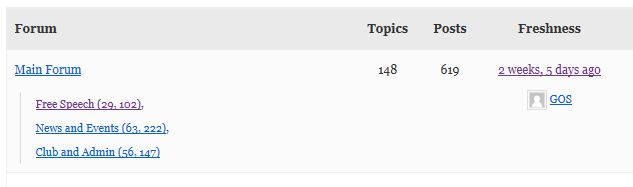
    <li class="bbp-forum-info"><?php _e( 'Forum', 'bbpress' ); ?></li>

    change the ‘Forum’ to whatever you want it to read.

    If you just change it in this location, it will be overwritten each time bbpress updates.

    What you really need to do is to put it into your theme – see

    Step by step guide to setting up a bbPress forum – part 3

    item 3 for how to do this, and part 2 of the guide (go to the codex home for this) discusses how to set up a child theme

    #142211
    Darth
    Participant

    How do I change the word “Forum” (Next to “Topics” and “Posts”) on the main forum page?

    I identified the code using Firebug, but I am not a coder so I have no idea where to find the code to change it:

    <li class=”bbp-forum-info”>Forum

    Thank you!

    #142205
    JeremyCh
    Participant

    The idea that I got from https://bbpress.org/forums/topic/profile-user-specified-fields/#post-2670 is not working. Following is the function that I have added in my theme’s functions.php

    function get_profile_info_keys_personal() {
    	return array(	
    		'first_name' => array(1, __('First name')),
    		'last_name' => array(1, __('Last name')),
    		'nickname' => array(1, __('Nickname')),
    		'display_name' => array(1, __('Display name')),
    		'telephone' => array(0, __('Telephone')), 
    		'city' => array(1, __('City')), 
    		'facebook' => array(0, __('Facebook')), 
    		'linkedin' => array(0, __('Linked In')), 
    		'user_url' => array(0, __('Website')), 
    		'signature' => array(0, __('Signature')),
    		'dob' => array(1, __('Date of Birth')), 
    		'state' => array(1, __('Home State')), 
    		'occupation' => array(1, __('Occupation')), 
    		'organization' => array(0, __('Organization')), 
    		'income' => array(1, __('Monthly Income')), 
    		'education' => array(1, __('Education')), 
    		'degree' => array(1, __('Degree')), 
    		'profession' => array(1, __('Profession')), 
    		'description' => array(0, __('Biographical Info')), 
    		'user_login' => array(1, __('Username')), 				
    		'email' => array(0, __('Email')), 
    		'pass1' => array(0, __('Password')) 
    	);
    }
    add_filter('get_profile_info_keys',	'get_profile_info_keys_personal');

    And the second question goes, what would be the corresponding page for adding new members ?

    Thanks a lot for all your help.
    Best.

    #142187
    FlyFishersCorner
    Participant

    EDIT note: Running bbPress 2.5.3 on WordPress 3.8.1
    My theme does not support sidebar widgets, so I instead created a page to house my forums. Additionally, I like the idea of being able to add some content above the forum index. I am running everything through a child theme.

    EDIT note: The breadcrumbs display in the bottom right of the header, in case it’s not obvious when looking.

    As it stands, I’ve added a login box and some content to the page, then used the [bbp-forum-index] shortcode to add my forum index. See the page here.

    Clicking into the first forum, “General Fishing Discussion” (my site is a fly fishing related one), I have no issues. The breadcrumbs can get me perfectly back to the page where the index resides. See here.

    Finally, I have created a couple test topics. Once I click on one of those topics, this is where my problem arises. Instead of the breadcrumbs being Forum>General Fishing Discussion>Topic Title, they switch to Home>Topic>Topic Title. Clicking the Topic link takes me to a 404 page. See it here.

    I’ve been tinkering with this for days, trying several different solutions from this site that I thought might work. The most recent was a fix suggested about two weeks ago whereby I copy the page.php file from my theme folder and rename it to bbPress.php to force bbPress to use it. I have seen no change. I will note that I tried placing it in the theme-child folder as well as the theme-child\bbPress\default folder. Neither worked.

    The other fix I tried that I thought might get me there was one posted here about 4 months ago that offered a replacement code for the loop-forums.php. Unfortunately, that didn’t work either.

    Does anyone have any other ideas? I really appreciate any help you guys can offer! I love the look and integration of bbPress, I just can’t have users running into walls after reading a topic and trying to navigate back out to other forums.

    Thanks in advance!

    #142182
    Robin W
    Moderator

    create new is at the bottom of a forum page – not always that obvious

    I created a page titled “add new topic” with the content of

    [bbp-topic-form]
    

    – the shortcode for creating a topic.

    I then use a text widget in the sidebar with the content of

    <a href="/add-new-topic/">Create a new topic</a>


    the “/add-new-topic/” is the permalink to the page.

    #142177

    Exciting news!

    The forum was imported successfully to a test development site.

    I used the plugin “Export Users 2 CSV” by Yoast ( https://wordpress.org/plugins/users-to-csv/ ) to import users.

    Then I used a modified version of Import Users by DagonDesign ( http://www.dagondesign.com/articles/import-users-plugin-for-wordpress/ ) to import the users.

    Important Note: When importing users with this plugin it WILL send notification emails to the Admin and the User. I ALMOST pressed “go” on importing 2,200 users — but then I decided to check the plugin code just in case; sure enough there’s this line of code wp_new_user_notification($user_id, $password); you should delete or comment out.

    Yes, the users will have to re-create their passwords. We will instruct them how to do that on the new forum. That’s perhaps the only drawback of this method. But since out of the 2,200 users there are perhaps only 100 current active users, it shouldn’t be too much of a hassle.

    I did have to write a custom PHP script to help this user export/import process, because the import and export plugins do not match in formatting. You can either do this custom in CSV or make a simple PHP script (took me 10 minutes) to take data from the export CSV and reformat it to meet the delimiters and the stricture of the import CSV. I can help people with this, just ask.

    This user import/export had to be a separate process because using bbPress Export and Import by PippinsPlugins ( https://github.com/pippinsplugins/bbPress-Export-and-Import ) did not properly attribute users to posts if it had to create the user. (It attributed the admin to most of the posts.)

    After the users were imported, I imported my 20 CSV files (~2,000 rows each file) and after much scrutiny in examination, I find that all users have been properly attributed to posts.

    Now all that’s left is performing this process again onto the live site, the fresh bbpress install. (Remember, always back up your site and database before you do this stuff.)

    #142154
    Robin W
    Moderator

    look at

    bbPress Styling Crib

    and see

    Step by step guide to setting up a bbPress forum – part 2

    for where to put the changes if you’re not certain.

    #142144
    shauny007
    Participant

    I managed to remove the area at the header of the forum which states this topic has x amount of details etc by placing this code in functions.php

    add_filter( ‘bbp_get_single_forum_description’, ‘ja_return_blank’ );

    add_filter( ‘bbp_get_single_topic_description’, ‘ja_return_blank’ );

    function ja_return_blank() {

    return ”;

    }

    Is there a similar method to now remove voices. I just want post count to show in this area.

    Thanks, Shaun.

    maxasher
    Participant

    Hello, for security concerns on creation of my site I renamed my wp-content folder to something else. Now upon installation of BBpress I don’t see any of the options in the dashboard. It looks like in the plugin itself its coded to search for wp-content. Is there a way to override this so it can find it and function properly?

    Thanks for help.

    #142137
    malkah
    Participant

    Hi Gautam

    Im rather new to this.
    in wordpress dashboard I went to appearance>editor>Theme Functions (functions.php)

    where exactly in the code should I enter the code you indicated?

    thanks.

    #142136
    Gautam Gupta
    Participant

    I’d not suggest running anything like this but if it works well in your specific case, this should work:

    DELETE bad_rows.*
    from wp_posts as bad_rows
    inner join (
    select post_title, MIN(id) as min_id
    from wp_posts
    group by post_title
    having count(*) > 1
    ) as good_rows on good_rows.post_title = bad_rows.post_title
    and good_rows.min_id <> bad_rows.id and bad_rows.post_type NOT IN ('forum', 'topic', 'reply');
    #142135
    Gautam Gupta
    Participant

    You’re welcome. And the explanation:

    First I got undifined Variable for $topic_id so I added the $topic_id = 0; at the code, Zero stands for getting the topic ID from the loop ?

    Where the bbp_new_topic hook is called, the line says:

    do_action( 'bbp_new_topic', $topic_id );

    It calls all the functions hooked to bbp_new_topic and also passes the $topic_id parameter, which in our case is:

    function shmoo_auto_save_tags( $topic_id ) {

    During this stage, I do not think we’re in the loop (I maybe wrong, I haven’t checked). The topic id internally would be something different at the point of insertion, that’s why in our function we’re now passing the variable to other functions:

    $bbp_topic_content = bbp_get_topic_content( $topic_id );

    On a side note, you had done $topic_id = 0; at the very beginning of the function. Due to that, whatever topic id was being passed was being disregarded and instead set to 0.

    More on actions and filters: https://codex.wordpress.org/Plugin_API#Hooks.2C_Actions_and_Filters

    #142132
    gatelli
    Participant

    I followed the steps from http://codex.buddypress.org/getting-started/guides/migrating-from-old-forums-to-bbpress-2/ to migrate from Buddypress to bbpress.
    At step 6 (Repair bbPress 2 forum relationships) I can’t tick any box. Despite selecting one by one I the box remains blank…
    Please help ?
    WP 3.8 buddypress 1.9 and bbpress 2.5.3.

Viewing 25 results - 12,726 through 12,750 (of 32,504 total)
Skip to toolbar