Hey Stephen,
Up until earlier today when I adjusted forum settings I believe it would just say “PRIVATE: Forumname”. Now I see “PRIVATE: PRIVATE Forumname”. Not sure what I changed to make that start happen.
Is there a reason why you would want to say “PRIVATE: PRIVATE: Forumname”?
I added the code you provided to the bottom of functions.php and no wordpress page would load.
https://gist.github.com/ntwb/8662354
I also tried saving ntwb_remove_protected_private_titles.php to my plugins directory with no luck. I guess I need a little more direction.
Thanks!
I am trying to help users and want to use the code backticks to display the BBCodes they need to use.
It won’t display the actual code, it renders the code out instead when placed in backticks using the code/code buttons.
Using a default theme, WP 4.0 and 2.5.4 bbpress
I just moved your topic as it really has nothing to do with the other topic.
You shouldn’t need a plugin to do that, simply browse to http://example.com/topics and you’ll have a list of the most recent topics or topics with replies sorted by freshness.
As for colours, that will depend upon the theme, if the theme includes customised templates for bbPress then typically yes, if it does not you’ll end up with the some default colors bbPress sets for you in this case.
There are lots of docs here to browse also https://codex.bbpress.org/
images are doable, but you’d need code that is beyond the free help on here
yes, you will need to rename one of your theme pages (the one that has only one sidebar) to bbpress.php and put it into your theme
Step by step guide to setting up a bbPress forum – Part 1
yes, you will need to rename one of your theme pages (the one that has only one sidebar) to bbpress.php and put it into your theme
Step by step guide to setting up a bbPress forum – Part 1
Yes, each of your
['my_custom_role']
needs to be different, otherwise it’s just overwriting each time, which is why only the last one shows
eg my_custom_role1 my_custom_role2
giving
$bbp_roles['my_custom_role1>'] = array(
    'name' => 'Recruit',
    'capabilities' => bbp_get_caps_for_role( bbp_get_participant_role() ) // i just want them to have the same capabilities as participants

  );

  $bbp_roles['my_custom_role2'] = array(
    'name' => 'Corporal',
    'capabilities' => bbp_get_caps_for_role( bbp_get_participant_role() ) // i just want them to have the same capabilities as participants

  );
I used this code, and added a few new ones but when i try assignem them it only shows 1
Hi everyone, i was wondering what i’m doing wrong here..
I added 13 new roles in my themes functions.php, but when i try to assign them to my users it obly shows a few of them..

functions.php code
function add_custom_role( $bbp_roles ) {
  $bbp_roles['my_custom_role'] = array(
    'name' => 'Recruit',
    'capabilities' => bbp_get_caps_for_role( bbp_get_participant_role() ) // i just want them to have the same capabilities as participants

  );

  $bbp_roles['my_custom_role'] = array(
    'name' => 'Corporal',
    'capabilities' => bbp_get_caps_for_role( bbp_get_participant_role() ) // i just want them to have the same capabilities as participants

  );

    $bbp_roles['my_custom_role'] = array(
    'name' => 'Sergeant',
    'capabilities' => bbp_get_caps_for_role( bbp_get_participant_role() ) // i just want them to have the same capabilities as participants

  );

    $bbp_roles['my_custom_role'] = array(
    'name' => 'Lieutenant',
    'capabilities' => bbp_get_caps_for_role( bbp_get_participant_role() ) // i just want them to have the same capabilities as participants

  );

    $bbp_roles['my_custom_role'] = array(
    'name' => 'Captain',
    'capabilities' => bbp_get_caps_for_role( bbp_get_participant_role() ) // i just want them to have the same capabilities as participants

  );

    $bbp_roles['my_custom_role'] = array(
    'name' => 'General',
    'capabilities' => bbp_get_caps_for_role( bbp_get_participant_role() ) // i just want them to have the same capabilities as participants

  );

    $bbp_roles['my_custom_role'] = array(
    'name' => 'Admin',
    'capabilities' => bbp_get_caps_for_role( bbp_get_participant_role() ) // i just want them to have the same capabilities as participants

  );

    $bbp_roles['my_custom_role'] = array(
    'name' => 'Organiser',
    'capabilities' => bbp_get_caps_for_role( bbp_get_participant_role() ) // i just want them to have the same capabilities as participants

  );

    $bbp_roles['my_custom_role'] = array(
    'name' => 'Coordinator',
    'capabilities' => bbp_get_caps_for_role( bbp_get_participant_role() ) // i just want them to have the same capabilities as participants

  );

    $bbp_roles['my_custom_role'] = array(
    'name' => 'Overseer',
    'capabilities' => bbp_get_caps_for_role( bbp_get_participant_role() ) // i just want them to have the same capabilities as participants

  );

    $bbp_roles['my_custom_role'] = array(
    'name' => 'Deputy Owner',
    'capabilities' => bbp_get_caps_for_role( bbp_get_participant_role() ) // i just want them to have the same capabilities as participants

  );


   $bbp_roles['my_custom_role'] = array(
    'name' => 'Owner',
    'capabilities' => bbp_get_caps_for_role( bbp_get_participant_role() ) // i just want them to have the same capabilities as participants

  );


    $bbp_roles['my_custom_role'] = array(
    'name' => 'Clan Wars Leader',
    'capabilities' => bbp_get_caps_for_role( bbp_get_participant_role() ) // i just want them to have the same capabilities as participants

  );


  return $bbp_roles;
}
add_filter( 'bbp_get_dynamic_roles', 'add_custom_role', 1 );
Anyone has an idea?
also how can i add images in front of the names? small icons like this: 
Trying to run a conversion to fix the Anonymous posts. Ran it all day and came home and it was stuck again. I did the same thing I did before where I looked at the last row created in bbpress and found the same post in phpbb by comparing content, then deleted the next one. When I do this the import continues. I would think that since I did this and complete the import this second run of the conversion would run error free but that is not the case. It is near the end and appears to be hung again. I suspect it is no coincidence that it hung twice, just like before. Guess I am not deleting the corrupt posts. Not sure why it keeps going after I delete them. If I delete another random post it still hangs until I delete the right one.
If I wanted to have it print more debug information where would I need to edit? The only information I need is the bbpress post ID and wordpress post id about to be queried and a confirmation right after the query completes. This should let me find the corrupt post.
In the instructions on https://codex.bbpress.org/import-forums/import-troubleshooting/ I am not sure how to take the information printed on the screen now and map it to the database.
Now drop all the rows in the database that are not in the range of rows that failed during import
I am not sure how the “Range of rows” maps to the database tables.
I will include a request to include a debug option for conversions.
Thanks again for your help.
I just wanted to take this opportunity to thank you ROBIN W for suggesting the plugin “widget logic”. I too am having the same sidebar problem as described above, and the Tweaks Plugin simply didn’t work for me. I even tried creating a forum.php in my theme-child, and was able to remove the sidebar by removing the call to the sidebar, but when I made a call to a specific sidebar, it simply wouldn’t work: it always reverted back to the main theme sidebar no matter what I tried.
“widget logic” solved this issue. In the Main Sidebar, I can now add a LOGIC code, such as the ones you posted, and now the widgets either display or don’t dislay on the bbpress forum pages. Case closed!
So, thanks again!
I have two questions. First, when a user creates an account or signs in with an existing one, if an error occurs (wrong username, email already registered, etc) it redirects to the WP login screen. I want the errors to be handled on the login/registration page. How can I accomplish this?
Second, how do I link the user to their profile page? I have only seen shortcode for login, register, and lost password. Thank you.
This is very close to my need.
function abc_register_custom_views() {
    bbp_register_view( 'open', __( 'Open Topics' ), array( 'post_status' => 'publish' ), false );
}
add_action( 'bbp_register_views', 'abc_register_custom_views' );
But I need to extend with user filter. Is here anybody have to help me with this small issue?
@pooledge Oh! That is not good and would most likely be the cause 🙁
I just created a user Вук Стефановић Караџић (WikiPedia: Vuk Stefanović Karadžić) and indeed the user was not imported.
A quick look around and all we need to do is sanitize the username, I’ll look to add this to bbPress Core in a future release, probably quite a few bits of testing for other language scripts.
For now though install and activate @SergeyBiryukov‘s Allow Cyrillic Usernames WordPress plugin and these will import perfectly. 🙂
Also added this to our codex https://codex.bbpress.org/import-forums/import-troubleshooting/#cyrillic-usernames
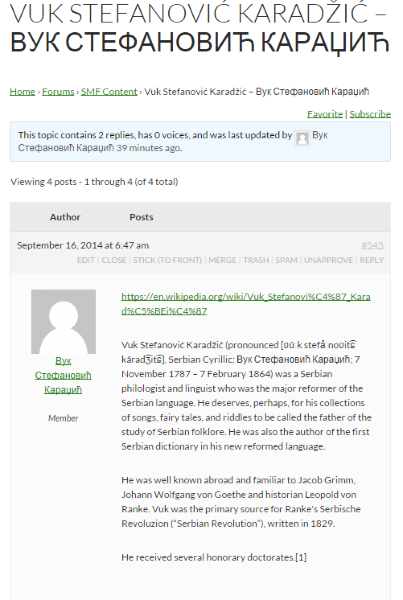
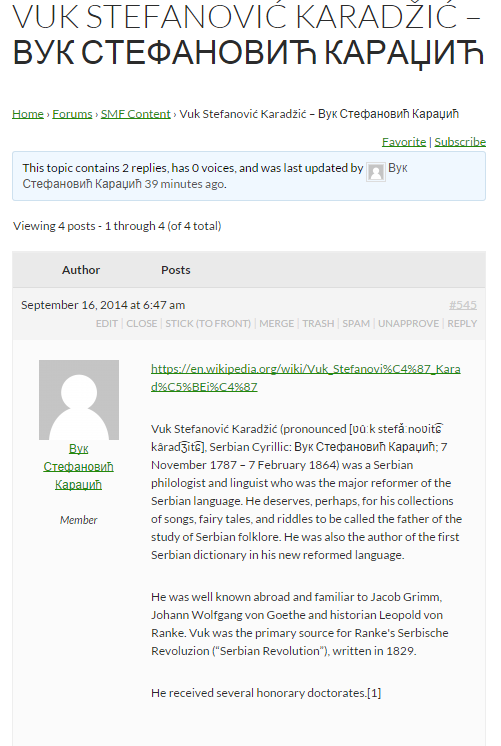
хаве а нице даи 🙂
Edit: This plugin is a slightly improved version allowing with better support for Cyrillic and Arabic usernames in WordPress.
I’m using bbpress as a support forum. I know we can get all unanswered topics with [bbp-single-view id="no-replies"] shortcode.
But I need to get list of all topics those answered by customer (subscriber) in the end.
We want to be have all topics closed or replied by moderator then access quickly to the topics which answered by customers finally. Any help and suggestion would be appreciated.
@mlduclos See https://codex.bbpress.org/import-forums/import-troubleshooting/ for troubleshooting rows not imported, I haven’t ever tested a ‘Non English” import but I expect it should work just fine 🙂
@pooledge Thanks and that is weird, do any of the imported user names have a prefix imported_ e.g. imported_pooledge? If so you’ll need to make sure you also delete any existing imported users before you try reimporting again otherwise the user ID’s will not match the imported posts.
If they don’t have the imported_ prefix is there any common reason as to why some usernames are not imported? Do the users that are not imported have special characters, hyphens, whitespace in their username or anything else in common with each other, maybe they were all moderators or a different role on your SMF forum.
Sounds good, thanks! I will post what I can once I get my site moved.
So I have followed the steps on https://codex.bbpress.org/import-forums/import-troubleshooting/ and have isolated the first failure when moving reply 102607. I have no idea how to map 102607 to the phpbb post. Any ideas?
To a page with the register shotcode.
if you have a child theme just copy the templates form-reply.php and form-topic.php into a folder called bbpress
then find where the code is and just edit the templates replace a word like login with a link like this
<a href="http://mysitename.com/login" title="login"></a>
I have done some more debugging and found the issue to be with the default method 1 page Forums. This error is only shown on the forums page. If I go to my own page with the short-code on it the error is not shown.
If I change the slug to that of my own forum page then the error is shown so it is tied to what is stored in the default forum page slug.
I could live with this except that if you click the breadcrumb word Forums then of course you are taken to the default page with the error rather than my page. Is there any way to change the slug other than through the options page? If there is I could live with this workaround.
Hi,
The code tag doesn’t work on my forum when there is a quotation mark or square brackets in the code.
The ----- is caused when WordPress has dropped it’s authentication session with MySQL.
As to further improvements, that is cool and would be great, using the same username and password here if you can create a a new ticket on Trac, our bug tracker here that would be great, if your familiar with SVN you can check out the source and upload a patch.
Finally! I find the solution for this issue. flush_rewrite_rules () doesn’t work if you don’t add rules before call it. So we need add our rules on plugin activation and only after this call flush_rewrite_rules (). I call this function and pass false arg because we need soft flush, without .htaccess rewriting.
Github repo already updated.
@pooledge your forum http://pupyshevo.hol.es/forums/forum/9/ work perfectly with digit in links right now.
what I’d like to do is by default show all existing (not just most used) topic tags when someone is creating a topic from within WP
so your saying the way how categories are displayed in backend you want for topic-tags in the frontend.
ive seen a support forum for one my themes authors site i was on have that kind of functionality (but they dont use bbpress), they use something custom.
i think how its done on their site is just some jquery , and kind of does the same functionality that the bbpress quicktag toolbar does.
like set up some a set of words then you click the button and it automatically inserts into the tag area.
but setting it up where all the tags show in the frontend would be difficult , it would probably need a hacked version of the topic tag cloud widget.
but yeah i just did a brainstorm/analysis on what you might need.
im not sure how to do this , as im very much confused by jquery and javascript
i would hire a developer to this kind of job.
#1 outsourcing service for WordPress
http://jobs.wordpress.net/


