Skip to:
Content
Pages
Categories
Search
Top
Bottom

Search Results for 'bbpress'

Viewing 25 results - 20,876 through 20,900 (of 64,518 total)
  • Author
    Search Results
  • #145422
    Stephen Edgar
    Keymaster

    You will start to hit performance issues with that many forums on a single page, in fact bbPress limits this to 50 forums per page for that reason. It can be adjusted but the performance issues would still be there.

    Probably I’d suggest

    – America’s (Category)
    — Canada (Category)
    — Forum1
    — Forum2
    — Forum3
    — United States (Category)
    — Forum1
    — Forum2
    — Forum3
    -Europe (Category)
    — Germany (Category)
    — Forum1
    — Forum2
    — Forum3
    — Switzerland (Category)
    — Forum1
    — Forum2
    — Forum3
    etc.

    This way when viewing your primary /forums page you will only see:

    – America’s (Category)
    — Canada (Category)
    — United States (Category)
    -Europe (Category)
    — Germany (Category)
    — Switzerland (Category)

    Drill down into America’s then you see:

    — Canada (Category)
    — Forum1
    — Forum2
    — Forum3
    — United States (Category)
    — Forum1
    — Forum2
    — Forum3

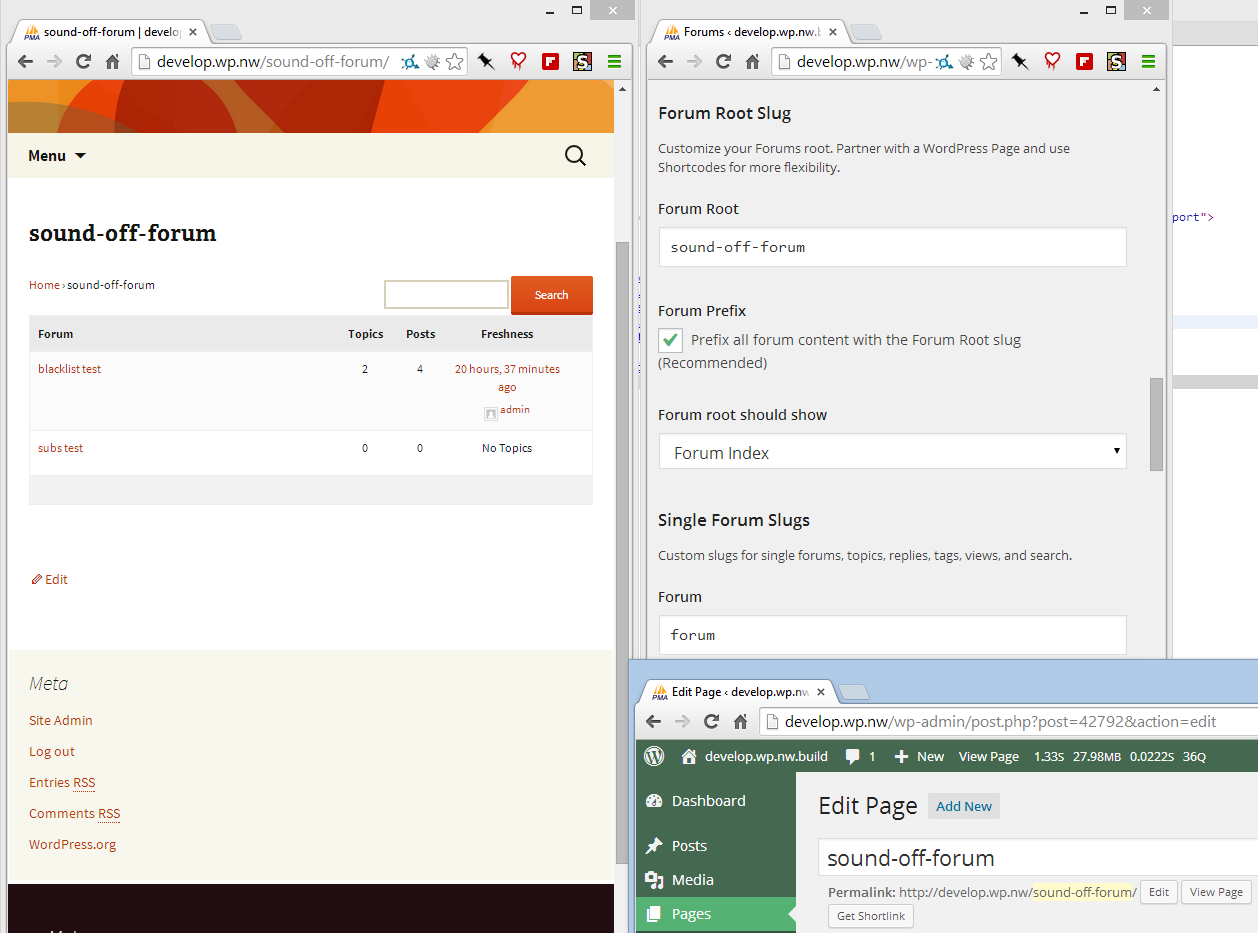
    Or in pictures πŸ˜‰

    #145421
    Stephen Edgar
    Keymaster

    I am not sure how Register Plus Redux registers the new profile fields though an alternate way would be to use user_contactmethods

    https://codex.wordpress.org/Plugin_API/Filter_Reference/user_contactmethods

    So here is an alternate method using that method as a single standalone plugin:

    I’m not saying there is anything wrong with the method you used, just an alternate method.

    You could add as many or few extra fields as you want πŸ˜‰

    Source: https://gist.github.com/ntwb/11241301

    
    <?php
    /*
    Plugin Name: bbPress - CLB Add user school to reply author details
    Plugin URI: https://gist.github.com/ntwb/11241301
    Description: bbPress - CLB Add user school to reply author details
    Version: 0.1
    Author: Stephen Edgar - Netweb
    Author URI: http://netweb.com.au
    */
    
    function clb_user_contact_methods( $user_contact ){
    
    	/* Add user contact methods */
    	$user_contact['school'] = __('School Name');
    
    	return $user_contact;
    }
    add_filter('user_contactmethods', 'clb_user_contact_methods');
    
    function clb_school_replies_author() {
    
    	echo get_user_meta(bbp_get_reply_author_id(), 'school', true);
    
    }
    add_action( 'bbp_theme_after_reply_author_details', 'clb_school_replies_author' );


    As it displays in each reply under the author details

    As it displays on a users profile page

    #145419
    carterlongbeach
    Participant

    Hi.
    I’d like feedback on the best way to organize the structure of my forums.

    I plan to have a large list of countries, followed by about 6 subcategories under each country.

    What would be best?…
    1. Make each country be a Category, and each subcategory a forum.
    2. Make each country be a forum, and each subcategory be sticky topic, where people would reply rather than make new topics.

    Any advice on ease of use and on speed of the site would be appreciated. One thing I am wondering is if 100s of forums (lots of country categories * six forums each) would bog down bbpress.

    Thanks.

    #145417
    Stephen Edgar
    Keymaster

    Looks good, I like that you have the template notices using the colors from your theme, many people miss styling those and it is always the first thing I look for πŸ˜‰

    Take a look at the shortcode [bbp-stats] to display the forum statistics.

    https://codex.bbpress.org/shortcodes/

    Also the page template page-forum-statistics.php to get some good ideas on adding your stats .

    #145410
    Stephen Edgar
    Keymaster

    would I *only* be allowed to add a tags with a class (no, I don’t know why either but just pretend…) and not able to add the default img, blockquote, etc tags?

    Correct, with the example you posted you would only be able to add an a anchor HTML element with a class CSS class eg. <a class="my-css-class">description</a> note as you removed href from the allowed tags you wouldn’t be able to use <a href="http://example.com">description</a>

    I had a similar question last year but never really figured it out – gave up when I decided it didn’t matter: https://bbpress.org/forums/topic/using-wp_filter_kses-filter-for-bbpress-posts/

    I fully appreciate this highlights how little I know these things! And thank you. πŸ™‚ This has been a really interesting discussion.

    This highlights how little I knew 12 months ago, if I don’t know I don’t answer a question unless I can provide something that IS helpful, we are all constantly learning πŸ™‚

    #145409
    Stephen Edgar
    Keymaster

    There appears to be quite a few though I have not used any take a look at the WordPress plugins:

    https://wordpress.org/plugins/search.php?q=facebook+login+bbpress

    #145405
    Haz
    Participant

    Hi all, is there a good plugin that allows people to log in to bbpress and post to forums by using their Facebook or gmail accounts? Please let me know if there are any suggestions I can try out.

    Thanks a million!

    NightGuy
    http://www.aquariumcarebasics.com/

    #145404

    In reply to: Showing Sub-SubForums

    Stephen Edgar
    Keymaster

    Not at this stage it isn’t ‘out of the box’ you could modify the templates (in a child theme of course) and get the desired effect.

    A good starting point for this is the code behind the concept of the following topic:

    I have created a bbPress starter theme with a phpBB look and feel

    You also reorganize some of your forum structure:

    eg.
    From:

    -The Hunt
    –Worldwide
    —Los Angeles / Orange County
    —New York
    —Online
    —SF Bay Area

    To: (As unless you plan on including other planets and galaxies worldwide is kind of moot πŸ˜‰

    -The Hunt
    –Los Angeles / Orange County
    –New York
    –Online
    –SF Bay Area

    #145403
    Stephen Edgar
    Keymaster

    Maybe use some other bbPress/BuddyPress conditional tags

    bbPress Conditional Tags

    Template Tag Reference

    Note: The BuddyPress codex page is undergoing some updates. There are a few that are now depreciated, you can find an accurate list here.

    I also wrote a plugin that makes it super easy to see what conditional tags are being used on a page πŸ™‚

    https://wordpress.org/plugins/query-monitor-bbpress-buddypress-conditionals/
    (You first need to install https://wordpress.org/plugins/query-monitor/)

    #145402
    Stephen Edgar
    Keymaster

    You could write some custom code to do it in a child theme though it would probably be quicker to fork an existing plugin that will do it for you with bbPress.


    @imath
    ’s BuddyPress plugin comes close to what you want I think and would be a good starting point to convert it from BuddyPress to bbPress.

    https://wordpress.org/plugins/bp-avatar-suggestions/

    #145400

    Topic: Showing Sub-SubForums

    in forum Themes
    bayzest
    Participant

    Hi There,

    I am currently using the free KnowledgeBase Theme with bbPress. I have created many sub forums, sub-sub forums, and even sub-sub-sub forums. I would like to see them all, but it is only showing forum and sub-forum. Is this possible?

    the site can be seen here: http://www.whiskeyinthewild.com/

    Thanks,

    Brendan

    nirgalo
    Participant

    Hi, I am using is_bbpress() in page.php to check whether I am in a bbPress context. It seems BuddyPress and bbPress are sharing the same profile page. Therefore, when the latter is being displayed, bbPress is being defined, and this triggers wrong behavior in my code. So, how can I check a bbPress or BuddyPress profile page is being displayed so I can fix my code? thx.

    #145393
    Robin W
    Moderator

    ok,

    so create a file called bbpress-functons.php as above and in to this put

    <?php
    //code to add tutor role 
    
    function add_tutor_role( $bbp_roles )
    {
    	/* Add a role called tutor */
    	$bbp_roles['bbp_tutor'] = array(
    		'name' => 'Tutor',
    		'capabilities' => custom_capabilities( 'bbp_tutor' )
    		);
    	return $bbp_roles;
    }
     
    add_filter( 'bbp_get_dynamic_roles', 'add_tutor_role', 1 );
    
    function tutor_role_caps_filter( $caps, $role )
    {
    	/* Only filter for roles we are interested in! */
    	if( $role == 'bbp_tutor' )
    		$caps = custom_capabilities( $role );
     
    	return $caps;
    }
     
    add_filter( 'bbp_get_caps_for_role', 'tutor_role_caps_filter', 10, 2 );
    
    function custom_capabilities( $role )
    {
    	switch ( $role )
    	{
    		 
    		/* Capabilities for 'tutor' role */
    		case 'bbp_tutor':
    			return array(
    				// Primary caps
    				'spectate'              => true,
    				'participate'           => true,
    				'moderate'              => false,
    				'throttle'              => false,
    				'view_trash'            => false,
     
    				// Forum caps
    				'publish_forums'        => false,
    				'edit_forums'           => false,
    				'edit_others_forums'    => false,
    				'delete_forums'         => false,
    				'delete_others_forums'  => false,
    				'read_private_forums'   => true,
    				'read_hidden_forums'    => false,
     
    				// Topic caps
    				'publish_topics'        => true,
    				'edit_topics'           => true,
    				'edit_others_topics'    => false,
    				'delete_topics'         => false,
    				'delete_others_topics'  => false,
    				'read_private_topics'   => true,
     
    				// Reply caps
    				'publish_replies'       => true,
    				'edit_replies'          => true,
    				'edit_others_replies'   => false,
    				'delete_replies'        => false,
    				'delete_others_replies' => false,
    				'read_private_replies'  => true,
     
    				// Topic tag caps
    				'manage_topic_tags'     => false,
    				'edit_topic_tags'       => false,
    				'delete_topic_tags'     => false,
    				'assign_topic_tags'     => true,
    			);
    			break;
     
    		default :
    			return $role;
    	}
    }


    This sets up a role called ‘tutor’ – just change this name everywhere to the one you want, and then edit the capabilities.

    the default capabilities for each role are :

    https://codex.bbpress.org/bbpress-user-roles-and-capabilities/

    you’ll probably want to make delete topics and delete replies true

    #145390
    tharsheblows
    Participant

    bbpress-functions.php should go in the main theme directory eg /twentythirteen/bbpress-functions.php. It doesn’t go in the /twentythirteen/bbpress/ directory. This is also true for the default bbpress template, bbpress.php.

    So for bbpress custom templates, you’ll have eg :

    /mytheme/bbpress-functions.php <– custom functions file, overwrites plugin file
    /mytheme/bbpress.php <– custom main bbpress index file, overwrites plugin file
    /mytheme/bbpress/*.php (eg /mytheme/bbpress/loop-forums.php) <– all the template files you want to overwrite from the plugin folder /bbpress/templates/default/bbpress/

    #145388
    buzoo
    Participant

    yes , i think i have to upload the filter/action function to capabilities.php in bbpress core.And one more thing i found that bbpress not looking for custom functions in /twentythirteen/bbpress/ so i have to edit the functions in main plugin.
    Thanks

    #145386
    tharsheblows
    Participant

    @netweb – with filters, do they only add or modify the function? I mean, can you only add or modify parameters in them, not delete? Eg if I had this:

    add_filter( 'bbp_kses_allowed_tags', 'ntwb_bbpress_custom_kses_allowed_tags' );
     
    function ntwb_bbpress_custom_kses_allowed_tags() {
    	return array(
     
    		// Links
    		'a'          => array(
    			'class'    => true,
    		)
    }

    would I *only* be allowed to add a tags with a class (no, I don’t know why either but just pretend…) and not able to add the default img, blockquote, etc tags? I guess I’m asking is it like a child functions.php file (which overwrites) or a child css file (which adds to / modifies)? I am hoping I’ve got my analogies right, hmm.

    I had a similar question last year but never really figured it out – gave up when I decided it didn’t matter: https://bbpress.org/forums/topic/using-wp_filter_kses-filter-for-bbpress-posts/

    I fully appreciate this highlights how little I know these things! And thank you. πŸ™‚ This has been a really interesting discussion.

    #145377

    In reply to: Sidebar formatting

    Robin W
    Moderator

    oh and sorry – see

    Step by step guide to setting up a bbPress forum – part 2

    for how to add this -several options.

    #145373

    Hi All,

    I just wanted to know How many sessions can be handled in BBpress. I am just concern about the load it can handle. or it is depending on the wordpress site?

    Iam just confused. Any help would be appreciated.

    Thanks,
    Kailash

    #145369
    Stephen Edgar
    Keymaster

    I don’t know if any of the avatar plugins will do what you need it to do though with ~350 + avatar plugins via https://wordpress.org/plugins/search.php?q=avatar and/or 26 listed also with ‘bbPress’ at https://wordpress.org/plugins/search.php?q=avatar+bbpress maybe take a look at some of these other plugins and see if one of those will do what you want.

    #145366

    It sounds like this theme added bbPress specific templates to both the parent theme, and the child theme, both of which are overriding bbPress’s default template compatibility (because bbPress will yield to those overrides, which is how you can customize bbPress without needing to hack bbPress.)

    Can be a bit confusing at first, especially since there’s no real indication of what is being loaded from where.

    You could try installing the WordPress Debug Bar plugin, and then install the bbPress Debug Bar extension: https://wordpress.org/plugins/debug-bar-bbpress/

    This will give you some information about what bbPress template is loading from where, but it’s still only providing a small window into a somewhat hidden experience.

    #145365
    tharsheblows
    Participant

    Thank you so much for the update! I’m glad it’s working. πŸ™‚

    I have just now finished helping troubleshoot a bug with copying and pasting text from pdfs into the new WP visual editor. The guy thought it was a problem with WP 3.9 but it is an issue with one of his plugins – however, I can see why he thought that. (I didn’t go all the way through to finding out which plugin it is – this is just some guy I follow on twitter.) So it’s happened to someone I’ve come across, too.

    I want to use Parsedown in my forums and got as far as making a plugin that got it to work when writing posts but then realised I needed something like “Parseup” (current status: imaginary) to make the editing posts possible and sane. Doh.

    Perhaps there will be a plugin in the future that will allow moderators with administrator rights to have these tools directly in the forum, but not have them accessible to the general public?

    Your users can still use a limited number of html tags, although they probably don’t know it because now it doesn’t say so anywhere. I think that’s true… it’s in includes/common/formatting.php
    Note that they can’t upload images but can simply hotlink them. I was worried about this initially but it hasn’t been a problem so far although now I’ve probably jinxed it.

    /** Kses **********************************************************************/
    
    /**
     * Custom allowed tags for forum topics and replies
     *
     * Allows all users to post links, quotes, code, formatting, lists, and images
     *
     * @since bbPress (r4603)
     *
     * @return array Associative array of allowed tags and attributes
     */
    function bbp_kses_allowed_tags() {
    	return apply_filters( 'bbp_kses_allowed_tags', array(
    
    		// Links
    		'a' => array(
    			'href'     => array(),
    			'title'    => array(),
    			'rel'      => array(),
    			'target'   => array()
    		),
    
    		// Quotes
    		'blockquote'   => array(
    			'cite'     => array()
    		),
    
    		// Code
    		'code'         => array(),
    		'pre'          => array(),
    
    		// Formatting
    		'em'           => array(),
    		'strong'       => array(),
    		'del'          => array(
    			'datetime' => true,
    		),
    
    		// Lists
    		'ul'           => array(),
    		'ol'           => array(
    			'start'    => true,
    		),
    		'li'           => array(),
    
    		// Images
    		'img'          => array(
    			'src'      => true,
    			'border'   => true,
    			'alt'      => true,
    			'height'   => true,
    			'width'    => true,
    		)
    	) );
    }
    #145364
    Matoca
    Participant

    Update. Monday I asked my iPad, iPhone moderator to see if she could get a keyboard to come up, see what she was typing and actually post to the forum. She reported that it was working perfectly! No kidding! So after the WordPress 3.9 upgrade, the tinyMCE 4 upgrade has improved interaction with iPads and iPhones.

    See: http://www.tinymce.com/index.php
    Also: tinyMCE 4 has a presentation that explains what is different.
    http://www.tinymce.com/presentation/index.html#/

    I did a little research about tinyMCE because honestly it sounds like the name of a toy. So once I found the name, Tiny Moxiecode Content Editor, it made more sense to me. Wikipedia describes it as “platform-independent web-based JavaScript/HTML WYSIWYG editor control.” So, in a sense, this is the core element of WordPress (and other CMS platforms), giving the user the ability to get content on the blog without having to necessarily understand anything about HTML.

    After browsing some forums I better understand that this upgrade of WP and tinyMCE has rendered many previous plugins dead in the water. It means that users need to do some serious spring cleaning and get rid of any plugins that have not been specifically updated for use with WP 3.9.

    A lot of plugins have necessarily cropped up over time to add back lost functionality in tinyMCE as functions were removed. So the bbPress plugin I was using in the past that added back the visual tab to the forum message field was just one of many. Luckily I did disable it prior to the release of 3.9 but it clearly was already unstable with 3.8.

    I made a mistake when I posted earlier, enabling the tools in the dashboard does give them to everyone who is not registered or logged in, not just those logged in as moderators. So I have rethought having the text editor tools on the open forum. I don’t like the ability of non-registered posters to add images directly nor do I like them adding links. These people don’t register so I have removed all editing tools from the forum in forum>settings. I have asked moderators to use the tools in the dashboard for adding images and links. Perhaps there will be a plugin in the future that will allow moderators with administrator rights to have these tools directly in the forum, but not have them accessible to the general public?

    So if you do want your moderators to have undo, redo, add link, remove link and insert/edit image in the forum then enable this in forum>settings, it standard with tinyMCE 4, and looks exactly as it does on this forum

    I became interested in more functionality and I installed TinyMCE Advanced plugin this afternoon to play with. I realized the many things I could do just with tables! So it’s a versatile plugin and they claim has been tested with 3.9.
    my best, matoca

    #145363
    jbdizzle
    Participant

    Okay, I figured it out. I deleted all of the PHP files that had the phrase @package bbpress.

    #145362
    jbdizzle
    Participant

    Man, I tried just about anything that I can think of other than installing a new wordpress theme and starting from scratch… I ran across this by the way:

    How to Use
    The plugin creates a new menu item, Appearance β†’ Suffusion bbPress Pack. Once you click on that, you will see the capability to (Re)Build bbPress Files. If you click on this button, all your bbPress-specific templates will be regenerated. You can selectively pick specific folders that you want to overwrite.Note that this action is irreversible.

    So what are my options?

    #145360

    Hi @ryanric,

    I’ve attempted to duplicate this with bbPress 2.5.3 and am unable to.

    I changed my replies per page to 3 here:

    https://www.dropbox.com/s/69moej1wnlfqhi5/Screenshot%202014-04-22%2018.35.05.png

Viewing 25 results - 20,876 through 20,900 (of 64,518 total)
Skip to toolbar