Search Results for 'bbpress'
-
AuthorSearch Results
-
June 11, 2024 at 1:08 am #240569
Topic: Thumbnails not showing
in forum Troubleshootingnerdnestmedia
ParticipantHello.
We have an issue where our thumbnails are not showing when bbPress is enabled. I did a plugin conflict test, and it is only when bbPress is deactive that the issue is resolved.Are you able to help with this issue?
June 10, 2024 at 9:19 am #240564Topic: remove login part
in forum Requests & Feedbackdavari62
ParticipantHi everybody. I wanna remove login part of BBpress and let my user just login with one way which is used in other part of my site. mean Digits…
would u please help me do this..
The page I need help with: https://polaby.com/forums/topic/%d8%a7%d9%86%d9%88%d8%a7%d8%b9-%da%a9%d8%a7%da%a9%d8%aa%d9%88%d8%b3/
June 8, 2024 at 1:37 pm #240556In reply to: Visual editor link button not working
Robin W
Moderatorif you have a visual editor, presume you are using another plugin to add this, as it is not natove to bbpress?
June 7, 2024 at 2:06 pm #240553In reply to: Default Custom Fields in New Topic
gdj13
ParticipantApologies should have given the name.. its GD bbPress Tools
June 7, 2024 at 2:52 am #240544yamasaki2024
ParticipantI want to display the latest posting date and time in “Last Post” at the top of the forum.
File:\bbpress\loop-single-forum.php
Part you want to change:
<?php do_action( ‘bbp_theme_before_forum_freshness_link’ ); ?><?php bbp_forum_freshness_link(); ?>
<?php do_action( ‘bbp_theme_after_forum_freshness_link’ ); ?>
I want to write it like this:
2024-06-07 13:35June 6, 2024 at 1:34 pm #240539ModeratorIt’s kinda hard to fix issues if the original post starts with
‘I am using ASTRA pro theme 4.6.9 and bbpress 2.6.9’ and now you say that you were not using this.But I cannot immediately replicate with the current free theme, and will leave it for the time being
June 6, 2024 at 10:16 am #240537In reply to: Default Custom Fields in New Topic
ParticipantGot it to work, Had another BBpress tools plugin installed that was clashing with it. Thank you so much for all your help etc much appreciated.
June 6, 2024 at 7:32 am #240536In reply to: Default Custom Fields in New Topic
Moderatorok, so if you can’t the fields, that means they aren’t being saved.
it could be a theme or plugin issue
Themes
As a test switch to a default theme such as twentytwenty, and see if this fixes.
Plugins
If that doesn’t work, also deactivate all plugins apart from bbpress and see if this fixes. if it does, re-enable one at a time to see which is causing the error.
If you cannot do this to your site (say because it is live) then use the ‘troubleshooting’ features of this plugin to let you test without affecting other users
June 5, 2024 at 1:22 pm #240519ModeratorYou thoughts are essentially correct, bbpress just uses wp_posts.
So yes if you migrate dev to live you will overwrite the forum, the same is true for comments and anything else that uses the posts table, which is quite a few other plugins you might use later. lots of other tables used by wp plugins also can change in live whilst you are trying things in dev.
In essence you should treat dev as just that – ie not a copy of live, but an environment to check site functionality and look.
There is also a danger if you work in dev and add links and images, these will be the url of the dev site, so when the pages are migrated across all will look ok on the front end, but actually you will be using data/images from dev.
So plugin and theme updates should be tried in dev first, and then repeated in live rather than migrating.
For pages and posts, copy/paste is very easy to use – much of the time you will only be changing one or 2 pages.
If you are using the standard blocks, then switching to the code editor (the 3 vertical dots top right of a page or post edit and then look for the ‘code editor’ choice) make copying/pasting pages and posts super easy.
Yes it is a bit more of a pain, but as you site develops you’ll be glad you learned the techniques
June 5, 2024 at 12:48 pm #240518Topic: Copy Environment and Site Upgrades Overwrite User Forum
in forum Installationzachf
ParticipantHi Folks,
I’m setting up a training website for a small company. The site consists of posted training materials and a BBPress user forum. I’ve noticed that when I update the production site from our development site the posts in the forum on the production site are overwritten. After each upgrade the forum in production only contains the test posts made in the development environment.
As far as I can tell this is because both the training pages and the BBPress forum are stored in the ‘wp_posts’ database. I’ve tested migrating all database tables except ‘wp_posts’ and confirmed that the forum is not overwritten, unfortunately, neither is the training content on other pages. Is there anyway to migrate page content from the development environment to the production environment without overriding user posts in the forum?
(BBPress version 2.6.9)
(WordPress site supported via WPEngine)Thank you for you help!
ZachJune 4, 2024 at 5:58 pm #240504In reply to: Restrict post creation
shiylo
ParticipantBonjour,
function restrict_bbpress_topic_creation() {
// Vérifier si l’utilisateur est sur une page de création de sujet
if ( bbp_is_topic_create() ) {
// Vérifier si l’utilisateur est un administrateur
if ( !current_user_can( ‘administrator’ ) ) {
// Rediriger l’utilisateur vers la page d’accueil du forum
wp_redirect( bbp_get_forum_url() );
exit;
}
}
}
add_action( ‘template_redirect’, ‘restrict_bbpress_topic_creation’ );Ce script vérifie si l’utilisateur essaie de créer un nouveau sujet et le redirige vers la page d’accueil du forum s’il n’est pas administrateur. Ajoute ce code dans ton fichier functions.php et teste pour t’assurer que ça fonctionne comme prévu.
June 4, 2024 at 8:30 am #240499In reply to: Restrict post creation
Julianna
ParticipantIn case anyone is curious, this works with the bbPress Members Only plugin.
June 3, 2024 at 10:34 am #240495cyberfred78
Participantok, I found a solution for the moment this only occurs when seeing a profile so with Bbpress style pack I avoid seeing profile. This fixes the issue for the moment. Only the admin can see the profile and then get the issue.
June 2, 2024 at 9:05 am #240486Moderatoras a quick test, can you try
install https://en-gb.wordpress.org/plugins/code-snippets/
and add this code
function rew_astra_bbpress_fix ($value) {
		if (bbp_is_single_user()) return false ;
		if (bbp_is_search()) return false ;
		if (bbp_is_topic_tag()) return false ;
		if (bbp_is_single_view()) return false ;
return $value ;
}

add_filter ('astra_single_layout_one_banner_visibility', 'rew_astra_bbpress_fix', 50) ;
June 1, 2024 at 6:50 pm #240475In reply to: Remove e-mail field from “form anonymous”
teresaanderson
ParticipantI know that this is an old thread but I’m hoping to still get a reply. I’m having the same issue trying to disable the name, email and website fields in a bbpress forum. Can someone tell me where/how to “find” the following code? wp-content/plugins/bbpress/templates/default/bbpress/form-anonymous.php
I don’t know where to go to find and replace as the instructions state. Thanks for your help!
June 1, 2024 at 3:52 pm #240472Topic: Moderators for Specific Forums
in forum Troubleshootingkristenkoster
ParticipantI have been unable to set specific moderators on individual Forums and have had to resort to setting their user forum role to moderator. When I edit the individual forum and enter a user name and save I get no error message but it does not get saved, the box remains empty. This used to work, using bbpress in the past — MemberPress is the new bit in the mix.
Any suggestions?
Thanks!
———
Wordpress: 6.5.3
bbPress 2.6.9Unfortunately, our forums are all protected through MemberPress so a link isn’t going to be useful.
Other related plugins installed and activated:
MemberPress Pro 1.11.31
bbp style pack 5.9.8
bbpNNS/MemberPress Bridge 1.3.1
bbPress Notify (No-Spam) 2.18.3
bbPress Notify (No-Spam) Digests 2.4
bbPress Notify (No-Spam) Reply by Email 2.8
GD bbPress Attachments 4.7May 31, 2024 at 4:04 pm #240466Topic: bbpress version 2.6.9 wrong display of the site sidebar
in forum ThemesParticipantHi
I am using ASTRA pro theme 4.6.9 and bbpress 2.6.9
I have a strange behavior for which I was not able to find any solution :When anybody has to consult the user’s profile of a post, the sidebar of the profile page is not the same as the rest of the website. The content is the same but not the aspect :
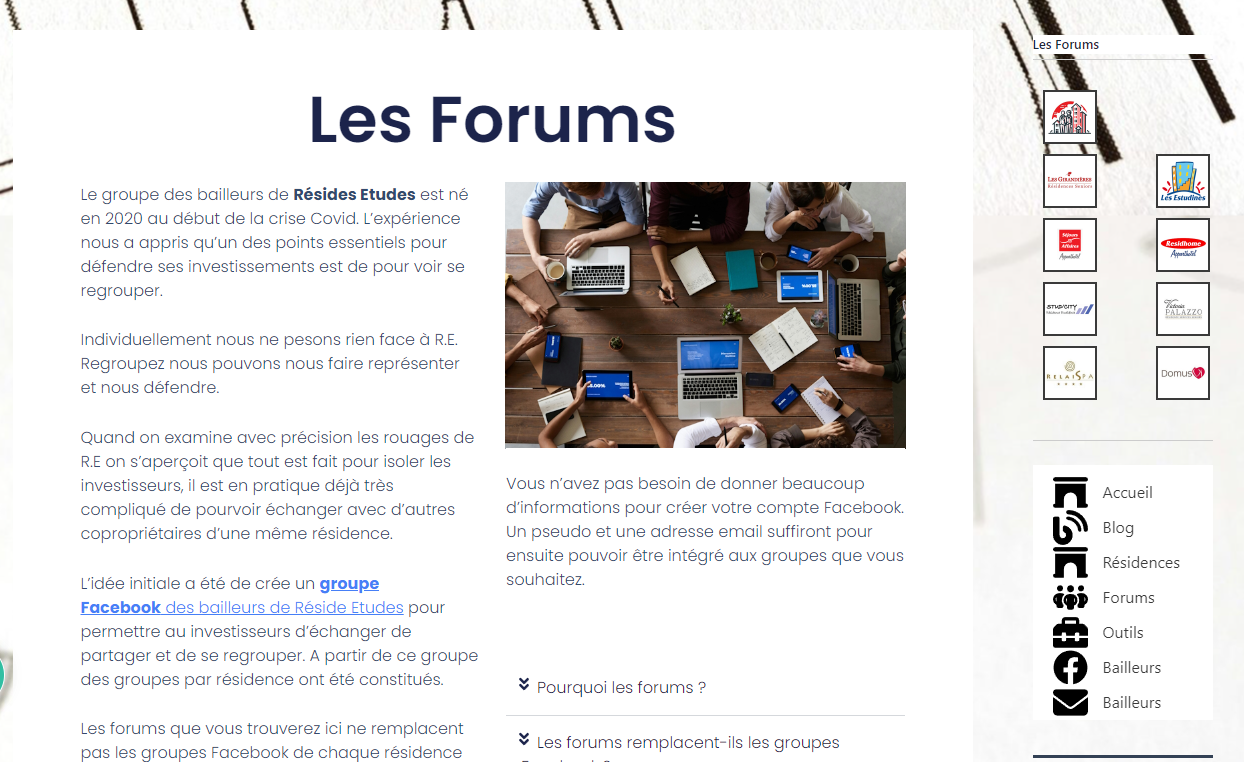
Here is the sidebar for all pages of the website :
Here is the sidebar that for the bbpress user profile:
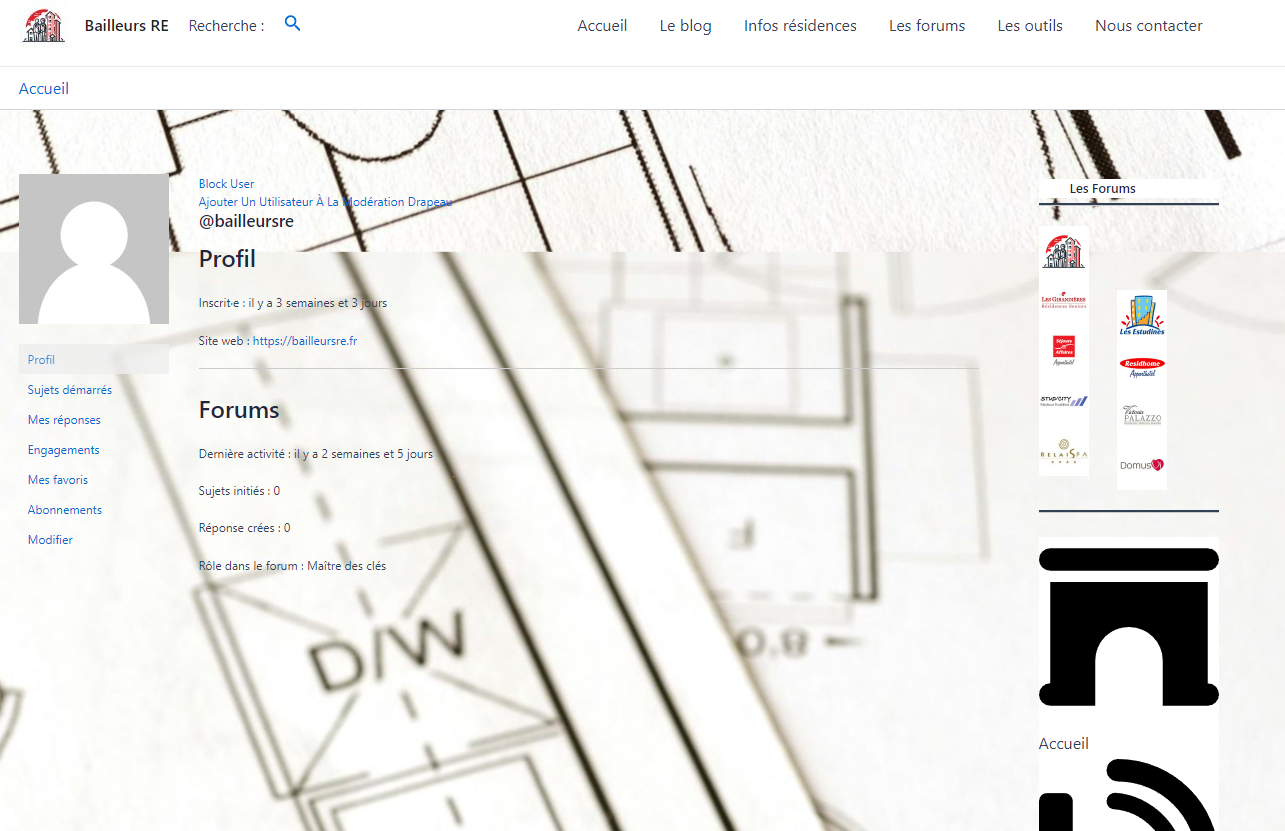
Does anybody can help me to fix this issue ?
thanks for your help
RegardsMay 30, 2024 at 1:40 pm #240461ModeratorMay 28, 2024 at 9:49 am #240431In reply to: What anti spammer system do you use?
ModeratorI remove 10-20 from this site weekly.
bbpress just uses wordpress registration, so this article (picked at random from a quick google of ‘stop wordpress spam registration’ might be useful
https://www.malcare.com/blog/stop-wordpress-registration-spam/
askismet is also very good.
May 28, 2024 at 6:42 am #240428In reply to: Default Custom Fields in New Topic
ModeratorMay 26, 2024 at 12:53 pm #240412Topic: Change Color Text From Black To White
in forum Troubleshootingtim4962
ParticipantIf asking for help, please include your WordPress version, bbPress version, and a link to your site.
1. WordPress 6.5.3
2. bbPress 2.6.9
3. Used plugin, “bbpress style Pack” for bbPress.All About The Colors for the following text: Forum Topics Posts Last Post
My site: https://gtl.news/podcast/forum-index/ – The Text Is White, this is what I want.Problem, I click on the active post topic and the text is Black on a blue banner at the top of page.
Forum Topics Posts Last Post Text is Black, I need white.
My site Problem: https://gtl.news/podcast/forums/forum/admin-messages-timothy-thompson/How do I change it so the text is also white? I have FTP if I need to change the CSS, I just need to know what file and location.
I would be immensely thankful.
Thank You, Tim T
May 24, 2024 at 2:41 am #240394In reply to: List of Filters and Actions
Moderatoractions – over 600!
\bbpress.php (1 hit)
	Line  428: 		do_action_ref_array( 'bbp_after_setup_actions', array( &$this ) );
  \includes\admin\actions.php (12 hits)
	Line 154: 	do_action( 'bbp_new_site', $blog_id, $user_id, $domain, $path, $site_id, $meta );
	Line 246: 	do_action( 'bbp_admin_init' );
	Line 255: 	do_action( 'bbp_admin_menu' );
	Line 264: 	do_action( 'bbp_admin_head' );
	Line 273: 	do_action( 'bbp_admin_notices' );
	Line 282: 	do_action( 'bbp_register_importers' );
	Line 298: 	do_action( 'bbp_register_admin_style' );
	Line 305: 	do_action( 'bbp_register_admin_styles' );
	Line 314: 	do_action( 'bbp_register_admin_scripts' );
	Line 323: 	do_action( 'bbp_register_admin_settings' );
	Line 332: 	do_action( 'bbp_admin_tool_box' );
	Line 343: 	do_action( 'bbp_current_screen', $current_screen );
  \includes\admin\classes\class-bbp-admin.php (3 hits)
	Line  210: 		do_action_ref_array( 'bbp_admin_loaded', array( &$this ) );
	Line 1391: 							do_action( 'after_bbpress_upgrade', $response             );
	Line 1392: 							do_action( 'bbp_upgrade_site',      $details[ 'blog_id' ] );
  \includes\admin\forums.php (3 hits)
	Line 334: 		do_action( 'bbp_forum_attributes_metabox_save', $forum_id );
	Line 405: 		do_action( 'bbp_toggle_forum_admin', $success, $post_data, $action, $retval );
	Line 602: 				do_action( 'bbp_admin_forums_column_data', $column, $forum_id );
  \includes\admin\metaboxes.php (13 hits)
	Line 181: 			<?php do_action( 'bbp_dashboard_widget_right_now_content_table_end' ); ?>
	Line 274: 			<?php do_action( 'bbp_dashboard_widget_right_now_discussion_table_end' ); ?>
	Line 280: 	<?php do_action( 'bbp_dashboard_widget_right_now_table_end' ); ?>
	Line 294: 	do_action( 'bbp_dashboard_widget_right_now_end' );
	Line 385: 	do_action( 'bbp_forum_metabox', $post );
	Line 455: 	do_action( 'bbp_topic_metabox', $post );
	Line 550: 	do_action( 'bbp_reply_metabox', $post );
	Line 642: 	do_action( 'bbp_author_metabox', $post );
	Line 665: 	do_action( 'bbp_moderator_assignment_metabox', $post );
	Line 697: 	do_action( 'bbp_topic_engagements_metabox', $post );
	Line 730: 	do_action( 'bbp_favorites_metabox', $post );
	Line 770: 	do_action( 'bbp_subscriptions_metabox', $post );
	Line 803: 	do_action( 'bbp_forum_subscriptions_metabox', $post );
  \includes\admin\replies.php (4 hits)
	Line  430: 		do_action( 'bbp_reply_attributes_metabox_save', $reply_id, $topic_id, $forum_id, $reply_to );
	Line  431: 		do_action( 'bbp_author_metabox_save',           $reply_id, $anonymous_data                 );
	Line  515: 		do_action( 'bbp_toggle_reply_admin', $success, $post_data, $action, $retval );
	Line  764: 				do_action( 'bbp_admin_replies_column_data', $column, $reply_id );
  \includes\admin\topics.php (4 hits)
	Line  547: 		do_action( 'bbp_topic_attributes_metabox_save', $topic_id, $forum_id       );
	Line  548: 		do_action( 'bbp_author_metabox_save',           $topic_id, $anonymous_data );
	Line  665: 		do_action( 'bbp_toggle_topic_admin', $success, $post_data, $action, $retval );
	Line  942: 				do_action( 'bbp_admin_topics_column_data', $column, $topic_id );
  \includes\common\ajax.php (1 hit)
	Line 100: 	do_action( $key );
  \includes\common\classes.php (6 hits)
	Line 101: 		do_action( 'bbp_' . $this->name . 'includes' );
	Line 118: 		do_action( 'bbp_' . $this->name . 'setup_actions' );
	Line 127: 		do_action( 'bbp_' . $this->name . '_register_post_types' );
	Line 136: 		do_action( 'bbp_' . $this->name . '_register_taxonomies' );
	Line 145: 		do_action( 'bbp_' . $this->name . '_add_rewrite_tags' );
	Line 154: 		do_action_ref_array( 'bbp_' . $this->name . '_generate_rewrite_rules', $wp_rewrite );
  \includes\common\functions.php (6 hits)
	Line  727: 		do_action( 'bbp_check_for_duplicate_trigger', $post_data );
	Line 1155: 	do_action( 'bbp_pre_notify_subscribers', $reply_id, $topic_id, $user_ids );
	Line 1161: 	do_action( 'bbp_post_notify_subscribers', $reply_id, $topic_id, $user_ids );
	Line 1322: 	do_action( 'bbp_pre_notify_forum_subscribers', $topic_id, $forum_id, $user_ids );
	Line 1328: 	do_action( 'bbp_post_notify_forum_subscribers', $topic_id, $forum_id, $user_ids );
	Line 2256: 	do_action( 'bbp_verify_nonce_request', $action, $result );
  \includes\common\template.php (2 hits)
	Line   69: 	do_action( 'bbp_head' );
	Line   78: 	do_action( 'bbp_footer' );
  \includes\common\widgets.php (1 hit)
	Line   98: 					<?php do_action( 'login_form' ); ?>
  \includes\core\cache.php (1 hit)
	Line 158: 	do_action( 'bbp_clean_post_cache', $post->ID, $post );
  \includes\core\capabilities.php (2 hits)
	Line 227: 	do_action( 'bbp_add_caps' );
	Line 244: 	do_action( 'bbp_remove_caps' );
  \includes\core\options.php (3 hits)
	Line  173: 	do_action( 'bbp_add_options' );
	Line  192: 	do_action( 'bbp_delete_options' );
	Line  210: 	do_action( 'bbp_setup_option_filters' );
  \includes\core\sub-actions.php (39 hits)
	Line  31: 	do_action( 'bbp_activation' );
	Line  40: 	do_action( 'bbp_deactivation' );
	Line  49: 	do_action( 'bbp_uninstall' );
	Line  60: 	do_action( 'bbp_loaded' );
	Line  69: 	do_action( 'bbp_constants' );
	Line  78: 	do_action( 'bbp_boot_strap_globals' );
	Line  87: 	do_action( 'bbp_includes' );
	Line  96: 	do_action( 'bbp_setup_globals' );
	Line 105: 	do_action( 'bbp_register' );
	Line 114: 	do_action( 'bbp_init' );
	Line 125: 	do_action( 'bbp_roles_init', $wp_roles );
	Line 134: 	do_action( 'bbp_widgets_init' );
	Line 146: 	do_action( 'bbp_setup_current_user' );
	Line 155: 	do_action( 'bbp_setup_engagements' );
	Line 166: 	do_action( 'bbp_load_textdomain' );
	Line 175: 	do_action( 'bbp_register_post_types' );
	Line 184: 	do_action( 'bbp_register_post_statuses' );
	Line 193: 	do_action( 'bbp_register_taxonomies' );
	Line 202: 	do_action( 'bbp_register_views' );
	Line 211: 	do_action( 'bbp_register_shortcodes' );
	Line 220: 	do_action( 'bbp_register_meta' );
	Line 229: 	do_action( 'bbp_enqueue_scripts' );
	Line 238: 	do_action( 'bbp_add_rewrite_tags' );
	Line 247: 	do_action( 'bbp_add_rewrite_rules' );
	Line 256: 	do_action( 'bbp_add_permastructs' );
	Line 265: 	do_action( 'bbp_login_form_login' );
	Line 289: 	do_action( 'bbp_transition_post_status', $new_status, $old_status, $post );
	Line 303: 	do_action( 'bbp_profile_update', $user_id, $old_user_data );
	Line 314: 	do_action( 'bbp_user_register', $user_id );
	Line 325: 	do_action( 'bbp_ready' );
	Line 337: 	do_action( 'bbp_template_redirect' );
	Line 348: 	do_action( 'bbp_register_theme_packages' );
	Line 357: 	do_action( 'bbp_setup_theme' );
	Line 366: 	do_action( 'bbp_after_setup_theme' );
	Line 396: 	do_action( 'bbp_post_request_' . $action );
	Line 399: 	do_action( 'bbp_post_request',   $action );
	Line 429: 	do_action( 'bbp_get_request_' . $action );
	Line 432: 	do_action( 'bbp_get_request',   $action );
	Line 490: 	do_action_ref_array( 'bbp_generate_rewrite_rules', array( &$wp_rewrite ) );
  \includes\core\template-functions.php (2 hits)
	Line  28: 	do_action( 'get_template_part_' . $slug, $slug, $name );
	Line  99: 	do_action( 'bbp_locate_template', $located, $template_name, $template_names, $template_locations, $load, $require_once );
  \includes\extend\akismet.php (8 hits)
	Line  242: 			do_action( 'bbp_akismet_spam_caught' );
	Line  418: 		do_action( 'bbp_akismet_submit_' . $request_type . '_post', $post_id, $post_data['bbp_akismet_result'] );
	Line 1064: 				do_action( '_bbp_akismet_batch_delete', __FUNCTION__, $spam_id );
	Line 1085: 			do_action( '_bbp_akismet_delete_spam_count', count( $spam_ids ), $spam_ids );
	Line 1145: 				do_action( '_bbp_akismet_batch_delete', __FUNCTION__, $spam_id );
	Line 1155: 			do_action( '_bbp_akismet_delete_spam_meta_count', count( $spam_ids ), $spam_ids );
	Line 1223: 				do_action( '_bbp_akismet_batch_delete', __FUNCTION__, $spam_meta );
	Line 1236: 			do_action( '_bbp_akismet_delete_spam_meta_count', count( $spam_meta_deleted ), $spam_meta_deleted );
  \includes\extend\buddypress\activity.php (1 hit)
	Line 170: 		do_action_ref_array( 'bbp_buddypress_activity_loaded', array( $this ) );
  \includes\extend\buddypress\groups.php (3 hits)
	Line  167: 		do_action_ref_array( 'bbp_buddypress_groups_loaded', array( $this ) );
	Line  994: 		do_action( 'bbp_before_group_forum_display' );
	Line 1205: 		do_action( 'bbp_after_group_forum_display' );
  \includes\extend\buddypress\loader.php (2 hits)
	Line  89: 		do_action( "bp_{$this->id}_includes" );
	Line 169: 		do_action_ref_array( 'bbp_buddypress_loaded', array( $this ) );
  \includes\extend\buddypress\members.php (1 hit)
	Line  85: 		do_action_ref_array( 'bbp_buddypress_members_loaded', array( $this ) );
  \includes\extend\buddypress\notifications.php (2 hits)
	Line 111: 	do_action( 'bbp_format_buddypress_notifications', $component_action_name, $item_id, $secondary_item_id, $action_item_count, $format, $component_action_name, $component_name, $id );
	Line 236: 		do_action( 'bbp_notifications_handler', $marked, $user_id, $topic_id, $action );
  \includes\forums\functions.php (28 hits)
	Line  101: 	do_action( 'bbp_insert_forum', (int) $forum_id );
	Line  263: 	do_action( 'bbp_new_forum_pre_extras', $forum_parent_id );
	Line  316: 		do_action( 'bbp_new_forum', array(
	Line  329: 		do_action( 'bbp_new_forum_post_extras', $forum_id );
	Line  505: 	do_action( 'bbp_edit_forum_pre_extras', $forum_id );
	Line  532: 		do_action( 'bbp_edit_forum', array(
	Line  577: 		do_action( 'bbp_edit_forum_post_extras', $forum_id );
	Line  692: 		do_action( 'bbp_update_forum_visibility', $forum_id, $old_visibility, $new_visibility );
	Line  738: 	do_action( 'bbp_close_forum',  $forum_id );
	Line  742: 	do_action( 'bbp_closed_forum', $forum_id );
	Line  759: 	do_action( 'bbp_open_forum',   $forum_id );
	Line  763: 	do_action( 'bbp_opened_forum', $forum_id );
	Line  782: 	do_action( 'bbp_categorize_forum',  $forum_id );
	Line  786: 	do_action( 'bbp_categorized_forum', $forum_id );
	Line  803: 	do_action( 'bbp_normalize_forum',  $forum_id );
	Line  807: 	do_action( 'bbp_normalized_forum', $forum_id );
	Line  826: 	do_action( 'bbp_publicize_forum',  $forum_id );
	Line  866: 	do_action( 'bbp_publicized_forum', $forum_id );
	Line  883: 	do_action( 'bbp_privatize_forum',  $forum_id );
	Line  915: 	do_action( 'bbp_privatized_forum', $forum_id );
	Line  932: 	do_action( 'bbp_hide_forum', $forum_id );
	Line  964: 	do_action( 'bbp_hid_forum',  $forum_id );
	Line 2719: 	do_action( 'bbp_delete_forum', $forum_id );
	Line 2738: 	do_action( 'bbp_trash_forum', $forum_id );
	Line 2753: 	do_action( 'bbp_untrash_forum', $forum_id );
	Line 2774: 	do_action( 'bbp_deleted_forum', $forum_id );
	Line 2789: 	do_action( 'bbp_trashed_forum', $forum_id );
	Line 2804: 	do_action( 'bbp_untrashed_forum', $forum_id );
  \includes\forums\template.php (1 hit)
	Line  462: 	do_action( 'bbp_forum_row_actions' );
  \includes\replies\functions.php (30 hits)
	Line   83: 	do_action( 'bbp_insert_reply', (int) $reply_id, (int) $reply_meta['topic_id'], (int) $reply_meta['forum_id'] );
	Line  369: 	do_action( 'bbp_new_reply_pre_extras', $topic_id, $forum_id );
	Line  466: 		do_action( 'bbp_new_reply', $reply_id, $topic_id, $forum_id, $anonymous_data, $reply_author, false, $reply_to );
	Line  470: 		do_action( 'bbp_new_reply_post_extras', $reply_id );
	Line  678: 	do_action( 'bbp_edit_reply_pre_extras', $reply_id );
	Line  732: 		do_action( 'bbp_edit_reply', $reply_id, $topic_id, $forum_id, $anonymous_data, $reply_author , true, $reply_to );
	Line  760: 		do_action( 'bbp_edit_reply_post_extras', $reply_id );
	Line 1367: 	do_action( 'bbp_pre_move_reply', $move_reply->ID, $source_topic->ID, $destination_topic->ID );
	Line 1428: 	do_action( 'bbp_post_move_reply', $move_reply->ID, $source_topic->ID, $destination_topic->ID );
	Line 1466: 	do_action( 'bbp_move_reply_count', $move_reply_id, $source_topic_id, $destination_topic_id );
	Line 1527: 	do_action( 'bbp_toggle_reply_handler', $retval['status'], $post_data, $action );
	Line 1740: 	do_action( 'bbp_spam_reply', $reply_id );
	Line 1755: 	do_action( 'bbp_spammed_reply', $reply_id );
	Line 1783: 	do_action( 'bbp_unspam_reply', $reply_id );
	Line 1803: 	do_action( 'bbp_unspammed_reply', $reply_id );
	Line 1834: 	do_action( 'bbp_approve_reply', $reply_id );
	Line 1849: 	do_action( 'bbp_approved_reply', $reply_id );
	Line 1880: 	do_action( 'bbp_unapprove_reply', $reply_id );
	Line 1892: 	do_action( 'bbp_unapproved_reply', $reply_id );
	Line 1910: 	do_action( 'bbp_delete_reply', $reply_id );
	Line 1923: 	do_action( 'bbp_trash_reply', $reply_id );
	Line 1936: 	do_action( 'bbp_untrash_reply', $reply_id );
	Line 1953: 	do_action( 'bbp_deleted_reply', $reply_id );
	Line 1968: 	do_action( 'bbp_trashed_reply', $reply_id );
	Line 1983: 	do_action( 'bbp_untrashed_reply', $reply_id );
	Line 2155: 		<?php do_action( 'bbp_feed' ); ?>
	Line 2168: 		<?php do_action( 'bbp_feed_head' ); ?>
	Line 2190: 						<?php do_action( 'bbp_feed_item' ); ?>
	Line 2216: 					<?php do_action( 'bbp_feed_item' ); ?>
	Line 2223: 		<?php do_action( 'bbp_feed_footer' ); ?>
  \includes\topics\functions.php (47 hits)
	Line   83: 	do_action( 'bbp_insert_topic', (int) $topic_id, (int) $topic_meta['forum_id'] );
	Line  313: 	do_action( 'bbp_new_topic_pre_extras', $forum_id );
	Line  378: 		do_action( 'bbp_new_topic', $topic_id, $forum_id, $anonymous_data, $topic_author );
	Line  382: 		do_action( 'bbp_new_topic_post_extras', $topic_id );
	Line  627: 	do_action( 'bbp_edit_topic_pre_extras', $topic_id );
	Line  669: 		do_action( 'bbp_edit_topic', $topic_id, $forum_id, $anonymous_data, $topic_author , true /* Is edit */ );
	Line  706: 		do_action( 'bbp_edit_topic_post_extras', $topic_id );
	Line 1153: 	do_action( 'bbp_merge_topic', $destination_topic->ID, $source_topic->ID );
	Line 1281: 			do_action( 'bbp_merged_topic_reply', $reply->ID, $destination_topic->ID );
	Line 1295: 	do_action( 'bbp_merged_topic', $destination_topic->ID, $source_topic->ID, $source_topic->post_parent );
	Line 1334: 	do_action( 'bbp_merge_topic_count', $destination_topic_id, $source_topic_id, $source_topic_forum_id );
	Line 1488: 	do_action( 'bbp_pre_split_topic', $from_reply->ID, $source_topic->ID, $destination_topic->ID );
	Line 1603: 			do_action( 'bbp_split_topic_reply', $reply->ID, $destination_topic->ID );
	Line 1637: 	do_action( 'bbp_post_split_topic', $from_reply->ID, $source_topic->ID, $destination_topic->ID );
	Line 1675: 	do_action( 'bbp_split_topic_count', $from_reply_id, $source_topic_id, $destination_topic_id );
	Line 1757: 			do_action( 'bbp_update_topic_tag', $tag_id, $tag, $name, $slug, $description );
	Line 1818: 			do_action( 'bbp_merge_topic_tag', $tag_id, $to_tag, $tag );
	Line 1850: 			do_action( 'bbp_delete_topic_tag', $tag_id, $tag );
	Line 2065: 	do_action( 'bbp_toggle_topic_handler', $retval['status'], $post_data, $action );
	Line 2830: 	do_action( 'bbp_close_topic', $topic_id );
	Line 2854: 	do_action( 'bbp_closed_topic', $topic_id );
	Line 2882: 	do_action( 'bbp_open_topic', $topic_id );
	Line 2914: 	do_action( 'bbp_opened_topic', $topic_id );
	Line 2948: 	do_action( 'bbp_spam_topic', $topic_id );
	Line 2963: 	do_action( 'bbp_spammed_topic', $topic_id );
	Line 3083: 	do_action( 'bbp_unspam_topic', $topic_id );
	Line 3107: 	do_action( 'bbp_unspammed_topic', $topic_id );
	Line 3192: 	do_action( 'bbp_stick_topic', $topic_id, $super );
	Line 3223: 	do_action( 'bbp_stuck_topic', $topic_id, $super, $success );
	Line 3253: 	do_action( 'bbp_approve_topic', $topic_id );
	Line 3268: 	do_action( 'bbp_approved_topic', $topic_id );
	Line 3299: 	do_action( 'bbp_unapprove_topic', $topic_id );
	Line 3311: 	do_action( 'bbp_unapproved_topic', $topic_id );
	Line 3334: 	do_action( 'bbp_unstick_topic', $topic_id );
	Line 3363: 	do_action( 'bbp_unstuck_topic', $topic_id, $success );
	Line 3386: 	do_action( 'bbp_delete_topic', $topic_id );
	Line 3448: 	do_action( 'bbp_trash_topic', $topic_id );
	Line 3513: 	do_action( 'bbp_untrash_topic', $topic_id );
	Line 3565: 	do_action( 'bbp_deleted_topic', $topic_id );
	Line 3580: 	do_action( 'bbp_trashed_topic', $topic_id );
	Line 3595: 	do_action( 'bbp_untrashed_topic', $topic_id );
	Line 3734: 		do_action( 'edit_term_taxonomy', $term, $taxonomy->name );
	Line 3738: 		do_action( 'edited_term_taxonomy', $term, $taxonomy->name );
	Line 3790: 		<?php do_action( 'bbp_feed' ); ?>
	Line 3803: 		<?php do_action( 'bbp_feed_head' ); ?>
	Line 3829: 					<?php do_action( 'bbp_feed_item' ); ?>
	Line 3836: 		<?php do_action( 'bbp_feed_footer' ); ?>
  \includes\topics\template.php (1 hit)
	Line 3726: 	do_action( 'bbp_topic_row_actions' );
  \includes\users\engagements.php (8 hits)
	Line  301: 	do_action( 'bbp_add_user_engagement', $user_id, $topic_id );
	Line  334: 	do_action( 'bbp_remove_user_engagement', $user_id, $topic_id );
	Line  532: 	do_action( 'bbp_add_user_favorite', $user_id, $topic_id );
	Line  566: 	do_action( 'bbp_remove_user_favorite', $user_id, $topic_id );
	Line  633: 	do_action( 'bbp_favorites_handler', $success, $user_id, $topic_id, $action );
	Line  767: 	do_action( 'bbp_add_user_subscription', $user_id, $object_id, $type );
	Line  801: 	do_action( 'bbp_remove_user_subscription', $user_id, $object_id, $type );
	Line  874: 	do_action( 'bbp_subscriptions_handler', $success, $user_id, $object_id, $action, $object_type );
  \includes\users\functions.php (2 hits)
	Line 251: 	do_action( $edit_action, $user_id );
	Line 472: 	do_action( $action, get_userdata( bbp_get_displayed_user_id() ) );
  \includes\users\options.php (3 hits)
	Line  51: 	do_action( 'bbp_add_user_options', $user_id );
	Line  76: 	do_action( 'bbp_delete_user_options', $user_id );
	Line  93: 	do_action( 'bbp_setup_user_option_filters' );
  \includes\users\template.php (2 hits)
	Line  112: 			do_action_ref_array( 'loop_start', array( &$this ) );
	Line  140: 			do_action_ref_array( 'loop_end', array( &$this ) );
  \templates\default\bbpress\alert-topic-lock.php (2 hits)
	Line 13: do_action( 'bbp_theme_before_alert_topic_lock' ); ?>
	Line 29: do_action( 'bbp_theme_after_alert_topic_lock' );
  \templates\default\bbpress\content-archive-forum.php (2 hits)
	Line 23: 	<?php do_action( 'bbp_template_before_forums_index' ); ?>
	Line 35: 	<?php do_action( 'bbp_template_after_forums_index' ); ?>
  \templates\default\bbpress\content-archive-topic.php (4 hits)
	Line 29: 	<?php do_action( 'bbp_template_before_topic_tag_description' ); ?>
	Line 37: 	<?php do_action( 'bbp_template_after_topic_tag_description' ); ?>
	Line 39: 	<?php do_action( 'bbp_template_before_topics_index' ); ?>
	Line 55: 	<?php do_action( 'bbp_template_after_topics_index' ); ?>
  \templates\default\bbpress\content-search.php (2 hits)
	Line 21: 	<?php do_action( 'bbp_template_before_search' ); ?>
	Line 41: 	<?php do_action( 'bbp_template_after_search_results' ); ?>
  \templates\default\bbpress\content-single-forum.php (2 hits)
	Line 21: 	<?php do_action( 'bbp_template_before_single_forum' ); ?>
	Line 57: 	<?php do_action( 'bbp_template_after_single_forum' ); ?>
  \templates\default\bbpress\content-single-reply.php (2 hits)
	Line 19: 	<?php do_action( 'bbp_template_before_single_reply' ); ?>
	Line 31: 	<?php do_action( 'bbp_template_after_single_reply' ); ?>
  \templates\default\bbpress\content-single-topic-lead.php (10 hits)
	Line  13: do_action( 'bbp_template_before_lead_topic' ); ?>
	Line  39: 				<?php do_action( 'bbp_theme_before_topic_admin_links' ); ?>
	Line  43: 				<?php do_action( 'bbp_theme_after_topic_admin_links' ); ?>
	Line  53: 				<?php do_action( 'bbp_theme_before_topic_author_details' ); ?>
	Line  59: 					<?php do_action( 'bbp_theme_before_topic_author_admin_details' ); ?>
	Line  63: 					<?php do_action( 'bbp_theme_after_topic_author_admin_details' ); ?>
	Line  67: 				<?php do_action( 'bbp_theme_after_topic_author_details' ); ?>
	Line  73: 				<?php do_action( 'bbp_theme_before_topic_content' ); ?>
	Line  77: 				<?php do_action( 'bbp_theme_after_topic_content' ); ?>
	Line  99: <?php do_action( 'bbp_template_after_lead_topic' );
  \templates\default\bbpress\content-single-topic.php (2 hits)
	Line 23: 	<?php do_action( 'bbp_template_before_single_topic' ); ?>
	Line 57: 	<?php do_action( 'bbp_template_after_single_topic' ); ?>
  \templates\default\bbpress\content-single-user.php (3 hits)
	Line 17: 	<?php do_action( 'bbp_template_notices' ); ?>
	Line 19: 	<?php do_action( 'bbp_template_before_user_wrapper' ); ?>
	Line 36: 	<?php do_action( 'bbp_template_after_user_wrapper' ); ?>
  \templates\default\bbpress\content-statistics.php (2 hits)
	Line 18: 	<?php do_action( 'bbp_before_statistics' ); ?>
	Line 76: 	<?php do_action( 'bbp_after_statistics' ); ?>
  \templates\default\bbpress\content-topic-tag-edit.php (4 hits)
	Line 19: 	<?php do_action( 'bbp_template_before_topic_tag_description' ); ?>
	Line 23: 	<?php do_action( 'bbp_template_after_topic_tag_description' ); ?>
	Line 25: 	<?php do_action( 'bbp_template_before_topic_tag_edit' ); ?>
	Line 29: 	<?php do_action( 'bbp_template_after_topic_tag_edit' ); ?>
  \templates\default\bbpress\form-anonymous.php (4 hits)
	Line 15: 	<?php do_action( 'bbp_theme_before_anonymous_form' ); ?>
	Line 20: 		<?php do_action( 'bbp_theme_anonymous_form_extras_top' ); ?>
	Line 37: 		<?php do_action( 'bbp_theme_anonymous_form_extras_bottom' ); ?>
	Line 41: 	<?php do_action( 'bbp_theme_after_anonymous_form' ); ?>
  \templates\default\bbpress\form-forum.php (22 hits)
	Line  29: 			<?php do_action( 'bbp_theme_before_forum_form' ); ?>
	Line  46: 				<?php do_action( 'bbp_theme_before_forum_form_notices' ); ?>
	Line  68: 				<?php do_action( 'bbp_template_notices' ); ?>
	Line  72: 					<?php do_action( 'bbp_theme_before_forum_form_title' ); ?>
	Line  79: 					<?php do_action( 'bbp_theme_after_forum_form_title' ); ?>
	Line  81: 					<?php do_action( 'bbp_theme_before_forum_form_content' ); ?>
	Line  85: 					<?php do_action( 'bbp_theme_after_forum_form_content' ); ?>
	Line  98: 						<?php do_action( 'bbp_theme_before_forum_form_mods' ); ?>
	Line 105: 						<?php do_action( 'bbp_theme_after_forum_form_mods' ); ?>
	Line 109: 					<?php do_action( 'bbp_theme_before_forum_form_type' ); ?>
	Line 116: 					<?php do_action( 'bbp_theme_after_forum_form_type' ); ?>
	Line 118: 					<?php do_action( 'bbp_theme_before_forum_form_status' ); ?>
	Line 125: 					<?php do_action( 'bbp_theme_after_forum_form_status' ); ?>
	Line 127: 					<?php do_action( 'bbp_theme_before_forum_visibility_status' ); ?>
	Line 134: 					<?php do_action( 'bbp_theme_after_forum_visibility_status' ); ?>
	Line 136: 					<?php do_action( 'bbp_theme_before_forum_form_parent' ); ?>
	Line 151: 					<?php do_action( 'bbp_theme_after_forum_form_parent' ); ?>
	Line 153: 					<?php do_action( 'bbp_theme_before_forum_form_submit_wrapper' ); ?>
	Line 157: 						<?php do_action( 'bbp_theme_before_forum_form_submit_button' ); ?>
	Line 161: 						<?php do_action( 'bbp_theme_after_forum_form_submit_button' ); ?>
	Line 165: 					<?php do_action( 'bbp_theme_after_forum_form_submit_wrapper' ); ?>
	Line 173: 			<?php do_action( 'bbp_theme_after_forum_form' ); ?>
  \templates\default\bbpress\form-reply.php (20 hits)
	Line  27: 			<?php do_action( 'bbp_theme_before_reply_form' ); ?>
	Line  32: 				<?php do_action( 'bbp_theme_before_reply_form_notices' ); ?>
	Line  64: 				<?php do_action( 'bbp_template_notices' ); ?>
	Line  70: 					<?php do_action( 'bbp_theme_before_reply_form_content' ); ?>
	Line  74: 					<?php do_action( 'bbp_theme_after_reply_form_content' ); ?>
	Line  87: 						<?php do_action( 'bbp_theme_before_reply_form_tags' ); ?>
	Line  94: 						<?php do_action( 'bbp_theme_after_reply_form_tags' ); ?>
	Line 100: 						<?php do_action( 'bbp_theme_before_reply_form_subscription' ); ?>
	Line 118: 						<?php do_action( 'bbp_theme_after_reply_form_subscription' ); ?>
	Line 126: 							<?php do_action( 'bbp_theme_before_reply_form_reply_to' ); ?>
	Line 133: 							<?php do_action( 'bbp_theme_after_reply_form_reply_to' ); ?>
	Line 135: 							<?php do_action( 'bbp_theme_before_reply_form_status' ); ?>
	Line 142: 							<?php do_action( 'bbp_theme_after_reply_form_status' ); ?>
	Line 148: 							<?php do_action( 'bbp_theme_before_reply_form_revisions' ); ?>
	Line 162: 							<?php do_action( 'bbp_theme_after_reply_form_revisions' ); ?>
	Line 168: 					<?php do_action( 'bbp_theme_before_reply_form_submit_wrapper' ); ?>
	Line 172: 						<?php do_action( 'bbp_theme_before_reply_form_submit_button' ); ?>
	Line 178: 						<?php do_action( 'bbp_theme_after_reply_form_submit_button' ); ?>
	Line 182: 					<?php do_action( 'bbp_theme_after_reply_form_submit_wrapper' ); ?>
	Line 190: 			<?php do_action( 'bbp_theme_after_reply_form' ); ?>
  \templates\default\bbpress\form-topic.php (24 hits)
	Line  37: 			<?php do_action( 'bbp_theme_before_topic_form' ); ?>
	Line  54: 				<?php do_action( 'bbp_theme_before_topic_form_notices' ); ?>
	Line  76: 				<?php do_action( 'bbp_template_notices' ); ?>
	Line  82: 					<?php do_action( 'bbp_theme_before_topic_form_title' ); ?>
	Line  89: 					<?php do_action( 'bbp_theme_after_topic_form_title' ); ?>
	Line  91: 					<?php do_action( 'bbp_theme_before_topic_form_content' ); ?>
	Line  95: 					<?php do_action( 'bbp_theme_after_topic_form_content' ); ?>
	Line 108: 						<?php do_action( 'bbp_theme_before_topic_form_tags' ); ?>
	Line 115: 						<?php do_action( 'bbp_theme_after_topic_form_tags' ); ?>
	Line 121: 						<?php do_action( 'bbp_theme_before_topic_form_forum' ); ?>
	Line 133: 						<?php do_action( 'bbp_theme_after_topic_form_forum' ); ?>
	Line 139: 						<?php do_action( 'bbp_theme_before_topic_form_type' ); ?>
	Line 149: 						<?php do_action( 'bbp_theme_after_topic_form_type' ); ?>
	Line 151: 						<?php do_action( 'bbp_theme_before_topic_form_status' ); ?>
	Line 161: 						<?php do_action( 'bbp_theme_after_topic_form_status' ); ?>
	Line 167: 						<?php do_action( 'bbp_theme_before_topic_form_subscriptions' ); ?>
	Line 183: 						<?php do_action( 'bbp_theme_after_topic_form_subscriptions' ); ?>
	Line 189: 						<?php do_action( 'bbp_theme_before_topic_form_revisions' ); ?>
	Line 203: 						<?php do_action( 'bbp_theme_after_topic_form_revisions' ); ?>
	Line 207: 					<?php do_action( 'bbp_theme_before_topic_form_submit_wrapper' ); ?>
	Line 211: 						<?php do_action( 'bbp_theme_before_topic_form_submit_button' ); ?>
	Line 215: 						<?php do_action( 'bbp_theme_after_topic_form_submit_button' ); ?>
	Line 219: 					<?php do_action( 'bbp_theme_after_topic_form_submit_wrapper' ); ?>
	Line 227: 			<?php do_action( 'bbp_theme_after_topic_form' ); ?>
  \templates\default\bbpress\form-user-edit.php (12 hits)
	Line  19: 	<?php do_action( 'bbp_user_edit_before' ); ?>
	Line  24: 		<?php do_action( 'bbp_user_edit_before_name' ); ?>
	Line  48: 		<?php do_action( 'bbp_user_edit_after_name' ); ?>
	Line  57: 		<?php do_action( 'bbp_user_edit_before_contact' ); ?>
	Line  73: 		<?php do_action( 'bbp_user_edit_after_contact' ); ?>
	Line  88: 		<?php do_action( 'bbp_user_edit_before_about' ); ?>
	Line  95: 		<?php do_action( 'bbp_user_edit_after_about' ); ?>
	Line 104: 		<?php do_action( 'bbp_user_edit_before_account' ); ?>
	Line 125: 		<?php do_action( 'bbp_user_edit_after_account' ); ?>
	Line 136: 			<?php do_action( 'bbp_user_edit_before_role' ); ?>
	Line 152: 			<?php do_action( 'bbp_user_edit_after_role' ); ?>
	Line 158: 	<?php do_action( 'bbp_user_edit_after' ); ?>
  \templates\default\bbpress\form-user-login.php (1 hit)
	Line 34: 		<?php do_action( 'login_form' ); ?>
  \templates\default\bbpress\form-user-lost-pass.php (1 hit)
	Line 26: 		<?php do_action( 'login_form', 'resetpass' ); ?>
  \templates\default\bbpress\form-user-register.php (3 hits)
	Line 19: 		<?php do_action( 'bbp_template_before_register_fields' ); ?>
	Line 38: 		<?php do_action( 'register_form' ); ?>
	Line 48: 		<?php do_action( 'bbp_template_after_register_fields' ); ?>
  \templates\default\bbpress\loop-forums.php (2 hits)
	Line 13: do_action( 'bbp_template_before_forums_loop' ); ?>
	Line 51: <?php do_action( 'bbp_template_after_forums_loop' );
  \templates\default\bbpress\loop-replies.php (2 hits)
	Line 13: do_action( 'bbp_template_before_replies_loop' ); ?>
	Line 52: <?php do_action( 'bbp_template_after_replies_loop' );
  \templates\default\bbpress\loop-search-forum.php (4 hits)
	Line 23: 		<?php do_action( 'bbp_theme_before_forum_title' ); ?>
	Line 28: 		<?php do_action( 'bbp_theme_after_forum_title' ); ?>
	Line 36: 		<?php do_action( 'bbp_theme_before_forum_content' ); ?>
	Line 40: 		<?php do_action( 'bbp_theme_after_forum_content' ); ?>
  \templates\default\bbpress\loop-search-reply.php (6 hits)
	Line 30: 		<?php do_action( 'bbp_theme_before_reply_author_details' ); ?>
	Line 36: 			<?php do_action( 'bbp_theme_before_reply_author_admin_details' ); ?>
	Line 40: 			<?php do_action( 'bbp_theme_after_reply_author_admin_details' ); ?>
	Line 44: 		<?php do_action( 'bbp_theme_after_reply_author_details' ); ?>
	Line 50: 		<?php do_action( 'bbp_theme_before_reply_content' ); ?>
	Line 54: 		<?php do_action( 'bbp_theme_after_reply_content' ); ?>
  \templates\default\bbpress\loop-search-topic.php (8 hits)
	Line 23: 		<?php do_action( 'bbp_theme_before_topic_title' ); ?>
	Line 44: 		<?php do_action( 'bbp_theme_after_topic_title' ); ?>
	Line 53: 		<?php do_action( 'bbp_theme_before_topic_author_details' ); ?>
	Line 59: 			<?php do_action( 'bbp_theme_before_topic_author_admin_details' ); ?>
	Line 63: 			<?php do_action( 'bbp_theme_after_topic_author_admin_details' ); ?>
	Line 67: 		<?php do_action( 'bbp_theme_after_topic_author_details' ); ?>
	Line 73: 		<?php do_action( 'bbp_theme_before_topic_content' ); ?>
	Line 77: 		<?php do_action( 'bbp_theme_after_topic_content' ); ?>
  \templates\default\bbpress\loop-search.php (2 hits)
	Line 13: do_action( 'bbp_template_before_search_results_loop' ); ?>
	Line 53: <?php do_action( 'bbp_template_after_search_results_loop' );
  \templates\default\bbpress\loop-single-forum.php (12 hits)
	Line 22: 				<?php do_action( 'bbp_theme_before_forum_subscription_action' ); ?>
	Line 26: 				<?php do_action( 'bbp_theme_after_forum_subscription_action' ); ?>
	Line 32: 		<?php do_action( 'bbp_theme_before_forum_title' ); ?>
	Line 36: 		<?php do_action( 'bbp_theme_after_forum_title' ); ?>
	Line 38: 		<?php do_action( 'bbp_theme_before_forum_description' ); ?>
	Line 42: 		<?php do_action( 'bbp_theme_after_forum_description' ); ?>
	Line 44: 		<?php do_action( 'bbp_theme_before_forum_sub_forums' ); ?>
	Line 48: 		<?php do_action( 'bbp_theme_after_forum_sub_forums' ); ?>
	Line 60: 		<?php do_action( 'bbp_theme_before_forum_freshness_link' ); ?>
	Line 64: 		<?php do_action( 'bbp_theme_after_forum_freshness_link' ); ?>
	Line 68: 			<?php do_action( 'bbp_theme_before_topic_author' ); ?>
	Line 72: 			<?php do_action( 'bbp_theme_after_topic_author' ); ?>
  \templates\default\bbpress\loop-single-reply.php (8 hits)
	Line 30: 		<?php do_action( 'bbp_theme_before_reply_admin_links' ); ?>
	Line 34: 		<?php do_action( 'bbp_theme_after_reply_admin_links' ); ?>
	Line 42: 		<?php do_action( 'bbp_theme_before_reply_author_details' ); ?>
	Line 48: 			<?php do_action( 'bbp_theme_before_reply_author_admin_details' ); ?>
	Line 52: 			<?php do_action( 'bbp_theme_after_reply_author_admin_details' ); ?>
	Line 56: 		<?php do_action( 'bbp_theme_after_reply_author_details' ); ?>
	Line 62: 		<?php do_action( 'bbp_theme_before_reply_content' ); ?>
	Line 66: 		<?php do_action( 'bbp_theme_after_reply_content' ); ?>
  \templates\default\bbpress\loop-single-topic.php (16 hits)
	Line  24: 					<?php do_action( 'bbp_theme_before_topic_favorites_action' ); ?>
	Line  28: 					<?php do_action( 'bbp_theme_after_topic_favorites_action' ); ?>
	Line  36: 					<?php do_action( 'bbp_theme_before_topic_subscription_action' ); ?>
	Line  40: 					<?php do_action( 'bbp_theme_after_topic_subscription_action' ); ?>
	Line  48: 		<?php do_action( 'bbp_theme_before_topic_title' ); ?>
	Line  52: 		<?php do_action( 'bbp_theme_after_topic_title' ); ?>
	Line  56: 		<?php do_action( 'bbp_theme_before_topic_meta' ); ?>
	Line  60: 			<?php do_action( 'bbp_theme_before_topic_started_by' ); ?>
	Line  64: 			<?php do_action( 'bbp_theme_after_topic_started_by' ); ?>
	Line  68: 				<?php do_action( 'bbp_theme_before_topic_started_in' ); ?>
	Line  71: 				<?php do_action( 'bbp_theme_after_topic_started_in' ); ?>
	Line  77: 		<?php do_action( 'bbp_theme_after_topic_meta' ); ?>
	Line  89: 		<?php do_action( 'bbp_theme_before_topic_freshness_link' ); ?>
	Line  93: 		<?php do_action( 'bbp_theme_after_topic_freshness_link' ); ?>
	Line  97: 			<?php do_action( 'bbp_theme_before_topic_freshness_author' ); ?>
	Line 101: 			<?php do_action( 'bbp_theme_after_topic_freshness_author' ); ?>
  \templates\default\bbpress\loop-topics.php (2 hits)
	Line 13: do_action( 'bbp_template_before_topics_loop' ); ?>
	Line 47: <?php do_action( 'bbp_template_after_topics_loop' );
  \templates\default\bbpress\pagination-replies.php (2 hits)
	Line 13: do_action( 'bbp_template_before_pagination_loop' ); ?>
	Line 20: <?php do_action( 'bbp_template_after_pagination_loop' );
  \templates\default\bbpress\pagination-search.php (2 hits)
	Line 13: do_action( 'bbp_template_before_pagination_loop' ); ?>
	Line 20: <?php do_action( 'bbp_template_after_pagination_loop' );
  \templates\default\bbpress\pagination-topics.php (2 hits)
	Line 13: do_action( 'bbp_template_before_pagination_loop' ); ?>
	Line 20: <?php do_action( 'bbp_template_after_pagination_loop' );
  \templates\default\bbpress\user-details.php (4 hits)
	Line 13: do_action( 'bbp_template_before_user_details' ); ?>
	Line 24: 	<?php do_action( 'bbp_template_before_user_details_menu_items' ); ?>
	Line 82: 		<?php do_action( 'bbp_template_after_user_details_menu_items' ); ?>
	Line 87: <?php do_action( 'bbp_template_after_user_details' );
  \templates\default\bbpress\user-engagements.php (2 hits)
	Line 13: do_action( 'bbp_template_before_user_engagements' ); ?>
	Line 39: <?php do_action( 'bbp_template_after_user_engagements' );
  \templates\default\bbpress\user-favorites.php (2 hits)
	Line 13: do_action( 'bbp_template_before_user_favorites' ); ?>
	Line 39: <?php do_action( 'bbp_template_after_user_favorites' );
  \templates\default\bbpress\user-profile.php (2 hits)
	Line 13: do_action( 'bbp_template_before_user_profile' ); ?>
	Line 48: <?php do_action( 'bbp_template_after_user_profile' );
  \templates\default\bbpress\user-replies-created.php (2 hits)
	Line 13: do_action( 'bbp_template_before_user_replies' ); ?>
	Line 39: <?php do_action( 'bbp_template_after_user_replies' );
  \templates\default\bbpress\user-subscriptions.php (2 hits)
	Line 13: do_action( 'bbp_template_before_user_subscriptions' ); ?>
	Line 62: <?php do_action( 'bbp_template_after_user_subscriptions' );
  \templates\default\bbpress\user-topics-created.php (2 hits)
	Line 13: do_action( 'bbp_template_before_user_topics_created' ); ?>
	Line 39: <?php do_action( 'bbp_template_after_user_topics_created' );
  \templates\default\bbpress-functions.php (1 hit)
	Line  81: 		do_action_ref_array( 'bbp_theme_compat_actions', array( &$this ) );
  \templates\default\extras\archive-forum.php (3 hits)
	Line 12: 	<?php do_action( 'bbp_before_main_content' ); ?>
	Line 14: 	<?php do_action( 'bbp_template_notices' ); ?>
	Line 25: 	<?php do_action( 'bbp_after_main_content' ); ?>
  \templates\default\extras\archive-topic.php (3 hits)
	Line 12: 	<?php do_action( 'bbp_before_main_content' ); ?>
	Line 14: 	<?php do_action( 'bbp_template_notices' ); ?>
	Line 25: 	<?php do_action( 'bbp_after_main_content' ); ?>
  \templates\default\extras\page-create-topic.php (3 hits)
	Line 12: 	<?php do_action( 'bbp_before_main_content' ); ?>
	Line 14: 	<?php do_action( 'bbp_template_notices' ); ?>
	Line 31: 	<?php do_action( 'bbp_after_main_content' ); ?>
  \templates\default\extras\page-forum-statistics.php (5 hits)
	Line 12: 	<?php do_action( 'bbp_before_main_content' ); ?>
	Line 14: 	<?php do_action( 'bbp_template_notices' ); ?>
	Line 28: 					<?php do_action( 'bbp_before_popular_topics' ); ?>
	Line 46: 					<?php do_action( 'bbp_after_popular_topics' ); ?>
	Line 54: 	<?php do_action( 'bbp_after_main_content' ); ?>
  \templates\default\extras\page-front-forums.php (3 hits)
	Line 12: 	<?php do_action( 'bbp_before_main_content' ); ?>
	Line 14: 	<?php do_action( 'bbp_template_notices' ); ?>
	Line 31: 	<?php do_action( 'bbp_after_main_content' ); ?>
  \templates\default\extras\page-front-topics.php (3 hits)
	Line 12: 	<?php do_action( 'bbp_before_main_content' ); ?>
	Line 14: 	<?php do_action( 'bbp_template_notices' ); ?>
	Line 31: 	<?php do_action( 'bbp_after_main_content' ); ?>
  \templates\default\extras\page-topic-tags.php (3 hits)
	Line 12: 	<?php do_action( 'bbp_before_main_content' ); ?>
	Line 14: 	<?php do_action( 'bbp_template_notices' ); ?>
	Line 39: 	<?php do_action( 'bbp_after_main_content' ); ?>
  \templates\default\extras\page-topics-no-replies.php (3 hits)
	Line 12: 	<?php do_action( 'bbp_before_main_content' ); ?>
	Line 14: 	<?php do_action( 'bbp_template_notices' ); ?>
	Line 52: 	<?php do_action( 'bbp_after_main_content' ); ?>
  \templates\default\extras\page-user-login.php (3 hits)
	Line 16: 	<?php do_action( 'bbp_before_main_content' ); ?>
	Line 18: 	<?php do_action( 'bbp_template_notices' ); ?>
	Line 40: 	<?php do_action( 'bbp_after_main_content' ); ?>
  \templates\default\extras\page-user-lost-pass.php (3 hits)
	Line 16: 	<?php do_action( 'bbp_before_main_content' ); ?>
	Line 18: 	<?php do_action( 'bbp_template_notices' ); ?>
	Line 40: 	<?php do_action( 'bbp_after_main_content' ); ?>
  \templates\default\extras\page-user-register.php (3 hits)
	Line 16: 	<?php do_action( 'bbp_before_main_content' ); ?>
	Line 18: 	<?php do_action( 'bbp_template_notices' ); ?>
	Line 40: 	<?php do_action( 'bbp_after_main_content' ); ?>
  \templates\default\extras\single-forum-edit.php (2 hits)
	Line 12: 	<?php do_action( 'bbp_before_main_content' ); ?>
	Line 27: 	<?php do_action( 'bbp_after_main_content' ); ?>
  \templates\default\extras\single-forum.php (3 hits)
	Line 12: 	<?php do_action( 'bbp_before_main_content' ); ?>
	Line 14: 	<?php do_action( 'bbp_template_notices' ); ?>
	Line 37: 	<?php do_action( 'bbp_after_main_content' ); ?>
  \templates\default\extras\single-reply-edit.php (2 hits)
	Line 12: 	<?php do_action( 'bbp_before_main_content' ); ?>
	Line 27: 	<?php do_action( 'bbp_after_main_content' ); ?>
  \templates\default\extras\single-reply-move.php (3 hits)
	Line 12: 	<?php do_action( 'bbp_before_main_content' ); ?>
	Line 14: 	<?php do_action( 'bbp_template_notices' ); ?>
	Line 29: 	<?php do_action( 'bbp_after_main_content' ); ?>
  \templates\default\extras\single-reply.php (3 hits)
	Line 12: 	<?php do_action( 'bbp_before_main_content' ); ?>
	Line 14: 	<?php do_action( 'bbp_template_notices' ); ?>
	Line 37: 	<?php do_action( 'bbp_after_main_content' ); ?>
  \templates\default\extras\single-topic-edit.php (2 hits)
	Line 12: 	<?php do_action( 'bbp_before_main_content' ); ?>
	Line 27: 	<?php do_action( 'bbp_after_main_content' ); ?>
  \templates\default\extras\single-topic-merge.php (3 hits)
	Line 12: 	<?php do_action( 'bbp_before_main_content' ); ?>
	Line 14: 	<?php do_action( 'bbp_template_notices' ); ?>
	Line 29: 	<?php do_action( 'bbp_after_main_content' ); ?>
  \templates\default\extras\single-topic-split.php (3 hits)
	Line 12: 	<?php do_action( 'bbp_before_main_content' ); ?>
	Line 14: 	<?php do_action( 'bbp_template_notices' ); ?>
	Line 29: 	<?php do_action( 'bbp_after_main_content' ); ?>
  \templates\default\extras\single-topic.php (3 hits)
	Line 12: 	<?php do_action( 'bbp_before_main_content' ); ?>
	Line 14: 	<?php do_action( 'bbp_template_notices' ); ?>
	Line 37: 	<?php do_action( 'bbp_after_main_content' ); ?>
  \templates\default\extras\single-user-edit.php (2 hits)
	Line 12: 	<?php do_action( 'bbp_before_main_content' ); ?>
	Line 22: 	<?php do_action( 'bbp_after_main_content' ); ?>
  \templates\default\extras\single-user.php (2 hits)
	Line 12: 	<?php do_action( 'bbp_before_main_content' ); ?>
	Line 22: 	<?php do_action( 'bbp_after_main_content' ); ?>
  \templates\default\extras\single-view.php (3 hits)
	Line 12: 	<?php do_action( 'bbp_before_main_content' ); ?>
	Line 14: 	<?php do_action( 'bbp_template_notices' ); ?>
	Line 25: 	<?php do_action( 'bbp_after_main_content' ); ?>
  \templates\default\extras\taxonomy-topic-tag-edit.php (3 hits)
	Line 12: 	<?php do_action( 'bbp_before_main_content' ); ?>
	Line 14: 	<?php do_action( 'bbp_template_notices' ); ?>
	Line 26: 	<?php do_action( 'bbp_after_main_content' ); ?>
  \templates\default\extras\taxonomy-topic-tag.php (3 hits)
	Line 12: 	<?php do_action( 'bbp_before_main_content' ); ?>
	Line 14: 	<?php do_action( 'bbp_template_notices' ); ?>
	Line 25: 	<?php do_action( 'bbp_after_main_content' ); ?>
May 24, 2024 at 2:39 am #240393In reply to: List of Filters and Actions
ModeratorbbPress has loads of filters and actions
list below
Filters – nearly 900 !
\bbpress\bbpress.php (44 hits)
	Line  215: 		$this->basename     = apply_filters( 'bbp_plugin_basename', str_replace( array( 'build/', 'src/' ), '', plugin_basename( $this->file ) ) );
	Line  216: 		$this->basepath     = apply_filters( 'bbp_plugin_basepath', trailingslashit( dirname( $this->basename ) ) );
	Line  219: 		$this->plugin_dir   = apply_filters( 'bbp_plugin_dir_path', plugin_dir_path( $this->file ) );
	Line  220: 		$this->plugin_url   = apply_filters( 'bbp_plugin_dir_url',  plugin_dir_url ( $this->file ) );
	Line  223: 		$this->includes_dir = apply_filters( 'bbp_includes_dir', trailingslashit( $this->plugin_dir . 'includes'  ) );
	Line  224: 		$this->includes_url = apply_filters( 'bbp_includes_url', trailingslashit( $this->plugin_url . 'includes'  ) );
	Line  227: 		$this->lang_base    = apply_filters( 'bbp_lang_base',    trailingslashit( $this->basepath   . 'languages' ) );
	Line  228: 		$this->lang_dir     = apply_filters( 'bbp_lang_dir',     trailingslashit( $this->plugin_dir . 'languages' ) );
	Line  231: 		$this->themes_dir   = apply_filters( 'bbp_themes_dir',   trailingslashit( $this->plugin_dir . 'templates' ) );
	Line  232: 		$this->themes_url   = apply_filters( 'bbp_themes_url',   trailingslashit( $this->plugin_url . 'templates' ) );
	Line  245: 		$this->forum_post_type   = apply_filters( 'bbp_forum_post_type',  'forum'     );
	Line  246: 		$this->topic_post_type   = apply_filters( 'bbp_topic_post_type',  'topic'     );
	Line  247: 		$this->topic_tag_tax_id  = apply_filters( 'bbp_topic_tag_tax_id', 'topic-tag' );
	Line  248: 		$this->reply_post_type   = apply_filters( 'bbp_reply_post_type',  'reply'     );
	Line  251: 		$this->spam_status_id    = apply_filters( 'bbp_spam_post_status',    'spam'    );
	Line  252: 		$this->closed_status_id  = apply_filters( 'bbp_closed_post_status',  'closed'  );
	Line  253: 		$this->orphan_status_id  = apply_filters( 'bbp_orphan_post_status',  'orphan'  );
	Line  254: 		$this->public_status_id  = apply_filters( 'bbp_public_post_status',  'publish' );
	Line  255: 		$this->pending_status_id = apply_filters( 'bbp_pending_post_status', 'pending' );
	Line  256: 		$this->private_status_id = apply_filters( 'bbp_private_post_status', 'private' );
	Line  257: 		$this->hidden_status_id  = apply_filters( 'bbp_hidden_post_status',  'hidden'  );
	Line  258: 		$this->trash_status_id   = apply_filters( 'bbp_trash_post_status',   'trash'   );
	Line  261: 		$this->user_id           = apply_filters( 'bbp_user_id',        'bbp_user'        );
	Line  262: 		$this->tops_id           = apply_filters( 'bbp_tops_id',        'bbp_tops'        );
	Line  263: 		$this->reps_id           = apply_filters( 'bbp_reps_id',        'bbp_reps'        );
	Line  264: 		$this->favs_id           = apply_filters( 'bbp_favs_id',        'bbp_favs'        );
	Line  265: 		$this->subs_id           = apply_filters( 'bbp_subs_id',        'bbp_subs'        );
	Line  266: 		$this->view_id           = apply_filters( 'bbp_view_id',        'bbp_view'        );
	Line  267: 		$this->edit_id           = apply_filters( 'bbp_edit_id',        'edit'            );
	Line  268: 		$this->paged_id          = apply_filters( 'bbp_paged_id',       'paged'           );
	Line  269: 		$this->search_id         = apply_filters( 'bbp_search_id',      'bbp_search'      );
	Line  270: 		$this->engagements_id    = apply_filters( 'bbp_engagements_id', 'bbp_engagements' );
	Line  305: 		$this->tab_index      = apply_filters( 'bbp_default_tab_index', 100 );
	Line  488: 			$locale = apply_filters( 'plugin_locale', $type, $this->domain );
	Line  511: 			apply_filters( 'bbp_register_forum_post_type', array(
	Line  537: 			apply_filters( 'bbp_register_topic_post_type', array(
	Line  563: 			apply_filters( 'bbp_register_reply_post_type', array(
	Line  598: 			apply_filters( 'bbp_register_closed_post_status', array(
	Line  611: 			apply_filters( 'bbp_register_spam_post_status', array(
	Line  625: 			apply_filters( 'bbp_register_orphan_post_status', array(
	Line  639: 			apply_filters( 'bbp_register_hidden_post_status', array(
	Line  685: 			apply_filters( 'bbp_register_topic_taxonomy', array(
	Line  712: 			apply_filters( 'bbp_register_view_popular', array(
	Line  725: 			apply_filters( 'bbp_register_view_no_replies', array(
  \bbpress\includes\admin\actions.php (1 hit)
	Line 172: 	if ( ! apply_filters( 'bbp_filter_column_headers', false ) ) {
  \bbpress\includes\admin\classes\class-bbp-admin.php (5 hits)
	Line  671: 		return (array) apply_filters( 'bbp_map_settings_meta_caps', $caps, $cap, $user_id, $args );
	Line  690: 		$importers = apply_filters( 'bbp_importers', array( 'bbpress' ) );
	Line  696: 			$import_dir  = apply_filters( 'bbp_importer_path', $this->admin_dir . 'importers', $importer );
	Line  920: 		$number = (int) apply_filters( 'bbp_suggest_topic_count', 10 );
	Line 1005: 		$number = (int) apply_filters( 'bbp_suggest_user_count', 10 );
  \bbpress\includes\admin\classes\class-bbp-converter.php (1 hit)
	Line 254: 		$r = apply_filters( 'bbp_converter_php_ini_overrides', array(
  \bbpress\includes\admin\classes\class-bbp-topic-replies-list-table.php (1 hit)
	Line 154: 		$reply_content = apply_filters( 'bbp_get_reply_content', $item->post_content, $item->ID );
  \bbpress\includes\admin\common.php (1 hit)
	Line 143: 	return apply_filters( 'bbp_sanitize_slug', $value, $slug );
  \bbpress\includes\admin\forums.php (6 hits)
	Line 402: 		$retval = apply_filters( 'bbp_toggle_forum_action_admin', $retval, $forum_id, $action );
	Line 464: 		$message = apply_filters( 'bbp_toggle_forum_notice_admin', $message, $forum_id, $notice, $is_failure );
	Line 483: 		return (array) apply_filters( 'bbp_admin_forum_row_action_sort_order', array(
	Line 503: 		return apply_filters( 'bbp_admin_forums_allowed_notice_toggles', array(
	Line 519: 		return apply_filters( 'bbp_admin_forums_allowed_action_toggles', array(
	Line 553: 		return apply_filters( 'bbp_admin_forums_column_headers', $columns );
  \bbpress\includes\admin\metaboxes.php (1 hit)
	Line  86: 	return apply_filters( 'bbp_dashboard_at_a_glance', $elements, $r );
  \bbpress\includes\admin\replies.php (6 hits)
	Line  512: 		$retval = apply_filters( 'bbp_toggle_reply_action_admin', $retval, $reply_id, $action );
	Line  586: 		$message = apply_filters( 'bbp_toggle_reply_notice_admin', $message, $reply_id, $notice, $is_failure );
	Line  605: 		return (array) apply_filters( 'bbp_admin_reply_row_action_sort_order', array(
	Line  628: 		return apply_filters( 'bbp_admin_replies_allowed_notice_toggles', array(
	Line  646: 		return apply_filters( 'bbp_admin_replies_allowed_action_toggles', array(
	Line  672: 		return apply_filters( 'bbp_admin_replies_column_headers', $columns );
  \bbpress\includes\admin\settings.php (8 hits)
	Line   25: 	return (array) apply_filters( 'bbp_admin_get_settings_sections', array(
	Line  105: 	return (array) apply_filters( 'bbp_admin_get_settings_fields', array(
	Line  641: 	return (array) apply_filters( 'bbp_admin_get_settings_fields_for_section', $retval, $section_id );
	Line  885: 	$max_depth     = (int) apply_filters( 'bbp_thread_replies_depth_max', 10 );
	Line 1984: 			$value = esc_attr( apply_filters( 'editable_slug', $value ) );
	Line 1997: 		return apply_filters( 'bbp_get_form_option', $value, $option, $default, $is_slug );
	Line 2019: 		$core_slugs = apply_filters( 'bbp_slug_conflict_check', array(
	Line 2086: 		$the_core_slugs = apply_filters( 'bbp_slug_conflict', $core_slugs );
  \bbpress\includes\admin\tools\common.php (10 hits)
	Line 101: 		return apply_filters( 'bbp_get_admin_repair_tool_run_url', $nonced, $component );
	Line 206: 	return (array) apply_filters( 'bbp_get_admin_repair_tools', $tools, $type );
	Line 246: 	return (array) apply_filters( 'bbp_get_admin_repair_tool_registered_components', $retval );
	Line 349: 	return (array) apply_filters( 'bbp_get_admin_repair_tool_registered_versions', $retval );
	Line 608: 	return (array) apply_filters( 'bbp_repair_list', $retval );
	Line 645: 	return (array) apply_filters( 'bbp_get_admin_repair_tool_components', $links, $item );
	Line 682: 	return (array) apply_filters( 'bbp_get_admin_repair_tool_version', $links, $item );
	Line 719: 	return (array) apply_filters( 'bbp_get_admin_repair_tool_overhead', $links, $item );
	Line 835: 	return apply_filters( 'bbp_get_admin_repair_tool_overhead_filters', $output, $r, $args );
	Line 932: 	return apply_filters( 'bbp_get_admin_repair_tool_status_filters', $output, $r, $args );
  \bbpress\includes\admin\tools\converter.php (2 hits)
	Line  54: 	return (array) apply_filters( 'bbp_get_converters', $files );
	Line  99: 	return apply_filters( 'bbp_new_converter', $converter, $platform );
  \bbpress\includes\admin\tools\upgrade.php (1 hit)
	Line 273: 	$prefix            = apply_filters( 'bp_core_get_table_prefix', $bbp_db->base_prefix );
  \bbpress\includes\admin\tools.php (1 hit)
	Line 518: 	return (array) apply_filters( 'bbp_tools_admin_tabs', array(
  \bbpress\includes\admin\topics.php (6 hits)
	Line  662: 		$retval = apply_filters( 'bbp_toggle_topic_action_admin', $retval, $topic_id, $action );
	Line  767: 		$message = apply_filters( 'bbp_toggle_topic_notice_admin', $message, $topic_id, $notice, $is_failure );
	Line  786: 		return (array) apply_filters( 'bbp_admin_topics_row_action_sort_order', array(
	Line  811: 		return (array) apply_filters( 'bbp_admin_topics_allowed_notice_toggles', array(
	Line  834: 		return (array) apply_filters( 'bbp_admin_topics_allowed_action_toggles', array(
	Line  864: 		return (array) apply_filters( 'bbp_admin_topics_column_headers', $columns );
  \bbpress\includes\common\ajax.php (1 hit)
	Line  41: 		return apply_filters( 'bbp_get_ajax_url', $ajaxurl );
  \bbpress\includes\common\classes.php (4 hits)
	Line  89: 		$this->id   = apply_filters( 'bbp_' . $this->name . '_id',   $args['id']   );
	Line  90: 		$this->slug = apply_filters( 'bbp_' . $this->name . '_slug', $args['slug'] );
	Line 237: 		$title   = apply_filters( 'bbp_walker_dropdown_post_title', $object->post_title, $output, $object, $depth, $args );
	Line 494: 		$title   = apply_filters( 'bbp_walker_dropdown_post_title', $title, $output, $object, $depth, $args );
  \bbpress\includes\common\engagements.php (1 hit)
	Line  27: 	return apply_filters( 'bbp_user_engagements_interface', bbpress()->engagements, $rel_key, $rel_type );
  \bbpress\includes\common\formatting.php (11 hits)
	Line  27: 	return (array) apply_filters( 'bbp_kses_allowed_tags', array(
	Line 388: 			$ret = apply_filters( 'bbp_make_clickable', $ret, $text );
	Line 497: 	$classes = (array) apply_filters( 'bbp_make_mentions_clickable_classes', $classes, $user );
	Line 552: 	return (int) apply_filters( 'bbp_number_not_negative', $not_less_than_zero, $int, $number );
	Line 573: 	return apply_filters( 'bbp_number_format', number_format( $number, $decimals, $dec_point, $thousands_sep ), $number, $decimals, $dec_point, $thousands_sep );
	Line 594: 	return apply_filters( 'bbp_number_format_i18n', number_format_i18n( $number, $decimals ), $number, $decimals );
	Line 615: 	return apply_filters( 'bbp_convert_date', $new_time, $d, $translate, $time );
	Line 646: 		$unknown_text   = apply_filters( 'bbp_core_time_since_unknown_text',   esc_html__( 'sometime',  'bbpress' ) );
	Line 647: 		$right_now_text = apply_filters( 'bbp_core_time_since_right_now_text', esc_html__( 'right now', 'bbpress' ) );
	Line 648: 		$ago_text       = apply_filters( 'bbp_core_time_since_ago_text',       esc_html__( '%s ago',    'bbpress' ) );
	Line 746: 		return apply_filters( 'bbp_get_time_since', $output, $older_date, $newer_date );
  \bbpress\includes\common\functions.php (50 hits)
	Line   53: 	return apply_filters( 'bbp_get_redirect_to', $retval );
	Line   73: 	return apply_filters( 'bbp_add_view_all', $link, $original_link );
	Line   90: 	return apply_filters( 'bbp_remove_view_all', $link, $original_link );
	Line  106: 	return (bool) apply_filters( 'bbp_get_view_all', (bool) $retval, $cap );
	Line  247: 	return (bool) apply_filters( 'bbp_past_edit_lock', $retval, $datetime, $utc );
	Line  271: 	return (int) apply_filters( 'bbp_get_trash_days', $days, $context );
	Line  519: 	return (array) apply_filters( 'bbp_get_statistics', $statistics, $r, $args );
	Line  554: 	$r['bbp_anonymous_name'] = apply_filters( 'bbp_pre_anonymous_post_author_name', $r['bbp_anonymous_name'] );
	Line  560: 	$r['bbp_anonymous_email'] = apply_filters( 'bbp_pre_anonymous_post_author_email', $r['bbp_anonymous_email'] );
	Line  566: 	$r['bbp_anonymous_website'] = apply_filters( 'bbp_pre_anonymous_post_author_website', $r['bbp_anonymous_website'] );
	Line  569: 	return (array) apply_filters( 'bbp_filter_anonymous_post_data', $r, $args );
	Line  608: 	return (array) apply_filters( 'bbp_sanitize_anonymous_post_author', $r, $anonymous_data );
	Line  723: 	$dupe   = apply_filters( 'bbp_check_for_duplicate_query', $query, $r );
	Line  753: 	if ( apply_filters( 'bbp_bypass_check_for_flood', false, $anonymous_data, $author_id ) ) {
	Line  830: 	if ( apply_filters( "bbp_bypass_check_for_{$hook_name}", false, $anonymous_data, $author_id, $title, $content, $strict ) ) {
	Line  864: 				$num_links = apply_filters( 'comment_max_links_url', $num_links, $_post['url'], $content );
	Line  883: 	$moderation = apply_filters( "bbp_{$hook_name}_keys", trim( get_option( $option_name ) ) );
	Line  999: 	return apply_filters( 'bbp_get_do_not_reply_address', 'noreply@' . $sitename );
	Line 1072: 	$user_ids = (array) apply_filters( 'bbp_topic_subscription_user_ids', $user_ids, $reply_id, $topic_id );
	Line 1118: 	$message = apply_filters( 'bbp_subscription_mail_message', $message, $reply_id, $topic_id );
	Line 1124: 	$subject = apply_filters( 'bbp_subscription_mail_title', '[' . $blog_name . '] ' . $topic_title, $reply_id, $topic_id );
	Line 1138: 	$from_email = apply_filters( 'bbp_subscription_from_email', $no_reply );
	Line 1151: 	$headers  = apply_filters( 'bbp_subscription_mail_headers', $headers  );
	Line 1152:  	$to_email = apply_filters( 'bbp_subscription_to_email',     $no_reply );
	Line 1239: 	$user_ids = (array) apply_filters( 'bbp_forum_subscription_user_ids', $user_ids, $topic_id, $forum_id );
	Line 1285: 	$message = apply_filters( 'bbp_forum_subscription_mail_message', $message, $topic_id, $forum_id, $user_id );
	Line 1291: 	$subject = apply_filters( 'bbp_forum_subscription_mail_title', '[' . $blog_name . '] ' . $topic_title, $topic_id, $forum_id, $user_id );
	Line 1305: 	$from_email = apply_filters( 'bbp_subscription_from_email', $no_reply );
	Line 1318: 	$headers  = apply_filters( 'bbp_subscription_mail_headers', $headers  );
	Line 1319: 	$to_email = apply_filters( 'bbp_subscription_to_email',     $no_reply );
	Line 1375: 	$limit = apply_filters( 'bbp_get_users_chunk_limit', 100 );
	Line 1422: 	return apply_filters( 'bbp_get_email_addresses_from_user_ids', $retval, $user_ids, $limit );
	Line 1444: 	$max_num = apply_filters( 'bbp_get_bcc_chunk_limit', 40, $args );
	Line 1497: 	return apply_filters( 'bbp_get_email_header', 'X-bbPress: ' . bbp_get_version() );
	Line 1538: 		$filtered  = apply_filters( 'bbp_logout_url_redirect_to', $redirect_to );
	Line 1550: 	return apply_filters( 'bbp_logout_url', $url, $redirect_to );
	Line 1583: 		$r = apply_filters( "bbp_before_{$filter_key}_parse_args", $r, $args, $defaults );
	Line 1593: 		$r = apply_filters( "bbp_after_{$filter_key}_parse_args", $r, $args, $defaults );
	Line 1707: 	return (int) apply_filters( 'bbp_get_public_child_last_id', $child_id, $parent_id, $post_type );
	Line 1771: 	return (array) apply_filters( 'bbp_get_child_counts', $retval, $parent_id );
	Line 1811: 	return (array) apply_filters( 'bbp_filter_child_counts_list', $retval, $parent_id, $types, $statuses );
	Line 1858: 	return (int) apply_filters( 'bbp_get_public_child_count', $child_count, $parent_id, $post_type );
	Line 1908: 	return (int) apply_filters( 'bbp_get_non_public_child_count', $child_count, $parent_id, $post_type );
	Line 1976: 	return (array) apply_filters( 'bbp_get_public_child_ids', $child_ids, $parent_id, $post_type );
	Line 2030: 	return (array) apply_filters( 'bbp_get_all_child_ids', $child_ids, $parent_id, $post_type );
	Line 2061: 	$ids = apply_filters( 'bbp_update_post_family_caches', array(
	Line 2179: 	return apply_filters( 'bbp_get_global_post_field', $retval, $post, $field, $context );
	Line 2236: 	$matched_url = apply_filters( 'bbp_verify_nonce_request_url', $requested_url );
	Line 2511: 	return apply_filters( 'bbp_get_page_by_path', $retval, $path );
	Line 2634: 	return (bool) apply_filters( 'bbp_is_title_too_long', $result, $title, $max, $len );
  \bbpress\includes\common\locks.php (1 hit)
	Line 43: 	$time_window = apply_filters( 'bbp_check_post_lock_window', 3 * MINUTE_IN_SECONDS );
  \bbpress\includes\common\shortcodes.php (2 hits)
	Line  51: 		$this->codes = apply_filters( 'bbp_shortcodes', array(
	Line 176: 		return apply_filters( 'bbp_display_shortcode', $output, $query_name );
  \bbpress\includes\common\template.php (60 hits)
	Line  104: 	return (bool) apply_filters( 'bbp_is_site_public', $public, $site_id );
	Line  126: 	return (bool) apply_filters( 'bbp_is_forum', $retval, $post_id );
	Line  150: 	return (bool) apply_filters( 'bbp_is_forum_archive', $retval );
	Line  176: 	return (bool) apply_filters( 'bbp_is_single_forum', $retval );
	Line  205: 	return (bool) apply_filters( 'bbp_is_forum_edit', $retval );
	Line  227: 	return (bool) apply_filters( 'bbp_is_topic', $retval, $post_id );
	Line  253: 	return (bool) apply_filters( 'bbp_is_single_topic', $retval );
	Line  274: 	return (bool) apply_filters( 'bbp_is_topic_archive', $retval );
	Line  303: 	return (bool) apply_filters( 'bbp_is_topic_edit', $retval );
	Line  324: 	return (bool) apply_filters( 'bbp_is_topic_merge', $retval );
	Line  345: 	return (bool) apply_filters( 'bbp_is_topic_split', $retval );
	Line  376: 	return (bool) apply_filters( 'bbp_is_topic_tag', $retval );
	Line  410: 	return (bool) apply_filters( 'bbp_is_topic_tag_edit', $retval );
	Line  437: 	return (bool) apply_filters( 'bbp_is_custom_post_type', $retval, $the_post );
	Line  459: 	return (bool) apply_filters( 'bbp_is_reply', $retval, $post_id );
	Line  488: 	return (bool) apply_filters( 'bbp_is_reply_edit', $retval );
	Line  507: 	return (bool) apply_filters( 'bbp_is_reply_move', $retval );
	Line  533: 	return (bool) apply_filters( 'bbp_is_single_reply', $retval );
	Line  557: 	return (bool) apply_filters( 'bbp_is_favorites', $retval );
	Line  581: 	return (bool) apply_filters( 'bbp_is_subscriptions', $retval );
	Line  606: 	return (bool) apply_filters( 'bbp_is_topics_created', $retval );
	Line  631: 	return (bool) apply_filters( 'bbp_is_replies_created', $retval );
	Line  655: 	return (bool) apply_filters( 'bbp_is_user_home', $retval );
	Line  675: 	return (bool) apply_filters( 'bbp_is_user_home_edit', $retval );
	Line  699: 	return (bool) apply_filters( 'bbp_is_single_user', $retval );
	Line  723: 	return (bool) apply_filters( 'bbp_is_single_user_edit', $retval );
	Line  747: 	return (bool) apply_filters( 'bbp_is_single_user_profile', $retval );
	Line  771: 	return (bool) apply_filters( 'bbp_is_single_user_topics', $retval );
	Line  795: 	return (bool) apply_filters( 'bbp_is_single_user_replies', $retval );
	Line  819: 	return (bool) apply_filters( 'bbp_is_single_user_engagements', $retval );
	Line  849: 	return (bool) apply_filters( 'bbp_is_single_view', $retval );
	Line  892: 	return (bool) apply_filters( 'bbp_is_search', $retval );
	Line  932: 	return (bool) apply_filters( 'bbp_is_search_results', $retval );
	Line  956: 	return (bool) apply_filters( 'bbp_is_edit', $retval );
	Line 1094: 	$classes = apply_filters( 'bbp_get_the_body_class', $classes, $bbp_classes, $wp_classes, $custom_classes );
	Line 1097: 	return (array) apply_filters( 'bbp_body_class', $classes, $bbp_classes, $wp_classes, $custom_classes );
	Line 1144: 	return (bool) apply_filters( 'bbp_has_shortcode', $retval, $found, $text );
	Line 1253: 	return (bool) apply_filters( 'is_bbpress', $retval );
	Line 1297: 		return apply_filters( 'bbp_get_wp_login_action', $login_url, $r, $args );
	Line 1326: 	echo apply_filters( 'bbp_redirect_to_field', $redirect_field, $redirect_to );
	Line 1385: 		return apply_filters( 'bbp_get_sanitize_val', $retval, $request, $input_type );
	Line 1431: 		return apply_filters( 'bbp_get_tab_index', (int) $bbp->tab_index );
	Line 1472: 		return apply_filters( 'bbp_get_tab_index_attribute', $attr, $tab );
	Line 1663: 		return apply_filters( 'bbp_get_dropdown', $retval, $r, $args );
	Line 1772: 			$redirect_to = apply_filters( 'bbp_reply_form_redirect_to', get_permalink() );
	Line 1944: 		return apply_filters( 'bbp_get_the_content', $output, $args, $post_content );
	Line 1970: 	return apply_filters( 'bbp_get_tiny_mce_plugins', $plugins );
	Line 1996: 	return apply_filters( 'bbp_get_teeny_mce_buttons', $buttons );
	Line 2024: 	return apply_filters( 'bbp_get_quicktags_settings', $settings );
	Line 2067: 		return apply_filters( 'bbp_get_view_id', $view_id, $view );
	Line 2145: 		return apply_filters( 'bbp_get_view_link', $url, $view );
	Line 2234: 		if ( apply_filters( 'bbp_no_breadcrumb', is_front_page() ) ) {
	Line 2481: 		$sep    = apply_filters( 'bbp_breadcrumb_separator', $sep    );
	Line 2482: 		$crumbs = apply_filters( 'bbp_breadcrumbs',          $crumbs );
	Line 2488: 		return apply_filters( 'bbp_get_breadcrumb', $trail, $crumbs, $r, $args );
	Line 2529: 		return apply_filters( 'bbp_get_allowed_tags', htmlentities( $allowed ) );
	Line 2618: 		return apply_filters( 'bbp_get_logout_link', $link, $redirect_to );
	Line 2780: 	$new_title = apply_filters( 'bbp_raw_title_array', $new_title );
	Line 2792: 	$new_title = apply_filters( 'bbp_raw_title', $new_title, $sep, $seplocation );
	Line 2819: 	return apply_filters( 'bbp_title', $new_title, $sep, $seplocation );
  \bbpress\includes\common\widgets.php (23 hits)
	Line   32: 		$widget_ops = apply_filters( 'bbp_login_widget_options', array(
	Line   64: 		$settings['title'] = apply_filters( 'widget_title', $settings['title'], $instance, $this->id_base );
	Line   67: 		$settings['title']    = apply_filters( 'bbp_login_widget_title',    $settings['title'],    $instance, $this->id_base );
	Line   68: 		$settings['register'] = apply_filters( 'bbp_login_widget_register', $settings['register'], $instance, $this->id_base );
	Line   69: 		$settings['lostpass'] = apply_filters( 'bbp_login_widget_lostpass', $settings['lostpass'], $instance, $this->id_base );
	Line  225: 		$widget_ops = apply_filters( 'bbp_views_widget_options', array(
	Line  262: 		$settings['title'] = apply_filters( 'widget_title',          $settings['title'], $instance, $this->id_base );
	Line  265: 		$settings['title'] = apply_filters( 'bbp_view_widget_title', $settings['title'], $instance, $this->id_base );
	Line  359: 		$widget_ops = apply_filters( 'bbp_search_widget_options', array(
	Line  393: 		$settings['title'] = apply_filters( 'widget_title',            $settings['title'], $instance, $this->id_base );
	Line  396: 		$settings['title'] = apply_filters( 'bbp_search_widget_title', $settings['title'], $instance, $this->id_base );
	Line  476: 		$widget_ops = apply_filters( 'bbp_forums_widget_options', array(
	Line  508: 		$settings['title'] = apply_filters( 'widget_title',           $settings['title'], $instance, $this->id_base );
	Line  511: 		$settings['title'] = apply_filters( 'bbp_forum_widget_title', $settings['title'], $instance, $this->id_base );
	Line  649: 		$widget_ops = apply_filters( 'bbp_topics_widget_options', array(
	Line  681: 		$settings['title'] = apply_filters( 'widget_title',           $settings['title'], $instance, $this->id_base );
	Line  684: 		$settings['title'] = apply_filters( 'bbp_topic_widget_title', $settings['title'], $instance, $this->id_base );
	Line  935: 		$widget_ops = apply_filters( 'bbp_stats_widget_options', array(
	Line  967: 		$settings['title'] = apply_filters( 'widget_title',           $settings['title'], $instance, $this->id_base );
	Line  970: 		$settings['title'] = apply_filters( 'bbp_stats_widget_title', $settings['title'], $instance, $this->id_base );
	Line 1054: 		$widget_ops = apply_filters( 'bbp_replies_widget_options', array(
	Line 1086: 		$settings['title'] = apply_filters( 'widget_title',             $settings['title'], $instance, $this->id_base );
	Line 1089: 		$settings['title'] = apply_filters( 'bbp_replies_widget_title', $settings['title'], $instance, $this->id_base );
  \bbpress\includes\core\abstraction.php (9 hits)
	Line 111: 	return apply_filters( 'bbp_get_global_object', $retval, $name, $type, $default );
	Line 190: 	return apply_filters( 'bbp_get_root_url', $retval );
	Line 212: 	return apply_filters( 'bbp_get_paged_slug', $retval );
	Line 236: 	return apply_filters( 'bbp_pretty_urls', $retval );
	Line 266: 	return apply_filters( 'bbp_make_first_page_canonical', $retval, $pagination_links );
	Line 345: 	return (bool) apply_filters( 'bbp_is_large_install', $retval );
	Line 360: 	return (int) apply_filters( 'bbp_get_total_users', (int) $count );
	Line 471: 	$filtered = call_user_func_array( 'apply_filters', $args );
	Line 497: 	return (string) apply_filters( 'bbp_get_default_zero_date', $retval, $db_version );
  \bbpress\includes\core\capabilities.php (10 hits)
	Line 210: 	return apply_filters( 'bbp_get_caps_for_role', $caps, $role );
	Line 264: 	$all_roles = apply_filters( 'editable_roles', $the_roles );
	Line 267: 	return apply_filters( 'bbp_get_blog_roles', $all_roles, $wp_roles );
	Line 377: 	return (array) apply_filters( 'bbp_get_dynamic_roles', $to_array, $roles );
	Line 396: 	return apply_filters( 'bbp_get_dynamic_role_name', $role, $role_id, $roles );
	Line 438: 	return apply_filters( 'bbp_get_keymaster_role', 'bbp_keymaster' );
	Line 451: 	return apply_filters( 'bbp_get_moderator_role', 'bbp_moderator' );
	Line 464: 	return apply_filters( 'bbp_get_participant_role', 'bbp_participant' );
	Line 477: 	return apply_filters( 'bbp_get_spectator_role', 'bbp_spectator' );
	Line 490: 	return apply_filters( 'bbp_get_blocked_role', 'bbp_blocked' );
  \bbpress\includes\core\filters.php (4 hits)
	Line 374: 	return apply_filters( 'bbpress_locale', $locale, $domain );
	Line 389: 	return (array) apply_filters( 'bbp_has_forums_query', $args );
	Line 404: 	return (array) apply_filters( 'bbp_has_topics_query', $args );
	Line 419: 	return (array) apply_filters( 'bbp_has_replies_query', $args );
  \bbpress\includes\core\functions.php (8 hits)
	Line 106: 	$forum_id = (int) apply_filters( 'bbp_update_forum_id', $forum_id, $post_id );
	Line 125: 	$topic_id = (int) apply_filters( 'bbp_update_topic_id', $topic_id, $post_id );
	Line 144: 	$reply_id = (int) apply_filters( 'bbp_update_reply_id', $reply_id, $post_id );
	Line 163: 	$reply_id = (int) apply_filters( 'bbp_update_reply_to_id', $reply_id, $post_id );
	Line 294: 	return (array) apply_filters( 'bbp_get_view_query_args', $retval, $view );
	Line 326: 	return (bool) apply_filters( 'bbp_has_errors', $has_errors, bbpress()->errors );
	Line 345: 	return apply_filters( 'bbp_find_mentions_pattern', '/[@]+([A-Za-z0-9-_\.@]+)\b/' );
	Line 368: 	return apply_filters( 'bbp_find_mentions', $usernames, $pattern, $content );
  \bbpress\includes\core\options.php (45 hits)
	Line  154: 	return (array) apply_filters( 'bbp_get_default_options', $options );
	Line  277: 	$strategy  = apply_filters( 'bbp_pre_load_options_strategy', 'notoptions' );
	Line  336: 	return (bool) apply_filters( 'bbp_is_favorites_active', (bool) get_option( '_bbp_enable_favorites', $default ) );
	Line  350: 	return (bool) apply_filters( 'bbp_is_subscriptions_active', (bool) get_option( '_bbp_enable_subscriptions', $default ) );
	Line  364: 	return (bool) apply_filters( 'bbp_is_engagements_active', (bool) get_option( '_bbp_enable_engagements', $default ) );
	Line  378: 	return (bool) apply_filters( 'bbp_allow_content_edit', (bool) get_option( '_bbp_allow_content_edit', $default ) );
	Line  392: 	return (bool) apply_filters( 'bbp_allow_content_throttle', (bool) get_option( '_bbp_allow_content_throttle', $default ) );
	Line  406: 	return (bool) apply_filters( 'bbp_allow_topic_tags', (bool) get_option( '_bbp_allow_topic_tags', $default ) );
	Line  421: 	return (bool) apply_filters( 'bbp_allow_forum_mods', (bool) get_option( '_bbp_allow_forum_mods', $default ) );
	Line  436: 	return (bool) apply_filters( 'bbp_allow_super_mods', (bool) get_option( '_bbp_allow_super_mods', $default ) );
	Line  450: 	return (bool) apply_filters( 'bbp_allow_search', (bool) get_option( '_bbp_allow_search', $default ) );
	Line  464: 	return (bool) apply_filters( '_bbp_allow_threaded_replies', (bool) get_option( '_bbp_allow_threaded_replies', $default ) );
	Line  478: 	return (int) apply_filters( 'bbp_thread_replies_depth', (int) get_option( '_bbp_thread_replies_depth', $default ) );
	Line  492: 	return (bool) apply_filters( 'bbp_allow_revisions', (bool) get_option( '_bbp_allow_revisions', $default ) );
	Line  506: 	return apply_filters( 'bbp_allow_anonymous', (bool) get_option( '_bbp_allow_anonymous', $default ) );
	Line  520: 	return (bool) apply_filters( 'bbp_allow_global_access', (bool) get_option( '_bbp_allow_global_access', $default ) );
	Line  535: 	return apply_filters( 'bbp_get_default_role', get_option( '_bbp_default_role', $default ) );
	Line  549: 	return (bool) apply_filters( 'bbp_use_wp_editor', (bool) get_option( '_bbp_use_wp_editor', $default ) );
	Line  563: 	return (bool) apply_filters( 'bbp_use_autoembed', (bool) get_option( '_bbp_use_autoembed', $default ) );
	Line  577: 	return apply_filters( 'bbp_get_theme_package_id', get_option( '_bbp_theme_package_id', $default ) );
	Line  601: 		return (int) apply_filters( 'bbp_get_title_max_length', (int) get_option( '_bbp_title_max_length', $default ) );
	Line  627: 		return (int) apply_filters( 'bbp_get_edit_lock', (int) get_option( '_bbp_edit_lock', $default ) );
	Line  651: 		return (int) apply_filters( 'bbp_get_group_forums_root_id', (int) get_option( '_bbp_group_forums_root_id', $default ) );
	Line  665: 	return (bool) apply_filters( 'bbp_is_group_forums_active', (bool) get_option( '_bbp_enable_group_forums', $default ) );
	Line  679: 	return (bool) apply_filters( 'bbp_is_akismet_active', (bool) get_option( '_bbp_enable_akismet', $default ) );
	Line  713: 	return apply_filters( 'bbp_settings_integration', $integration, $default );
	Line  743: 	return apply_filters( 'bbp_engagements_strategy', $integration, $default );
	Line  759: 	return apply_filters( 'bbp_get_root_slug', get_option( '_bbp_root_slug', $default ) );
	Line  773: 	return (bool) apply_filters( 'bbp_include_root_slug', (bool) get_option( '_bbp_include_root', $default ) );
	Line  787: 	return apply_filters( 'bbp_show_on_root', get_option( '_bbp_show_on_root', $default ) );
	Line  805: 	return apply_filters( 'bbp_maybe_get_root_slug', $retval );
	Line  819: 	return apply_filters( 'bbp_get_forum_slug', bbp_maybe_get_root_slug() . get_option( '_bbp_forum_slug', $default ) );
	Line  833: 	return apply_filters( 'bbp_get_topic_archive_slug', get_option( '_bbp_topic_archive_slug', $default ) );
	Line  847: 	return apply_filters( 'bbp_get_reply_archive_slug', get_option( '_bbp_reply_archive_slug', $default ) );
	Line  861: 	return apply_filters( 'bbp_get_topic_slug', bbp_maybe_get_root_slug() . get_option( '_bbp_topic_slug', $default ) );
	Line  875: 	return apply_filters( 'bbp_get_topic_tag_tax_slug', bbp_maybe_get_root_slug() . get_option( '_bbp_topic_tag_slug', $default ) );
	Line  889: 	return apply_filters( 'bbp_get_reply_slug', bbp_maybe_get_root_slug() . get_option( '_bbp_reply_slug', $default ) );
	Line  903: 	return apply_filters( 'bbp_get_user_slug', bbp_maybe_get_root_slug() . get_option( '_bbp_user_slug', $default ) );
	Line  917: 	return apply_filters( 'bbp_get_user_favorites_slug', get_option( '_bbp_user_favs_slug', $default ) );
	Line  931: 	return apply_filters( 'bbp_get_user_subscriptions_slug', get_option( '_bbp_user_subs_slug', $default ) );
	Line  945: 	return apply_filters( 'bbp_get_user_engagements_slug', get_option( '_bbp_user_engs_slug', $default ) );
	Line  959: 	return apply_filters( 'bbp_get_view_slug', bbp_maybe_get_root_slug() . get_option( '_bbp_view_slug', $default ) );
	Line  973: 	return apply_filters( 'bbp_get_search_slug', bbp_maybe_get_root_slug() . get_option( '_bbp_search_slug', $default ) );
	Line  987: 	return apply_filters( 'bbp_get_edit_slug', get_option( '_bbp_edit_slug', $default ) );
	Line 1003: 	return apply_filters( 'bbp_get_config_location', get_option( 'bb-config-location', $default ) );
  \bbpress\includes\core\sub-actions.php (6 hits)
	Line 448: 	return apply_filters( 'bbp_plugin_locale', $locale, $domain );
	Line 462: 	return apply_filters( 'bbp_request', $query_vars );
	Line 477: 	return apply_filters( 'bbp_template_include', $template );
	Line 505: 	return (array) apply_filters( 'bbp_allowed_themes', $themes );
	Line 523: 	return (array) apply_filters( 'bbp_map_meta_caps', $caps, $cap, $user_id, $args );
	Line 552: 	return (array) apply_filters( 'bbp_mail', $args );
  \bbpress\includes\core\template-functions.php (6 hits)
	Line  38: 	$templates = apply_filters( 'bbp_get_template_part', $templates, $slug, $name );
	Line 385: 	return (array) apply_filters( 'bbp_get_template_stack', $stack ) ;
	Line 436: 	$templates = apply_filters( "bbp_get_{$type}_template", $templates );
	Line 448: 	return apply_filters( "bbp_{$type}_template", $template, $templates );
	Line 467: 	return apply_filters( 'bbp_get_template_locations', $locations, $templates );
	Line 492: 	return (array) apply_filters( 'bbp_add_template_stack_locations', array_unique( $retval ), $stacks );
  \bbpress\includes\core\template-loader.php (1 hit)
	Line  96: 	return apply_filters( 'bbp_template_include_theme_supports', $template );
  \bbpress\includes\core\theme-compat.php (12 hits)
	Line  149: 	return apply_filters( 'bbp_get_current_template_pack', $bbp->theme_compat->theme );
	Line  165: 	return apply_filters( 'bbp_get_theme_compat_id', bbp_get_current_template_pack()->id );
	Line  181: 	return apply_filters( 'bbp_get_theme_compat_name', bbp_get_current_template_pack()->name );
	Line  197: 	return apply_filters( 'bbp_get_theme_compat_version', bbp_get_current_template_pack()->version );
	Line  213: 	return apply_filters( 'bbp_get_theme_compat_dir', bbp_get_current_template_pack()->dir );
	Line  229: 	return apply_filters( 'bbp_get_theme_compat_url', bbp_get_current_template_pack()->url );
	Line  554: 			$new_content = apply_filters( 'the_content', $page->post_content );
	Line  571: 			$new_title = apply_filters( 'the_title', $page->post_title, $page->ID );
	Line  635: 			$new_content = apply_filters( 'the_content', $page->post_content );
	Line  644: 			$new_title = apply_filters( 'the_title',   $page->post_title   );
	Line  850: 	return apply_filters( 'bbp_template_include_theme_compat', $template );
	Line 1037: 	return (bool) apply_filters( 'bbp_force_comment_status', $retval, $open, $post_id, $post_type );
  \bbpress\includes\extend\akismet.php (7 hits)
	Line  180: 		$post_data = apply_filters( 'bbp_akismet_check_post', $post_data );
	Line  214: 		if ( apply_filters( 'bbp_bypass_spam_enforcement', $skip_spam, $post_data ) ) {
	Line  502: 		if ( ! apply_filters( 'bbp_bypass_check_for_spam', false, $post_data ) ) {
	Line  988: 		$delete_limit = (int) apply_filters( $filter, 1000 );
	Line 1015: 		$delete_interval = (int) apply_filters( $filter, 15 );
	Line 1093: 		$optimize = (int) apply_filters( '_bbp_akismet_optimize_tables', mt_rand( 1, 5000 ), array( $wpdb->posts, $wpdb->postmeta ) );
	Line 1263: 		$optimize = (int) apply_filters( '_bbp_akismet_optimize_table', mt_rand( 1, 5000 ), $wpdb->postmeta );
  \bbpress\includes\extend\buddypress\activity.php (4 hits)
	Line 402: 		$activity_action  = apply_filters( 'bbp_activity_topic_create',         $activity_text, $user_id,   $topic_id,   $forum_id );
	Line 403: 		$activity_content = apply_filters( 'bbp_activity_topic_create_excerpt', $topic_content                                     );
	Line 540: 		$activity_action  = apply_filters( 'bbp_activity_reply_create',         $activity_text, $user_id, $reply_id,  $topic_id );
	Line 541: 		$activity_content = apply_filters( 'bbp_activity_reply_create_excerpt', $reply_content                                  );
  \bbpress\includes\extend\buddypress\functions.php (13 hits)
	Line  42: 	return apply_filters( 'bbp_get_component_name', $retval );
	Line 157: 	bp_core_load_template( apply_filters( 'bbp_member_forums_screen_topics', 'members/single/plugins' ) );
	Line 167: 	bp_core_load_template( apply_filters( 'bbp_member_forums_screen_replies', 'members/single/plugins' ) );
	Line 177: 	bp_core_load_template( apply_filters( 'bbp_member_forums_screen_engagements', 'members/single/plugins' ) );
	Line 187: 	bp_core_load_template( apply_filters( 'bbp_member_forums_screen_favorites', 'members/single/plugins' ) );
	Line 197: 	bp_core_load_template( apply_filters( 'bbp_member_forums_screen_subscriptions', 'members/single/plugins' ) );
	Line 396: 	return (array) apply_filters( 'bbp_get_group_forum_ids', $forum_ids, $group_id );
	Line 425: 	return (array) apply_filters( 'bbp_get_forum_group_ids', $group_ids, $forum_id );
	Line 636: 	return (bool) apply_filters( 'bbp_is_forum_group_forum', $retval, $forum_id, $group_ids );
	Line 778: 	return (array) apply_filters( 'bbp_get_activity_actions', array(
	Line 859: 	return apply_filters( 'bbp_format_activity_action_new_post', $activity_action, $type, $action, $activity );
	Line 883: 	return apply_filters( 'bbp_format_activity_action_new_topic', $action, $activity );
	Line 907: 	return apply_filters( 'bbp_format_activity_action_new_reply', $action, $activity );
  \bbpress\includes\extend\buddypress\groups.php (1 hit)
	Line  306: 		return (array) apply_filters( 'bbp_map_group_forum_topic_meta_caps', $caps, $cap, $user_id, $args );
  \bbpress\includes\extend\buddypress\notifications.php (2 hits)
	Line 101: 		$return = apply_filters( $filter, '<a href="' . esc_url( $topic_link ) . '" title="' . esc_attr__( 'Topic Replies', 'bbpress' ) . '">' . esc_html( $text ) . '</a>', $action_item_count, $text, $topic_link );
	Line 105: 		$return = apply_filters( $filter, array(
  \bbpress\includes\forums\capabilities.php (4 hits)
	Line  22: 	return (array) apply_filters( 'bbp_get_forum_caps', array(
	Line 216: 	return (array) apply_filters( 'bbp_map_forum_meta_caps', $caps, $cap, $user_id, $args );
	Line 235: 	return (bool) apply_filters( 'bbp_is_user_forum_moderator', $retval, $user_id, $forum_id );
	Line 275: 	return (array) apply_filters( 'bbp_allow_forums_of_user', $forum_ids, $user_id, $original_forum_ids );
  \bbpress\includes\forums\functions.php (35 hits)
	Line  161: 	$forum_title = apply_filters( 'bbp_new_forum_pre_title', $forum_title );
	Line  180: 	$forum_content = apply_filters( 'bbp_new_forum_pre_content', $forum_content );
	Line  195: 	$forum_parent_id = apply_filters( 'bbp_new_forum_pre_parent_id', $forum_parent_id );
	Line  274: 	$forum_data = apply_filters( 'bbp_new_forum_pre_insert', array(
	Line  353: 		$redirect_url = apply_filters( 'bbp_new_forum_redirect_to', $redirect_url, $redirect_to );
	Line  461: 	$forum_title = apply_filters( 'bbp_edit_forum_pre_title', $forum_title, $forum_id );
	Line  480: 	$forum_content = apply_filters( 'bbp_edit_forum_pre_content', $forum_content, $forum_id );
	Line  516: 	$forum_data = apply_filters( 'bbp_edit_forum_pre_insert', array(
	Line  596: 		$forum_url = apply_filters( 'bbp_edit_forum_redirect_to', $forum_url, $view_all, $redirect_to );
	Line 1128: 	return (int) apply_filters( 'bbp_bump_forum_topic_count', $forum_topic_count, $forum_id, $difference, $update_ancestors );
	Line 1250: 	return (int) apply_filters( 'bbp_bump_forum_topic_count_hidden', $forum_topic_count, $forum_id, $difference, $update_ancestors );
	Line 1373: 	return (int) apply_filters( 'bbp_bump_forum_reply_count', $forum_reply_count, $forum_id, $difference, $update_ancestors );
	Line 1432: 	return (int) apply_filters( 'bbp_bump_forum_reply_count_hidden', $forum_reply_count, $forum_id, $difference, $update_ancestors );
	Line 1649: 	return (int) apply_filters( 'bbp_update_forum_last_topic_id', $topic_id, $forum_id );
	Line 1705: 	return (int) apply_filters( 'bbp_update_forum_last_reply_id', $reply_id, $forum_id );
	Line 1763: 	return (int) apply_filters( 'bbp_update_forum_last_active_id', $active_id, $forum_id );
	Line 1790: 	return apply_filters( 'bbp_update_forum_last_active', $new_time, $forum_id );
	Line 1813: 	return (int) apply_filters( 'bbp_update_forum_subforum_count', $subforums, $forum_id );
	Line 1850: 	return (int) apply_filters( 'bbp_update_forum_topic_count', $total_topics, $forum_id );
	Line 1908: 	return (int) apply_filters( 'bbp_update_forum_topic_count_hidden', $topic_count, $forum_id );
	Line 1949: 	return (int) apply_filters( 'bbp_update_forum_reply_count', $total_replies, $forum_id );
	Line 1989: 	return (int) apply_filters( 'bbp_update_forum_reply_count_hidden', $total_replies, $forum_id );
	Line 2080: 	return (array) apply_filters( 'bbp_get_forum_statuses', array(
	Line 2098: 	return (array) apply_filters( 'bbp_get_forum_types', array(
	Line 2119: 	return (array) apply_filters( 'bbp_get_forum_visibilities', array(
	Line 2139: 	return (array) apply_filters( 'bbp_get_public_forum_statuses', $statuses );
	Line 2156: 	return (array) apply_filters( 'bbp_get_non_public_forum_statuses', $statuses );
	Line 2175: 	return (array) apply_filters( 'bbp_get_hidden_forum_ids', $forum_ids );
	Line 2192: 	return (array) apply_filters( 'bbp_get_private_forum_ids', $forum_ids );
	Line 2228: 	return (array) apply_filters( 'bbp_get_excluded_forum_ids', $forum_ids, $private, $hidden );
	Line 2281: 	return apply_filters( 'bbp_exclude_forum_ids', $retval, $forum_ids, $type );
	Line 2302: 	if ( true === apply_filters( 'bbp_include_all_forums', false, $posts_query ) ) {
	Line 2379: 	return (array) apply_filters( 'bbp_forum_query_topic_ids', $topic_ids, $forum_id );
	Line 2395: 	return (array) apply_filters( 'bbp_forum_query_subforum_ids', $subforum_ids, $forum_id );
	Line 2441: 	return (int) apply_filters( 'bbp_forum_query_last_reply_id', $reply_id, $forum_id );
  \bbpress\includes\forums\template.php (66 hits)
	Line   33: 		return apply_filters( 'bbp_get_forum_post_type', bbpress()->forum_post_type );
	Line   47: 	return (array) apply_filters( 'bbp_get_forum_post_type_labels', array(
	Line   93: 	return (array) apply_filters( 'bbp_get_forum_post_type_rewrite', array(
	Line  109: 	return (array) apply_filters( 'bbp_get_forum_post_type_supports', array(
	Line  180: 	return apply_filters( 'bbp_has_forums', $bbp->forum_query->have_posts(), $bbp->forum_query );
	Line  268: 		return (int) apply_filters( 'bbp_get_forum_id', (int) $bbp_forum_id, $forum_id );
	Line  313: 	return apply_filters( 'bbp_get_forum', $retval, $forum, $output, $filter );
	Line  352: 		return apply_filters( 'bbp_get_forum_permalink', $forum_permalink, $forum_id );
	Line  378: 		return apply_filters( 'bbp_get_forum_title', $title, $forum_id );
	Line  418: 		return apply_filters( 'bbp_get_forum_archive_title', $title );
	Line  451: 		return apply_filters( 'bbp_get_forum_content', $content, $forum_id );
	Line  489: 		return (int) apply_filters( 'bbp_get_forum_last_active_id', $active_id, $forum_id );
	Line  531: 		return apply_filters( 'bbp_get_forum_last_active', $active_time, $forum_id );
	Line  585: 		return apply_filters( 'bbp_get_forum_freshness_link', $anchor, $forum_id, $time_since, $link_url, $title, $active_id );
	Line  621: 		return (int) apply_filters( 'bbp_get_forum_parent_id', $parent_id, $forum_id );
	Line  645: 	return apply_filters( 'bbp_get_forum_ancestors', $ancestors, $forum_id );
	Line  687: 	return (array) apply_filters( 'bbp_forum_get_subforums', $retval, $r, $args );
	Line  772: 			$subforum_classes      = apply_filters( 'bbp_list_forums_subforum_classes', $subforum_classes, $sub_forum->ID );
	Line  788: 	$the_list = apply_filters( 'bbp_list_forums', $output, $r, $args );
	Line  845: 		return apply_filters( 'bbp_get_forum_subscribe_link', $retval, $r, $args );
	Line  873: 		return (int) apply_filters( 'bbp_get_forum_last_topic_id', $topic_id, $forum_id );
	Line  900: 		return apply_filters( 'bbp_get_forum_last_topic_title', $title, $forum_id );
	Line  927: 		return apply_filters( 'bbp_get_forum_last_topic_permalink', $link, $forum_id, $topic_id );
	Line  944: 	return (int) apply_filters( 'bbp_get_forum_last_topic_author_id', (int) $author_id, $forum_id, $topic_id );
	Line  971: 		return apply_filters( 'bbp_get_forum_last_topic_author_link', $author_link, $forum_id );
	Line  999: 		return (int) apply_filters( 'bbp_get_forum_last_reply_id', $reply_id, $forum_id );
	Line 1022: 		return apply_filters( 'bbp_get_forum_last_reply_title', $title, $forum_id, $reply_id );
	Line 1050: 		return apply_filters( 'bbp_get_forum_last_reply_permalink', $link, $forum_id, $reply_id );
	Line 1090: 		return apply_filters( 'bbp_get_forum_last_reply_url', $reply_url, $forum_id, $reply_id );
	Line 1117: 		return apply_filters( 'bbp_get_forum_last_reply_author_id', $author_id, $forum_id, $reply_id );
	Line 1144: 		return apply_filters( 'bbp_get_forum_last_reply_author_link', $author_link, $forum_id, $author_id );
	Line 1194: 		return apply_filters( 'bbp_get_forum_topics_link', $retval, $forum_id );
	Line 1224: 		return apply_filters( $filter, $forum_count, $forum_id );
	Line 1258: 		return apply_filters( $filter, $topics, $forum_id );
	Line 1292: 		return apply_filters( $filter, $replies, $forum_id );
	Line 1327: 		return apply_filters( $filter, $retval, $forum_id );
	Line 1364: 		return apply_filters( $filter, $topics, $forum_id );
	Line 1400: 		return apply_filters( $filter, $replies, $forum_id );
	Line 1430: 		return apply_filters( 'bbp_get_forum_status', $status, $forum_id );
	Line 1456: 		return apply_filters( 'bbp_get_forum_visibility', $visibility, $forum_id );
	Line 1486: 		return apply_filters( 'bbp_get_forum_type', $retval, $forum_id );
	Line 1503: 	return (bool) apply_filters( 'bbp_is_forum_category', (bool) $retval, $forum_id );
	Line 1539: 	return (bool) apply_filters( 'bbp_is_forum_closed', (bool) $retval, $forum_id, $check_ancestors );
	Line 1609: 	return (bool) apply_filters( 'bbp_is_forum_status', $retval, $count, $forum_id, $status_name, $check_ancestors, $operator );
	Line 1630: 	return (bool) apply_filters( 'bbp_is_forum_public', $retval, $forum_id, $check_ancestors );
	Line 1651: 	return (bool) apply_filters( 'bbp_is_forum_private', $retval, $forum_id, $check_ancestors );
	Line 1673: 	return (bool) apply_filters( 'bbp_is_forum_hidden', $retval, $forum_id, $check_ancestors );
	Line 1746: 	return (bool) apply_filters( 'bbp_is_forum_visibility', $retval, $count, $forum_id, $status_name, $check_ancestors, $operator );
	Line 1773: 		return (int) apply_filters( 'bbp_get_forum_author_id', (int) $author_id, $forum_id );
	Line 1800: 		return apply_filters( 'bbp_get_forum_author_display_name', $author, $forum_id, $author_id );
	Line 1819: 	return apply_filters( 'bbp_suppress_private_forum_meta', $retval );
	Line 1866: 	return apply_filters( 'bbp_suppress_private_author_link', $retval, $author_link, $args );
	Line 1943: 		$new_classes  = apply_filters( 'bbp_get_forum_class', $post_classes, $forum_id, $classes );
	Line 2055: 		return apply_filters( 'bbp_get_single_forum_description', $retstr, $r, $args );
	Line 2091: 		return apply_filters( 'bbp_get_form_forum_title', $forum_title );
	Line 2125: 		return apply_filters( 'bbp_get_form_forum_content', $forum_content );
	Line 2175: 		return apply_filters( 'bbp_get_form_forum_moderators', $forum_mods );
	Line 2209: 		return apply_filters( 'bbp_get_form_forum_parent', $forum_parent );
	Line 2243: 		return apply_filters( 'bbp_get_form_forum_type', $forum_type );
	Line 2277: 		return apply_filters( 'bbp_get_form_forum_visibility', $forum_visibility );
	Line 2318: 		return apply_filters( 'bbp_get_form_forum_subscribed', $checked, $forum_subscribed );
	Line 2406: 		return apply_filters( 'bbp_get_form_forum_type_dropdown', ob_get_clean(), $r, $args );
	Line 2492: 		return apply_filters( 'bbp_get_form_forum_status_dropdown', ob_get_clean(), $r, $args );
	Line 2578: 		return apply_filters( 'bbp_get_form_forum_type_dropdown', ob_get_clean(), $r, $args );
	Line 2664: 		return apply_filters( 'bbp_get_forum_topics_feed_link', $link, $url, $forum_id );
	Line 2718: 		return apply_filters( 'bbp_get_forum_replies_feed_link', $link, $url, $forum_id );
  \bbpress\includes\replies\capabilities.php (2 hits)
	Line  22: 	return (array) apply_filters( 'bbp_get_reply_caps', array(
	Line 232: 	return (array) apply_filters( 'bbp_map_reply_meta_caps', $caps, $cap, $user_id, $args );
  \bbpress\includes\replies\functions.php (24 hits)
	Line  280: 	$reply_title = apply_filters( 'bbp_new_reply_pre_title', $reply_title );
	Line  294: 	$reply_content = apply_filters( 'bbp_new_reply_pre_content', $reply_content );
	Line  380: 	$reply_data = apply_filters( 'bbp_new_reply_pre_insert', array(
	Line  402: 		$terms = apply_filters( 'bbp_new_reply_pre_set_terms', $terms, $topic_id, $reply_id );
	Line  481: 		$reply_url = apply_filters( 'bbp_new_reply_redirect_to', $reply_url, $redirect_to, $reply_id );
	Line  615: 	$reply_title = apply_filters( 'bbp_edit_reply_pre_title', $reply_title, $reply_id );
	Line  629: 	$reply_content = apply_filters( 'bbp_edit_reply_pre_content', $reply_content, $reply_id );
	Line  689: 	$reply_data = apply_filters( 'bbp_edit_reply_pre_insert', array(
	Line  717: 	$terms = apply_filters( 'bbp_edit_reply_pre_set_terms', $terms, $topic_id, $reply_id );
	Line  771: 		$reply_url = apply_filters( 'bbp_edit_reply_redirect_to', $reply_url, $redirect_to );
	Line 1034: 	return (int) apply_filters( 'bbp_update_reply_forum_id', $retval, $reply_id, $forum_id );
	Line 1077: 	return (int) apply_filters( 'bbp_update_reply_topic_id', $retval, $reply_id, $topic_id );
	Line 1109: 	return (int) apply_filters( 'bbp_update_reply_to', $reply_to, $reply_id );
	Line 1159: 	return (array) apply_filters( 'bbp_get_reply_ancestors', $ancestors, $reply_id );
	Line 1198: 	return apply_filters( 'bbp_update_reply_revision_log', $revision_log, $r['reply_id'] );
	Line 1638: 	return apply_filters( 'bbp_toggle_reply', $retval, $r, $args );
	Line 1655: 	return (array) apply_filters( 'bbp_get_reply_statuses', array(
	Line 1675: 	return (array) apply_filters( 'bbp_get_toggle_reply_actions', array(
	Line 1695: 	return (array) apply_filters( 'bbp_get_public_reply_statuses', $statuses );
	Line 1713: 	return (array) apply_filters( 'bbp_get_non_public_reply_statuses', $statuses );
	Line 2007: 	return (int) apply_filters( 'bbp_get_replies_per_page', $retval, $default );
	Line 2029: 	return (int) apply_filters( 'bbp_get_replies_per_rss_page', $retval, $default );
	Line 2142: 	$title = apply_filters( 'wp_title_rss', $title );
	Line 2382: 	return (bool) apply_filters( 'bbp_thread_replies', $retval, $depth, $allow );
  \bbpress\includes\replies\template.php (63 hits)
	Line   35: 		return apply_filters( 'bbp_get_reply_post_type', bbpress()->reply_post_type );
	Line   48: 	return (array) apply_filters( 'bbp_get_reply_post_type_labels', array(
	Line   94: 	return (array) apply_filters( 'bbp_get_reply_post_type_rewrite', array(
	Line  110: 	return (array) apply_filters( 'bbp_get_reply_post_type_supports', array(
	Line  248: 			$bbp_replies_pagination = apply_filters( 'bbp_replies_pagination', array(
	Line  260: 	return apply_filters( 'bbp_has_replies', $bbp->reply_query->have_posts(), $bbp->reply_query );
	Line  342: 		return (int) apply_filters( 'bbp_get_reply_id', $bbp_reply_id, $reply_id );
	Line  386: 	return apply_filters( 'bbp_get_reply', $retval, $reply, $output, $filter );
	Line  412: 		return apply_filters( 'bbp_get_reply_permalink', get_permalink( $reply_id ), $reply_id );
	Line  502: 		return apply_filters( 'bbp_get_reply_url', $url, $reply_id, $redirect_to );
	Line  529: 		return apply_filters( 'bbp_get_reply_title', $title, $reply_id );
	Line  555: 		return apply_filters( 'bbp_get_reply_title_fallback', $reply_title, $post_id, $topic_title );
	Line  587: 		return apply_filters( 'bbp_get_reply_content', $content, $reply_id );
	Line  635: 		return apply_filters( 'bbp_get_reply_excerpt', $excerpt, $reply_id, $length );
	Line  678: 		return apply_filters( 'bbp_get_reply_post_date', $result, $reply_id, $humanize, $gmt, $date, $time );
	Line  701: 	return apply_filters( 'bbp_reply_append_revisions', $content . bbp_get_reply_revision_log( $reply_id ), $content, $reply_id );
	Line  775: 		return apply_filters( 'bbp_get_reply_revision_log', $r, $reply_id );
	Line  793: 			return apply_filters( 'bbp_get_reply_raw_revision_log', $revision_log, $reply_id );
	Line  809: 	return apply_filters( 'bbp_get_reply_revisions', $revisions, $reply_id );
	Line  828: 	return apply_filters( $filter, $count, $reply_id );
	Line  853: 		return apply_filters( 'bbp_get_reply_status', get_post_status( $reply_id ), $reply_id );
	Line  873: 	return (bool) apply_filters( 'bbp_is_reply_public', $is_public, $reply_id );
	Line  894: 	return (bool) apply_filters( 'bbp_is_reply_published', (bool) $retval, $reply_id );
	Line  911: 	return (bool) apply_filters( 'bbp_is_reply_spam', (bool) $reply_status, $reply_id );
	Line  928: 	return (bool) apply_filters( 'bbp_is_reply_trash', (bool) $reply_status, $reply_id );
	Line  945: 	return (bool) apply_filters( 'bbp_is_reply_pending', (bool) $reply_status, $reply_id );
	Line  962: 	return (bool) apply_filters( 'bbp_is_reply_private', (bool) $reply_status, $reply_id );
	Line  988: 	return (bool) apply_filters( 'bbp_is_reply_anonymous', $retval, $reply_id );
	Line 1027: 		return apply_filters( 'bbp_get_reply_author', $author, $reply_id );
	Line 1053: 		return (int) apply_filters( 'bbp_get_reply_author_id', $author_id, $reply_id );
	Line 1107: 		return apply_filters( 'bbp_get_reply_author_display_name', $author_name, $reply_id );
	Line 1144: 		return apply_filters( 'bbp_get_reply_author_avatar', $author_avatar, $reply_id, $size );
	Line 1237: 			$sections    = apply_filters( 'bbp_get_reply_author_links', $author_links, $r, $args );
	Line 1254: 		return apply_filters( 'bbp_get_reply_author_link', $author_link, $r, $args );
	Line 1289: 		return apply_filters( 'bbp_get_reply_author_url', $author_url, $reply_id );
	Line 1334: 		return apply_filters( 'bbp_get_reply_author_email', $author_email, $reply_id );
	Line 1379: 		return apply_filters( 'bbp_get_reply_author_role', $author_role, $r, $args );
	Line 1405: 		return apply_filters( 'bbp_get_reply_topic_title', bbp_get_topic_title( $topic_id ), $reply_id );
	Line 1441: 		return (int) apply_filters( 'bbp_get_reply_topic_id', $topic_id, $reply_id );
	Line 1479: 		return (int) apply_filters( 'bbp_get_reply_forum_id', $forum_id, $reply_id );
	Line 1551: 		return (int) apply_filters( 'bbp_get_reply_to', $reply_to, $reply_id );
	Line 1625: 		return apply_filters( 'bbp_get_reply_to_link', $retval, $r, $args );
	Line 1667: 		return apply_filters( 'bbp_get_cancel_reply_to_link', $retval, $link, $text );
	Line 1726: 		return (int) apply_filters( 'bbp_get_reply_position', $reply_position, $reply_id, $topic_id );
	Line 1786: 			$r['links'] = apply_filters( 'bbp_reply_admin_links', array(
	Line 1816: 		return apply_filters( 'bbp_get_reply_admin_links', $retval, $r, $args );
	Line 1875: 		return apply_filters( 'bbp_get_reply_edit_link', $retval, $r, $args );
	Line 1924: 		return apply_filters( 'bbp_get_reply_edit_url', $url, $reply_id );
	Line 1995: 		return apply_filters( 'bbp_get_reply_trash_link', $retval, $r, $args );
	Line 2047: 		return apply_filters( 'bbp_get_reply_spam_link', $retval, $r, $args );
	Line 2106: 		return apply_filters( 'bbp_get_reply_move_link', $retval, $r, $args );
	Line 2165: 		return apply_filters( 'bbp_get_topic_split_link', $retval, $r, $args );
	Line 2219: 		return apply_filters( 'bbp_get_reply_approve_link', $retval, $r, $args );
	Line 2286: 		$new_classes  = apply_filters( 'bbp_get_reply_class', $post_classes, $reply_id, $classes );
	Line 2332: 	return apply_filters( 'bbp_get_replies_pagination_base', $base, $topic_id );
	Line 2410: 		return apply_filters( 'bbp_get_topic_pagination_count', $retstr );
	Line 2436: 		return apply_filters( 'bbp_get_topic_pagination_links', $bbp->reply_query->pagination_links );
	Line 2472: 		return apply_filters( 'bbp_get_form_reply_content', $reply_content );
	Line 2507: 		return apply_filters( 'bbp_get_form_reply_to', $reply_to );
	Line 2584: 		return apply_filters( 'bbp_get_reply_to_dropdown', $retval, $reply_id, $reply_to, $topic_id );
	Line 2617: 		return apply_filters( 'bbp_get_form_reply_log_edit', $checked, $reply_revision );
	Line 2647: 		return apply_filters( 'bbp_get_form_reply_edit_reason', $reply_edit_reason );
	Line 2728: 		return apply_filters( 'bbp_get_form_reply_status_dropdown', ob_get_clean(), $r, $args );
  \bbpress\includes\search\functions.php (3 hits)
	Line  53: 	return apply_filters( 'bbp_get_search_query_args', $retval );
	Line  93: 	return apply_filters( 'bbp_get_search_types', array( 's', 'fs', 'ts', 'rs' ) );
	Line 136: 	return apply_filters( 'bbp_sanitize_search_request', $retval, $query_arg );
  \bbpress\includes\search\template.php (9 hits)
	Line 103: 		$bbp_search_pagination = apply_filters( 'bbp_search_results_pagination', array(
	Line 114: 	return apply_filters( 'bbp_has_search_results', $bbp->search_query->have_posts(), $bbp->search_query );
	Line 184: 		return apply_filters( 'bbp_get_search_title', $title, $search_terms );
	Line 220: 		return apply_filters( 'bbp_get_search_url', $url );
	Line 266: 		return apply_filters( 'bbp_get_search_results_url', $url );
	Line 340: 		return apply_filters( 'bbp_get_search_terms', $search_terms, $passed_terms );
	Line 375: 	return apply_filters( 'bbp_get_search_pagination_base', $base );
	Line 423: 		return apply_filters( 'bbp_get_search_pagination_count', esc_html( $retstr ) );
	Line 450: 		return apply_filters( 'bbp_get_search_pagination_links', $bbp->search_query->pagination_links );
  \bbpress\includes\topics\capabilities.php (4 hits)
	Line  22: 	return (array) apply_filters( 'bbp_get_topic_caps', array(
	Line  44: 	return (array) apply_filters( 'bbp_get_topic_tag_caps', array(
	Line 252: 	return (array) apply_filters( 'bbp_map_topic_meta_caps', $caps, $cap, $user_id, $args );
	Line 388: 	return (array) apply_filters( 'bbp_map_topic_tag_meta_caps', $caps, $cap, $user_id, $args );
  \bbpress\includes\topics\functions.php (32 hits)
	Line  154: 	$topic_title = apply_filters( 'bbp_new_topic_pre_title', $topic_title );
	Line  173: 	$topic_content = apply_filters( 'bbp_new_topic_pre_content', $topic_content );
	Line  324: 	$topic_data = apply_filters( 'bbp_new_topic_pre_insert', array(
	Line  406: 		$redirect_url = apply_filters( 'bbp_new_topic_redirect_to', $redirect_url, $redirect_to, $topic_id );
	Line  543: 	$topic_title = apply_filters( 'bbp_edit_topic_pre_title', $topic_title, $topic_id );
	Line  562: 	$topic_content = apply_filters( 'bbp_edit_topic_pre_content', $topic_content, $topic_id );
	Line  638: 	$topic_data = apply_filters( 'bbp_edit_topic_pre_insert', array(
	Line  725: 		$topic_url = apply_filters( 'bbp_edit_topic_redirect_to', $topic_url, $view_all, $redirect_to );
	Line 1876: 	return (array) apply_filters( 'bbp_get_topic_statuses', array(
	Line 1897: 	return (array) apply_filters( 'bbp_get_topic_types', array(
	Line 1916: 	return (array) apply_filters( 'bbp_get_toggle_topic_actions', array(
	Line 1939: 	return (array) apply_filters( 'bbp_get_public_topic_statuses', $statuses );
	Line 1957: 	return (array) apply_filters( 'bbp_get_non_public_topic_statuses', $statuses );
	Line 1983: 	return (array) apply_filters( 'bbp_get_stickies', $stickies, $forum_id );
	Line 2004: 	return (array) apply_filters( 'bbp_get_super_stickies', $stickies );
	Line 2233: 	return apply_filters( 'bbp_toggle_topic', $retval, $r, $args );
	Line 2320: 	return (int) apply_filters( 'bbp_bump_topic_reply_count', $new_count, $topic_id, $difference );
	Line 2413: 	return (int) apply_filters( 'bbp_bump_topic_reply_count_hidden', $new_count, $topic_id, $difference );
	Line 2529: 	return (int) apply_filters( 'bbp_update_topic_forum_id', $forum_id, $topic_id );
	Line 2545: 	return (int) apply_filters( 'bbp_update_topic_topic_id', $topic_id );
	Line 2572: 	return (int) apply_filters( 'bbp_update_topic_reply_count', $reply_count, $topic_id );
	Line 2600: 	return (int) apply_filters( 'bbp_update_topic_reply_count_hidden', $reply_count, $topic_id );
	Line 2635: 	return (int) apply_filters( 'bbp_update_topic_last_active_id', $active_id, $topic_id );
	Line 2665: 	return apply_filters( 'bbp_update_topic_last_active_time', $new_time, $topic_id );
	Line 2703: 	return (int) apply_filters( 'bbp_update_topic_last_reply_id', $reply_id, $topic_id );
	Line 2734: 	return (int) apply_filters( 'bbp_update_topic_voice_count', $count, $topic_id );
	Line 2760: 	return (int) apply_filters( 'bbp_update_topic_anonymous_reply_count', $replies, $topic_id );
	Line 3617: 	return (int) apply_filters( 'bbp_get_topics_per_page', $retval, $default );
	Line 3639: 	return (int) apply_filters( 'bbp_get_topics_per_rss_page', $retval, $default );
	Line 3659: 	return apply_filters( 'bbp_get_topic_tags', $topic_tags, $topic_id );
	Line 3680: 	return apply_filters( 'bbp_get_topic_tag_names', $terms, $topic_id, $sep );
	Line 3777: 	$title = apply_filters( 'wp_title_rss', $title );
  \bbpress\includes\topics\template.php (96 hits)
	Line   33: 		return apply_filters( 'bbp_get_topic_post_type', bbpress()->topic_post_type );
	Line   46: 	return (array) apply_filters( 'bbp_get_topic_post_type_labels', array(
	Line   92: 	return (array) apply_filters( 'bbp_get_topic_post_type_rewrite', array(
	Line  108: 	return (array) apply_filters( 'bbp_get_topic_post_type_supports', array(
	Line  133: 	return (bool) apply_filters( 'bbp_show_lead_topic', (bool) $show_lead );
	Line  264: 		$bbp_topic_pagination = apply_filters( 'bbp_topic_pagination', array(
	Line  280: 	return apply_filters( 'bbp_has_topics', $bbp->topic_query->have_posts(), $bbp->topic_query );
	Line  501: 		return (int) apply_filters( 'bbp_get_topic_id', (int) $bbp_topic_id, $topic_id );
	Line  542: 	return apply_filters( 'bbp_get_topic', $retval, $topic, $output, $filter );
	Line  580: 		return apply_filters( 'bbp_get_topic_permalink', $topic_permalink, $topic_id );
	Line  606: 		return apply_filters( 'bbp_get_topic_title', $title, $topic_id );
	Line  646: 		return apply_filters( 'bbp_get_topic_archive_title', $title );
	Line  678: 		return apply_filters( 'bbp_get_topic_content', $content, $topic_id );
	Line  726: 		return apply_filters( 'bbp_get_topic_excerpt', $excerpt, $topic_id, $length );
	Line  769: 		return apply_filters( 'bbp_get_topic_post_date', $result, $topic_id, $humanize, $gmt, $date, $time );
	Line  832: 		$bbp_topic_pagination = apply_filters( 'bbp_get_topic_pagination', array(
	Line  851: 		return apply_filters( 'bbp_get_topic_pagination', $pagination_links, $args );
	Line  874: 	return apply_filters( 'bbp_topic_append_revisions', $content . bbp_get_topic_revision_log( $topic_id ), $content, $topic_id );
	Line  938: 		return apply_filters( 'bbp_get_topic_revision_log', $retval, $topic_id );
	Line  957: 			return apply_filters( 'bbp_get_topic_raw_revision_log', $revision_log, $topic_id );
	Line  973: 	return apply_filters( 'bbp_get_topic_revisions', $revisions, $topic_id );
	Line  991: 	return apply_filters( $filter, $count, $topic_id );
	Line 1017: 	return (bool) apply_filters( 'bbp_is_topic_sticky', $retval, $topic_id, $check_super );
	Line 1034: 	return (bool) apply_filters( 'bbp_is_topic_super_sticky', $retval, $topic_id );
	Line 1059: 		return apply_filters( 'bbp_get_topic_status', get_post_status( $topic_id ), $topic_id );
	Line 1077: 	return (bool) apply_filters( 'bbp_is_topic_closed', $topic_status, $topic_id );
	Line 1110: 	return (bool) apply_filters( 'bbp_is_topic_public', $is_public, $topic_id );
	Line 1127: 	return (bool) apply_filters( 'bbp_is_topic_published', $topic_status, $topic_id );
	Line 1144: 	return (bool) apply_filters( 'bbp_is_topic_spam', $topic_status, $topic_id );
	Line 1161: 	return (bool) apply_filters( 'bbp_is_topic_trash', $topic_status, $topic_id );
	Line 1178: 	return (bool) apply_filters( 'bbp_is_topic_pending', $topic_status, $topic_id );
	Line 1195: 	return (bool) apply_filters( 'bbp_is_topic_private', $topic_status, $topic_id );
	Line 1221: 	return (bool) apply_filters( 'bbp_is_topic_anonymous', $retval, $topic_id );
	Line 1260: 		return apply_filters( 'bbp_get_topic_author', $author, $topic_id );
	Line 1286: 		return (int) apply_filters( 'bbp_get_topic_author_id', (int) $author_id, $topic_id );
	Line 1340: 		return apply_filters( 'bbp_get_topic_author_display_name', $author_name, $topic_id );
	Line 1376: 		return apply_filters( 'bbp_get_topic_author_avatar', $author_avatar, $topic_id, $size );
	Line 1470: 			$sections    = apply_filters( 'bbp_get_topic_author_links', $author_links, $r, $args );
	Line 1487: 		return apply_filters( 'bbp_get_topic_author_link', $author_link, $r, $args );
	Line 1525: 		return apply_filters( 'bbp_get_topic_author_url', $author_url, $topic_id );
	Line 1570: 		return apply_filters( 'bbp_get_topic_author_email', $author_email, $topic_id );
	Line 1615: 		return apply_filters( 'bbp_get_topic_author_role', $author_role, $r );
	Line 1642: 		return apply_filters( 'bbp_get_topic_forum', bbp_get_forum_title( $forum_id ), $topic_id, $forum_id );
	Line 1678: 		return (int) apply_filters( 'bbp_get_topic_forum_id', $forum_id, $topic_id );
	Line 1704: 		return (int) apply_filters( 'bbp_get_topic_last_active_id', $active_id, $topic_id );
	Line 1742: 		return apply_filters( 'bbp_get_topic_last_active', $last_active, $topic_id );
	Line 1790: 		return apply_filters( 'bbp_get_topic_subscribe_link', $retval, $r, $args );
	Line 1838: 		return apply_filters( 'bbp_get_topic_favorite_link', $retval, $r, $args );
	Line 1866: 		return (int) apply_filters( 'bbp_get_topic_last_reply_id', $reply_id, $topic_id );
	Line 1894: 		$retval = apply_filters( 'bbp_get_topic_last_topic_title', $retval, $topic_id, $reply_id );
	Line 1897: 		return apply_filters( 'bbp_get_topic_last_reply_title', $retval, $topic_id, $reply_id );
	Line 1924: 		return apply_filters( 'bbp_get_topic_last_reply_permalink', $retval, $topic_id, $reply_id );
	Line 1956: 		return apply_filters( 'bbp_get_topic_last_reply_url', $reply_url, $topic_id, $reply_id );
	Line 1992: 		return apply_filters( 'bbp_get_topic_freshness_link', $anchor, $topic_id, $time_since, $link_url, $title );
	Line 2040: 		return apply_filters( 'bbp_get_topic_replies_link', $retval, $topic_id );
	Line 2070: 		return apply_filters( $filter, $replies, $topic_id );
	Line 2100: 		return apply_filters( $filter, $replies, $topic_id );
	Line 2132: 		return apply_filters( $filter, $replies, $topic_id );
	Line 2160: 		return apply_filters( $filter, $voices, $topic_id );
	Line 2295: 		$new_classes  = apply_filters( 'bbp_get_topic_class', $post_classes, $topic_id, $classes );
	Line 2336: 			$r['links'] = apply_filters( 'bbp_topic_admin_links', array(
	Line 2370: 		return apply_filters( 'bbp_get_topic_admin_links', $retval, $r, $args );
	Line 2429: 		return apply_filters( 'bbp_get_topic_edit_link', $retval, $r, $args );
	Line 2478: 		return apply_filters( 'bbp_get_topic_edit_url', $url, $topic_id );
	Line 2545: 		return apply_filters( 'bbp_get_topic_trash_link', $retval, $r, $args );
	Line 2598: 		return apply_filters( 'bbp_get_topic_close_link', $retval, $r, $args );
	Line 2652: 		return apply_filters( 'bbp_get_topic_approve_link', $retval, $r, $args );
	Line 2722: 		return apply_filters( 'bbp_get_topic_stick_link', $retval, $r, $args );
	Line 2771: 		return apply_filters( 'bbp_get_topic_merge_link', $retval, $r, $args );
	Line 2823: 		return apply_filters( 'bbp_get_topic_spam_link', $retval, $r, $args );
	Line 2876: 		return apply_filters( 'bbp_get_topic_reply_link', $retval, $r, $args );
	Line 2948: 	return apply_filters( 'bbp_get_topics_pagination_base', $base, $forum_id );
	Line 3007: 		return apply_filters( 'bbp_get_forum_pagination_count', $retstr );
	Line 3033: 		return apply_filters( 'bbp_get_forum_pagination_links', $bbp->topic_query->pagination_links );
	Line 3076: 	$notice_text = apply_filters( 'bbp_topic_notices', $notice_text, $topic_status, bbp_get_topic_id() );
	Line 3183: 		return apply_filters( 'bbp_get_form_topic_type_dropdown', ob_get_clean(), $r, $args );
	Line 3264: 		return apply_filters( 'bbp_get_form_topic_status_dropdown', ob_get_clean(), $r, $args );
	Line 3348: 		return apply_filters( 'bbp_get_single_topic_description', $retstr, $r, $args );
	Line 3371: 		return apply_filters( 'bbp_get_topic_tag_tax_id', bbpress()->topic_tag_tax_id );
	Line 3384: 	return (array) apply_filters( 'bbp_get_topic_tag_tax_labels', array(
	Line 3420: 	return (array) apply_filters( 'bbp_get_topic_tag_tax_rewrite', array(
	Line 3458: 		return (int) apply_filters( 'bbp_get_topic_tag_id', (int) $retval, $tag, $term );
	Line 3492: 		return apply_filters( 'bbp_get_topic_tag_name', $retval, $tag, $term );
	Line 3526: 		return apply_filters( 'bbp_get_topic_tag_slug', $retval, $tag, $term );
	Line 3560: 		return apply_filters( 'bbp_get_topic_tag_link', $retval, $tag, $term );
	Line 3602: 		return apply_filters( 'bbp_get_topic_tag_edit_link', $retval, $tag, $term );
	Line 3645: 		return apply_filters( 'bbp_get_topic_tag_description', $retval, $r, $args, $tag, $term );
	Line 3681: 		return apply_filters( 'bbp_get_form_topic_title', $topic_title );
	Line 3715: 		return apply_filters( 'bbp_get_form_topic_content', $topic_content );
	Line 3788: 		return apply_filters( 'bbp_get_form_topic_tags', $topic_tags );
	Line 3822: 		return apply_filters( 'bbp_get_form_topic_forum', $topic_forum );
	Line 3863: 		return apply_filters( 'bbp_get_form_topic_subscribed', $checked, $topic_subscribed );
	Line 3896: 		return apply_filters( 'bbp_get_form_topic_log_edit', $checked, $topic_revision );
	Line 3926: 		return apply_filters( 'bbp_get_form_topic_edit_reason', $topic_edit_reason );
	Line 3995: 	return (bool) apply_filters( 'bbp_show_topic_lock_alert', $retval, $topic_id );
	Line 4028: 		return apply_filters( 'bbp_get_topic_lock_description', $text, $user_id, $topic_id );
  \bbpress\includes\users\capabilities.php (11 hits)
	Line 141: 	return (array) apply_filters( 'bbp_map_primary_meta_caps', $caps, $cap, $user_id, $args );
	Line 189: 	return apply_filters( 'bbp_set_user_role', $new_role, $user_id, $user );
	Line 226: 	return apply_filters( 'bbp_get_user_role', $role, $user_id, $user );
	Line 263: 	return apply_filters( 'bbp_get_user_blog_role', $role, $user_id, $user );
	Line 338: 	return (bool) apply_filters( 'bbp_is_valid_role', $retval, $role );
	Line 432: 	return (array) apply_filters( 'bbp_get_user_role_map', array(
	Line 479: 	return (bool) apply_filters( 'bbp_core_is_user_spammer', $is_spammer );
	Line 692: 	return (bool) apply_filters( 'bbp_core_is_user_deleted', $is_deleted );
	Line 750: 	return (bool) apply_filters( 'bbp_is_user_keymaster', $retval, $_user_id, $user_id );
	Line 783: 	return (bool) apply_filters( 'bbp_show_user_profile', $retval, $user_id );
	Line 859: 	return (array) apply_filters( 'bbp_get_moderators', $users, $object_id, $object_type );
  \bbpress\includes\users\engagements.php (24 hits)
	Line   34: 	return (bool) apply_filters( 'bbp_add_user_to_object', $retval, $object_id, $user_id, $rel_key, $rel_type, $unique );
	Line   53: 	return (bool) apply_filters( 'bbp_remove_user_from_object', $retval, $object_id, $user_id, $rel_key, $rel_type );
	Line   72: 	return (bool) apply_filters( 'bbp_remove_user_from_all_objects', $retval, $user_id, $rel_key, $rel_type );
	Line   92: 	return (bool) apply_filters( 'bbp_remove_object_from_all_users', $retval, $object_id, $rel_key, $rel_type );
	Line  109: 	return (bool) apply_filters( 'bbp_remove_all_users_from_all_objects', $retval, $rel_key, $rel_type );
	Line  128: 	return (array) apply_filters( 'bbp_get_users_for_object', $retval, $object_id, $rel_key, $rel_type );
	Line  150: 	return (bool) apply_filters( 'bbp_is_object_of_user', $retval, $object_id, $user_id, $rel_key, $rel_type );
	Line  169: 	return (array) apply_filters( 'bbp_get_user_object_query', $retval, $args, $context, $rel_key, $rel_type );
	Line  188: 	return (array) apply_filters( 'bbp_get_topic_engagements', $users, $topic_id );
	Line  229: 	return (array) apply_filters( 'bbp_get_topic_engagements_raw', $engagements, $topic_id );
	Line  247: 	return apply_filters( 'bbp_get_user_engagements', $query, 0, $r, $args );
	Line  266: 	return (bool) apply_filters( 'bbp_is_user_engaged', $retval, $user_id, $topic_id );
	Line  391: 	return (bool) apply_filters( 'bbp_recalculate_user_engagements', $retval, $topic_id );
	Line  458: 	return (array) apply_filters( 'bbp_get_topic_favoriters', $users, $topic_id );
	Line  478: 	return apply_filters( 'bbp_get_user_favorites', $query, 0, $r, $args );
	Line  495: 	return (bool) apply_filters( 'bbp_is_user_favorite', $retval, $user_id, $topic_id );
	Line  678: 	return (array) apply_filters( 'bbp_get_subscribers', $users, $object_id, $type );
	Line  698: 	return apply_filters( 'bbp_get_user_topic_subscriptions', $query, 0, $r, $args );
	Line  718: 	return apply_filters( 'bbp_get_user_forum_subscriptions', $query, 0, $r, $args );
	Line  735: 	return (bool) apply_filters( 'bbp_is_user_subscribed', $retval, $user_id, $object_id, $type );
	Line  985: 	return (array) apply_filters( "bbp_get_{$r['filter']}", $object_ids, $r, $args );
	Line 1092: 	return apply_filters( 'bbp_get_user_subscriptions', $query, $user_id );
	Line 1109: 	return (array) apply_filters( 'bbp_get_forum_subscribers', $users, $forum_id );
	Line 1126: 	return (array) apply_filters( 'bbp_get_topic_subscribers', $users, $topic_id );
  \bbpress\includes\users\functions.php (17 hits)
	Line  38: 	return apply_filters( 'bbp_redirect_login', $url, $raw_url, $user );
	Line  53: 	return (bool) apply_filters( 'bbp_is_anonymous', $is_anonymous );
	Line 122: 	$lifetime = (int) apply_filters( 'comment_cookie_lifetime', 30000000 );
	Line 151: 	return apply_filters( 'bbp_current_author_ip', $retval, $remote_address );
	Line 167: 	return apply_filters( 'bbp_current_author_ua', $retval );
	Line 447: 	$content = apply_filters( 'bbp_user_email_update_content', $email_text, $r );
	Line 509: 	return apply_filters( 'bbp_get_user_topics_started', $query, $user_id, $r, $args );
	Line 548: 	return apply_filters( 'bbp_get_user_replies_created', $query, $user_id, $r, $args );
	Line 589: 	return (array) apply_filters( 'bbp_get_user_ids_from_nicenames', $retval, $user_nicenames );
	Line 622: 	return (array) apply_filters( 'bbp_get_user_nicenames_from_ids', $retval, $user_ids );
	Line 650: 	return (int) apply_filters( 'bbp_get_user_topic_count_raw', $count, $user_id );
	Line 676: 	return (int) apply_filters( 'bbp_get_user_reply_count_raw', $count, $user_id );
	Line 710: 	$new_count = (int) apply_filters( 'bbp_bump_user_topic_count', $user_topic_count, $user_id, $difference, $count );
	Line 746: 	$new_count = (int) apply_filters( 'bbp_bump_user_reply_count', $user_reply_count, $user_id, $difference, $count );
	Line 844: 	} elseif ( current_user_can( 'manage_network_users' ) || apply_filters( 'enable_edit_any_user_configuration', false ) ) {
	Line 849: 	$redirect = (bool) apply_filters( 'bbp_check_user_edit', $redirect, $user_id );
	Line 858: 	$redirect_to = apply_filters( 'bbp_check_user_edit_redirect_to', $profile_url, $user_id );
  \bbpress\includes\users\options.php (7 hits)
	Line  23: 	return (array) apply_filters( 'bbp_get_default_user_options', array(
	Line 137: 	$count = apply_filters( 'bbp_update_user_topic_count', $count, $user_id );
	Line 166: 	$count = apply_filters( 'bbp_update_user_reply_count', $count, $user_id );
	Line 214: 		return apply_filters( $filter, $count, $user_id );
	Line 253: 		return apply_filters( $filter, $count, $user_id );
	Line 294: 		return apply_filters( $filter, $count, $user_id );
	Line 354: 		return apply_filters( 'bbp_get_user_last_posted', $time, $user_id );
  \bbpress\includes\users\signups.php (1 hit)
	Line 223: 	return (string) apply_filters( 'bbp_validate_signup_role', $retval, $to_validate );
  \bbpress\includes\users\template.php (43 hits)
	Line  190: 	return apply_filters( 'bbp_has_users', $bbp->user_query->have_users(), $bbp->user_query );
	Line  264: 		return (int) apply_filters( 'bbp_get_user_id', (int) $bbp_user_id, $displayed_user_fallback, $current_user_fallback );
	Line  285: 		return (int) apply_filters( 'bbp_get_current_user_id', bbp_get_user_id( 0, false, true ) );
	Line  306: 		return apply_filters( 'bbp_get_displayed_user_id', bbp_get_user_id( 0, true, false ) );
	Line  357: 		return apply_filters( 'bbp_get_displayed_user_field', $value, $field, $filter );
	Line  386: 		return apply_filters( 'bbp_get_current_user_name', $current_user_name );
	Line  418: 		return apply_filters( 'bbp_get_current_user_avatar', $avatar, $size );
	Line  467: 		return (string) apply_filters( 'bbp_get_user_profile_link', $link, $user_id );
	Line  528: 		return (string) apply_filters( 'bbp_get_user_nicename', $retval, $user_id, $r, $args );
	Line  586: 		return apply_filters( 'bbp_get_user_profile_url', $url, $user_id, $user_nicename );
	Line  635: 		return (string) apply_filters( 'bbp_get_user_profile_edit_link', $link, $user_id );
	Line  687: 		return apply_filters( 'bbp_get_user_edit_profile_url', $url, $user_id, $user_nicename );
	Line  733: 		return apply_filters( 'bbp_get_user_display_role', $role, $user_id );
	Line  778: 		return apply_filters( 'bbp_get_admin_link', $retval, $r, $args );
	Line  820: 		return apply_filters( 'bbp_get_author_ip', $author_ip, $r, $args );
	Line  841: 	return apply_filters( 'bbp_get_anonymous_name', $name, $object_id );
	Line  891: 		return apply_filters( 'bbp_get_author_display_name', $retval, $post_id );
	Line  941: 		return apply_filters( 'bbp_get_author_email', $retval, $post_id );
	Line  991: 		return apply_filters( 'bbp_get_author_url', $retval, $post_id );
	Line 1067: 		return apply_filters( 'bbp_get_favorites_permalink', $url, $user_id );
	Line 1182: 		return apply_filters( 'bbp_get_user_favorites_link', $html, $r, $user_id, $object_id );
	Line 1268: 		return apply_filters( 'bbp_get_subscriptions_permalink', $url, $user_id );
	Line 1382: 		return apply_filters( 'bbp_get_user_subscribe_link', $html, $r, $user_id, $object_id );
	Line 1604: 	return (array) apply_filters( 'bbp_edit_user_contact_methods', $contact_methods );
	Line 1676: 		return apply_filters( 'bbp_get_user_topics_created_url', $url, $user_id );
	Line 1729: 		return apply_filters( 'bbp_get_user_replies_created_url', $url, $user_id );
	Line 1782: 		return apply_filters( 'bbp_get_user_engagements_url', $url, $user_id );
	Line 1848: 		return apply_filters( 'bbp_get_user_languages_dropdown', $retval, $r, $args );
	Line 1928: 	$redirect_to = apply_filters( 'bbp_user_login_redirect_to', '' );
	Line 1951: 	$redirect_to = apply_filters( 'bbp_user_register_redirect_to', '' );
	Line 1973: 	$redirect_to = apply_filters( 'bbp_user_lost_pass_redirect_to', get_permalink() );
	Line 2074: 			$sections    = apply_filters( 'bbp_get_author_links', $author_links, $r, $args );
	Line 2086: 		return apply_filters( 'bbp_get_author_link', $author_link, $r, $args );
	Line 2130: 	return apply_filters( 'bbp_user_can_view_forum', $retval, $forum_id, $user_id );
	Line 2159: 	return (bool) apply_filters( 'bbp_current_user_can_publish_topics', $retval );
	Line 2184: 	return (bool) apply_filters( 'bbp_current_user_can_publish_forums', $retval );
	Line 2213: 	return (bool) apply_filters( 'bbp_current_user_can_publish_replies', $retval );
	Line 2252: 	return apply_filters( 'bbp_get_forums_for_current_user', $forums, $r, $args );
	Line 2281: 	return (bool) apply_filters( 'bbp_current_user_can_access_create_forum_form', (bool) $retval );
	Line 2310: 	return (bool) apply_filters( 'bbp_current_user_can_access_create_topic_form', (bool) $retval );
	Line 2343: 	return (bool) apply_filters( 'bbp_current_user_can_access_create_reply_form', (bool) $retval );
	Line 2373: 	return (bool) apply_filters( 'bbp_current_user_can_access_anonymous_user_form', (bool) $retval );
	Line 2436: 		return apply_filters( 'bbp_get_moderator_list', $retval );
  \bbpress\templates\default\bbpress\form-topic-tag.php (1 hit)
	Line  46: 						<input type="text" id="tag-slug" name="tag-slug" size="20" maxlength="40" value="<?php echo esc_attr( apply_filters( 'editable_slug', bbp_get_topic_tag_slug() ) ); ?>" />
  \bbpress\templates\default\bbpress\form-user-edit.php (1 hit)
	Line  67: 				<label for="<?php echo esc_attr( $name ); ?>"><?php echo apply_filters( 'user_' . $name . '_label', $desc ); ?></label>
  \bbpress\templates\default\bbpress\form-user-passwords.php (1 hit)
	Line 14: if ( apply_filters( 'show_password_fields', true, bbpress()->displayed_user ) ) : ?>
  \bbpress\templates\default\bbpress\user-details.php (1 hit)
	Line 19: 				<?php echo get_avatar( bbp_get_displayed_user_field( 'user_email', 'raw' ), apply_filters( 'bbp_single_user_details_avatar_size', 150 ) ); ?>
  \bbpress\templates\default\bbpress-functions.php (2 hits)
	Line 138: 		$styles = apply_filters( 'bbp_default_styles', $defaults );
	Line 197: 		$scripts = apply_filters( 'bbp_default_scripts', $scripts );
May 23, 2024 at 9:17 am #240388In reply to: Subscribe to Forum
newtech1
ParticipantWhen I inserted the customized code for all my custom fields that are created by the ACF plugin, I forgot to delete the original code that makes the subscription email notification to work. So I had that customized code and the customized code for my custom fields. Thus sending out two emails.
I removed this code.
if( function_exists( 'bbp_get_topic_post_type' ) ){
	function newtech1_bbpress_new_topic( $post ) {
		if( isset( $post->post_type ) && $post->post_type == bbp_get_topic_post_type() ){
			do_action( 'bbp_new_'.bbp_get_topic_post_type(), $post->ID , $post->post_parent, [] , $post->post_author );
		}
	}
	add_action(  'draft_to_publish' ,  'newtech1_bbpress_new_topic', 10 );
}
May 23, 2024 at 4:15 am #240383Topic: Default Custom Fields in New Topic
in forum ThemesParticipantHey friends I am very much a noob when it comes to BBpress so apologies if this question has been asked before, I have searched the support forum and Googled a whole bunch but to no luck.
I am planning the development strategy for my client’s new website and they have requested a product review forum on the website so customers can review their products on the forum. So my question to you is, is there a way to add by default some review fields in the text editor of the Topic that the user has to complete to display at the top of the topic before posting it? There will be other Forums so it would only need to be on this particular Forum. So for example…
The forum is on say laptops they retail, so the review fields would be laid out similarly to below for example
Brand:
Spec:
RAM:
Graphics:
then below would be their description of the laptop.WordPress version: 6.5.3
BBpress version: 2.6.9
No site as yet, it’s still in the planning stage but this is my site. -
AuthorSearch Results

