Also, when I go to dashboard “home” and try to press the forum button I get an error that says Cheatin’ uh?
I am not using any BBPress or membership based plugins outside of BBpress moderation
Can you let us know what plugins you are running? Are you running any membership based plugins such as WistList Members?
The info below does not address the OPs question for performance, but rather is an answer to the questions regarding emails being sent out all together.
This does happen unfortuantly and it’s usually do to the server setup. We see this a lot with shared hosting.
The WordPress function that handles email, wp_mail() (more info here), uses the PHP mail function to send it’s emails (bbPress uses this as well). Many hosting environments have a throttle on how many emails can be sent using their SMTP servers, which are used by default.
The solution is to use a different SMTP server/service to send out the emails and not rely on the default one hosting provider’s server uses.
The first thing you will want to do is install one of the many SMTP plugins that are available on the WordPress.org plugin repository. I’ve used WP SMTP before without any issues.
After that’s installed you’ll want to configure that plugin to use your new SMTP service.
Sometimes you can ask your host for this information and by just using their SMTP service through the plugin will fix the issue. Other times it doesn’t, which means you’ll need a new SMTP service all together.
There are a ton of great paid SMTP services available, most should be suitable. SendGrid seems to be a popular one, which gives you 40,000 emails/month for $10.
It’s not ideal that emails don’t always “just work” out of the box, however it almost always boils down to the web host. Especially when some emails send out fine but others don’t go through.
I am very new to bbpress and am working on editing a new to me website. When I updated to the latest version of BBpress the link to add topics(forums) on the left menu area on the dashboard dissapeared…I checked support forums and “saved” the permalinks and deactivated and reactivated BBpress, but still no luck. Any suggestions? Please keep the explanation simple. I am running a customized genesis site.
I’m using the latest WP and bbPress 2.3.1.
bbPress seems like it will work for our veterinary organization’s site. The only thing missing is the ability to add a group of users to a forum… We’re using s2Member. For most forums, we have them restricted based on s2Member level and this is working fine. But for a couple of forums, we need to restrict them based on a smaller group of members, not an entire s2Member level.
For example, we have a Board of Directors s2Member level, and a bbPress forum for this. But in the forum, we only want to include a subset of the BOD members, not *all* of them.
Is there a way to add individual users to a forum, or to create a group that’s not all-inclusive of an entire role?
Because no one can help me? Thanks in advance!
Hey guys –
I’m using the Pinboard theme as a base in a WordPress Multi-site. This has been complicated but I’m getting it together.
The BBPress plugin loads and works perfectly except for one issue: it is breaking in four-column layout on the top level (i.e. the “Forum” page). Within the sub-forums and within the topics themselves it lays out fine.
Here’s the messed up layout:
http://www.itinerantangler.com/blog/podcasts/boards/
But then if you navigate down a level, to a forum, it lays out fine:
http://www.itinerantangler.com/blog/podcasts/boards/board/fly-fishing/
So it’s obviously just a settings issue with the top-level forum. Is there a place I can go swap over to like a four-colun-layout.php or something like that for that top level? I’m comfortable using the editor to customize the site.
Thanks!
Zach Matthews
Hello,
I want Forums only for “groups joined”.
How to set bbPress enabled only for groups?
Thanks
Simone
To anyone having issues with Permissions, I found that if I turned off the plugin “All in One SEO Pack” all my settings returned.
Regardless seems like there is a bug.
It was mentioned here by Arturo: https://bbpress.org/blog/2013/04/bbpress-2-3-1-bug-fix-release/
I don’t think the problem has to do with other plugins. It has to do with bbPress having made roles for the forums a separate thing. Look at your users page… on the right there is a “Forum Role” column. If it’s blank then that’s where your issue is. It needs to have “Keymaster”, “Moderator”, “Participant”, etc.
For a quick fix, in Tools > Forums, you can select the checkbox for “Remap existing users to default forum roles”. If you have a lot of moderators/users, be careful. For me, it assigned all the admins to Keymaster, the moderators (bbPress used to have the role “Moderator” alongside the other WP roles) to Moderator, and everyone else to Participant.
Get your users assigned to forum roles and the admin menus will show up for them (and you!). Only an admin can change a forum role, but they cannot change their own.
 Anonymous User 5853594
Inactive
I would like to see an option on the settings page to turn on the visual editor instead of fidgeting around with placing code somewhere…
Good version, but it break some tiny things in posting unfiltered HTML and codes snippets, I wish to see bbPress 2.3.2 soon
Same thing here, for example when trying to add class name for pre tag it breaks.
I was having the same issue, it was Members plugin by Justin Tadlock that fixed the problem. I had it activated previously to fix a role permission, I’m guessing bbPress updated roles or something, once I added them and clicked save and refreshed the forum admin menu displayed.
I’d suggest doing the same if you have any role manager type plugins installed and experience this issue.
OK I think I’m ready to move forward……
I now have a (temporary) database set up into which I’ve imported ONLY the bbPress tables:
bb_forums
bb_meta
bb_posts
bb_tagged
bb_tags
bb_term_relationships
bb_term_taxonomy
bb_terms
bb_topicmeta
bb_topics
AND I have another (temporary) database into which I imported ONLY the WordPress tables:
wp_commentmeta
wp_comments
wp_links
wp_options
wp_postmeta
wp_posts
wp_term_relationships
wp_term_taxonomy
wp_terms
wp_usermeta
wp_users
In theory I could change out the database called in my wp-config.php file to this second database and my site would be just the same as it is now, minus the Forum which isn’t working anyway.
I did NOT export the wp_bbp_converter_translator to anywhere since it sounds like that’s part of the problem….
SO what’s next? Do I try the Tools>Forums>Import Forum again? OR should I switch to the newer, no-bbPress database and then import the forum from the existing (or backup) database? Although it seems straightforward my prior experience has me cautious and I’d rather have some expert guidance before I try anything else yet….
OK, suspect i’m just being thick here.
I am running bbpress 2.2.4 as a plugion on wordpress 3.5.1
http://www.gospbc.co.uk
When I click a users avataor or username I get a profile page like this :
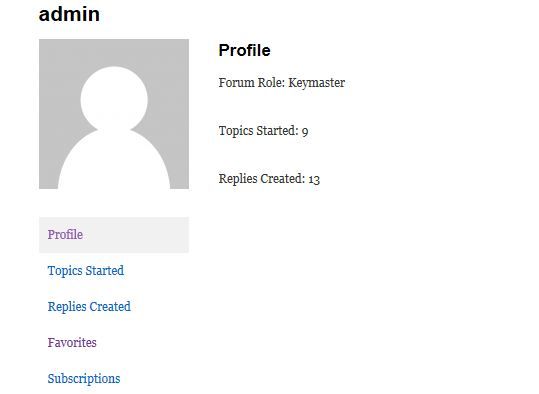
How do I tweak this to display other info that the user has entered, such as location, name, etc.?
There’s lots of talk on the fourm about adding extra fields to registration or removing things such as URLS, but this seems to assume that people are seeing much more than I am on the profle page !
Help with what files to edit, or just what i need to do would be much appreciated !
Good version, but it break some tiny things in posting unfiltered HTML and codes snippets, I wish to see bbPress 2.3.2 soon 🙂
I wonder why you didn’t give us some time to test Changeset 4867 ?!
I’m having this problem as well. I want to use the BBPress breadcrumb on Forum pages, and Yoast everywhere else, but I can’t get the bbpress crums to work unless i disable it completely.
found the problem… All in One Seo Pack, is the problem, disabling this plugin bbPress work ok without problem.
Opened a support topic on plugin’s wporg forum
I like bbPress it’s awesome. Like most open source software I like to get stuck in and break stuff then fix it, you learn a loads from doing that.
I agree phpbb and some others are easier options in certain areas, but the integration with wordpress is amazing.
Good luck with your forums 🙂
another problem, if i try to reply to any topic i see the massage “Don’t have the permission to do that”
i’ve disabled and reactivated the bbPress plugin and now if i try to access the about, configuration etc i see the page with “you need autorization to access this page” i’m the administrator role on WP… and Keymaster on bbPress.
WP 3.5.1 – BP 1.7 and bbPress 2.3.1
how can i fix this?
– bbPress 2.3.1 – WP 3.5.1 – Buddypress 1.7 –
When you change the FORUM ROLE any user via forum, then in the WordPress administration is forum rule unchanged, even though the user already has rights moderator or administrator. Can you change the forum role of the user via WordPress administration or not?
I tried to change the user role of the participant to moderator in the WordPress administration and nothing happened. I tried to change the role through the forum and role has changed, but the administration remained WordPress original role. Is this normal?
@Sambora5150 yeah i use phpbb for my standalone forum but wanted somthin i could integrate in my blog and thought bbpress would be the best, wrong, lol theirs no support here, at phpbb they always answer within like 6 hrs.
@jason102178 totally agree i have been using bbpress for a while…finally moved to a real forum… simplepress…


