I’m sorry but I don’t understand what you mean.
What shortcodes – where?
You will need to either provide examples or explain further.
Sorry, but I am trying to help you, but there are hundreds of ways to set up wordpress/bbpress so need clear issues to resolve eg it looks like this, it needs to look like this
Not sure what you questions is, but maybe the answer is
https://wordpress.org/plugins/bbp-last-post/
Hi all,
I need help for programming a little feature for my forum.
I’m willing to pay some money, after a more detailed discussion of price.
But this should be somewhat “easy” for a programmer used to bbpress/wordpress, as most code already exists.
If interested:
Please, have a look at this page:
https://www.tradingview.com/widget
(They supply this for free by the way)
Look at the top widget/stock chart, and look at the code supplied on the same page underneath the chart.
Also notice how you can enter the stock-symbol of choice, in the top left corner of the chart, to search in Teamviewers own database, to load a new chart.
NOTE: This method (from the user interface) does apparently NOT change the “SYMBOL” in the code, as seen on the page above.
– For the “widget” to show another symbol by default, you’ll have to enter it and click “Apply” on the left side, to update the code with a new default SYMBOL.
Please try it out, to have a feeling how it works.
Now my questions:
Q1:
Is it possible to embed this script, in the text-area for bbpress, and run its output “live” when a user edits a new post?
It could be called and embedded into the text area, by clicking a “check-button” labeled “Graf” (‘Chart’ in Danish).
(And removed again unchecking this button – of course)
Q2:
Is it possible for the user, to enter directly on the user interface of the widget, a new symbol, and post it (correct chart) together with the topic?
It would maybe require that the Post-button would need to update the “SYMBOL”-line in the script code, with the symbol the user have chosen and fetched from Tradingviews database, while also posting it all…Like you would do with an WYSIWYG editor
I hope I made myself somewhat understandable 🙂
Thanks in advance !
Best regards,
Martin L. Hansen – Denmark.
I believe that wordpress support forums use bbpress, how can I add this “Add New” button to my bbpress forum
they do , the bbpress standalone version
suprisingly this button is not in here.
wordpress.org use a customized version of bbPress just like this site ooes
you can try something like this
<?php if ( bbp_is_single_topic() ) : ?>

<?php if ( is_user_logged_in() ) : ?>
<a class="bbp-new-reply-button" href="#new-post">New Reply</a><li>
<?php endif; ?>

<?php endif; ?>
place the code in loop-replies.php above the <li class="bbp-header">
you can style the link like so with some CSS , place wherever you place custom CSS
.bbp-new-reply-button {
    background:black;
    color:#fff;
    text-transform:uppercase;
    text-decoration:none;
}
bbPress doesnt render shortcodes
you will need to use a plugin like this
https://wordpress.org/plugins/bbpress-do-short-codes/
Note: by default, only users with the ability to publish bbPress forums will have their short codes parsed. This can be changed by passing a different capability via the pw_bbp_parse_shortcodes_cap filter.
so by this note keymasters/moderators for sure can post shortcodes.
this plugin does this type of thing but you have to manually configure that part
https://wordpress.org/plugins/bbpress-go-to-first-unread-post/changelog/
you would have to copy the bbPress Recent Topics widget edit it/rename it and change where it renders the topic title to gtf_topic_title()
we´re finding bbpress so incredibly frustrating, no private messages, no way to tell users if x post has unread replies (I mean, really!? how is a user supposed to use it regularly!?)
sorry about your experience so far, there is alot of unread posts plugins that do unread posts quite differently in each one.
search google for these.
bbPress – Pencil Unread
bbPress Unread Posts
bbPress New Topics
bbPress Go To First Unread Post
bbPress – Mark as Read
bbPress – Thread Catch-Up
and as for private messages their are a bunch of WordPress plugins that do that also. 1 for sure is BuddyPress which is made by the same developer as bbPress.
check out this topic for other examples besides BuddyPress’ private messages feature. https://bbpress.org/forums/topic/private-messages-not-with-buddy-press/
if you have any other issues with bbPress please make a new topic and the support will try to handle it as soon as possible.
Hi Robk,
I understand but you know it´s supposed to be pretty much the official wordpress forum solution and it we made the leap from joomla to wordpress and the forum was a main pilar of our site and we´re finding bbpress so incrediby fustrating, no primate messages, no way to tell users if x post has unread replies (I mean, really!? how is a user supposed to use it regularily!?) and it´s just ridicolous, I´m sure bbpress has many good features but… so far it´s just useless to us and we have no special needs, just a conventional, everyday forum with conventional everyday features.
As for the converter, for whoever finds this post, I found no solution for Kunena 2 converter. Only solution was to update the joomla forum to Kunena 3 and then run the Kunena 3 converter/importer and that seemed to work.
In bbpress, Video player not showing.
I tried both Jwplayer & flowplayer and wordpress core player.
But none of this show the player, just the code.
but in other page, it works well.
Would you help me?
http://www.fcy.me/forums/topic/20-acoustic-rock-lick-01/
hello,
I believe that wordpress support forums use bbpress, how can I add this “Add New” button to my bbpress forum
http://screenshot.co/#!/25c3f78a68
suprisingly this button is not in here.
thank you,
siddardha.
ive found this https://wp-push.com/extension/pushover-notifications-for-bbpress/ its a good 16 bucks in US.
it says it sends notifications to your phone if you have the pushover app (also paid $5 maybe??)
if you want to create an app out of your WordPress/bbPress site i think this service would work apppresser.com/
there might be other ways too , maybe hooking into the official WordPress app but im not sure, this might need some custom development and you would need to hire a developer.
if you have WordPress all set up and also downloaded and activated bbPress.
then follow this article and see if it helps.
https://codex.bbpress.org/getting-started-with-bbpress/
if you want more explained articles on how to set up your forums
there is a step by step 5 part guide on how to setup bbPress
in codex.bbpress.org/
still have issues then please reply back
Spending whole day to figure out the solution of this issue, congrats to @korobochkin for solving this problem.
Since I’s with WordPress 4.1 and seems it’s have mature multiple sites support, when greping keywords , only these popup, none in the wp-signup.php files.
grep wp_signup_location * -r
wp-admin/includes/ms.php:				$sign_up_url = apply_filters( 'wp_signup_location', network_site_url( 'wp-signup.php' ) );
wp-includes/canonical.php:				$redirect_url = apply_filters( 'wp_signup_location', network_site_url( 'wp-signup.php' ) );
wp-login.php:		wp_redirect( apply_filters( 'wp_signup_location', network_site_url( 'wp-signup.php' ) ) );
Can you put your code for wp-signup.php page-activate.php at https://gist.github.com/ and give a link here?
Hello friendly webpeople,
So I’m fairly new to the website creating world (go me) and thanks to GoDaddy’s website builder, I actually have something pretty nice. One of the things I wanted to do was add a forum. Talking with the GD tech support people, they suggested getting wordpress (hosted through them) and then downloading the bbPress plugin, and easy-as-pie – NOW YOU HAVE A MESSAGE BOARD!
But that’s where they left me.
I’ve been trying for hours to figure out how you go from the dashboard, which is basically a blogger UI, to turning it into a message board. For years, I was an admin for a little board we all ran, but it was a YaBB board and everything I had to do, I did from the admin panel.
Is there a simple way to make this plugin look and behave like a message board?
Please help this poor little sheep.
Your pal,
Sam
erm, yes, pretty much everything web relate, but not the language itself ‘PHP’. Also not an expert with wordpress. Just asking to get step by step as I’ve seen answers here with just code, without explaining where to insert it.
ok, so how tech savvy are you do you know
1. how to create a notepad/notepad++ file and copy/paste code into it?
2. FTP this to your wordpress site?
Come back and let me know
bbpress uses custom post types of Forums, Topics, and Replies.
Just use one of the many export plugins.
I googled ‘wordpress export custom post types to excel’ and got lots of useful looking plugins
Hello, I’m new to wordpress and bbPress and I’m trying to find an option to close topics after a some time, for example, after 2 days the topic was created.
How may I do this? Do I have to edit the code? If so, can someone explain step by step, as I have never worked with PHP before.
Thanks.
Hey no problem, glad you’re fixed
I suspect that the plugin author would be better to sort you with tablepress eg
https://wordpress.org/support/plugin/tablepress
but you may hot the catch 22 that editing is in the backend and you need to disable this for the forums !
This isn’t showing as a wordpress site, and the post is not a bbpress one.
In any event, this will either be a server, email or wordress theme issue. Talk to your host provider who is most able to help you.
Hello, and happy new year
After almost 2 year from your proposal to switch to bbpress, and YES we changed to bbpress.
Greek translation is almost 100%, few more strings
WordPress Greece, now uses bbpress
ok fro for each menu item
1. create a wordpress page
2. put the shortcode for that subforum in it
3. publish
4. add to menu or sub menu
then no, bbpress only works with wordpress
Hi,
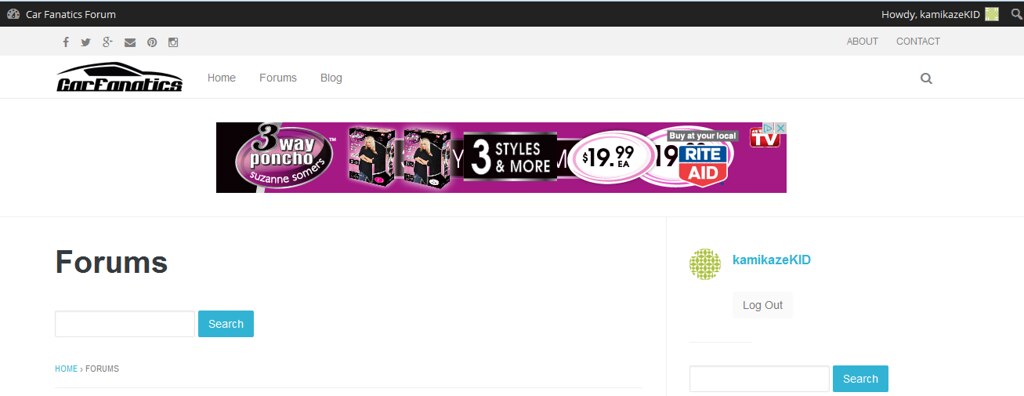
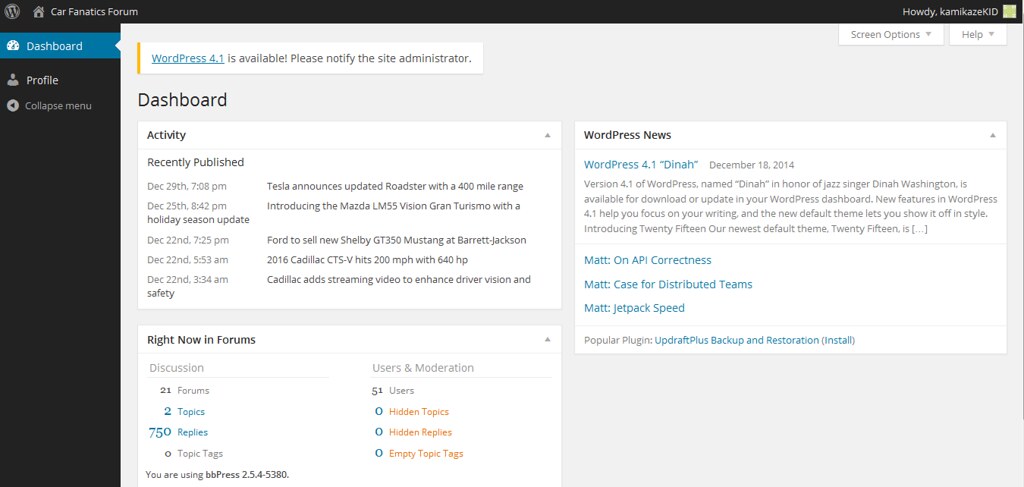
I am wondering why – when logged in – a participant is able to see the WP dashboard? Not the admin one but still the dashboard? Is there a setting I need to change?
Here is a screen shot of a participants page: