i think that is the easiest way.
it might be as easy as just replacing loop-forums.php in lynqs phpbb theme, but i havent tested it.
i suggest you test it out on localhost by using wamp (windows), lamp (linux), mamp (mac), or xamp (all).
or just make sure you download your original with ftp or your hosts file manager, then put it back if it doesnt work.
Good day, I am running the latest versions of WordPress and bbPress and would appreciate some assistance with getting my forum’s sub pages full width. I am using Elegant Themes’s Divi theme.
So I can choose to have the main Forum page full with by checking that in the page settins – http://secularsociety.co.za/forum/ but as soon as you go to one of the forum’s sub pages it resizes it back to a page that has a sidebar – http://secularsociety.co.za/forum/topic/ask-an-atheist/. I’ve read and tried a bunch of things without any luck. I am also not a css master, but I am willing to try anything.
Thank you for your time.
Bertus
Only after updating to the latest version of BBPress did I start receiving subscription email notifications.
The problem is, somewhere, at some point, I set the reply email address to one which doesn’t really exist so every time someone leaves a post in which they’re subscribed to I’m getting this email seconds after it:
Delivery to the following recipient failed permanently:
noreply@domain.com
Technical details of permanent failure:
DNS Error: Domain name not found
I simply can’t find where I have to go to change this email address so that my inbox isn’t flooded with this delivery error notifications.
Any help is appreciated.
bbPress is tested with wordpress default themes. It maybe a conflict – you need to check plugins and themes
It could be a theme or plugin issue
Plugins
Deactivate all but bbpress and see if this fixes. if it does, re-enable one at a time to see which is causing the error.
Themes
If plugins don’t pinpoint the problem, as a test switch to a default theme such as twentytwelve, and see if this fixes.
bbPress is tested with wordpress default themes. It maybe a conflict – you need to check plugins and themes
It could be a theme or plugin issue
Plugins
Deactivate all but bbpress and see if this fixes. if it does, re-enable one at a time to see which is causing the error.
Themes
If plugins don’t pinpoint the problem, as a test switch to a default theme such as twentytwelve, and see if this fixes.
I installed bbpress with wordpres on my localhost for testing purposes. I created a new account to to test posting status for the user.
But each time i want to post on the forum i get
“ERROR: Are you sure you wanted to do that?”
some should pls help out i need to get it done sonnest
Thanks
Hi Stephen,
Been working on other stuff on the site and told the wife to start cleaning the old forum. Kill all the ancient history.
I was able to do a successful trial conversion last weekend. Took roughly 9 hours to complete 600k of records. I tried to process more records per tranche but that didn’t seem to work. The process seems to hang in the step where the forum hierarchy is determined. Going back to 10,000 records and delay time 0 worked out ok. When I do another test run, I will try to keep track of more details.
Another thing I found out the hard way, is to kill all addons before doing a conversion. Makes sense, but stupidly enough I didn’t think of it. Perhaps something to put into your manual for conversions.
I am now ironing out the iffy things to get various plugins running smoothly with bbPress: UserPro, bbPress toolbox, a little ‘like’ addon and a little addon for polls.
Will keep you posted 😉
Hi Robin
Thanks for getting back, I have done as you suggested however it didnt work – if you look at http://chill4uscarers.co.uk/forumtest/ you can see what I mean
Hi,
I have recently installed bbpress and I am using this theme – http://fthemes.com/onlinemagazine-free-wordpress-theme/ it is installed here -http://chill4uscarers.co.uk/ the theme works well for the front end , but on the forum as shown here http://chill4uscarers.co.uk/forumtest/ it doesn’t as it wants 2 sidebars and I only want to show one that is the bbpress sidebar with the widgets.
I have got installed bbPress WP Tweaks so I really want to know how to make the one of the forums php work with only one sidebar that is only the bbpress one.
Many thanks in advance.
Ross
It could be a theme or plugin issue
Plugins
Deactivate all but bbpress and see if this fixes. if it does, re-enable one at a time to see which is causing the error.
Themes
If plugins don’t pinpoint the problem, as a test switch to a default theme such as twentytwelve, and see if this fixes.
Hello
The url of the page displays in the meta title only on the bbpress forum for the profile, search and tag pages.
Example of the url showing on meta title :
http://www.example.com/forums/user/admin/
http://www.example.com/forums/user/topics/
http://www.example.com/forums/user/replies/
http://www.example.com/forums/user/favorites/
http://www.example.com/forums/user/subscriptions/
http://www.example.com/forums/user/edit/
http://www.example.com/forums/topic-tag/test4/
http://www.example.com/forums/search/test7/
I have this issue when the plugin Yoast WordPress SEO is activated but I dont know how to fix this…
I cannot find where to modify that I dont have this issue with others bbpress pages.
Thanks in advance
Hi,
When I view my website Test1 on a mobile device my primary and secondary asides appear below the content on a page- the standard way websites are viewed on mobile devices. On the bbPress forum pages on my website, the secondary aside intermittently drops down and is no longer lined up next to the primary aside. This only happens on the bbpress forum pages on my website. I does not happen on the other pages on my website.
I say intermittently because I can view a bbPress forum page on a mobile device and the secondary aside is lined up next to the primary aside- it has not dropped down, and then another time view the same bbPress forum page (on the same mobile device) and it is not lined up next to the primary aside- it has dropped down.
Any help with this would be appreciated.
Thank you for your time
Jerry
Assistance required please.
I installed bbpress and created a forum and a sample topic.
I made sure that this was set: “Allow users to subscribe to forums and topics”
The “Subscribe” link was visible next to the forum & topic.
I did a test and turned off “Allow users ….” and the link disappears (which is good).
I clicked on the “Subscribe” link and it became an “Unsubscribe” link (which is good), but when new topics/replies were made no email notifications came through.
I verified that WordPress is sending emails – so it’s not that.
What else do I need to do?
Do I need to provide any further information about my setup?
I would appreciate a step by step tutorial of how to go about setting up what I describe above. I want users to be able to select which forums and topics they subscribe to.
@pooledge Oh! That is not good and would most likely be the cause 🙁
I just created a user Вук Стефановић Караџић (WikiPedia: Vuk Stefanović Karadžić) and indeed the user was not imported.
A quick look around and all we need to do is sanitize the username, I’ll look to add this to bbPress Core in a future release, probably quite a few bits of testing for other language scripts.
For now though install and activate @SergeyBiryukov‘s Allow Cyrillic Usernames WordPress plugin and these will import perfectly. 🙂
Also added this to our codex https://codex.bbpress.org/import-forums/import-troubleshooting/#cyrillic-usernames
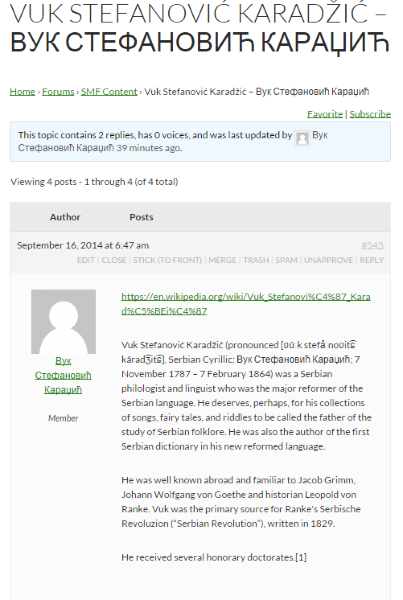
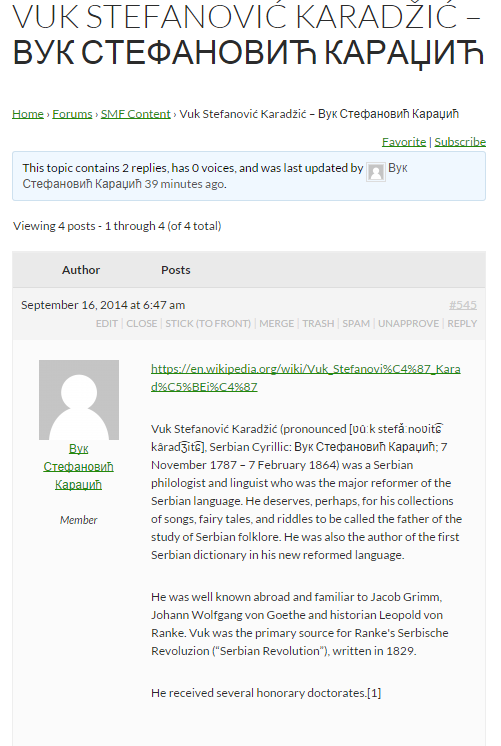
хаве а нице даи 🙂
Edit: This plugin is a slightly improved version allowing with better support for Cyrillic and Arabic usernames in WordPress.
I personally have no experience of multisite, but most times when this doesn’t work on single site, it is a plugin conflict.
Plugins
Deactivate all but bbpress and see if this fixes. if it does, re-enable one at a time to see which is causing the error.
Themes
If plugins don’t pinpoint the problem, as a test switch to a default theme such as twentytwelve, and see if this fixes.
Suspect that won’t help, but in case, and since no-one else has responded 🙂
Hi Stephen,
You are all over this forum!
I am running into this issue. I tried the repair but posts from the hidden forums still show under recent posts.
I am using the Community Junction bbpress theme. I will contact the creator to try to hack it but I believe that even the post titles should not be accessible if set to hidden and user is not logged in.
Let me know if you want me to run any tests. Thanks!
I installed bbpress on my localhost for testing purposes
But each time i want to post on the forum i get
ERROR: Are you sure you wanted to do that?
some should pls help out
I just installed BBpress on my local server for testing purposes
I created a user so that i can test it out, but each time i want to submit the post i get response like this “ERROR: Are you sure you wanted to do that?”
i dont how to fix this cos i need to show the sample to someone tomorrow
Thanks
@mlduclos See https://codex.bbpress.org/import-forums/import-troubleshooting/ for troubleshooting rows not imported, I haven’t ever tested a ‘Non English” import but I expect it should work just fine 🙂
@pooledge Thanks and that is weird, do any of the imported user names have a prefix imported_ e.g. imported_pooledge? If so you’ll need to make sure you also delete any existing imported users before you try reimporting again otherwise the user ID’s will not match the imported posts.
If they don’t have the imported_ prefix is there any common reason as to why some usernames are not imported? Do the users that are not imported have special characters, hyphens, whitespace in their username or anything else in common with each other, maybe they were all moderators or a different role on your SMF forum.
well i havent tested the plugin at all yet
but it might take a little time, for the related topics to show up .
you might need a certain number of topics before it will show up.
configuration on your side is wrong.
or you might not even need that yarpp for bbpress plugin maybe yarrp just does it by itself now.
but i can bring up a recent example to show that for sure
Halo 2 anniversary edition & Halo 5 beta
at the bottom of this topic there is related topics and they are for sure powered by yarpp related posts widget
It could be a theme or plugin issue
Plugins
Deactivate all but bbpress and see if this fixes. if it does, re-enable one at a time to see which is causing the error.
Themes
If plugins don’t pinpoint the problem, as a test switch to a default theme such as twentytwelve, and see if this fixes.
Then come back and report
I’m sitting here on a beautiful sunny afternoon in Melbourne typing this on my iPad…
The above was line # 1, this would be line #3,
line #4,
line #5
line #7
line #9
line #10,
line #11,
line #12,
line #13,
line #14,
This “should” work fine and I’ve not heard of this before, can you test this with a WordPress default theme or two, Twenty Fourteen and Twenty Thirteen, I expect this to be a theme issue with whatever theme your using rather than a bbPress issue.
It could be a theme or plugin issue
Plugins
Deactivate all but bbpress and see if this fixes. if it does, re-enable one at a time to see which is causing the error.
Themes
If plugins don’t pinpoint the problem, as a test switch to a default theme such as twentytwelve, and see if this fixes.
To add to the above post, I just default theme and bbpress, buddypress plugins and bbp BuddyPress profile information except with the testing and the issue continues. I did not test the plug-first rule, because it did not want to rule out any conflicts.
the-common-app.blogspot.com


