Search Results for 'code'
-
Search Results
-
Topic: Is it safe?
Hello, I will add the code add_post_type_support (‘topic’, ‘thumbnail’) to the functions file; is it safe if guests can post and post topics on my forum?
Guests will not have access to add images on the site? Because they can now post topics and write answers
WP 5.2.5
Theme Enfold 4.5.7
bbPress 2.6.3
http://www.infogovsolutions.comForum roles are added by site admin for access to private forums. Users with participant role get the 404 “Oh, bother” message when they try to log into page containing short code : [bbpress forum-index]. I have tested with all other roles and they access the forums as expected. This issue has been identified with new participants being added to the forums. I am not sure if all prior participants are experiencing the same issue. Any help would be appreciated. Thanks.
Hi All,
Is there a way to re-direct users that are logged in and land on the bbpress home location e.g /chat/ and re-direct them to a specific forum.
E.g, logged in users visits mysite.com/chat, and it redirects them to mysite.com/chat/forum/support.
i am using the code below found in the bbpress forums which re-directs guest to another page. It works great.
/** * Redirect bbPress pages to registration page */ function kleo_page_template_redirect() { //if not logged in and on a bp page except registration or activation if( ! is_user_logged_in() && is_bbpress() ) { wp_redirect( home_url( '/register/' ) ); exit(); } } add_action( 'template_redirect', 'kleo_page_template_redirect' );Hi All,
I am seeking a way to hide/disable the “Insert Link Button” for users in bbpress when creating a post.
Does anyone have a code snippet for this, or know of a way to achieve this?
Thank you
David
Hi
Can anyone please help with with the right css code to use to hide the ‘website’ field for guest users who want to reply.
Thanks,
Hi,
I’m creating a forum with bbPress in which I want to run only a forum/”room”, showing all the topics in the front page. I achieved that in settings, selecting that the forum root should show most recent topics.
On the front page, however, I wish any user could post new topics straight from a form. So, I opened
content-archive-topics.phpand add this line of code right after the topics’ loop:<?php bbp_get_template_part( 'form', 'topic' ); ?>It worked like a charm, except only for admins. Participants (the role) are shown a message saying they aren’t allowed to post topics. On the other hand, when a participant enter the (only) forum page, the form appears working below the topics.
Any idea about how to fix this?
Topic: Code example window
Please look here:
I would like to find a replicating the code snippets like on my posts in BBPress and have not found a solution.
Custom Field doesn’t work with bbpress 2.6 and above
I use custom fields for bbpress topics.
I tried to turn off all plugins and change the theme to default but always receive next javascript error in the console:load-scripts.php?c=0&load[chunk_0]=jquery-core,jquery-migrate,utils,suggest,jquery-ui-core,jquery-ui-widget,jquery-ui-mouse&ver=5.3.1:4 POST https://test.3d-kstudio.com/wp-admin/admin-ajax.php 400 send @ load-scripts.php?c=0&load[chunk_0]=jquery-core,jquery-migrate,utils,suggest,jquery-ui-core,jquery-ui-widget,jquery-ui-mouse&ver=5.3.1:4 ajax @ load-scripts.php?c=0&load[chunk_0]=jquery-core,jquery-migrate,utils,suggest,jquery-ui-core,jquery-ui-widget,jquery-ui-mouse&ver=5.3.1:4 ajaxAdd @ load-scripts.php?c=0&load[chunk_0]=hoverIntent,common,hoverintent-js,admin-bar,wp-ajax-response,jquery-color,wp-lists,jquery-ui-sortable,postbox,jquery-ui-position&load[chunk_1]=,jquery-ui-menu,jquery-ui-autocomplete,tags-suggest,tags-box,word-count,wp-sanitize,post,editor-expand,thickbox,shortcode,backbo&load[chunk_2]=ne,wp-util,wp-backbone,media-models,wp-plupload&ver=5.3.1:9 i.wpList.<computed> @ load-scripts.php?c=0&load[chunk_0]=hoverIntent,common,hoverintent-js,admin-bar,wp-ajax-response,jquery-color,wp-lists,jquery-ui-sortable,postbox,jquery-ui-position&load[chunk_1]=,jquery-ui-menu,jquery-ui-autocomplete,tags-suggest,tags-box,word-count,wp-sanitize,post,editor-expand,thickbox,shortcode,backbo&load[chunk_2]=ne,wp-util,wp-backbone,media-models,wp-plupload&ver=5.3.1:9 (anonymous) @ load-scripts.php?c=0&load[chunk_0]=hoverIntent,common,hoverintent-js,admin-bar,wp-ajax-response,jquery-color,wp-lists,jquery-ui-sortable,postbox,jquery-ui-position&load[chunk_1]=,jquery-ui-menu,jquery-ui-autocomplete,tags-suggest,tags-box,word-count,wp-sanitize,post,editor-expand,thickbox,shortcode,backbo&load[chunk_2]=ne,wp-util,wp-backbone,media-models,wp-plupload&ver=5.3.1:9 dispatch @ load-scripts.php?c=0&load[chunk_0]=jquery-core,jquery-migrate,utils,suggest,jquery-ui-core,jquery-ui-widget,jquery-ui-mouse&ver=5.3.1:3 r.handle @ load-scripts.php?c=0&load[chunk_0]=jquery-core,jquery-migrate,utils,suggest,jquery-ui-core,jquery-ui-widget,jquery-ui-mouse&ver=5.3.1:3PS. For getting the error the topic must be saved.
Hi,
Can we know how to create bb shortcode to hide portion content (text or URL) in the post or replies?
for example, only logged-in users can view some content/URL in the post/replies.
I saw lots articles to make this work in WordPress post, but could not find for Bbpress.
Please help.
thanks
I have the GD Power Search plugin installed and raised a query here:
https://wordpress.org/support/topic/searching-is-broken/
They stated:
The bbPress search requires to have the search term/keyword present. As a workaround, right now, you can set the keyword to minus sign: -.But I find that even that is not working on my site.
What are the expected rules for performing searches? With this extra form I can seach by author or tag etc but doesn’t seem quite right.
Topic: errors after updating 2.6.3
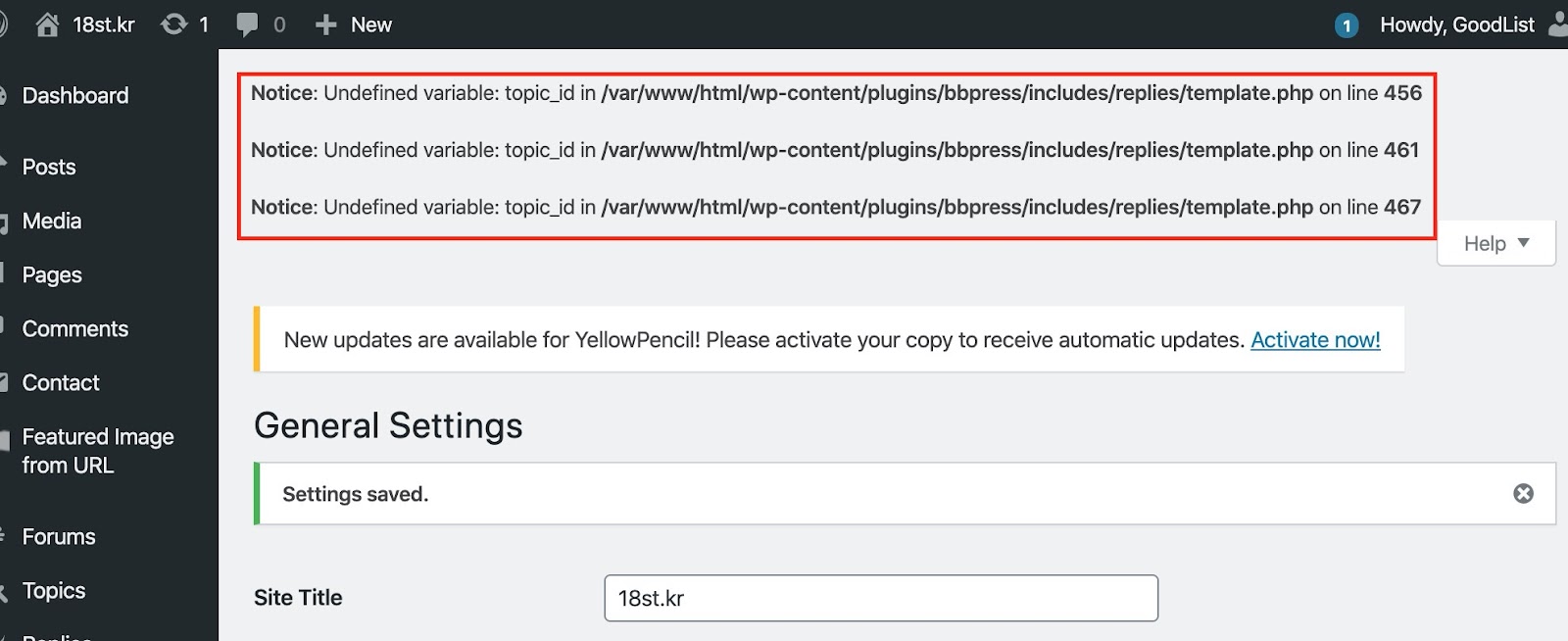
After updating 2.6.3, the following error occurs.
Notice: Undefined variable: topic_id in E:\xampp-2\htdocs\test\wp2\wp-content\plugins\bbpress\includes\replies\template.php on line 456

Notice: Undefined variable: topic_id in E:\xampp-2\htdocs\test\wp2\wp-content\plugins\bbpress\includes\replies\template.php on line 461

Notice: Undefined variable: topic_id in E:\xampp-2\htdocs\test\wp2\wp-content\plugins\bbpress\includes\replies\template.php on line 467
wordpress
config.php setting
define( ‘WP_DEBUG’, true );Hello,
Is there any function or something for the nickname field to take data from username field and possible to save the profile? I’ve tried everything but I can’t do it.
I don’t want users to be able to change their name at all times, but only administrators will be able to change it through the dashboard.I am editing bbpress form-user-edit.php in my child-theme. But still got only ERROR: Please enter a nickname.
		<div>
			<label for="first_name"><?php esc_html_e( 'First Name', 'bbpress' ) ?></label>
			<input type="text" name="first_name" id="first_name" value="<?php bbp_displayed_user_field( 'first_name', 'edit' ); ?>" class="regular-text" />
		</div>

		<div>
			<label for="last_name"><?php esc_html_e( 'Last Name', 'bbpress' ) ?></label>
			<input type="text" name="last_name" id="last_name" value="<?php bbp_displayed_user_field( 'last_name', 'edit' ); ?>" class="regular-text" />
		</div>

		<div>
			<input type="hidden" name="nickname" id="nickname" value="<?php echo esc_attr( $profileuser->user_login ); ?>" disabled="disabled" class="regular-text" />
		</div>
Thank you.
beat