Search Results for 'code'
-
Search Results
-
Topic: view topic prior to submit
Is it possible let users view their newly created topic prior to ‘submit’ it live? is there a plugin or a code to add to it? Thanks.
Hi friends-
I’ve been using iframes to embed pages on my blog from time to time and not only do I not love the look, but I’ve recently noticed some conversations about some sites having objections to this application.
Does anyone know if there’s code I can use on my WP blog that looks like the FB page links, where it shows a relevant image from the page and the article headline?
Just to be clear, this is for use on my WP bbPress blog, using an OptimizePress theme – not for a Facebook page… I asked on another forum and had no luck.
Thanks in advance – grateful for your wisdom and experience!
Matthew
Topic: Change the color of the link
Hello,
How to change the color of stranded author (the freshness)
or give advice in the code below to insert a color somewhere?
<span class="bbp-topic-freshness-author"><?php bbp_author_link( array( 'post_id' => bbp_get_forum_last_active_id(), 'size' => 14 ) ); ?></span>Please help.
Sorry for my bad english
Topic: Change the color of the link
Hello,
How to change the color of stranded author (the freshness)
or give advice in the code below to insert a color somewhere?
`<span class=”bbp-topic-freshness-author”><?php bbp_author_link( array( ‘post_id’ => bbp_get_forum_last_active_id(), ‘size’ => 14 ) ); ?></span>
Please help.
Sorry for my bad english
I want to keep site members who are spectators from seeing private forums (normally visible to anyone logged in. Participants should be able to see and post to private forums.
I suspect this will require a very small amount of code, so I don’t want to use an overkill plugin. I’ve been searching for 2 days to find a plugin that can do this and I’ve failed miserably.
Would some kind guru help me to code this?
Hi everyone, this is my first time posting, and I really dig BBPress so far.
I’m running WP v3.8.1 with BBPress 2.5.3. I’ve encountered a problem when converting a custom MYSQL database into BBPress. I have successfully exported a Lotus Notes / Domino DB (yes, it still exists…) into a simple MySQL DB containing just 3 tables.
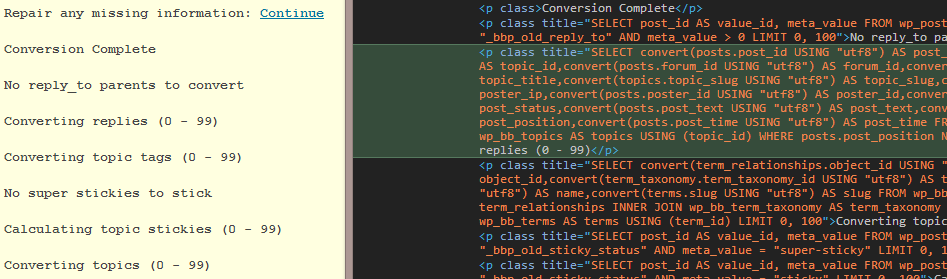
After a “successful” conversion (of over 35K forums, topics and replies) into BBPress, I can see all of the Forums, Topics, and Replies listed in the BBPress Admin panel. However, there seems to be issues with the Foreign Keys being imported/linked, even though I have double and triple checked the
forum_id,topic_idvalues for the Topics->Forums and Replies->Topics relationships within the Example.php converter included with BBPress. All data has been properly formatted into WordPress friendly values (dates, slugs, etc..) before importing into MySQL.In the admin panel, under Forums, it lists all forums in their hierarchical order, as expected. It also lists the topic and reply counts, date, and creator next to each parent / child forum. However, under “Freshness” is says “No Topics”. The Topics Admin page is even more intriguing; it lists all of the Topic Titles, the Forum title which that topic is assigned to (!), reply count, author, creation date, and freshness. Browsing to the Replies Admin page lists all reply titles, author, and creation date, however under Forum it says “No Forum” and under Topic it says “No Topic”.
When you browse to the forums (mysite.local/forums/forum/the-forum), the forum title and child-forums are displayed, along with topic and reply counts for each child. However, under “Freshness”, it says “No Topics”. When I browse to a child forum, it lists the topic and reply counts, however it says “No Topics were found”.
When I browse to a topic (mysite.local/forums/topic/the-topic), I see the date, title, content, and reply count. However, there are no replies listed.
When I browse to a reply (by clicking “View” under the reply listed in the Admin Replies page), it directs me to http://mysite.dev/wp-admin/edit.php?post_type=reply/#post-######, saying “Invalid Post Type”.
I figured this would be rather straightforward, since I am not importing Users or Tags. Eventually I would like all authors to be “Archived Author”, should I try to tackle this now or after a fully successful import?
I can supply screen shots, converter output (which really says nothing unexpected), or the full source code for the converter if needed. I’ve included my table structure and simplified converter code for reference.
I hope that someone with a bit more experience converting forums for BBPress will be able to shed some light on this, my forehead is really starting to hurt from banging my head against the wall. It seems there is very limited information out there on this converter. Any and all help is greatly appreciated!
My tables to import/convert are laid out as follows:
forums table {
  forum_id  PRIMARY KEY INT(11)
  title
  slug
  parent_id (Self referencing FK)
  last_mod (DATETIME)
  num_topics
  num_replies
}
topics table {
  topic_id PRIMARY KEY INT(11)
  parent_id FK (set to 0 for no parent)
  forum_id FK (matches corresponding <code>forums</code>.forum_id)
  subject (title)
  slug (slug of title)
  body (the post content)
  from
  date
  date_gmt
  num_replies
}
replies table {
  reply_id PRIMARY KEY INT(11)
  topic_id FK INT(11) (matches corresponding <code>topics</code>.topic_id)
  forum_id FK INT (11) (matches corresponding <code>forums</code>.forum_id)
  date
  date_gmt
  subject
  body
}
And now, here’s the converter I’m using (starting at the Forum section Line#26 of /plugins/bbpress/includes/admin/converters/Example.php). I’ve removed commented lines for brevity.
/** Forum Section *****************************************************/

		// Setup table joins for the forum section at the base of this section

		 // Forum id (Stored in postmeta)
		$this->field_map[] = array(
			 'from_tablename'  => 'forums',
			 'from_fieldname'  => 'forum_id',
			 'to_type'         => 'forum',
			 'to_fieldname'    => '_bbp_forum_id'
		);

		// Forum parent id (If no parent, then 0. Stored in postmeta)
 		$this->field_map[] = array(
			'from_tablename'  => 'forums',
			'from_fieldname'  => 'parent_id',
			'to_type'         => 'forum',
			'to_fieldname'    => '_bbp_forum_parent_id'
		 );

 		// Forum topic count (Stored in postmeta)
 		$this->field_map[] = array(
			 'from_tablename' => 'forums',
			'from_fieldname' => 'num_topics',
			'to_type'        => 'forum',
			'to_fieldname'   => '_bbp_topic_count'
		 );

		 // Forum reply count (Stored in postmeta)
		$this->field_map[] = array(
			'from_tablename' => 'forums',
 			'from_fieldname' => 'num_replies',
 			'to_type'        => 'forum',
			'to_fieldname'   => '_bbp_reply_count'
		 );

 		// Forum total topic count (Stored in postmeta)
		$this->field_map[] = array(
			' from_tablename' => 'forums',
			'from_fieldname' => 'num_topics',
			'to_type'        => 'forum',
			'to_fieldname'   => '_bbp_total_topic_count'
		 );

		 // Forum total reply count (Stored in postmeta)
		$this->field_map[] = array(
			 'from_tablename' => 'forums',
			 'from_fieldname' => 'num_replies',
			 'to_type'        => 'forum',
			 'to_fieldname'   => '_bbp_total_reply_count'
		 );

		 // Forum title.
		$this->field_map[] = array(
			'from_tablename'  => 'forums',
			'from_fieldname'  => 'title',
			'to_type'         => 'forum',
			'to_fieldname'    => 'post_title'
		 );

		 // Forum slug (Clean name to avoid confilcts)
		$this->field_map[] = array(
			'from_tablename'  => 'forums',
			'from_fieldname'  => 'slug',
			'to_type'         => 'forum',
 			'to_fieldname'    => 'post_name'
 		);

		 // Forum dates.
		 $this->field_map[] = array(
			 'to_type'         => 'forum',
			'to_fieldname'    => 'post_date',
			 'default' => date('Y-m-d H:i:s')
 		);
		 $this->field_map[] = array(
			 'to_type'         => 'forum',
			 'to_fieldname'    => 'post_date_gmt',
			 'default' => date('Y-m-d H:i:s')
		 );
		 $this->field_map[] = array(
			 'to_type'         => 'forum',
			 'to_fieldname'    => 'post_modified',
			 'default' => date('Y-m-d H:i:s')
 		);
		 $this->field_map[] = array(
			'to_type'         => 'forum',
			'to_fieldname'    => 'post_modified_gmt',
			'default' => date('Y-m-d H:i:s')
		);
/** Topic Section *****************************************************/ // Setup table joins for the topic section at the base of this section // Topic id (Stored in postmeta) $this->field_map[] = array( 'from_tablename' => 'topics', 'from_fieldname' => 'topic_id', 'to_type' => 'topic', 'to_fieldname' => '_bbp_topic_id' ); // Topic reply count (Stored in postmeta) $this->field_map[] = array( 'from_tablename' => 'topics', 'from_fieldname' => 'num_replies', 'to_type' => 'topic', 'to_fieldname' => '_bbp_reply_count' ); // Topic total reply count (Stored in postmeta) $this->field_map[] = array( 'from_tablename' => 'topics', 'from_fieldname' => 'num_replies', 'to_type' => 'topic', 'to_fieldname' => '_bbp_total_reply_count' ); // Topic parent forum id (If no parent, then 0. Stored in postmeta) $this->field_map[] = array( 'from_tablename' => 'topics', 'from_fieldname' => 'forum_id', 'to_type' => 'topic', 'to_fieldname' => '_bbp_forum_id' ); // Topic content. $this->field_map[] = array( 'from_tablename' => 'topics', 'from_fieldname' => 'body', 'to_type' => 'topic', 'to_fieldname' => 'post_content' ); // Topic title. $this->field_map[] = array( 'from_tablename' => 'topics', 'from_fieldname' => 'subject', 'to_type' => 'topic', 'to_fieldname' => 'post_title' ); // Topic slug (Clean name to avoid conflicts) $this->field_map[] = array( 'from_tablename' => 'topics', 'from_fieldname' => 'slug', 'to_type' => 'topic', 'to_fieldname' => 'post_name' ); // Topic dates. $this->field_map[] = array( 'from_tablename' => 'topics', 'from_fieldname' => 'date', 'to_type' => 'topic', 'to_fieldname' => 'post_date' ); $this->field_map[] = array( 'from_tablename' => 'topics', 'from_fieldname' => 'date_gmt', 'to_type' => 'topic', 'to_fieldname' => 'post_date_gmt' ); $this->field_map[] = array( 'from_tablename' => 'topics', 'from_fieldname' => 'date', 'to_type' => 'topic', 'to_fieldname' => 'post_modified' ); $this->field_map[] = array( 'from_tablename' => 'topics', 'from_fieldname' => 'date_gmt', 'to_type' => 'topic', 'to_fieldname' => 'post_modified_gmt' ); $this->field_map[] = array( 'from_tablename' => 'topics', 'from_fieldname' => 'date', 'to_type' => 'topic', 'to_fieldname' => '_bbp_last_active_time' );And skipping to the Replies section (Tags and Users are not converted)
	/** Reply Section *****************************************************/

		// Setup table joins for the reply section at the base of this section

		// Reply id (Stored in postmeta)
		$this->field_map[] = array(
			'from_tablename'  => 'replies',
			'from_fieldname'  => 'reply_id',
			'to_type'         => 'reply',
			'to_fieldname'    => '_bbp_post_id'
		);
		// Reply parent topic id (If no parent, then 0. Stored in postmeta)
		$this->field_map[] = array(
			'from_tablename'  => 'replies',
			'from_fieldname'  => 'topic_id',
			'to_type'         => 'reply',
			'to_fieldname'    => '_bbp_topic_id'
		);
		// Reply title.
		$this->field_map[] = array(
			'from_tablename'  => 'replies',
			'from_fieldname'  => 'subject',
			'to_type'         => 'reply',
			'to_fieldname'    => 'post_title'
		);
		// Reply content.
		$this->field_map[] = array(
			'from_tablename'  => 'replies',
			'from_fieldname'  => 'body',
			'to_type'         => 'reply',
			'to_fieldname'    => 'post_content'
		);
		// Reply dates.
		$this->field_map[] = array(
			'from_tablename'  => 'replies',
			'from_fieldname'  => 'date',
			'to_type'         => 'reply',
			'to_fieldname'    => 'post_date'
		);
		$this->field_map[] = array(
			'from_tablename'  => 'replies',
			'from_fieldname'  => 'date',
			'to_type'         => 'reply',
			'to_fieldname'    => 'post_date_gmt'
		);
		$this->field_map[] = array(
			'from_tablename'  => 'replies',
			'from_fieldname'  => 'date',
			'to_type'         => 'reply',
			'to_fieldname'    => 'post_modified'
		);
		$this->field_map[] = array(
			'from_tablename'  => 'replies',
			'from_fieldname'  => 'date',
			'to_type'         => 'reply',
			'to_fieldname'    => 'post_modified_gmt'
		);