bbpress only displays 2 levels, so when you click the 2nd level, you will get to see the lower down forums.
It is possible to code for lower levels, if you are happy with coding you’d be looking at
wp-content/plugins/bbpress/templates/default/bbpress/loop-single-forum.php
and some coding around bbp_list_forums()
to get a further loop
As for breadcrumb – yes by default you should have one , but themes can turn these off
I’ve a few users who, for some reason, can not see the text mode buttons when I enable tinymce. I followed instructions in these forums to get it to work (add entry to functions.php) and it works for most people. The people it doesn’t work for, can still see the visual mode buttons, but get nothing when they switch to text. Then if they click visual, the visual mode buttons appear again.
Short of a major debug with plugins and the like, I was wondering has anyone any theories as to anything obvious I could check first?
Best wishes
Just had a quick look in between other tasks, and totally untested, but this should work if it has no bugs
function dsk_remove_all_subscriptions ($user_id) {
	global $wpdb;
	//first remove forum subscriptions
	$forum=bbp_get_forum_post_type() ;
	$forum_ids=$wpdb->get_col("select ID from $wpdb->posts where post_type = '$forum'") ;
	foreach ($forum_ids as $forum_id) {
		bbp_remove_user_forum_subscription( $user_id, $forum_id ) ;
	}
	//then remove topic subscriptions
	$topic=bbp_get_topic_post_type() ;
	$topic_ids=$wpdb->get_col("select ID from $wpdb->posts where post_type = '$topic'") ;
	foreach ($topic_ids as $topic_id) {
		bbp_remove_user_topic_subscription( $user_id, $topic_id );
	}
}
If you get it working, then please confirm or post back the final code.
If you need further help do come back and I’ll see if I can help further
the forums link seems to be
/forums/forum/forum which is a bit weird.
so can you confirm that you have a page called ‘forums’ with a permalink of ‘forums’ and the shortcode
[bbp-forum-index] in it?
from a read through all looks ok except
add_filter( 'bbp_get_teeny_mce_buttons', 'rew_remove_image_button_in_bbpress' );
should read
add_filter( 'bbp_get_teeny_mce_buttons', 'wppa_remove_image_button_in_bbpress' );
Hi all,
Any help would be appreciated, as I’m a serious beginner. I’m creating my own theme and adding bbPress compatability (as per instructions from bbPress here).
I’ve created a bbpress.php file and bbPress is using this template for individual forum pages, but for the forum ‘home page’ bbPress is seemingly pulling a random file titled blog.php – which isn’t an option in their template hierarchy.
Why is bbPress using this php file? I’m sure it’s something I just don’t know yet. I’m using bbPress Version 2.5.14 and the newest WP as well. Any help would be greatly appreciated! Thank you!
I think i ggot it:
Filters ‘bbp_get_topic_content’ and ‘bbp_get_reply_content’. They MUST run after wpautop, so i gave them priority 1000.
All of my code to get my plugin compatible with bbpress looks now:
/* We use bbPress */
// editor bbpress in tinymce mode
function wppa_enable_visual_editor_in_bbpress( $args = array() ) {

	if ( wppa_switch( 'photo_on_bbpress' ) ) {
		$args['tinymce'] = true;
		$args['teeny'] = false;
	}
    return $args;
}
add_filter( 'bbp_after_get_the_content_parse_args', 'wppa_enable_visual_editor_in_bbpress' );

// remove insert wp image button
function wppa_remove_image_button_in_bbpress( $buttons ) {

	if ( wppa_switch( 'photo_on_bbpress' ) ) {
		if ( ( $key = array_search( 'image', $buttons ) ) !== false ) {
			unset( $buttons[$key] );
		}
	}
	return $buttons ;
}
add_filter( 'bbp_get_teeny_mce_buttons', 'rew_remove_image_button_in_bbpress' );

// enable processing shortcodes
function wppa_enable_shortcodes_in_bbpress( $content ) {

	if ( wppa_switch( 'photo_on_bbpress' ) ) {
		$content = do_shortcode( $content );
	}
	return $content;
}
add_filter( 'bbp_get_topic_content', 'wppa_enable_shortcodes_in_bbpress', 1000 );
add_filter( 'bbp_get_reply_content', 'wppa_enable_shortcodes_in_bbpress', 1000 );
Pleas be so kind to review this to see if i did it right or did oversee something.
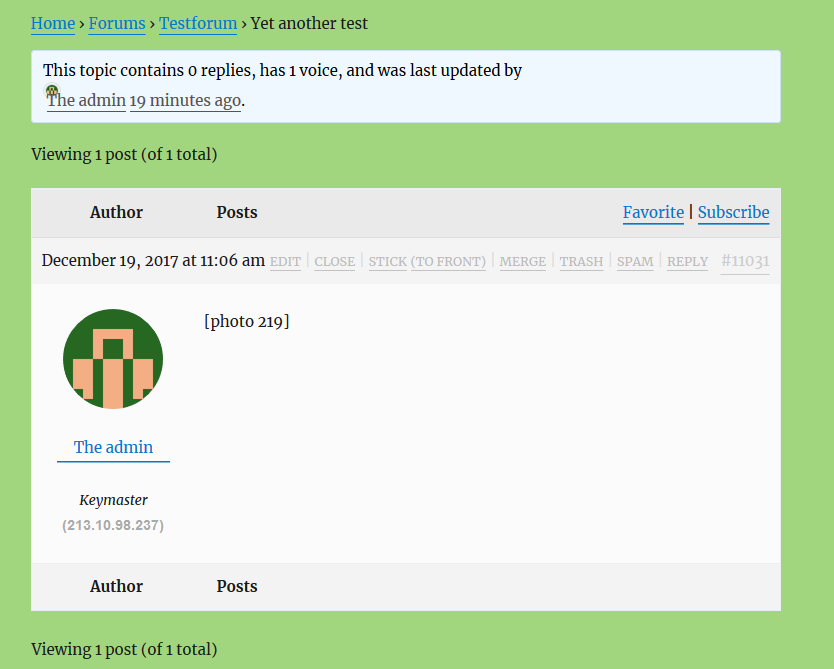
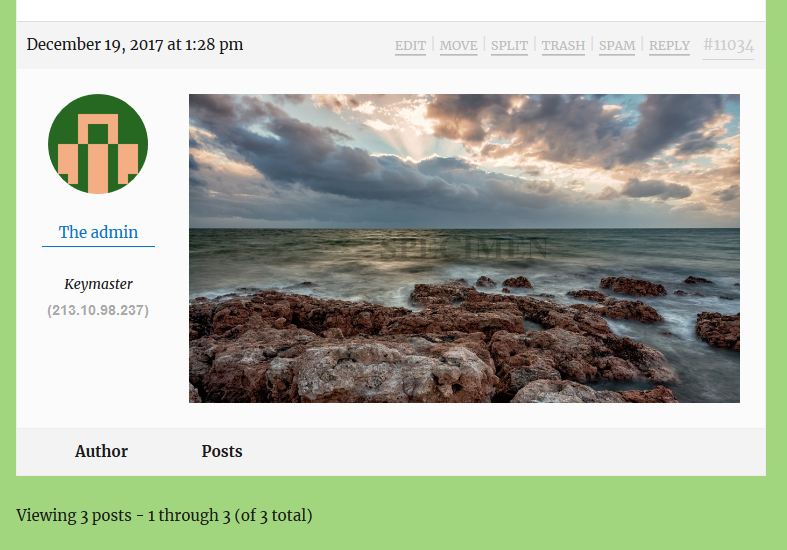
Yes, in the content of the topic/reply. It makes from [photo 123] the html to display photo with id=123 from plugin wp-photo-album-plus – instead of a photo from the wp media library – according to the settings in the settings page of that plugin; e.g link to lightbox, subtitle and possible social media buttons to share the image.
The button that opens the dialog to select the photo, and optionally upload a new one, is now working without mods to bbpress, but it shows ‘[photo 123]’ instead of the picture. If the content would be filtered by the standard wp content filters, it would display the image, like it does in a wp native page or post.
where do you want that to put something – I presume in the content of a topic/reply? and what doe that shortcode do ?
Thank you, this works great!
One thing left: i can not find the filter to filter forum posts/replies, so i could do:
function my_process_shortcodes($content) {
  return do_shortcodes($content);
}
add_filter( '...??...', 'my_process_shortcodes' );
@robin-w For some reason I have the same problem with the bbpress forum index. It does not work.
Here is the site link. But at the Forums level, no index.
The [bbp-forum-index] code is on the Forum created.
Any help would be great.
thanks for the post
bbpress includes a version of the wordpress ‘after..parse_args’ which will let you do this so for
•File …/wp-content/plugins/bbpress/includes/common/template.php line 1735:
change ‘tinymce’ => false, into ‘tinymce’ => true,
•File …/wp-content/plugins/bbpress/includes/common/template.php line 1736:
change ‘teeny’ => true, into ‘teeny’ => false,
you could put this code into a functions file or plugin
//editor bbpress
function rew_enable_visual_editor( $args = array() ) {
    $args['tinymce'] = true;
    $args['teeny'] = false;
    return $args;
}
add_filter( 'bbp_after_get_the_content_parse_args', 'rew_enable_visual_editor' );
and the ability to filter functions so for
•File …/wp-content/plugins/bbpress/includes/common/template.php line 1858:
Remove array_push( $buttons, ‘image’ ); to remove the ‘standard’ image insert button that asks for a full url to an image, since we are replacing this by the [photo] shortcode generator.
use this code in your functions file or plugin
function rew_remove_image_button ($buttons) {
	if (($key = array_search('image', $buttons)) !== false) {
		unset($buttons[$key]);
	}
return $buttons ;
}

add_filter( 'bbp_get_teeny_mce_buttons', 'rew_remove_image_button' );
The you don’t need to alter bbpress files
Let me know if I can help further
To make it possible for other plugins to add buttons to the editors toolbar, please make it possible to run the wp_editor() for posts/replies with the switches ‘tinymce’ => true and ‘teeny’ => false.
Also, make it please possible to get the posts/replies passing the ‘the_content’ or at least the ‘do_shortcode’ filter. This would enable other plugins to enter their shortcodes into the posts/replies and get them rendered in the final display of the posts/replies.
For more information why i ask this, please read this ducumentation page of the plugin wp-photo-album-plus.
ok, put it into the child theme and remove form the parent theme – that way it doesn’t get lost on updates
so you have a bbpress specific sidebar as per
Layout and functionality – Examples you can use
yes ?
If so then in your new bbpress.php replace
line 49 ish
<?php get_sidebar(); ?>
with
<?php dynamic_sidebar( 'bbp-sidebar'); ?>
That was it!
So… filters need to be passed a variable which gets returned in order to function properly?
Good to know, definitely not clear in the bbpress codex.
Thanks, Robin. Means alot!
-Dave
Try this
function cxr_subforum_filter($args) {
 $args = (array (
'before' => '<tr>',
'after' => '</tr>',
'link_before' => '<td>',
'link_after' => '</td>',
'separator' => '<br>',
 ));
 return $args ;
 }
add_filter( 'bbp_before_list_forums_parse_args', 'cxr_subforum_filter' );
Perhaps I am missing something, but your code and my code seem to be identical… nevertheless, I copied and pasted your filter into the functions.php file in the child theme and it did not work…
Same result (502) errors.
Any other ideas?
This is a known bug
add this to your functions file
// Blocked users should NOT get an email to subscribed topics
function bbptoolkit_fltr_get_forum_subscribers( $user_ids ) {
        if (!empty( $user_ids ) ) {
                $new_user_ids = array();
                foreach ($user_ids as $uid) {
                        if (bbp_get_user_role($uid) != 'bbp_blocked') {
                                $new_user_ids[] = $uid;
                        }
                }
                return $new_user_ids;
        } else {
                return $user_ids;
        }
};
// add the filter
add_filter( 'bbp_forum_subscription_user_ids', 'bbptoolkit_fltr_get_forum_subscribers', 10, 1 );
I’d suspect issues with the quotation – different systems seem to alter these – try making them consistent – this might work
function cxr_subforum_filter() {
 bbp_list_forums(array (
'before' => '<tr>',
'after' => '</tr>',
'link_before' => '<td>',
'link_after' => '</td>',
'separator' => '<br>',
 ));
 }
add_filter( 'bbp_before_list_forums_parse_args', 'cxr_subforum_filter' );
If it doesn’t then come back and I’ll take a deeper look, midnight here and on way to bed !
When a new topic goes to moderation and is approved, some, but not all, of the regular new topic actions take place. One thing that does not seem to happen is sending out the new topic notification email. If possible, can the bbp_notify_forum_subscribers action be added when a forum topic is approved by a moderator (after checking to make sure notifications are enabled)? The new topic notifications are a great way to drive visitors to our forums, so this is turning into an issue on our site. The site owners want to be able to moderate most (or even all) of the new topics, but then no notification emails are sent out.
If this is something I should try to figure out on my own, please let me know and I’ll give it a shot. I didn’t want to mess with the bbpress core code since it would get overridden on the next update.
Thanks!
Matt
Wordpress Version: 4.7.8
BBPress Version: 2.5.14
I thought I followed the codex instructions pretty clearly, but this add_filter in my functions.php file is resulting in a 502 error and… I have no clue why!
Sorry, bbpress newbie here… any help that anyone can offer would be awesome.
Thanks in advance,
-Dave
PS Here’s the code I popped in my functions.php file:
function cxr_subforum_filter() {
bbp_list_forums(array (
‘before’ => ‘<tr>’,
‘after’ => ‘</tr>’,
‘link_before’ => ‘<td>’,
‘link_after’ => ‘</td>’,
‘separator’ => ‘<br>’,
));
}
add_filter( ‘bbp_before_list_forums_parse_args’, ‘cxr_subforum_filter’ );
I’ve now incorporated the code above into my bbp style pack
bbp style pack
dashboard>settings>bbp stylepack>forum order
I’ve now incorporated the code above into my bbp style pack
bbp style pack
dashboard>settings>bbp stylepack>forum order