the plugin
https://wordpress.org/plugins/bbp-private-groups/
should do that, just set private forum visibility to on, and non registered users will see the forums, but only registered users with that group set will see the topics
1. Yes, the vast majority of the time you will want to import your users, the exceptions to this are typically other forum plugins for WordPress where the users already exist as WordPress users.
2. No. At this stage there is no way to only import changes since your last import, I’d love to add support for this in the future though.
3. Leave this unchecked, it’s designed to allow you to restart the import from ‘scratch’ by first deleting any previously imported content. The thing is this only partially works and I am actually fixing this as we speak. If you need to delete any imported content to start again use the “Reset Forums” tab and be sure to also delete the imported users.
You can also click the ‘Help’ link in the top right if the screen that will explain more of these options for additional info.
Thanks guys!
Robkk –
My wordpress setup is special situation. The Leaning Management System for the school I work for has it’s own version that it maintains with about 50 approved plugins (including bbpress)…I don’t have access to the FTP files unfortunately.
I was able to get most of the CSS working by copying and pasting the bbpress CSS into the custom CSS area in the WP dashboard. I shouldn’t have to do this, so I’m contacting the Learning Management System to report this possible bug.
Stephen –
You checked out the site after I had most of the CSS working. What Robkk saw was no styling at all…everything was listed with bullets like a regular < li > would be styled.
That said, your idea to create a child forum worked!
Thank you both for your help!
– Liz
Wordpress Version – 3.9.1
bbPress Version – 2.5.4-5380
Hey everyone, I’ve been working on a project over the last month that was working perfectly on my local Mamp server. When I migrated the site to my clients server for testing I was disappointed to find that neither topic creation or reply posting was working.
I’ve disabled all plugins except bbPress (even though they all worked on my server), reset permalinks and I know the theme I created wasn’t a problem because it worked perfectly in dev.
I’m a little stressed at this point as this week was supposed to be for testing and final rollout and that’s all come to a screeching halt without this basic functionality.
Would really appreciate any help I can get with this.
Thanks a lot!
My suggestion here would be to activate bbPress and try to “edit post” whatever the case may be per my previous post above (WordPress posts or bbPress topic/reply) and if you still cannot “edit” whatever it is you are trying to edit start disabling all your active plugins one by one, once you deactivate one try your ‘edit’ thing again, if it now works you know the conflicting plugin, if not disable another plugin and try again.
Also as per another previous post of mine above:
“My issue with the plugin is the ‘edit’ feature on posts doesn’t work”
Could you clarify what you mean by this, editing WordPress Posts or bbPress topics/replies?
Sorry. I forgot to include that.
Quite a few.
Active:
Akismet
AtContent
Captcha
CommentLuv Premium
Contact Form 7
Duplicate Post
Flamingo
Google Plus Authorship
Google XML Sitemaps v3 for qTranslate
Greg’s High Performance SEO
MaxButtons
Mingle Forum
nrelate Related Content
Open external links in a new window
OptimizeMember
Smart Google Analytics Code
Wordfence Security
WordPress HTTPS
WP-Optimize
Inactive:
404 Redirected: Conflicts with MingleForum, not yet deleted
bbPress
Debug Bar: Installed by my hosting provider
Developer: Installed by my hosting provider
Hello Dolly
Long Depreciated Notices: Installed by my hosting provider
P3 (Plugin Performance Profiler)
Post Duplicator
Social Sharing Toolkit
Use Google Libraries: Installed by my hosting provider
WordPress SEO
@kevinbcarney The Deleting Conversion Table… Failed is nothing to worry about, this is just cleaning up and removing the extra database table if you had previously imported forums.
@jordanpinski wrote
“My issue with the plugin is the ‘edit’ feature on posts doesn’t work”
Could you clarify what you mean by this, editing WordPress Posts or bbPress topics/replies?
Rob is also correct above (presuming you do want to delete all bbPress data)
- Run “Reset Forums”
- Deactivate bbPress
- Uninstall bbPress plugin
I’ve just tested this and I have no issues accessing the dashboard after performing the above steps.
Caveat: You are correct that the bbp_keymaster role is still assigned to the user in wp_usermeta, though this should not block access for you to WordPress’ dashboard, there is a tweak to the uninstall/deactivation for bbPress 2.6 listed here in #2580. I also came upon another issue that I’m updating a patch for now, but again, none of this should be stopping yopu from accessing the dashboard after deactivation and/or uninstall.
As Rob wrote, what other plugins are you using that may conflict with this? It could be any plugin role or capability related and/or other plugins that extend bbPress functionality.
Cool, I created a ticket for this, no idea when we will get to look at doing this though.
https://bbpress.trac.wordpress.org/ticket/2670
I’d suggest for now take a look at the plugin I mentioned above to allow replying by email.
Hi,
Can someone help me with the Font and Text Color in the forums. I was looking for some plugin or something but unable to find one.
I was basically looking for if someone is posting in the forums and they need to have ifferent colors to highlight what they type…like I have seen in some forums and also if they can change the size of the fonts…..
Wordpress Version: 3.9.1
BBPress Version: 2.5.4
Website: http://www.desi-american.com
Thank You
Nikhil
I installed bbPress last night for the first time and WOW, this is a FANTASTIC plugin!! Very impressed!!
I have two questions so far:
Question #1. How do I edit the following text when someone comes to my forum and isn’t logged in:
“Sorry, this forum is for verified users only. Please Login or Register to continue”
The issue is that both Login and Register are links that lead to the default WordPress Login and Register pages. bbPress doesn’t offer an option in the settings to specify a custom page for both of these links (which needs to be added in a future update) and I’ve searched the .php files under Dashboard > Plugins > Editor > bbPress but can’t find the file to edit/remove the links? My site has been customized with front-end pages for Login/Register/Edit Profile so that no one is sent to the default Login/Register pages or the Dashboard. The default bbPress installation doesn’t work for my site simply bc I can’t edit these links…
Can anyone please point me in the right direction? Which .php file contains that text? Also, under Dashboard > Settings > Forums
// This path should be changed to:
Dashboard > Settings > bbPress
Not sure why the team chose to use the word “Forums” here but labeling that tab “bbPress” would make a lot more sense for your users. 🙂 Please add the ability to redirect both of those Login and Register links to whatever URL the user desires here: Dashboard > Settings > bbPress
Question #2. After creating topics, to the far left under the word topic there’s a red X and a clock next to the topic titles (I have two dummy topics so far). If I click on the red X, it won’t delete? Why is that delete icon there while the other is a pretty little clock? I didn’t do this, they were both posted a few minutes apart, and both have different icons?? Very confusing.
Cheers!
Despite recent topics widget is functioning on my website widget.php is considered “inactive” in wordpress and it doesn’t react to any changes. I would really appreciate your help.
Hi Stephen
Thanks for your help…greatly appreciated. I have one more question:-
The forum on the site we copied (SITE A)(which is now 12 weeks out-of-date) holds the following data:-
Forums 445
Topics 409
Replies 2036
Tags 385
The forum on the site that we kept running (SITE B) while re-designing holds the following data:-
Forums 445
Topics 464
Replies 2258
Tags 448
When using the WordPress Export (Tools->Export) on SITE B and then the bbpress import (Tools->Forums) option on SITE A will the system duplicate the old entries and therefore only transfer the new Topics, Replies and Tags? Or will I need to do something else first to clear the old data and allow the entire forum data to be imported.
P.S – I have already imported all the users via an S2 Member export and import so all the user ID’s should be in place already.
I’m getting there…I think!
Thanks again
Phil
@aussiestar14
is this the theme that you have ??
Oxygen
Is it difficult to do so?
i dont know how jquery works so yes.
but i looked at the plugins info and there is a doc embedder button in the visual editor
so maybe try to enable visual editor in bbpress
https://wordpress.org/plugins/bbpress-enable-tinymce-visual-tab/
then click enable the full default TinyMCE mode, and see if the google doc button shows up.
@robin-w
ok i was able to achieve a full width forum this way with no template editing.
i downloaded https://wordpress.org/plugins/custom-sidebars/
i went to my original sidebar in my widgets section
i then clicked it open and pressed the new sidebar location link
A window should popup that says “Define where you want this sidebar to appear.”
i then checked a sidebar for selected post types. then i clicked pages, and posts, add whatever else that you may have, but none that are custom post types that are affiliated with bbpress, (topics, forums, replies)
that should do it.
i dont know if any other custom sidebar plugin does this (woosidebars etc.) but i do know this should work.
Anyone using the Google Doc Embedder?
https://wordpress.org/plugins/google-document-embedder/
I use it to embed PDFs in forum posts and it works fine.
It’s just that I and users often forget the format of the shortcode so I wonder if it is possible to have a button in the editor to aid one in creating the shortcode?
[gview file='URL']
Is it difficult to do so?
Thanks
Thank you for your response.
I’ve translated 100% of plugin with poedit and I don’t want to rewrite the same strings again in GlotPress project.
As I’m not a validator I assume I can’t replace the whole file but I’ve to rewrite all the missing stings one by one.
I’ll post message in https://ca.wordpress.org/
If catalan validator reads the post I hope he will submit translation.
Thank you again
Cool, the timezone thing makes sense if you are going to use explicit times and dates eg. 11th January 2011, though just take a look at this page we are discussing this on here, everything is relative, 12 hours ago, 1 day 7 hours ago etc.
So this is partially the way bbPress works around this issue, if WordPress Core fully supported users locales then we would for sure update bbPress to also include this.’
I found the Trac ticket for WordPress to add this functionality, details are here:
https://core.trac.wordpress.org/ticket/18146
This has nothing to do with bbPress, I’d suggest you try posting on WordPress’ support forums:
Support Forums
@farsite281 Thanks for this though you should submit your translations in the GlotPress project you linked above:
https://translate.wordpress.org/projects/bbpress/2.5.x/ca/default
https://translate.wordpress.org/projects/bbpress/dev/ca/default
Catalan Language
- /dev 43% translated, 466 strings translated, 602 Strings untranslated and 401 strings waiting approval
- /2.5 44% translated, 467 strings translated, 572 Strings untranslated and 160 strings waiting approval
The best resources to help get you started are:
The main transators handbook: https://make.wordpress.org/polyglots/handbook/
The WordPress translator community blog: https://make.wordpress.org/polyglots/
bbPress translations reference: https://codex.bbpress.org/bbpress-in-your-language/
WordPress Catalan project site: https://ca.wordpress.org/
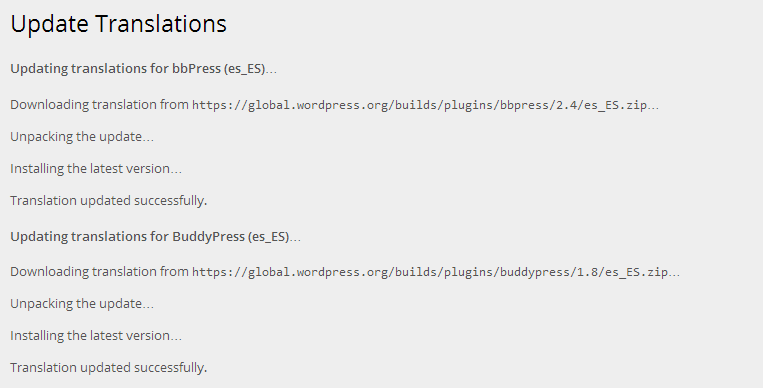
The reason I state that it is best to provide (and update) the bbPress (including WordPress, BuddyPress and Akismet) translations at https://translate.wordpress.org/projects is because each of these projects can have the translations updated as part of WordPress’ “Automatic Updates”, just like you see updates for your plugins and themes, if any of these projects are 100% translated you will be offered to update all of your translations from the WordPress dashboard updates page.
Hello,
I’m trying to modify aspect of bbPress installed in my wordpress. I’ve read diferents posts but I can’t find the solution.
Layout and functionality – Examples you can use
I need to change aspect buttons in bbPress because of font color and layout are similar and you can’t distinguish them.
http://i.imgur.com/71FmGz2.jpg
Could anyone help me or give me a clue to resolve this issue?
I use Rush theme and wordpress 3.9.1
Inici
Thank you
Hello,
I’m using free version of
http://rating-widget.com/
https://wordpress.org/plugins/rating-widget/
You can embed thumb & star ratings into your posts, pages or comments.
It works perfectly and it’s easy to install and use.
which one would you suggest?
i have no idea , i have no opinions on any of them since i havent tried any of them.
You can try each one on a local site if you want and make your decision off that.
But what i can say is that this rating plugin https://wordpress.org/plugins/rating-widget/
is on https://codex.bbpress.org/feature-plugins-tracking/
and it also has some integration with bbpress.
Basically I want it to show up in only a few of my subforms next to the bb codes on top ^^^
I have no idea how your going to show the ratings on a few subforums , your probably going to need help on that too, (i have no idea how to help you on this)


