Skip to:
Content
Pages
Categories
Search
Top
Bottom

Search Results for '"wordpress'

Viewing 25 results - 3,451 through 3,475 (of 26,877 total)
  • Author
    Search Results
  • #196494
    calepwhoward
    Participant

    Here are the details:

    ~ WordPress 4.9.8
    ~ Travel Eye Pro theme
    ~ BBPress Version 2.5.14

    This issue is with a company Intranet so not accessible from the Internet.

    When a new topic is created via the Topic option in the WordPress dashboard subscribers are not notified. When a new Topic is created on the Forum page using the New Topic fields and editor subscribers are notified. I’ve tested this across multiple forums and this behavior is repeatable. I see the new topics in the forums regardless of where they’re entered but subscribers are only notified if the topic is created from the forum webpage. Have I missed a configuration step in WordPress or is this a bug?

    Thanks in advance for any help anyone can offer. Happy Monday!

    #196490
    Robin W
    Moderator

    you can put the code in your child theme functions file or put it in a plugin like this which is probably easier

    Code Snippets

    #196471
    Robin W
    Moderator
    function custom_bbp_sub_forum_list() {
      $args['separator'] = ';' ;
      return $args;
    }
     add_filter('bbp_after_list_forums_parse_args', 'custom_bbp_sub_forum_list' );

    or use

    bbp style pack

    to get the lists vertical

    #196461
    frog65
    Participant

    Hallo,
    wir haben eine WordPress (4.98) Homepage inkl. bbPress Forum aufgebaut.
    In der Fusszeile haben wir einige statistische Informationen über Widgets eingeblendet.
    So auch die “neueste Themen”.
    Funktioniert auch soweit, nur haben wir für die Admins einen Privatbereich eingerichtet dessen Themen nun hier angezeigt werden, auch wenn man NICHT eingeloggt ist.
    Resultat ist ständige Nachfrage von Usern wieso man eine Fehlermeldung (Ops 404) erhält wenn man die Themen anwählt.
    Kann man das so einstellen, dass auch nur die die neuesten Themen angezeigt bekommen, die die Berechtigung hierfür haben?
    Grüße
    Armin

    #196460
    frog65
    Participant

    Hallo,

    wie kann ich im bbPress Forum bei den Unterforen das Trennzeichen (“;”) anpassen. z.B. Unterforum1 (0,0) ; Unterforum2 (0,0)

    Hab was gelesen von bbp_list_forums im template.php.
    Es beginnt schon damit, dass ich dieses template.php in WordPress nicht finde.

    Gibt es keine Customizing-Seite wo ich das eingeben/auswählen kann?

    Grüße
    Armin

    #196456

    In reply to: Visual won’t show

    Robin W
    Moderator

    bbp style pack

    once activated go to

    dashboard>settings>bbp style pack>Topic/Reply form item 9

    #196452
    Robin W
    Moderator
    #196442
    filipfek
    Participant

    Hi 🙂
    I do not know if my problem is more concerned with buddypress support or bbpress support, but I wrote here.

    My WordPress
    bbPress 2.5.14
    BuddyPress 3.2.0
    I use theme Eduma.

    I’m using BuddyPress and created a group with a private forum. The problem is that the group forum has no template. If I check the page, it has all classes. It looks like it can’t read the css bbpress file (it look like that Annex1). I created the forum using bbPress. My forum looks like that Annex 2 and the group forum should look exactly the same. How can I do this? I will be grateful for your help.

    #196437
    dater
    Participant

    Or use bbp style pack >= v4.0.1
    Thanks!

    #196405
    Robin W
    Moderator

    whilst this hasn’t been updated in a few years, I think it still works

    bbPress Moderation

    #196384

    In reply to: Forum relpy deletion

    Robin W
    Moderator

    functions file, or use a snippets plugin such as

    PHP code snippets (Insert PHP)

    Robin W
    Moderator

    agree, it seems to be a bug.

    I have lodged a trac ticket

    https://bbpress.trac.wordpress.org/ticket/3230

    I’ll see how easy it is to filter for a temporary fix

    #196351
    Robin W
    Moderator

    Sites do not just stop working – there will be a change

    So if nothing wordpress-wise has changed, then it must be something outside of wordpress that has changed – sorry but back to your hosters for help.

    #196330
    longtall
    Participant

    Tearing my hair out here trying to change the content container to transparent. I’ve tried changing the bbpress.css file, putting custom css in the bbl style pack, but nothing seems to work.
    Really appreciate some help here as I don’t what else I can do.
    WordPress 4.9.8
    bbPress 2.5.14
    http://dftasmania.com/forums/topic/test-topic/
    Thanks in advance.
    Cheers
    Longtall

    #196318
    maxlevel
    Participant

    @robin-w 1 and 2 both yes and I will contact you.


    @odevbul
    Thanks, I already tested the above plugin as well as this
    bbPress Moderation By Ian Stanley

    The problem is that both plugins work for all forums and I need it for only one of my forums.

    #196310
    Robin W
    Moderator

    my free plugin

    bbp user ranking

    may be what you are after

    #196306
    Robin W
    Moderator
    #196305
    msmohanish2017
    Participant

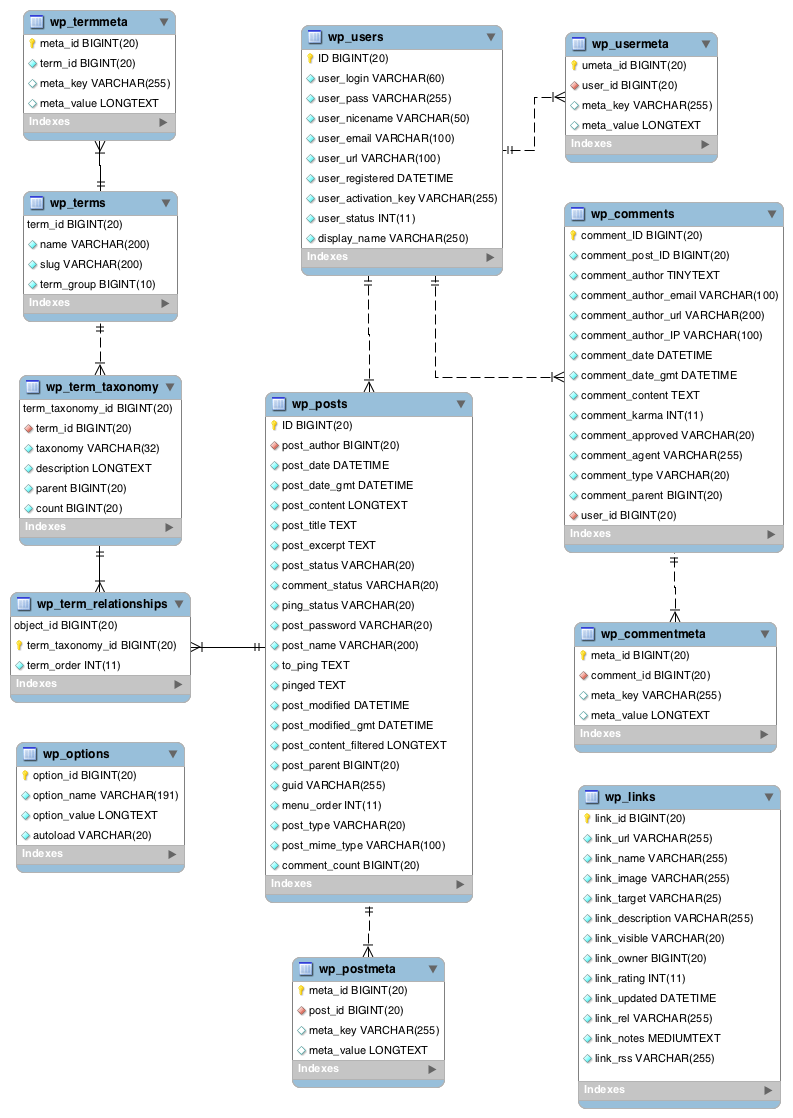
    I have installed bbPress plugin on my WordPress site. I just wanted to know if there is any moderator approval option is available. I want Topics and Replies get visible only when they are approved by Administrator.

    #196297
    sourfew
    Participant

    Why can’t bbpress have it’s own table to store posts etc? This will speed up db queries when using post tracking etc.
    bbpress is very barebone but not very powerfull. There are plugins that extend the functionality but because of bbpress architecture it will not scale well.
    Everything is stored in postmeta which grow very large. I have hundred of thousands of posts and for every post there is 10 entries in the postmeta table.

    I think if bbpress can have a “normal” way of storing it’s information it will attract more users and more developers. Dedicated forum systems like Xenforo etc are superior but they are lacking everything else that you want to have on your site. There are bridges etc but it will never be the same.

    There are other forums for wordpress like wpForo and Asgaros but they don’t really cut it at the moment.

    Let’s bring bbPress alive by giving it a new fresh db table layout!!!

    #196294
    elxafil
    Participant

    Greetings,

    I am looking for the pro version of the plugin: https://wordpress.org/plugins/bbp-user-ranks-lite/ which allows the ability for me to have role based badges below certain members on my forums however both the author’s website and the codecanyon posts of this plugin have been disabled so I am unable to get this plugin, if anyone has a copy they can send me or somewhere I can buy it I will be greatful.

    #196290
    odevbul
    Participant

    I think this plugin works

    bbPress – Moderation Tools

    #196287
    Robin W
    Moderator

    lots of ways to do this, you might want to have a think about the best for you

    I have a plugin called

    Private groups

    which lets you set up groups and may be the best solution

    alternately

    if you are able to ftp and edit files the message is held in

    wp-content/plugins/bbpress/templates/default/bbpress/feedback-no-forums.php

    so

    create a directory on your theme called ‘bbpress’
    ie wp-content/themes/%your-theme-name%/bbpress

    where %your-theme-name% is the name of your theme

    find
    wp-content/plugins/bbpress/templates/default/bbpress/feedback-no-forums.php
    Make a copy of this file, and put in in the directory called bbpress that you created above, so you end up with
    wp-content/themes/%your-theme-name%/bbpress/feedback-no-forums.php
    bbPress will now use this template instead of the original
    and you can amend this

    so go into it and amend the message to what you desire.

    You could instead put this in your functions file or put it in a code plugin such as

    PHP code snippets (Insert PHP)

    function rew_change_text( $translated_text, $text, $domain ) {
    	if ( $text == 'Oh bother! No forums were found here!' ) {
    	$translated_text = 'whatever you want it to say in here!' ;
    	}
    	return $translated_text;
    }
    
    add_filter( 'gettext', 'rew_change_text', 20, 3 );
    
    #196273
    Robin W
    Moderator

    If I understand it, my ‘recent activity widget’ does that

    you can find it in

    bbp style pack

    once activated you’ll find a new widget called

    (style pack) latest activity

    #196257
    rgilman
    Participant

    How can I code an activity stream that lists only the most recent post for each topic, not all recent posts (which can include many posts from the same topic) as the standard widget does?

    I’m using bbPress 2.5.14, BuddyPress 3.20 and WordPress 4.9.8 on a local dev server so no public link to the site.

    #196256
    GeekyJules
    Participant

    I’m trying to write a conditional statement to auto tag new topics based on forum.

    This is what I have so far

    add_action ( 'bbp_insert_topic', 'myprefix_assign_tag_to_post' , 10, 1 );
    add_action ( 'bbp_new_topic', 'myprefix_assign_tag_to_post', 10, 1 );
    add_action ( 'bbp_edit_topic', 'myprefix_assign_tag_to_post', 10, 1 );
    
    function myprefix_assign_tag_to_post($topic_id) {
    if( bbp_is_forum ( '168' ) && bbp_current_user_can_publish_topics() ) {
    	wp_set_post_terms( $topic_id, 'introductions', 'topic-tag', true );
    }
    
    elseif( bbp_is_forum ( '1343' ) && bbp_current_user_can_publish_topics() ) {
    		wp_set_post_terms( $topic_id, 'discovery', 'topic-tag', true );
    
    }
    }
    

    The problem is, this automatically tags the new topics with “Introductions” regardless of the forum. I tried replacing ‘bbp_is_forum’ with ‘bbp_is_single_forum’, and the same thing happens. I’ve tried replacing it with ‘bbp_is_forum_archive’ and nothing happens. I’ve even tried replacing the ID with slug, with and without the single quotes, trying it with just one IF statement, and I’m not getting the desired results.

    I also tried using is_page, hoping it would be using the default WordPress call since it used in the functions.php for topics. No joy.

    So, if someone could please tell me what I should be using instead of is_forum, is_single_forum, is_etc, that would be great.

Viewing 25 results - 3,451 through 3,475 (of 26,877 total)
Skip to toolbar