Skip to:
Content
Pages
Categories
Search
Top
Bottom

Search Results for 'code'

Viewing 25 results - 10,776 through 10,800 (of 32,521 total)
  • Author
    Search Results
  • #151316
    cybarmitzvah
    Participant

    It wont work on mine 🙁

    Be clear, where did you add his code? Did you make a new functions file?

    TY
    JB

    #151311
    Robkk
    Moderator

    i created a child theme with mesocolumn

    i added robins code and it worked fine.

    even when i switched to a different role

    #151300
    cybarmitzvah
    Participant

    Uhh?? Where did I loose you? … and where is stpehen Edgar?

    I do not have a functions file in my child theme. I tried creating a blank file and calling it functions.php and the code just showed up on the top of my page. Then I tried just adding that code you gave me to the mesocolumn functions file and once again the code just screwed up and showed up at the top of my page under the admin bar.

    So, once again, what should I do from here?

    Ohh and there is no white space.

    Thank You,
    JB

    #151289

    In reply to: Topic Title length

    Robin W
    Moderator

    should be something like

    add_filter ('bbp_get_title_max_length','change_title') ;
    
    Function change_title ($default) {
    $default=60 ;
    Return $default ;
    }
    

    try this in your functions file – if not come back, but suppers ready and I haven’t time to test!

    #151285
    cybarmitzvah
    Participant

    ok, I will delete it, but then, where do I put the code?

    #151283
    Kris35
    Participant

    Hi Luisc9,

    I dont have an anwer for you as I have taken BBPress down for the moment. All I can say is, I have a coder who charges me $15 an hour to fix this kind of stuff. Got him from Elance and he is good and trustworthy. For people who aren’t all that good at fixing this type of stuff, its worth it – well for me it is anyway. Hope someone replies to you soon.

    #151282
    themefurnace
    Participant

    Hi,

    I have finally converted a large forum over to bbPress from Vbulletin,
    The bbPress forum page and threads etc are quite slow – Im just using bbPress + BuddyPress with Twenty Twelve theme at the moment while I code my forum theme.

    The bbPress section of the site is slow – there is a few seconds delay when clicking a thread or onto the forum page itself so guessing this is due to the size – 850k replies, 61k topics and 21k users.

    I wondered if there were any tweaks or recommendations for speeding up the site, Im on my own dedicated server and Vbulletin is blazing fast on it.

    I saw this thread – http://bbpress.org/forums/topic/slow-to-post-forum-topics-and-replies-on-large-forum/ where it mentioned a speed increase in 2.6 for larger forums, any news on that ? Or anything I can try now to test it out ?

    I read that hidden forums might make a difference so I unhid the forum but no speed increase.

    #151279
    Robin W
    Moderator

    the error code is saying that you have whitespace in

    wp-content/themes/awesome/functions.php:1

    If this is a blank file, then delete it.

    If not, then it has a problem on line 1

    #151275
    GamingOrdinance
    Participant

    yep, all the same information and still coming up with:

    WordPress database error: [Table 'db502829828.node' doesn't exist]
    SELECT convert(node.node_id USING "utf8") AS node_id,convert(node.parent_node_id USING "utf8") AS parent_node_id,convert(forum.discussion_count USING "utf8") AS discussion_count,convert(forum.message_count USING "utf8") AS message_count,convert(node.title USING "utf8") AS title,convert(node.node_name USING "utf8") AS node_name,convert(node.description USING "utf8") AS description,convert(node.display_order USING "utf8") AS display_order,convert(node.node_type_id USING "utf8") AS node_type_id,convert(forum.allow_posting USING "utf8") AS allow_posting FROM node AS node LEFT JOIN forum AS forum USING (node_id) WHERE node.node_type_id = "Category" OR node.node_type_id = "Forum" LIMIT 0, 100
    #151272
    TE5LA
    Participant

    I tried changing permalinks but the forums won’t display at all. All that shows is the forum short code.

    #151271
    Stephen Edgar
    Keymaster

    Verify you have used the correct database values from your Xenforo config.php file, it should be in your Xenforo /library folder.

    e.g.

    
    $config['db']['host'] = 'localhost';
    
    $config['db']['port'] = '3306';
    
    $config['db']['username'] = 'my_db_user_name';
    
    $config['db']['password'] = 'my_db_user_password';
    
    $config['db']['dbname'] = 'my_db_name';
    
    #151267
    Stephen Edgar
    Keymaster

    1- You would need a ‘membership’ plugin that supports bbPress, there are a few in the WordPress plugin https://wordpress.org/plugins/
    2- You can fully customize bbPress to match any theme or custom design you want, see the docs for more info. https://codex.bbpress.org/

    #151266
    Anonymous User
    Inactive

    thank you so much Gautam it worked for me .

    bbpress/includes/core/filters.php : added :

    add_filter( 'bbp_get_reply_content',   'bbp_rel_nofollow'              );
    add_filter( 'bbp_get_topic_content',   'bbp_rel_nofollow' 	       );
    #151262

    In reply to: disable pingbacks

    Stephen Edgar
    Keymaster

    bbPress does not have pingbacks enabled for it’s post types, they are explicitly disabled.

    Could you be more specific and post a link to some examples and I’ll take a look.

    * Is it happening on all three bbPress custom post types?

    * forum, topic and reply are the tree post types and a link to one of each that this is happening with will allow me to investigate why.

    * I can’t think of a plugin for bbPress that changes the ping status of the custom post types but just in case can you disable all your plugins except bbPress and create a new forum, a topic in that forum and a reply to that topic and then create a WordPress post with a link to each of the three and see if you see any pingbacks.

    Stephen Edgar
    Keymaster

    I’ve just tested this with bbPress 2.5.4 and Twenty Fourteen with no other active plugins:

    * Created a page /123 and added the [bbp-forum-form] shortcode
    * Opened that page /123
    * Entered 123 as the forum title and description
    * Selected forum for the forum type
    * Selected open for the forum status
    * Selected Public for forum visibility
    * Selected root for parent forum (Root is another forum I already had setup)
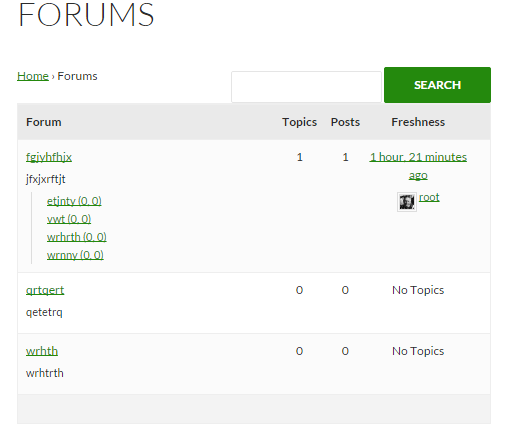
    * Clicked submit and the forum is created and I am redirected to create a new topic in that forum e.g. /forums/forum/root/123/

    #151257
    EzYRiDaH
    Participant

    Hi Stephen / @netweb

    I was finally able to run a complete conversion without any restarts. The MyBB SQL of the database was 435,9 Mb big. We cleaned a lot of the old forum. It contained 1 million+ messages, close to 40k topics and a 400+ members.

    The conversion ran for roughly 48 hours on a MacBook Air with i7, 8Gb memory and a 500Gb Solid State drive under MAMP.

    For people who want to do such a big conversion, I also had to tweak a lot of the PHP ini files to import such a big query and get maximum throughput. Below a summary. It took me a while to find all the necessary settings.

    Copy /applications/mamp/library/support-files/my-huge.cnf and rename to /Applications/MAMP/conf/my.cnf
    Change in my.cnf setting [mysqld] max_allowed_packet = 1000M
    Change in /Applications/MAMP/bin/php/php5.5.10/conf/php.ini settings
    max_execution_time = 259200,
    max_input_time = 259200,
    memory_limit = 6144M,
    upload_max_filesize = 1000M,
    post_max_size = 1000M,
    mysql.connect_timeout = 1000.
    Add or change in Applications/MAMP/bin/phpMyAdmin/config.inc.php setting $cfg['ExecTimeLimit'] = 0;
    Don’t forget to restart MAMP.

    I ran the conversion with the following settings: Rows Limit 10,000 and Delay Time 0. During the conversion my memory was around 50% and CPU was very low. Most likely it is possible to squeeze out more performance.

    I did a lot of random checks and the outcome seems ok-ish. Not quite sure about some things and have some questions. Please bear with me 😉

    Some topics are not combined correctly. All replies are separate topics. The ‘Recalculate the parent topic for each post’ does not fix this. I ran all repair queries btw. An option in the Topics interface to combine these, would be ace 😉 Is it possible to correct this with a query? My SQL skills are too limited unfortunately.

    The Repair Forums option ‘Recalculate the position of each reply’ does not work. It creates a white screen. Load problem?

    myBB accepts spaces in the login name. Unfortunately WordPress does not. The conversion leaves the spaces in the login name. Is it possible to correct this with an SQL? Is there another workaround? Correcting them one by one is not my preference 😉

    Two forums are created double. The copies do not contain any topics or replies, so it is easy to remove them. Just thought you should know 😉

    The original myBB forum contained 1mlj+ messages and 36k+ discussions. The converted forum contains 109k subjects. That can be explained because of the first issue. But it only contains 830k replies. It could be that myBB adds subjects and replies to messages, but the difference is a bit too big. Is it possible to do an SQL checksum to check the expected output?

    Thanks in advance for your time!

    #151254
    GamingOrdinance
    Participant

    Hi

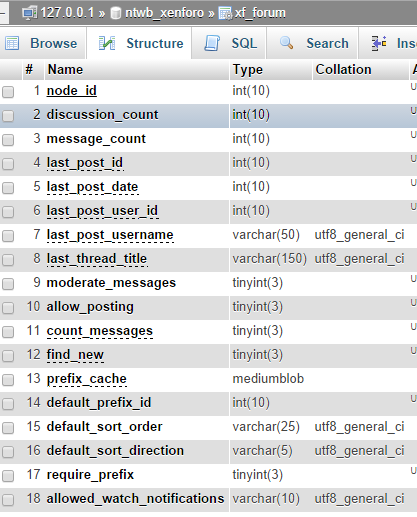
    im trying to import my XenForo to my BBPress and im having trouble as this is coming up:

    WordPress database error: [Table 'db502829828.user' doesn't exist]
    SELECT convert(user.user_id USING "utf8") AS user_id,convert(user.username USING "utf8") AS username,convert(user.email USING "utf8") AS email,convert(user_profile.homepage USING "utf8") AS homepage,convert(user.register_date USING "utf8") AS register_date,convert(user.custom_title USING "utf8") AS custom_title,convert(user_profile.status USING "utf8") AS status,convert(user_profile.signature USING "utf8") AS signature,convert(user_profile.location USING "utf8") AS location,convert(user_profile.occupation USING "utf8") AS occupation,convert(user_profile.about USING "utf8") AS about FROM user AS user LEFT JOIN user_profile AS user_profile USING (user_id) LIMIT 0, 100
    No users to convert
    Starting Conversion

    My forum link: community.gamingordinance.com

    #151249
    Stephen Edgar
    Keymaster

    A massive copy and paste of your code is not helpful, no one wants to read a wall of code with no formatting, next time use the “code” button in the toolbar to wrap your code so it’s a little easier to read, also only post the specific parts of the code that is relevant.

    Either way, I’m closing this as a duplicate of your other post as that was readable and I’ve answered it. https://bbpress.org/forums/topic/pagination-on-forum-listing-page/

    #151246

    In reply to: Mass spam attack

    Stephen Edgar
    Keymaster

    This really isn’t a bbPress issue, it is more of a WordPress issue.

    Your web host should be able to do some things via firewall rules.

    A good starter doc is https://codex.wordpress.org/Combating_Comment_Spam , conceptually it is the same thing, you have some ‘content’ that spammers want to get in on, in this case rather than comments it’s your bbPress forums and/or topics.

    bbPress uses WordPress user system for user authentication (login registration etc)

    I know it’s probably ideally not what you were looking for but is the state of things.

    A couple more thoughts would be to verify your Akismet API key is valid and Akismet is actually catching what spam it can. I’d also look to adding “capcha” plugin that supports the bbPress, there’s a few of these in WordPress plugin directory.

    #151242
    Stephen Edgar
    Keymaster

    Check out some of our docs, scroll down past the main headers on the following link and you’ll see some tutorials: https://codex.bbpress.org/

    If you want a capcha for your site search the WordPress plugins for “bbPress Capcha”, there are a couple of these I think from memory.

    #151239

    In reply to: Topic page width

    Stephen Edgar
    Keymaster

    Check out some of the docs, there’s a link at the top of this page.

    If you don’t want particular widgets in a sidebar remove those widgets, this is not a bbPress issue so we have nothing to fix here.

    If you don’t want a sidebar, use a template from your theme that doesn’t include a sidebar.

    Step by step guide to setting up a bbPress forum – Part 1

    #151233
    Robin W
    Moderator

    suspect you have a whitespace in your functions file

    Whitespace before <?php when “functions.php line 1” mentioned

    If the message says the error is in line 1, then it is typically leading whitespace, text or HTML before the opening <?php marker.

    eg

     <?php
    

    not

    <?php

    #151221
    cybarmitzvah
    Participant

    Hi I just tried to add your code to the site.

    add_filter('show_admin_bar', '__return_false');
    Warning: Cannot modify header information - headers already sent by (output started at /home/vaghar123/public_html/wp-content/themes/awesome/functions.php:1) in /home/vaghar123/public_html/wp-includes/pluggable.php on line 1121

    and tat was the error I got from a non admin account.

    #151214
    Robin W
    Moderator
    #151208
    jilleryfregan
    Participant

    I have a weird bug going on with my Static Homepage.

    We are using the plugin called Store Locator (http://wordpress.org/plugins/store-locator-le/) to show office locations. It’s a fairly simple plugin called by a shortcode in a page to display a map and list of offices.

    When I installed bbPress in addition to this Store Locator plugin, my static homepage was no longer working and my homepage reverted to a generic list of recent posts. (The static page was set in all settings correctly).

    This happens on every theme, including twentyfourteen, only when both plugins are activated at the same time.

    Is there any hook or reason that these two plugins would affect the static homepage?

    Thank you!
    Wordpress Version: 3.9.2
    bbPress Version: 2.5.4
    Website: http://209.240.4.6/

Viewing 25 results - 10,776 through 10,800 (of 32,521 total)
Skip to toolbar