Search Results for '\"wordpress\"'
-
Search Results
-
Dear Dev-Team,
I’m having a strange problem.
Our script creates a new forum if another post_type gets published.
The script has been up running and tested without issues a couple of days ago.
All WP + DB entries get set; even all bbpress post meta information (incl. ping_status, etc)
The created forum DB-entry does look 1:1 the same as a manually published forum.
There is no visible difference within the DB-entries. Also ‘publish’ status is set.The only way to ‘publish’ the script-forum is entering the forum and hit/click publish again (WP backend). No additional settings need to change, only pressing ‘publish’ does the trick.
After doing this I’ve checked the DB/Debug again; still looks 1:1 the same.Have you ever encountered such a problem?
I’ve tried resetting user-roles; changing bbpress user to super-admin privileges; deactivating plugins and scripts without any positive outcome.
Before re-installing the entire site I was hoping that you guys know what this could be?We use “wp_insert_post( $my_forum );” for saving the private forum into the DB. Could this be a DB error? How to overcome such weirdness?
Wordpress Version: 2.4.3
bbpress Version: 2.5.8 & 2.5.7 tested
Tested as SuperAdmin, Admin, and Moderator.
Website isn’t live to the public at the moment.
Please let me know if you need any credentials (private).Any help, trick or workaround is very much appreciated.
Many thanks in advance.
Kindest regards,
ChrisTopic: Tool bar missing Register?
Hi, I’m new to WordPress and bbPress
I’ve just installed bbPress and BuddyPress for the first time.
I was mucking about, looking around to work out how things work.
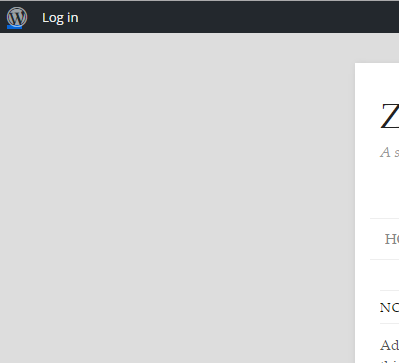
I thought I’d log out of Admin and try and see if I could see what it would be like to register as a new user. But there is no “register” link showing up anywhere?
Below is a screen capture of part of the screen of what I see, no register, just log in.
Any help appreciated.
hi guys!
first of all, this is my very first installation, and i have really not very much experience with content managment systems in general, so be soft on me please.second, everything actually seems to work, except for the fact, that apache2 returns an error 404 for each and every single page, that i would like to open from bbpress.
i created some forums, and posted a test post in there.
that content i found in the mysql database in the wp_posts table, so the communication to the mysql database basically works.
but from the looks of it, when you try to call that contnet, apache seems to be looking in the actual filestructure for those files/that content, rather than within the mysql database.
the very only hint that i could find on the net, was that something with my htaccess file could be wrong.
so as regular expressions make basically not much sense do decifer, when you haven’t the single first clue, what is supposed to go through them, i cannot tell, whether what i i found in these files is correct, here is, what /etc/pordpress/htaccess contains:# For rewrite rules needed for making WordPress URL friendly # See Options -> Permalinks for details and please use the defaults, # especially in mind when hosting several blogs on one machine! ## ## Configuration for a single blog hosted on / (root of the website) ## #<IfModule mod_rewrite.c> #RewriteEngine On #RewriteBase / #RewriteCond %{REQUEST_FILENAME} !-f #RewriteCond %{REQUEST_FILENAME} !-d #RewriteRule . /index.php [L] #</IfModule> ## ## Configuration for a multi-site wordpress installation using subdomains ## #<IfModule mod_rewrite.c> #RewriteEngine On #RewriteBase / #RewriteRule ^index\.php$ - [L] ## uploaded files #RewriteRule ^files/(.+) wp-includes/ms-files.php?file=$1 [L] ## real files dealt directly #RewriteCond %{REQUEST_FILENAME} -f [OR] #RewriteCond %{REQUEST_FILENAME} -d #RewriteRule ^ - [L] ## other go through index.php #RewriteRule . index.php [L] #</IfModule>/usr/share/wordpress/.htaccess
contains exactly the same,/var/www/wordpress/.htaccess
contains:# BEGIN WordPress <IfModule mod_rewrite.c> RewriteEngine On RewriteBase / RewriteRule ^index\.php$ - [L] RewriteCond %{REQUEST_FILENAME} !-f RewriteCond %{REQUEST_FILENAME} !-d RewriteRule . /index.php [L] </IfModule> # END WordPress/var/www/wordpress/wp-content/plugins/buddypress/bp-forums/bbpress/bb-admin/includes/defaults.bb-htaccess.php
contains this:<?php $_rules = <<<EOF # BEGIN bbPress Options -MultiViews <IfModule mod_rewrite.c> RewriteEngine On RewriteBase %PATH% RewriteRule ^page/([0-9]+)/?$ %PATH%index.php?page=$1 [L,QSA] RewriteRule ^forum/([^/]+)/page/([0-9]+)/?$ %PATH%forum.php?id=$1&page=$2 [L,QSA] RewriteRule ^forum/([^/]+)/?$ %PATH%forum.php?id=$1 [L,QSA] RewriteRule ^forum/?$ %PATH% [R=302,L,QSA] RewriteRule ^topic/([^/]+)/page/([0-9]+)/?$ %PATH%topic.php?id=$1&page=$2 [L,QSA] RewriteRule ^topic/([^/]+)/?$ %PATH%topic.php?id=$1 [L,QSA] RewriteRule ^topic/?$ %PATH% [R=302,L,QSA] RewriteRule ^tags/([^/]+)/page/([0-9]+)/?$ %PATH%tags.php?tag=$1&page=$2 [L,QSA] RewriteRule ^tags/([^/]+)/?$ %PATH%tags.php?tag=$1 [L,QSA] RewriteRule ^tags/?$ %PATH%tags.php [L,QSA] RewriteRule ^profile/([^/]+)/page/([0-9]+)/?$ %PATH%profile.php?id=$1&page=$2 [L,QSA] RewriteRule ^profile/([^/]+)/([^/]+)/?$ %PATH%profile.php?id=$1&tab=$2 [L,QSA] RewriteRule ^profile/([^/]+)/([^/]+)/page/([0-9]+)/?$ %PATH%profile.php?id=$1&tab=$2&page=$3 [L,QSA] RewriteRule ^profile/([^/]+)/?$ %PATH%profile.php?id=$1 [L,QSA] RewriteRule ^profile/?$ %PATH%profile.php [L,QSA] RewriteRule ^view/([^/]+)/page/([0-9]+)/?$ %PATH%view.php?view=$1&page=$2 [L,QSA] RewriteRule ^view/([^/]+)/?$ %PATH%view.php?view=$1 [L,QSA] RewriteRule ^rss/?$ %PATH%rss.php [L,QSA] RewriteRule ^rss/topics/?$ %PATH%rss.php?topics=1 [L,QSA] RewriteRule ^rss/forum/([^/]+)/?$ %PATH%rss.php?forum=$1 [L,QSA] RewriteRule ^rss/forum/([^/]+)/topics/?$ %PATH%rss.php?forum=$1&topics=1 [L,QSA] RewriteRule ^rss/topic/([^/]+)/?$ %PATH%rss.php?topic=$1 [L,QSA] RewriteRule ^rss/tags/([^/]+)/?$ %PATH%rss.php?tag=$1 [L,QSA] RewriteRule ^rss/tags/([^/]+)/topics/?$ %PATH%rss.php?tag=$1&topics=1 [L,QSA] RewriteRule ^rss/profile/([^/]+)/?$ %PATH%rss.php?profile=$1 [L,QSA] RewriteRule ^rss/view/([^/]+)/?$ %PATH%rss.php?view=$1 [L,QSA] RewriteCond %{REQUEST_FILENAME} !-f RewriteCond %{REQUEST_FILENAME} !-d RewriteRule ^.*$ %PATH%index.php [L] </IfModule> # END bbPress EOF; $_rules = str_replace( '%PATH%', bb_get_option( 'path' ), $_rules );if i set the permalinks from “nice links” to php=dafb51fd1? , then i get
Oops! That page can’t be found.
any ideas, please?
thanks in advance and yours, azteca.
Topic: Complete noob, need help!
Hi all. I have a WordPress site with a fresh install of bbpress on it for my forums. That said, the default bbpress theme for my site looks absolutely awful, so I was wondering how to install another theme or even just change the colors just for my forums. This is what it’s looking like at the moment.
I recently discovered this theme here that looks alright. Is there some way I could import that onto my site for JUST the forums? Let me know, thank you!
Topic: No Admin Sections Available


