I think this is going to be less than helpful for you, I’m sorry.
I’m not sure but it doesn’t look like / I can’t find where bbp_notify_forum_subscribers (the function that sends emails to subscribers) is hooked into the admin topic post save. What I mean is, you’re right, the subscriptions don’t seem to sent if you create a new topic in admin. (I could be completely wrong about this and just missed something though.)
Anyway, I’m just going to write down where I would start if that is the case because I hope that I can come back to this in a bit or someone else will and otherwise I’ll forget (I’m off on holiday tomorrow). I would say to hook it into save_post but I’m not sure that you can do that because bbp_notify_forum_subscribers doesn’t check post type so would run on any post type save.
So something like this: https://codex.wordpress.org/Plugin_API/Action_Reference/save_post#Custom_Post_Type:_.27book.27 I mean the write a function that checks for post type bit and call bbp_notify_forum_subscribers.
And do the same thing with the reply post type, too (but with bbp_notify_subscribers).
If this gets moved to trac, it would be easier to change those two functions to check for post type first thing and hook them both directly into save_post rather than the way above.
Again, I might just be missing where it’s hooked in. I hope that I’m missing something obvious and it’s an easy fix! 🙂
This is a fantastic change, just what i was looking for, having recently moved from a Webwiz forum, I was looking to gove my users a similar experiance to what they had there, BUT……
My avatars are looking strange, and the Catogories are not lining up properly.
Most are correct, but some are different widths.
Please have a look at and let me know what I need to change. This is a test site, running WordPress 3.8.1 and the Klein 2.0.2 theme and bbPress Version 2.5.3. with Buddypress Version 1.9.2.
Thanks once again for the fantastic work you have done.
When a member posts a longer post to a Group Forum, and it posts to the Group Wall with a [Read More] link, when you click to Read More, it repeats the content from the post 3 times. Is there a fix for this?
Example: click on any activity items with More link:
http://circlesofgood.com/groups/international-day-of-happiness-march-20th/
WordPress 3.8.1
BuddyPress 1.9.2
I definitely need to sit down and learn how to submit a patch on Trac. This is in my list of things to do
Check out my comments on this ticket, they should help get you on your way. Then just create your ticket and and any questions you have along the way I’ll help guide you along. 🙂
And yes, that was the way I was thinking you were going once I understood what you were saying 😉
I think that you will struggle to maintain a bbpress + version, and that the ‘+’ will just get bigger and bigger and bigger. I probably have 20+ plugins I could write to do things that people ask for on the forums.
Many people just want a particular part that suits them, and the bbpress philosophy is to keep it ‘skinny’ and let people use plugins.
Making a big fat version would make it really hard to develop.
The real problems are two:
1. That people aren’t aware of the skinny philosophy – maybe I’ll put something at the start of the documentation to make this clearer.
2. People aren’t aware of what plugins are available and which work. This is really because you have to have a problem or know what you want before you look for a plugin. This is a bit like buying a car with no add-ons/accessories list. So no-one tells you that electric windows are available, so you look for an expensive air-conditioning system because you don’t know how to open the windows. Solution is that we need to create a plugin list that starts with what it does, not with the plugin name or with searches for tags
eg
bbpress plugins Where to download
Add quote feature http://www.dev4press.com/plugins/gd-bbpress-tools/
genesis compatibility https://wordpress.org/plugins/bbpress-genesis-extend/
Move one forum to another https://github.com/pippinsplugins/bbPress-Export-and-Import
private messaging https://wordpress.org/plugins/bbpress-social-network/
email notifications (topics/replies) https://wordpress.org/plugins/bbpress-notifications/
email notifications (topics/replies) https://wordpress.org/plugins/bbpress-notify/
add a signature https://wordpress.org/plugins/bbp-signature/
I am just about to start one, so if you want to add the plugin name and what it does to this thread, I’ll get a list going.
Ok, I’ve done a version 2 with a settings page that lets you select from :
Send non-logged in users to any page you wish
Lets you set a message for the freshness column
Hide topic and reply counts
show descriptions
Remove the ‘private’ prefix from the displayed titles
So hopefully more friendly and flexible.
Give it a try
I have left the old version on the website in case you need to revert back.
Otherwise let me know if it breaks anything or I can improve it.
I’ll load it to the wordpress plugins page in a few days
url as before http://www.rewweb.co.uk/private-forums-visibility/
Thanks, I created ticket #2580 and we’ll take a look.
As I stated in that ticket they are stored as a serialized array in wp_options.wp_user_roles
It already is…
bbp_new_reply_handler as linked above line #426 -> do_action( 'bbp_new_reply'...
/includes/core/actions.php#L229
229	add_action( 'bbp_new_reply',    'bbp_notify_subscribers',                 11, 5 );
230	add_action( 'bbp_new_topic',    'bbp_notify_forum_subscribers',           11, 4 );
@tharsheblows I think your looking at bbp_edit_reply_handler rather than bbp_new_reply_handler, you should be looking here (I think, if I’m following you correctly) scroll up to /includes/replies/functions.php#L426
I can see how that would work. I mean this:
Another idea would be allowing the user to add an RSS feed to his profile and get the latest content from that rss feed
I used this to make a widget to pull in rss feeds – this post was very clear and helpful:
http://perishablepress.com/import-and-display-rss-feeds-in-wordpress/
You could do something similar – make a new user meta field where people could put in their rss feed links, then, if they have filled that out, display it on their profile page somewhere or make a new tab for it (like “topics” “replies” etc).
Checkout bbPress’ ‘Conditional Tags’ https://codex.bbpress.org/bbpress-conditional-tags/
I think they are pretty straight forwardly named so then checkout WordPress’ page and this specific sidebar example:
https://codex.wordpress.org/Conditional_Tags#Variable_Sidebar_Content
This is fixed in the upcoming bbPress 2.6:
bbPress Trac Ticket #2162
Very long load times when posting replies if topic has many subscribers
Refactor subscription notifications functions to send 1 email with all subscribers BCC’d rather than 1 email per subscriber. This speeds up posting significantly in forums or topics where there are any number of subscribers, particularly on configurations with slow email servers or when using external email services.
Ok now, I installed your plugin and after spending some time removing another wordpress error I can say it works great, there’s just one problem for me.
I’m using buddypress login and signup and cannot change to bbpress version of this, cause I’m also using super socializer plugin, which is written for buddypress.
So now I’m getting a 404 error when I’m not logged in and try to enter one of my forums. I tried to change the permalink of my registration page to “sign-up”, as described in your doc, that didn’t work. I guess this is because I’m using buddypress sign up instead of bbpress.
About changing the code in the php file, I’m not sure what to change. I tried adding the url of my registration page in line 103, that didn’t work as well.
Do you have an idea how to fix this?
Hi all,
I have a function tied to the filter bbp_theme_before_reply_form_submit_wrapper and I noticed that this function was called twice every time I refreshed the topic page. This happens only when pretty permalinks are on (/%postname%/) and only on FireFox.
After investigating bbpress and WordPress source code I found out that the template_include filter (found in wp-includes/template-loader.php) is applied twice.
It only happens on bbpress pages, only on FireFox, only with pretty permalinks on.
I’m using WordPress 3.8 and bbpress 2.5.3
I’m using a custom theme but I already tested on TwentyThirteen and I experience the same problem.
Any help would be appreciated!!!
Thanks!!
Thank you for your answer, but…
-s2member: add new roles in wordpress members, not in bbpress members
-BadgeOS: there is not way to do what I need with this plugin.
-Bbp topic count: this is not what I need. I need to show a specific rank for a specific number of comments.
Thank you anyway.
@peterwsterling No problem, thank you. Will do!
I could suggest you sell on some of the popular wordpress plugin sites, as the exposure is much greater..
One of them
http://codecanyon.net/category/wordpress
I have been having a horrid time the past few days with Fonts by Google.
There is a known issue with fonts in Chrome 33 so if your theme is using custom fonts from Google this could be the issue.
All of my ‘development’ installs I gave up yesterday cursing and swearing far to much and have now installed the following plugin https://wordpress.org/plugins/chrome-33-webfont-fixer/
I am not a happy camper with Google and Chrome at the moment…
Hey guys, just searching around and trying to find answers on another issue I’m having with setting up bbPress w/ BuddyPress on two different sites. Users on both sites are having trouble posting – – if they’re using Chrome. Thing is, apparently most of them are! If they switch to another browser, they can post.
Any direction you can send me in to try and learn more so I can remedy this would be appreciated, thanks.
Versions etc:
WordPress 3.8.1
bbPress 1.0.4
BuddyPress 1.9.2
Theme: Custom Community
I’ve tried it with all plugins deactivated except bbPress and BuddyPress and the problem persists.
what capabilities do you need for the other role?
see
https://codex.bbpress.org/bbpress-user-roles-and-capabilities/
It’s quite east to add, just let me know what you need.
On ranking, you can have no. posts quite easily using
https://wordpress.org/plugins/bbp-topic-count/
I cannot replicate this with just bbPress active
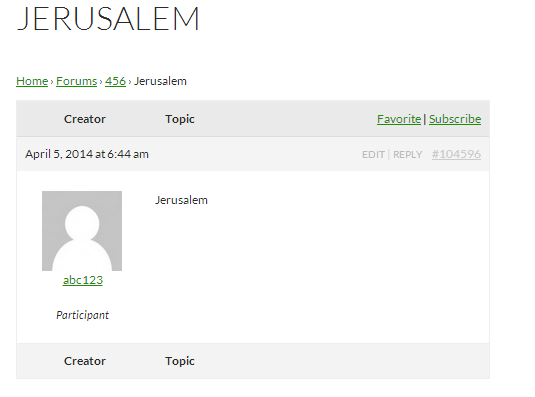
Make sure that ‘Jerusalem’ isn’t in the WordPress bad words list
WordPress Dashboard -> Settings -> Discussion (/wp-admin/options-discussion.php)
‘Sorry still newbie to all these codes thing 🙂 ‘ – Don’t worry I was there only last year, you’ll soon pick it up.
Start with
https://codex.wordpress.org/Functions_File_Explained
So you need to add this to your theme’s function file.
If you are using a main theme, then any updates to the theme may overwrite your addutions, so a child theme is better. However if you put it in your main theme, just keep a note of the changes so that you can add them back if needbe.
Ideally you should create a child theme – google ‘child theme videos’ and you’ll see how to create this – it is very simple, and just lets you ‘add stuff’ to your main theme without any risk of losing it.
Have fun !
Try
function annointed_admin_bar_remove() {
        global $wp_admin_bar;

        /* Remove their stuff */
        $wp_admin_bar->remove_menu('wp-logo');
}

add_action('wp_before_admin_bar_render', 'annointed_admin_bar_remove', 0);
(stolen from the wordpress support forum, so haven’t tested)
Robin, you are a champion. I never knew this feature exist. good job!
by the way, the top of the page display tools incl new forum/topic and reply. That’s great. But how to hide the ‘WordPress’ icon on the top left corner? because the wp icon has links to ‘about wp’ document, feedback etc. I’d like to hide that too if possible.
Thanks again. You are very helpful.
I’ve not used it, but try
https://wordpress.org/plugins/bbpress-social-network/
and please come back and let us know if it does what it says !


