Hello
Is there any possibility to get Polish translation for bbpress 2.5.4? It’s fully translated but still “waiting”. I was looking for way to download non aproved version but can’t find it
Anybody knows how to do that?
Hello
Is there any possibility to get Polish translation for bbpress 2.5.4? It’s fully translated but still “waiting”. I was looking for way to download non aproved version but can’t find it
Anybody knows how to do that?
Hi all
Is it possible to export the topics in a bbpress forum to something like an excel file.
I don’t particularly won’t to export the posts to another forum but more see how many posts there are from different users
Why is search not working in the new default theme? It is working fine in twentyfourteen, but not in twentyfifteen.
Please fix this.
I hope someone can help, I feel like I have tried everything and searched everywhere.
We are running WP 4.0.1 – BP 2.1.1 – BBPress 2.5.4 –
I am trying to enable group forums and following the newest instructions I found but when I enable them, the links to the forums change and go to error 404.
I have group forums clicked, if you visit: http://godstuff.ablurk.com/forums (dynamically created by BBPress?) and hover down the list of forum links you can see which ones have bad links and give 404s, some still work, ALL these forums were created back in BP 1 as group forums with no BBPress and yet they act differently now, some permalinks change and some don’t???? One changes to – /groups/share-music-videos/forum/ ???
In the sidebar I have godstuff.ablurk.com/forums/forum/online-resources hard linked in the features menu, when clicked and it redirects to /groups/forum/ and 404s.
I hope some one can help
Hi there,
We have a forum using bbPress and have set a number of forums to “Private”, and it has been working for quite some time. Normally if a person who is not logged in visits the forums page, it would show the message from the feedback-no-forums.php file, however now it doesn’t display anything at all. Just a blank page.
Looking at the HTML code that’s loaded, nothing within the container is loaded either which is strange. However, if I set one of the forums to public, the forum shows.
Any suggestions?
Hi there,
I am highly interested to shut down my old phpBB forum that is installed next to my WP install. Right now I want to switch over to bbPress, but what keeps me from doing so is the fact that bbPress uses the same database as WP does.
Is there a way to make bbPress work with its own database?
Best regards
Chris
is it possible to allow guest post only on certain forums?
if it is possible please tell how. I need it for my forums
thanks.
Hi, I set up bbpress for a charity. Everything is working OK apart from the email notifications. My question: Is there anyway to send out emails which do not contain lots of unwanted characters? When a forum admin creates a post (especially using attachments and paragraph breaks) the email that gets sent looks something like this:
<p style=”margin-bottom: 0cm; widows: 2; orphans: 2;”><span style=”color: #000000;”><span style=”font-family: Helvetica,serif;”><span style=”font-size: small;”><span lang=”de-DE”>New Bhakti Marga Logo Announcement</span></span></span></span></p>
<p style=”margin-bottom: 0cm; widows: 2; orphans: 2;”> <span style=”color: #000000;”><span style=”font-family: Helvetica,serif;”><span style=”font-size: small;”><span lang=”de-DE”>Intro</span></span></span></span></p>
<p style=”margin-bottom: 0cm; widows: 2; orphans: 2;”> <span style=”color: #000000;”><span style=”font-family: Helvetica,serif;”><span style=”font-size: small;”><span lang=”de-DE”>As Bhakti Marga approaches its tenth anniversary, the time has come for a new era of change. Bhakti Marga has always stood for the uniting Love of God, transcending all religions and bringing people together from all corners of the globe. Now more than ever is a time of change both inside and outside and it is our mission and goal to be at the forefront of that change, ushering in a new age of love and spiritual growth that is so very needed in this world. With all that in mind, Sri Swami Vishwananda has decided that the logo of Bhakti Marga needs to change to reflect that renewed conviction of change and spiritual awakening.</span></span></span></span></p>
<p style=”margin-bottom: 0cm; widows: 2; orphans: 2;”><span style=”color: #000000;”><span style=”font-family: Helvetica,serif;”><span style=”font-size: small;”><span lang=”de-DE”>Symbolism of the new logo</span></span></span></span></p>
<p style=”margin-bottom: 0cm; widows: 2; orphans: 2;”> <span style=”color: #000000;”><span style=”font-family: Helvetica,serif;”><span style=”font-size: small;”>The white horse is a symbol of transformation and new beginnings. It signifies a return to the light from darkness, a journey from our minds to our hearts.<span lang=”de-DE”> Perhaps the most famous use of the white horse comes form the Hindu shastras which claim that Kalki, the tenth avatar of Maha Vishnu, will come riding on a white horse, bringing with him a new dawn and the end of the Kali Yuga. It is exactly that transformation and progression that Sri Swami Vishwananda wishes upon this world and Bhakti Marga is aligning itself to that wish through this new logo. The old logo served to unite us. We believe the new one serves to propel us forwards towards God</span><span style=”font-family: Arial Unicode MS,serif;”><span lang=”de-DE”>’</span></span><span lang=”de-DE”>s Love as one big family.</span></span></span></span></p>
<p style=”margin-bottom: 0cm; widows: 2; orphans: 2;”> <span style=”color: #000000;”><span style=”font-family: Helvetica,serif;”><span style=”font-size: small;”><span lang=”de-DE”>Logo Elements</span></span></span></span></p>
<p style=”margin-bottom: 0cm; widows: 2; orphans: 2;”> <span style=”color: #000000;”><span style=”font-family: Helvetica,serif;”><span style=”font-size: small;”><span lang=”de-DE”>As well as the previously discussed white horse, the new Bhakti Marga logo also contains a few other noteworthy elements. We have now also added the Maha Mantra of Bhakti Marga and the Sri Sampradaya, Om Namo Narayana, to the inner sector of the logo. The Name of God is the greatest and most powerful gift given to us for our spiritual salvation in this age. If we are indeed to usher in a new age then we wish to show the way in which this will be accomplished; through the continuous, loving chanting of the Divine Names.</span></span></span></span></p>
<p style=”margin-bottom: 0cm; widows: 2; orphans: 2;”> <span style=”color: #000000;”><span style=”font-family: Helvetica,serif;”><span style=”font-size: small;”><span lang=”de-DE”>On the outer petals of the logo you can now find a variety of logos and symbols, each representing a different facet of Bhakti Marga. For example, you will find the logos for Atma Kriya Yoga, OM Healing, Simply Meditation and the Mantra Project as they are the principle techniques and practices that have been given by Swamiji over this first decade of Bhakti Marga. You will also find symbols of meditation and prayer to symbolise our way of life, the spiritual path we have chosen to take under the guidance of our Satguru. The symbols of the world</span><span style=”font-family: Arial Unicode MS,serif;”><span lang=”de-DE”>’</span></span><span lang=”de-DE”>s religions previously used in the centre of the old logo are also now found on the outer petals. Bhakti Marga will always stand for the unity of religions and the new logo will continue to uphold that stance. The remaining five petals at the top of the logo consist of the Bhakti Marga t</span>ilak,<span lang=”de-DE”> Lord Narayana</span><span style=”font-family: Arial Unicode MS,serif;”><span lang=”de-DE”>’</span></span><span lang=”de-DE”>s S</span>h<span lang=”de-DE”>ankha and C</span>hakra<span lang=”de-DE”> and his eternal bhaktas and servants, G</span>aruda<span lang=”de-DE”> and H</span>anuman<span lang=”de-DE”>. These serve as the symbols of our Guru Parampara (lineage), the most important element of Bhakti Marga by far. Only through worship to the Guru are we to ever succeed in our goals. These symbols will serve as a reminder of that for generations to come. </span></span></span></span></p>
<p style=”margin-bottom: 0cm; widows: 2; orphans: 2;”> <span style=”color: #000000;”><span style=”font-family: Helvetica,serif;”><span style=”font-size: small;”><span lang=”de-DE”>Last but not least, the white horse is seen emerging from a lotus. The lotus is a widely used symbol in spirituality for a good reason. Lotus</span><span style=”font-family: Arial Unicode MS,serif;”><span lang=”de-DE”>’ </span></span><span lang=”de-DE”>grow in swamps and muddy areas, yet they blossom into beautiful and pure flowers. This is the very same struggle we are faced with. We live in a world of illusion and darkness and our only wish is to rise into the light of God</span><span style=”font-family: Arial Unicode MS,serif;”><span lang=”de-DE”>’</span></span><span lang=”de-DE”>s Love. Bhakti Marga will shine through as a lotus amidst the world</span><span style=”font-family: Arial Unicode MS,serif;”><span lang=”de-DE”>’</span></span><span lang=”de-DE”>s darkness. </span>Sri Swami Vishwananda will be ever there to hold <span lang=”de-DE”>our</span> hand<span lang=”de-DE”>s</span> on this journey but the first step must come from our side. Let us join hands as one renewed family and usher in this new age of Love together as one, under the eternal guidance of our beloved Satguru, Sri Swami Vishwananda.</span></span></span></p>
<p style=”margin-bottom: 0cm; widows: 2; orphans: 2;”></p>
Post Link: http://forum.atmakriya.org/home/topic/awakening-of-a-new-era-sri-swami-vishwananda/
———–
You are receiving this email because you subscribed to the Important News forum.
Login and visit the forum to unsubscribe from these emails.
I am currently experiencing a padding issue with mini avatar icon displays. For example, on the last post author among other things:
[IMG]https://i.imgur.com/YYBQoHX.png[/IMG]
I am using a custom avatar plugin and it seems users with blank avatars don’t have this padding issue. I have checked CSS and can’t seem to find where to mess with this padding or anything that seems to work.
I am also using this code in my loop-single-forum file to display the topic title under the last post time
<?php do_action( 'bbp_theme_before_topic_author' ); ?>

			<div class="bbp-forum-last-topic-name"><a href="<?php bbp_forum_last_topic_permalink(); ?>" title="<?php bbp_forum_last_topic_title(); ?>"><?php bbp_forum_last_topic_title(); ?></a></div>
<?php do_action( 'bbp_theme_before_topic_author' ); ?>
<span class="bbp-topic-freshness-author"><?php bbp_author_link( array( 'post_id' => bbp_get_forum_last_active_id(), 'size' => 14 ) ); ?></span>

			<?php do_action( 'bbp_theme_after_topic_author' ); ?>
My site:
http://the-divine.net/forum
Hi,
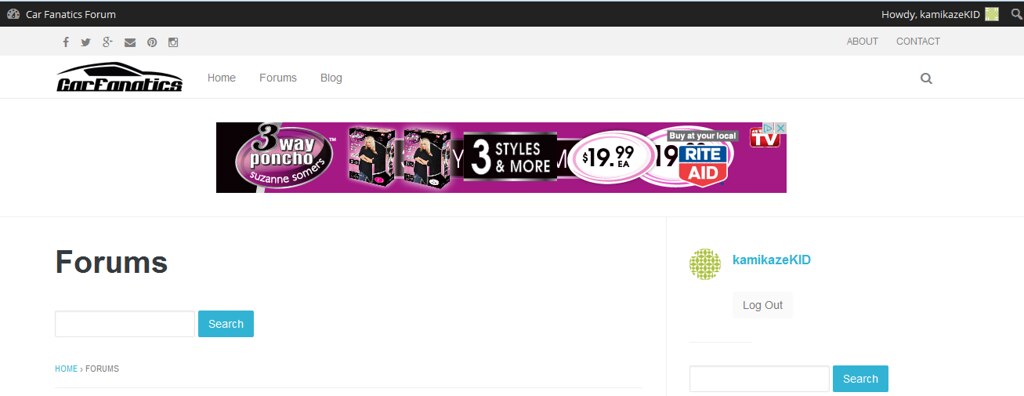
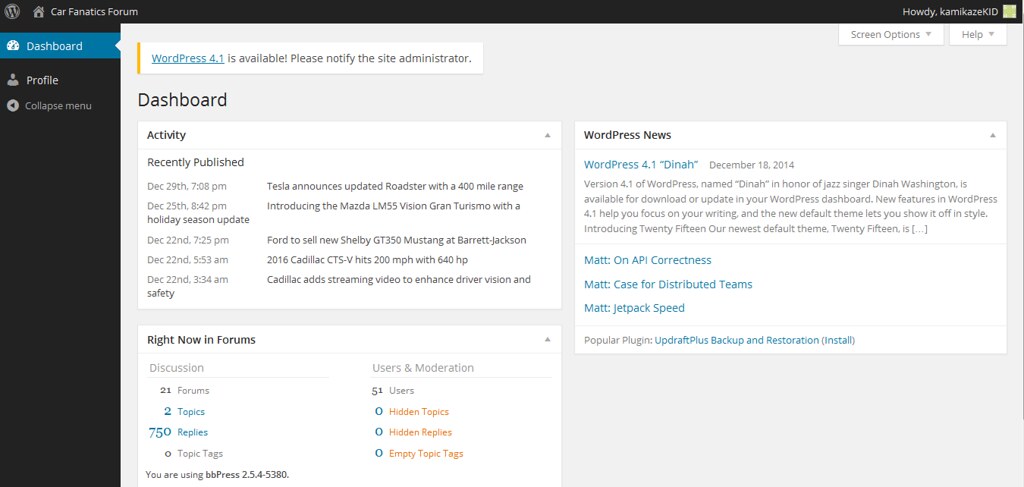
I am wondering why – when logged in – a participant is able to see the WP dashboard? Not the admin one but still the dashboard? Is there a setting I need to change?
Here is a screen shot of a participants page: