bPress 2.5.4-5380. WordPress 4.0.1. www.carfanaticsforum.com
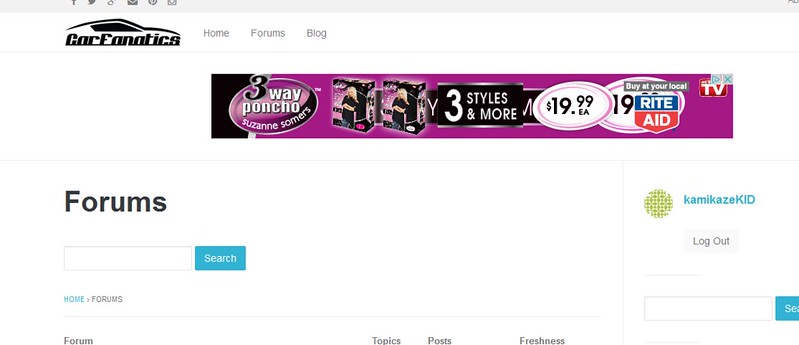
How do I remove the Forums text and search bar?
bPress 2.5.4-5380. WordPress 4.0.1. www.carfanaticsforum.com
How do I remove the Forums text and search bar?
Can someone offer a fix for the Login bbpress widget? When placed on the main forum sidebar it looks ‘squished’.

I want it to look like this:
http://sparkle.yeahthemes.com/forums/
I’m having issues left justifying my forum as a whole. I use WordPress’s 2011 theme.
I want to have room for widgets on the right hand side–I’m using BBPress wordpress Tweaks for the widgets.
The main page of BBPress is left justified, like so (which is what I want). This allows room for the widgets on the right hand side.
As soon as I click into a subforum, the interface is centered, leading to the widgets being pushed all the way down (and looking ugly). How can I left justify this as well?
Hello BBPress experts! I need some help today.
I want to remove these pages permanently so it goes to 404:
http://website.com/member/topics/
http://website.com/member/replies/
http://website.com/member/favorites/
http://website.com/member/subscriptions/
At this time, I’ve only found out how to remove the content. I need these pages removed.
Best regards,
Ben
I seem to be having a lot of white space issues lately…
For some reason there is about 100px of extra space above an IMG in my topics. Here’s an example:
http://bellynsoul.com/forums/topic/another-test-topic/
However, if this same topic comes up in a search, there is no white space:
http://bellynsoul.com/forums/search/?bbp_search=test&bbp_search_forum_id=7638
This seems like a ridiculously simple CSS tweak, but I can’t seem to find the right class/id!
Any ideas?
Thank you!
Sharon
Playing around with a test WP install with bunch of plugins I intend to use in production.
So I installed WP at /blog and installed handful of plugins, notably bbpress and buddypress, yoast seo
This is the problem:
http://www.mydomain.com/blog/forums/
It doesn’t show all the forum categories. It’s showing up like a blog post/page instead.
This is one of the parent forums:
http://www.mydomain.com/blog/forums/forum/the-buzz/
Why is it showing /forums/forum? I only want it to be for example /forums
Now, if I try to go to http://www.mydomain.com/blog/forums/forum/ to see the whole list of forums like it should be, it redirects me to “forum banners”?
MY SETTINGS:
permalinks: post name
Yoast SEO: %%title%% %%page%%
.htaccess
<IfModule mod_rewrite.c>
RewriteEngine On
RewriteBase /blog/
RewriteRule ^index\.php$ - [L]
RewriteCond %{REQUEST_FILENAME} !-f
RewriteCond %{REQUEST_FILENAME} !-d
RewriteRule . /blog/index.php [L]
</IfModule>
Appreciate any help on this. Thanks.
i get Oh bother! No topics were found here! error on all main categories(TOPICS)
also forum is under sesmaster.com/forum but title is forums how can i change that.
i re installed bbpress, flushed cache, disabled all plug ins, changed theme but didnt even reach the solution. could you help me?
this is the picture
http://sesmaster.com/sesmaster.jpg
http://sesmaster.com/forum/forum/genel/
Hello,
I am using BuddyPress with bbPress. Firstly I had a problem in which replies were not visible in forum topics. Then I followed this thread, and after installing bbpress wp4 fix I got my issue fixed.
But now a different issue has come where all my topics are redirecting to the first topic. Check my forum HERE. Although the link coming is proper, its just content is of first topic.
Can anyone please give me a solution for this?
I tried this and it actually works.
That is really simple way to place ads over the single topic of your bbpress forum. You just use ftp to customize the following file
wp-content/plugins/bbpress/templates/default/bbpress/content-single-topic.php
Just place your Adsense ads code over or under
Also you can place that on otherwhere such
content-single-forum.php
content-archive-forum.php
content-archive-topic.php
I’ve successfully installed bbpress2 and migrated every content from the old mingle forum and topics/reply to bbpress, by following these advices:
https://codex.bbpress.org/import-forums/mingle/
To rewrite every old mingle topic’s google search to bbpress, i’ve modified the .htaccess file on the root directory as shown below:
RewriteEngine On
RewriteBase /
RewriteRule ^forum/forum-group2/discussioni-forum1/(.*)-thread\d+ http://www.mysite.it/forums/topic/$1/ [R,L]
(in my case i’ve only one forum)
It works!

