It might have been already reported to you, I would like to post another vote to get rid of the following message:
Notice: bbp_setup_current_user was called incorrectly. The current user is being initialized without using $wp->init(). Please see Debugging in WordPress for more information. (This message was added in version 2.3.) in /wp-includes/functions.php on line 3547
which starts showing up when bbPress is activated and WP_DEBUG is on in /wp-config.php. It does not seem to break functionality of bbPress, but it is very annoying, when one tries to debug other stuff.
Thank you very much.
I have bbpress properly set up, and it worked well, except when clicking the user’s profile page, there is no sidebar with logged-in widget.
Actually the sidebar was under user’s profile page. See this image.
https://c4.staticflickr.com/8/7549/16059375738_d3e7dc8e1c_z.jpg
How to fix this?
I checked the source code, looks like the user profile page don’t have a ‘.et_right_sidebar’ class for its ‘left-area’, seems I need to change its template page? How?
I am still a beginner to understand template code. Any good resources to better understand WP codebase?
However, other forum page or topic page are fine with sidebar, like this.
https://c2.staticflickr.com/8/7498/16245113651_341d810976_z.jpg
I’m really looking to get close to this view or am I really just out of luck?
Would love to tighten things up for easier viewing of replies and topics, possibly making it all inline, and even nesting the titles/replies. Thanks for any direction to plug-ins or designs.

Hello.
BBPress have a problem with is that after installing it. I do forums and subforums and I have put a link in the header of the site and list me correctly, coming not find specific forum.
I not find them by FTP
What is happening?
Thanks and regards.
I just activated bbPress and added a Forums menu page. I Tried to set up a topic and then brought up my site after clearing the browser. Yes, I do get the Forums page although I can’t do anything relative to the topic or replies from the front end.
I’m very new to bbPress and definitely would appreciate some direction to instruction or a step by step guide. Yes, I did read the info on the bbPress pages and still can’t figure this out.
You can see my problem here: http://cycleshanty.com/?forum=forums
Yes,I am using WP 4.1
A little help please.
I just finished troubleshooting a problem where user profile links would redirect to the site home page. I’m documenting it here in case others run into the same problem.
It turns out there is a conflict with a feature in the WordPress SEO by Yoast plugin; both in the free and premium versions. There is a “Disable the author archives” setting under “Titles & Metas” –> “Other” that must be unchecked for bbPress profile links to work.
I have reported the issue to Yoast. They agree that there is a context difference between blog authors and bbPress users that should be accommodated. They have created a GitHub issue for it if anyone wants to follow along or participate.
Is there a way to move the Visual and Text editor ‘text’ a little to the top so it’s in the middle?
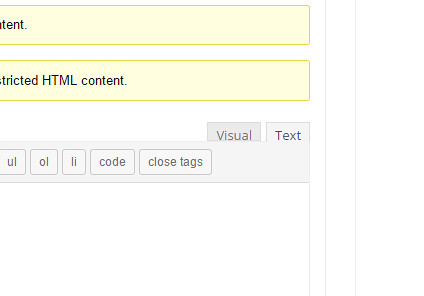
My site: http://www.carfanaticsforum.com/topic/volvo-cars-points-to-the-future-with-the-exciting-s60-cross-country/
Hi all,
I need help for programming a little feature for my forum.
I’m willing to pay some money, after a more detailed discussion of price.
But this should be somewhat “easy” for a programmer used to bbpress/wordpress, as most code already exists.
If interested:
Please, have a look at this page:
https://www.tradingview.com/widget
(They supply this for free by the way)
Look at the top widget/stock chart, and look at the code supplied on the same page underneath the chart.
Also notice how you can enter the stock-symbol of choice, in the top left corner of the chart, to search in Teamviewers own database, to load a new chart.
NOTE: This method (from the user interface) does apparently NOT change the “SYMBOL” in the code, as seen on the page above.
– For the “widget” to show another symbol by default, you’ll have to enter it and click “Apply” on the left side, to update the code with a new default SYMBOL.
Please try it out, to have a feeling how it works.
Now my questions:
Q1:
Is it possible to embed this script, in the text-area for bbpress, and run its output “live” when a user edits a new post?
It could be called and embedded into the text area, by clicking a “check-button” labeled “Graf” (‘Chart’ in Danish).
(And removed again unchecking this button – of course)
Q2:
Is it possible for the user, to enter directly on the user interface of the widget, a new symbol, and post it (correct chart) together with the topic?
It would maybe require that the Post-button would need to update the “SYMBOL”-line in the script code, with the symbol the user have chosen and fetched from Tradingviews database, while also posting it all…Like you would do with an WYSIWYG editor
I hope I made myself somewhat understandable 🙂
Thanks in advance !
Best regards,
Martin L. Hansen – Denmark.
Hi!
I want to put tinyMCE in bbPress, I copied this code -> https://codex.bbpress.org/enable-visual-editor/ and it works good but I want to disable html tab and leaving only the visual tab.
Is it possible without using css or javascript solutions?
Please help, I am trying to get the latest post date.
http://kayakbassfishing.com/forums/forum/fishin/goin-fishin-and-been-fishin-fishing-reports/


