Published on April 27th, 2015 by Henrijs Kons
Found plugins that adds New tag to topic title with fresh posts inside. What i want to do is get it to display New tag also on Forum Title in which Topic with New tag resides.
Visual representation of what i want to achieve
Category
–New Forum
–Topic
—New Topic
-Forum
–Topic
–Topic
New tag plugin that I am using http://pastebin.com/gx6kAGWd
Hello guys,
I searched on this forum but still can’t find an answer.
As i said in the title, i put a category (with 3 forums in it) hidden. But people still can find them in the research results if they type a keyword. Any ideas?
Hello!
Until recently I have got no problems but when I upgraded my WordPress to 4.2 version and my Bbpress to 2.5.7 version all the topics disappeared. I`ve got them on my dashboard, but when I try to find them in the user mode I fail. It is written that no topic has been created yet. How to fix this problem, who knows? Is there any way to do that without waiting for some patches? Well, the way to do that with help of shiftback to the older version of WP is not the right one, because other plugins on my site require it.
Thanks for you possible help!
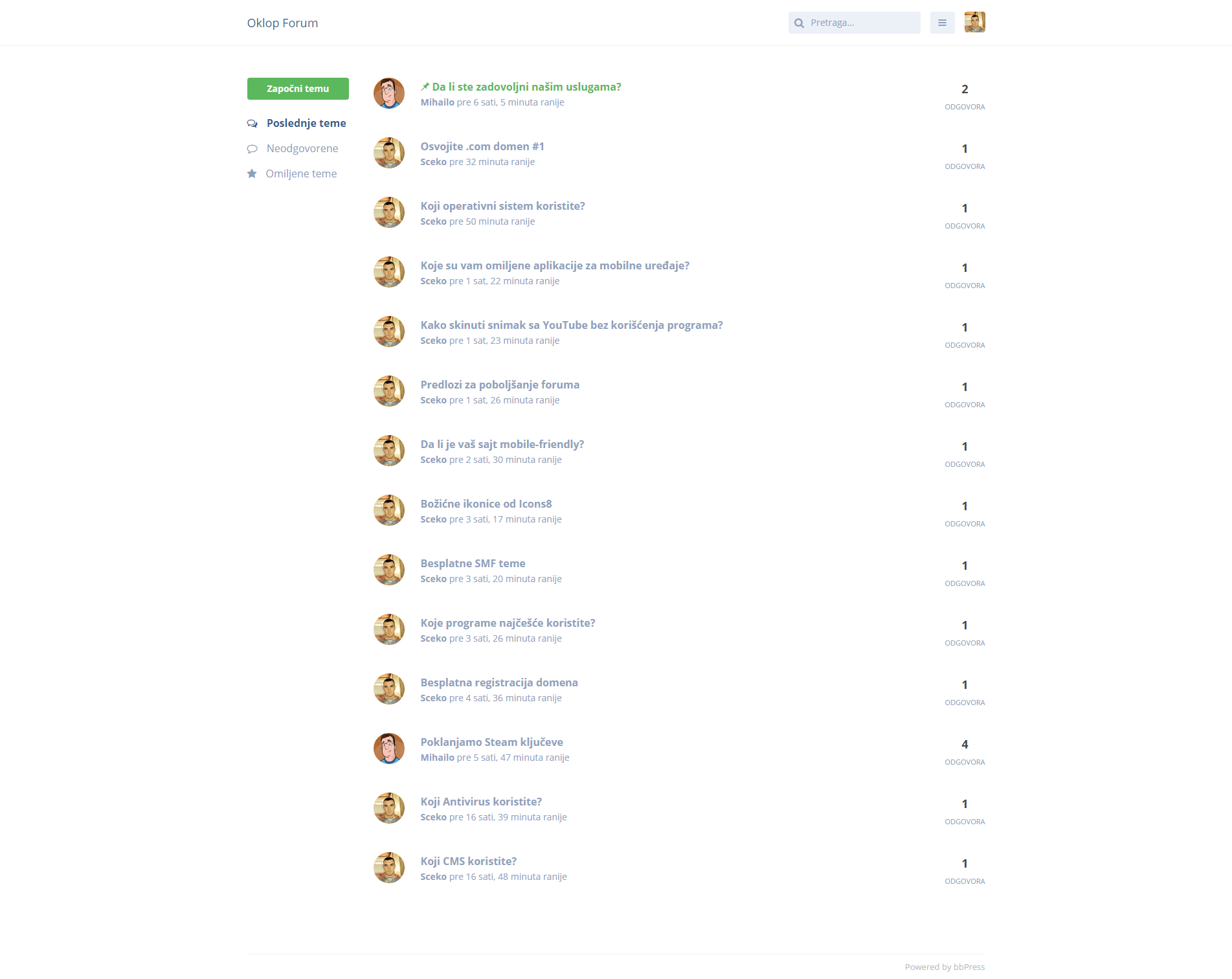
I create theme for bbPress like Flarum, demo http://www.oklop.me/forum/ soon been available for download.
I just created a hidden group and associated hidden forum. However, if I browse to the group page, the forum tab says there is no forum for this group. The only way I can make the forum show up is if I make it public. How can I get this working?
Hello guys
Sorry for my English, i’m French
I create a category forum only available for myself (admin) and my 3 friends (moderators). It works great. But there’s an issue
I created a stantard account to see if it was invisible to the others. It’s okey, but if i type a keyword (a keyword of an invisible article as standard account) in the search browser…
Then the articles are visible! Completely viewable by everyone actually
Which is not that great… And makes no sense at all^^
So if you could help me.
Cheers
Hi everyone,
I’m building a website for my church and have installed bbpress and buddy press so that I can make the forum section.
The problem I’m having is.. one of the forum section is a secret prayer section where people can post their subject and ask for church members to pray for them.
This section needs to be anonymous so that nobody knows who posted the post but can help pray for them.
So, my question is.. is it possible for me to make this “prayer forum” to be anonymous?
Thank you for your support!! =)
I’m relatively new to bbpress, but have read as much as possible so to not look stupid. 🙂
I’m wondering if this is expected behavior.
I have a (private) Category with (private) Forums which is set as a Group Forum in conjunction with BuddyPress.
Users who have the capabilities to Read Private Forums/Topics/Replies can NOT see any of the Topics or Replies in any of the Private forums, UNLESS I either: a) add the ‘Read Hidden’ capability, or b) change the forum to be ‘Public.’
Neither of those are strategies I’d want to employ.
I also use the PMPro plugin and their bbpress addon, which I *could* use to allow the Forums to be ‘Public’, but locked down to non-Members, but I’m not sure if that’s the best route either?
Am I missing something on how best to have Private Forums under a Category in bbpress?
Appreciate any guidance or pointing me in a direction to resolve.
Thanks.
Hello All,
When I used the bbpress forum user information always shows on the left like following;
-ID
-Participant
-04/25/2015 at 2:11 PM
-Post count: 4
I want to hide post count and change date & time format.
How can I do this ?
Please help~
I need some help. I am trying to manually insert a topic into a forum. I’m doing from a different blog on the network however so I’m assuming I can’t use BBPRESSS functions to do so. anyway the code I have so far looks like this
 switch_to_blog(LP_SCHOOL_BLOG);

    	// Forum
	$reply_data = array(
		'post_parent'    => 0, // topic ID
		'post_status'    => 'publish',
		'post_type'      => 'topic',
		'post_author'    => $current_user->ID,
		'post_password'  => '',
		'post_content'   => $post_content,
		'post_title'     => "New Resource: " . $post->post_title,
		'menu_order'     => 0,
		'comment_status' => 'closed'
	);

	// Insert reply
	$reply_id   = wp_insert_post( $reply_data );

        update_post_meta( $reply_id, '_bbp_author_ip' , get_user_ip() );
        update_post_meta( $reply_id, '_bbp_forum_id' , 2231 );
        update_post_meta( $reply_id, '_bbp_topic_id' , 0);
//        update_post_meta( $reply_id, '_bbp_topic_id', (int) $topic_id );
        restore_current_blog();
This code is correctly posting a topic. I can see the topic at the back end, and it looks exactly like any other topic, from the back end, but it is not appearing in the forum listing at the front end.Is there some additional bit of meta data that I have to insert? to get it to show up at the front end?
TIA
m

