Hey,
I was hoping to edit the RSS to only include the topic title, author & timestamp.
Currently the rss template contains a lot of data, I just want to display on another page, just the title etc
Hey,
I was hoping to edit the RSS to only include the topic title, author & timestamp.
Currently the rss template contains a lot of data, I just want to display on another page, just the title etc
Few days ago when I installed the plugin it worked perfectly, but, suddenly it does not send confirmation messages to new users for the password. But curiosly the Admin receive messages telling that new users has been registered.
My host is Godaddy, and since 24 september Contact Form does not work. I have try a lot of things, but none has worked.
I need to use PHP mail (). If I create manually a PHP Form the messages are sended.
Please, help me.
not sure why I get these small ticks, if anyone could help that would be great
https://www.roogle.ca/wp-content/uploads/2017/10/ticks.jpg
Is there a way of echoing the number of replies that have been deleted from a certain topic? I am trying to add this function to the loop-single-topic.php file. Is it possible please? Does anyone know? Any help would be greatly appreciated. Thanks! 😀
Hi everybody!
Is it possible to change the number of pages in a topic? so i have a topic that have for example 200 posts. So i have Page 1 2 3… 10 11
I want to change this in 1 2 3 4 5 6 7 8 9 10 11
Here is my theme: https://www.mynghecaocap.vn/
Ho can i do that?
I created a custom page for the forum “home page”. bbPress has clickable breadcrumbs and “Forum” will load the default bbPress forum home, as such I added the following to my .htaccess to redirect the user to my custom page:
RewriteEngine On
RewriteRule /forums$ /the-forum
This redirects the user:
from: http://ok.thissiteworks.com/forums/ (bbPress forum home)
to: http://ok.thissiteworks.com/the-forum/ (custom forum home)
That works – but only for logged in users. When a user is not logged in the redirect does not work.
Hi,
I wondered if there is a hook where I could add a “View All” button at the bottom of the recent topics widget?
I looked in widgets.php and did not see anything obvious I can hook into. Has anyone done this in the past? Or should I just make my own custom widget?
Thanks in advance
Neil
I have WordPress ver. 4.8.2–en_GB and bbpress ver. Version 2.6-rc-3.The forum I created can be seen here:
https://freyer.com/forums/topic/this-is-a-very-long-topic-as-i-have-loads-to-discuss-2/?csshero_action=edit_page&rand=272
After setting up bbpress I have this search issue that when I search the forum, the results are messy as you can see above.
Any idea where I can make changes, so the page displays properly?
thanks,
Riggie
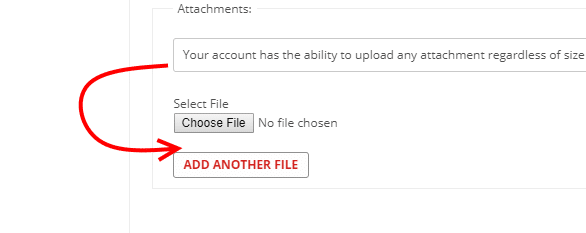
What template controls that placement? We want to move it. I cannot for the life of me figure that one out.
I am using a post views plugin to display the views on each individual forum but I am trying to have the counter cleared every hour using a cache plugin as suggested to me by a developer but I don’t know how to do that and which plugin to use that will allow me to achieve this. Does anybody know please? Thanks in advance

