download:
http://www.mcshockency.com/themes/bb_modmat.zip
demo:
http://www.liricistas-asura.com/bbpress
Hello! This is my very first bbpress theme. It is based off of the WordPress theme “Modmat” (https://wordpress.org/extend/themes/modmat#post-27) by chrismou (http://mou.me.uk/)
Like I said, this is my first theme, so ANY constructive criticism is MUCH appreciated. Also, if you find any kind of mistakes, please let me know!
This theme was designed for both 0.9.0.2 and 1.0 Alpha.
Hello,
I’d like to be able to use in my forum posts, any type of medias, pictures of course but also video (flash code)
How can I do this ?
Thanks in advance
Does bbpress allow for… or is there a plugin to allow for…
holding a topic entry for Admin to approve before displaying on the frontend?
I’m wanting to create a ‘picture contest’ entry page.
Memebers login, open then page, and upload an image to be voted/rated.
I’d like for Admin to approve each before making each entry visible on the frontend.
Hello..
I am using bbpress for having a forum for my bar.
Like this i need anonymus guest beeing able to post…BUT ONLY IN SINGLE DEFINED forum(s) ..at the moment a have the anonymos posting plugin running..but still they can post everywhere…somebody got i idea to fix this situation with a setup of defined restrictions or with a update of the plugin?
Para compreender, tem que conhecer a todo o conhecido
Hello,
how to control the number of topic in “latest discussions” in front-page.php?
bye
I may be going about this the hard way, but I thought I’d see if anyone had an answer for me. I’m not a sysadmin, but I play one on tv, or at the very least, can find my way around a linux box pretty well. Here’s what I’m trying to do. I have WordPress Mu running on server a and I have bbpress installed on server b. I want to have bbpress use the user tables of the WordPress Mu db. Every time I’ve tried to do this, I’m getting a db connection error. I know I have the username and password correct. I put in the db host as www.servera.com. Is there something I’m missing completely? Should I just give up trying to do it this way?
By the way, I’ve tried this with .9 and no go there either. I really can’t go back to WPMU 2.5 because we have a key plugin that requires 2.6.
This is basic, guys – sorry! I’ve had a request from a new user to change their user name. I can’t figure out how to do this in the User section. Can it be done, or do they have to re-register under their preferred user name?
Hi everyone
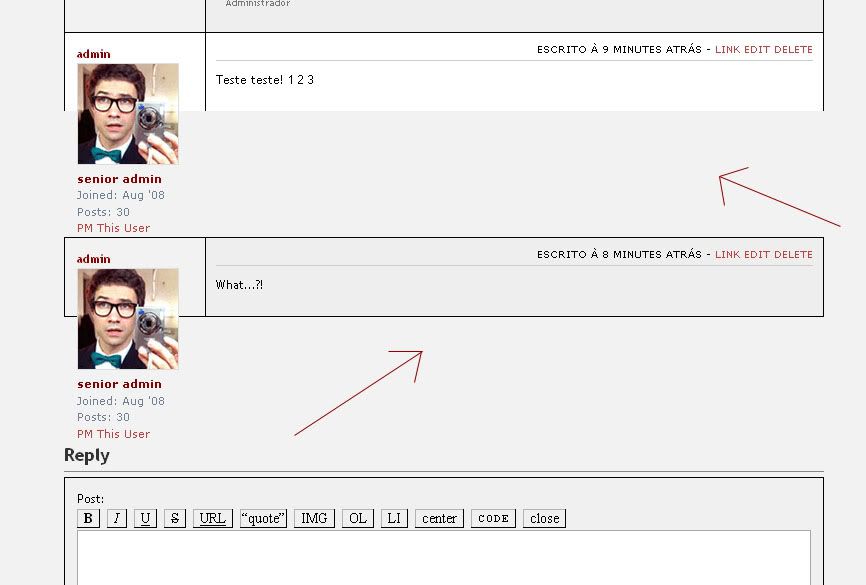
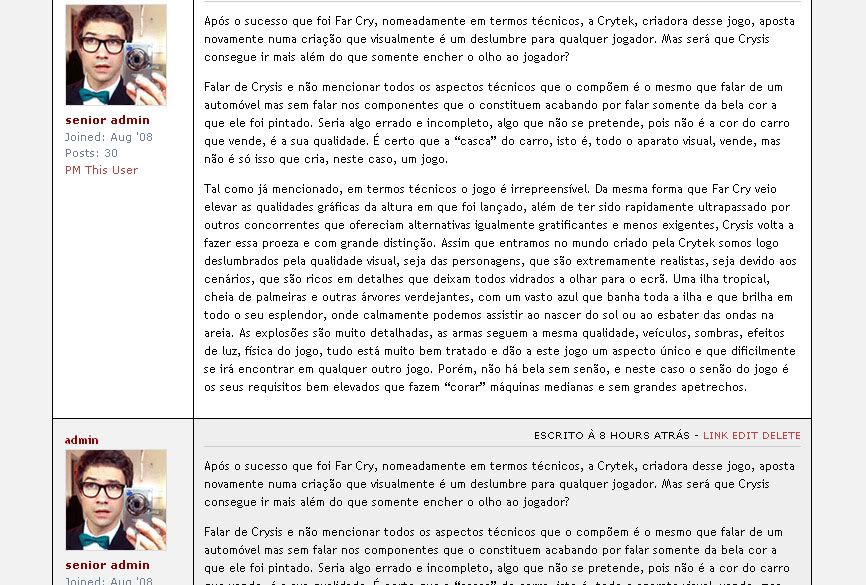
So, I was modding the Kakumei theme for bbpress and everything was going just fine, but then, something I changed made this happen: ERROR IMAGE
It was supposed to be like this: CORRECT
The thing is… I wasnt changing nothing relative to the threads in the CSS, and that happened… or at least, I think I wasnt.
Somethings I changed I’ve put them back like they were, but, somehow, nothing changed…
Can someone help me?
Thank you
Edit:
Oh, one more thing, the older posts in the threads didnt changed, just the new ones I’ve made…
hey guys i’m stuck! i really like the standard theme i just want to change some colours however i can’t seem to get rid of the white section below the footer! what do i need to change?