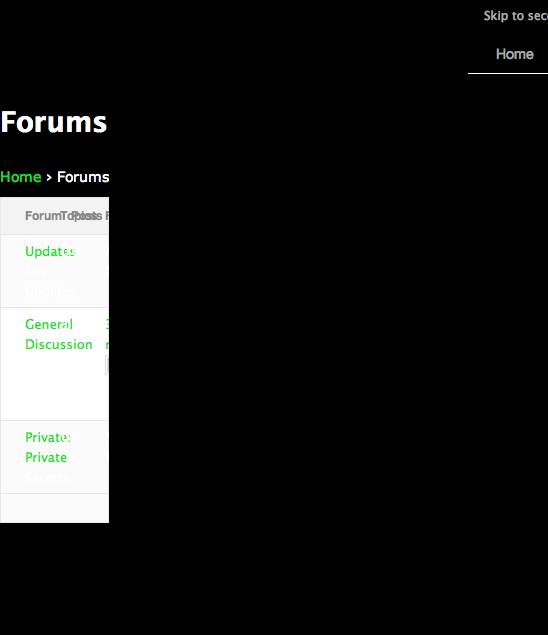
I’m looking to get the same setup as this here forum. I can’t figure out how you get your topics to show as the main content on your “forums” page. If your page slug is set to “forums”, and you have your bbPress slugs set to “forums”, then bbPress reads it as the forum-archives page, isn’t that right?
In that case, I’d have to make the forum-archives php file into a topics archive (then use the forums list widget for the sidebar).
And then, once you get the topics to show up on the “forums” page, you have a “Forums” sidebar on the left with names and descriptions, which the built-in widget doesn’t have an option for.
Even with a fully-custom page template, the fact that the slug is “forums” causes the conflict and automatically shows the forums archive page. Does that makes sense?
Any hints on how you did this? Thanks very much in advance.
There is not an doubt; participating a few online pike classical guitar lessons can help you better playing with your own striped bass six string. Then again, it is not taken place for you. Certainly, they will talk plus assist you the way Monster Beats Studio to participate in. The lessons can you get to spell out the terms together with secrets connected with trying to play largemouth bass strategy which really can be aggravating to comprehend. Merchandise online isn’t it an adequate amount of?Hardly any, it isn’t.If perhaps you’ve decided to go the lessons, you must not only be pleased with ongoing learnings. It could seem “They’re still, since of course, therefore i opt to select your earliest preference.Inch Its fundamentally an inappropriate proceed. Certainly, should you don’t don’t have any strategy in addition to dont enjoy the best option.What’s important to bear in mind when you are evaluating lessons will be good quality. Look at the Monster Beats Tour packages which is available from over the internet educators and determine frauds sufficiently big to repay all the instructional classes you should. Determine if the standard insurance plan features either (learning says, grasping a muskie Monster Diddy Beats electric guitar etc.) not to mention advanced instructional classes (reading leading pentatonic weighing scales, understanding the notes along with tempo.Note that; very, start with learners striper six string training lessons should you be in the beginning stages. Assuming you have without a doubt surpassed more than in which position, in that case slowly require a intermediate in addition to cutting-edge levels. Never hasten important things.You don’t have their age need to master striped bass guitar. It are not going to problem as a kid or Cheap Beats By Dre just a modification 30. One of the keys quite simply contain the hard drive to learn.Start your pursuit to your fantastic largemouth bass acoustic guitar instruction inside browsing the on-line world. Always remember this conditions, and you are obviously absolute to contain necessary time to learn putting all of the bass sound!
Hello, I am using latest BBpress as a plugin for WordPress 3.2.1.
I want to enable lithuanian language for BBpress, created necessary folder and uploaded language file, but i can’t find bb-config.php file. There is no such file at all… What should I do? Thank you.
I just spent hours figuring this out so I thought I’d try and save others the bother by sharing it here.
The basic aim was to hide the contents of topics in a bbPress 2.0 forum from any users not logged in. This makes for a nice private forum.
I found suggestions about making forums hidden, private and so on but none of them really worked as they hid them for logged in users too.
My final solution was to make bbPress ‘dumb’ when it comes to logged out users. I.e., it could either be clever and say “there are topics, but you’re not allowed to see them until you login” or it could just say “there are no topics”.
The following code does the latter, dumb version by hooking into the forums, topics and replies loops.
Code:
function pj_hla_logged_in_topics($have_posts){
if (!is_user_logged_in()){
$have_posts = null;
}
return $have_posts;
}
add_filter(‘bbp_has_topics’, ‘pj_hla_logged_in_topics’);
add_filter(‘bbp_has_forums’, ‘pj_hla_logged_in_topics’);
add_filter(‘bbp_has_replies’, ‘pj_hla_logged_in_topics’);
I simply placed this within my theme’s functions.php but you could just as easily wrap this in a function.
I have installed the bbPress plugin on a few wordpress instances and tend to favour a vanilla install coupled with CSS overrides to provide the look & feel I need.
On a recent install I have spotted an issue with user profiles. When I try and navigate to the user’s profile (typically yoursite.com/users/<username>) I am receiving a 404 page from WordPress.
I can browse to another users profile and it resolves fine. The only difference I can see is that the profile which is not working has a username which has spaces e.g. FirstName LastName as opposed to FirstNameLastName.
Has anyone else had this issue and know if its a genuine bug or a “feature”?
I have changed my theme to twenty ten which is supposed to be bbpress friendly but I still can’t get bbpress to run correctly in wp
I have downloaded the following plugins;
bbpress login (I assume that I won’t need this now)
bbpress topics
bbpress forum
bbpress reply list
bbpress view list
bbpress integration and pasted a line of define code to the correct
wp config file
I have no idea where to add them or what is the actual content of the plug in. i.e. I expected the topics plugin to show the actual forum front page but there is nowhere in the wp plugin set up to put this. There is only margins or footers. What I do get is the topic title in the margin.
What I would like is to see my bbpress forum displayed in my blog as it appears in bbpress but I am unable to set this up.
What do I need to do to finish the integration process. I can’t find any documentation in bbpress or wp that explains the process. If there is one I am happy to work through it if you send the link.