I need some help with one of my sites becouse I can not find a solution and don’t know where start looking for. The problem is that the posts appears also as a CPT I’ve created and as forums in bbPress.
WordPress SEO Yoast get confused when I try to check them and I don´t know why. I am using the last version of WP, bbPress, theme Hueman and PODs Framework for CPT. In this image you will understand better what I mean: http://postimg.org/image/bz0hyoa69/
I installed bbpress on my localhost for testing purposes
But each time i want to post on the forum i get
ERROR: Are you sure you wanted to do that?
some should pls help out
In the default template, is there a way to either change the wording of “Sticky and super sticky” or perhaps remove all together? Also, can I remove topic status?
Thanks!!
I just installed BBpress on my local server for testing purposes
I created a user so that i can test it out, but each time i want to submit the post i get response like this “ERROR: Are you sure you wanted to do that?”
i dont how to fix this cos i need to show the sample to someone tomorrow
Thanks
Hi,
I’m new to BBPress and have installed it on various themes across the board. The platform is simple enough for me to grasp after playing around with some settings. However, I dislike the URL arrangement that comes when it’s installed.
Right now it’s: http://www.letsvapesafe.com/forums/forum/lvs-forum-2/
I want it http://www.letsvapesafe.com/forums//lvs-forum-2/
Is there anyway I can change it to my liking?
Thanks guys
I’d like to mimic the way tags are presented in the WP admin for users creating topics from the front-end of the forum.
So instead of a text input for Topic Tags I would like to allow site users to pick from existing tags.
Effectively changing this: 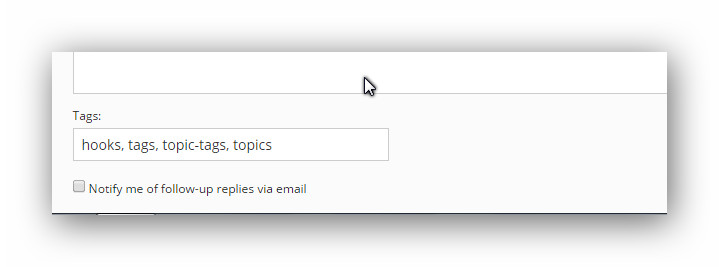
to this: 
Is there a fairly simple way to do this?
Thanks so much!
When I upgraded a WordPress installation to use 4.0 from 3.9 the topics would not show on the loop-topic template neither would the topic content show when on single-topic.
I deactivated all plugins (bar ACF and bbPress) and used the default WP theme but the issue still prevailed.
I then reactivated all themes and plugins, bbPress was still broken.
I then overwrote the /wp-admin/ and /wp-includes/ folders of the installation with the WordPress 3.9 version(s) of the files and bam! bbPress was back to life.
There were no error logs on the website either.
Any ideas?
WordPress 4.0 isn’t critical to the site but it’s always important to keep on top of updates.
I’m using bbpress as a support forum. I know we can get all unanswered topics with
- Oh, bother! No topics were found here.
shortcode.
But I need to get list of all topics those answered by customer (subscriber) in the end.
We want to be have all topics closed or replied by moderator then access quickly to the topics which answered by customers finally. Any help and suggestion would be appreciated.
I found some spam in Queue, and was deleting 100 at a time…. after 3/4 pages I cannot acces replies at all. I can see and edit replies on site, but on the admin area, i get 403 not found for the Replies section.
Error 404 Not Found
Any idea?
When someone view the forums while he is signed out he will read: You must be logged in to create new topics.
There is no hyperlink that is linked to log in/ register page. Can we achieve this with the plugin itself?
Thanks!


