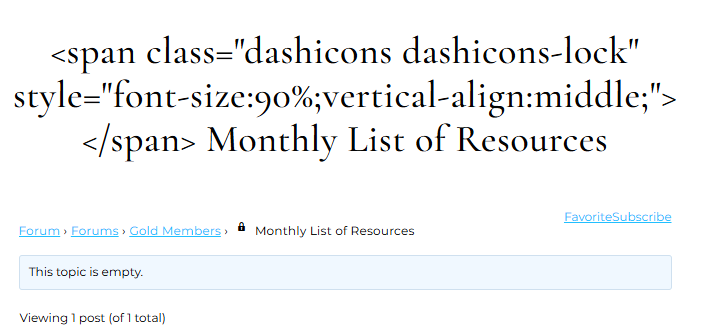
not one I’ve seen before, it could be a theme or plugin issue
Themes
As a test switch to a default theme such as twentytwenty, and see if this fixes.
Plugins
If that doesn’t work, also deactivate all plugins apart from bbpress and see if this fixes. if it does, re-enable one at a time to see which is causing the error.
If you cannot do this to your site (say because it is live) then use the ‘troubleshooting’ features of this plugin to let you test without affecting other users
Health Check & Troubleshooting
Then come back
Thank you so much for your post and the suggestions.
Using the suggestions I have determined that this problem doesn’t occur if I use one of these options. All of the options don’t have to be used, just picking one gets rid of the issue.
1) Don’t use the closed threads option at all.
2) Deactivate the plugin Turnkey bbPress by WeaverTheme
3) Change the theme. The lock shows normally without the code being there.
But this doesn’t really solve it because I want to keep the theme and the plugin.
I assumed that there is an issue with the way the dashicons were being processed.
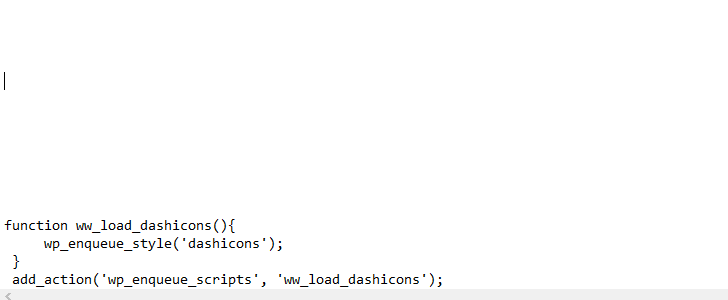
I added this to functions.php. It did not change anything.
I feel like perhaps there is an issue with the title formatting.
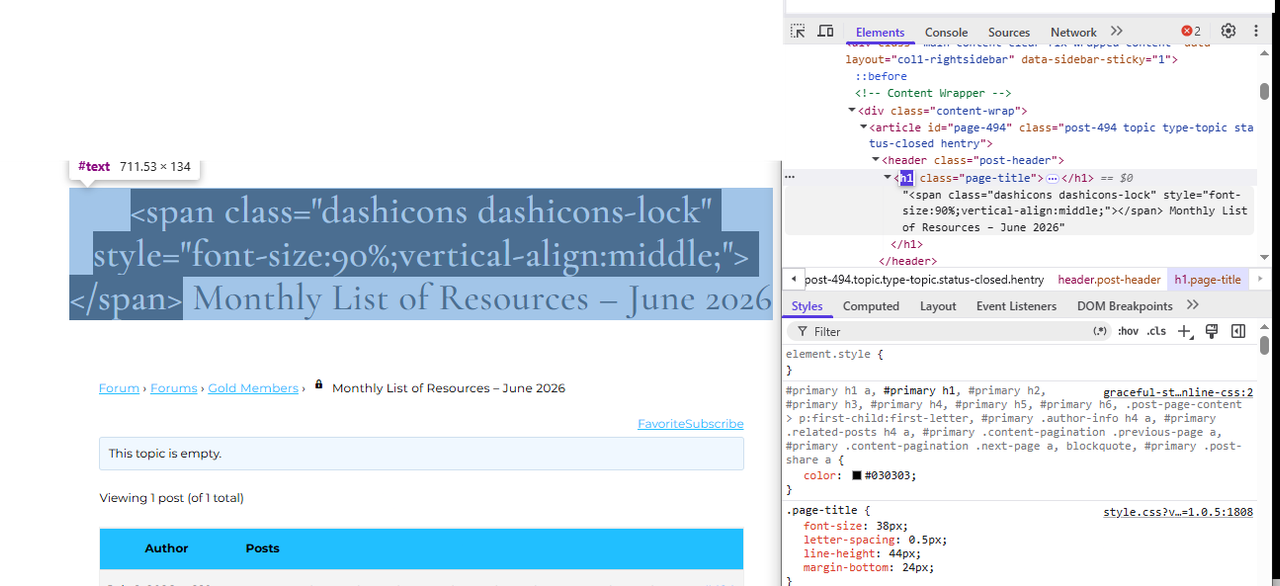
If I go to the post and click on Edit Topic, it doesn’t show any extra code in the title section. Yet I see that this <span> is being inserted into the title of the forum post (as shown above) and I think WordPress may be stripping out the code which is why it shows. I could be wrong in this, but where would I look to see how to change this.
Thanks for that really useful and detailed post.
My working theory would be that turnkey bbpress is adding something to the header – if another theme shows it as a lock, then that is the most likely, but I may well be incorrect !
Are you using the version on wordpress? https://wordpress.org/plugins/weaver-for-bbpress/
or where did you get it from?
It might be worth you posting the issue on
Turnkey bbPress by WeaverTheme
to see if they can help.
I am not a bbpress author, just a volunteer who tries to help here, but please do come back and I’ll see if I can help further
sorry, I’ve just seen that you have already posted there !
I’d suggest you carry on with their support as they seem to be trying to help you, but come back if you need to.